
Common Work At Home Problems
There are many great reasons to work at home. You’re on your own schedule, you can wear whatever you want, and any water cooler small talk you make is entirely of your own discretion (and usually involves chatting to yourself...). I love it, myself.Still, it’s not all lazy pajama mornings, leisurely lunches, and mid-afternoon glasses of wine. Every now and again, you’ll encounter a problem that...dare I say it...actually makes you miss the regular old routine! Here’s a few of the more common issues, and how you can overcome them.

freelancing
Source: Pexels.com
Can you please be quiet?
It can difficult to be taken seriously, sometimes, when you’re working from home. People tend to think that you’re always available, that you can look after their children, meet them for coffees, and so on. All this can be managed with a little bit of social grace; children are another matter entirely. Finding a quiet time to work when you have energetic children rushing around you - even if it’s not your job to be watching them - can be difficult. Solution? Make the most of the children’s afternoon naps and try to carve out an area in the room that is unequivocally, undeniably your own working domain.
Why Won’t It Work?!
In a regular office, you turn up and you do your work. All the infrastructure that allows you to do it, those wires and wireless waves and all that nonsense that makes things happen is taken care of by someone else entirely. The mysterious IT folk who always ensure things are running smoothly.
In your house, however, the mysterious IT folk have disappeared and all you’re left with is...the mystery! If things online are moving slowly, it might be issues with your Wifi - see The Smart Future for guidance on what it could be. If your files are suddenly nowhere to be found, it could be an issue with your hard drive - which is a good time to mention, you might want to look at getting Cloud storage.

working from home tips
Source: Pexels.com
Avoiding those Shiny Objects
The biggest barrier to work success usually isn’t your children or your IT: it’s yourself. Never underestimate mankind’s capacity to avoid work and pursue...well, anything that isn’t work. We’re master procrastinators, always searching for something to be entertained online or in our homes. Your house will never look as tidy as it does when you work there; anything to avoid work!
It’s a good idea to download a time tracking app to your computer, and record how much you actually work. Seeing the timer at 15 minutes when you were supposed to be working for an hour or more will give you motivation to sit down and actually get to work!
Hello...World?
No annoying colleagues, sure, but then there’s no anybody! Loneliness can creep in for home workers, so make sure you get out of the house during your breaks to interact with the wider world. Using websites such as meetup.com and the like can put you in touch with other work from home workers. Get together and meet for a coffee!
Got some tips for working at home? Let me know in the comments.
Note: This post contains some affiliate links.
If You Work From Home You Need To Read This

working from home tips
Anyone who is freelance or works from home like me will understand how difficult it is to self motivate. If you are in the creative industry you may find it harder as distractions and procrastination are far easier to indulge in when you aren’t jumping up to rush to the office. I have some handy tips to get you up and at ‘em, so read on.
Routine
You need to start with the basics. Routine. Whilst it is easy to put things off until an hour before deadline you are not doing yourself any favours at all. You are just allowing yourself to deepen bad habits. The best thing about working for someone else is that you have a boss breathing down your neck a little. You have a solid routine of getting up, breakfast, the commute and then a clear day dedicated to only one thing. Sitting in your office!
As a freelancer it is very easy to fall into the trap of the lazy morning / late night set up. You have 24 hours in a day right? So why does it matter if you work through the night and sleep through the day? It matters because the upset of routine can seriously affect the quality of both your productivity and mental health.
Get up at a reasonable hour (pre 9 am) and don't be tempted to sit in your pyjamas or work under the duvet. Get washed, get dressed and start work at the same time every single day. You don’t have to work from home. A change of scenery can help you get your mind working and there is Wifi available in most public places. Just invest in a little extra juice by purchasing a battery pack like one of these from ithingum.com and ensure your devices don’t let you down.
Break for Lunch
It may sound silly, but the opposite of the lazy morning trap is the overworking trap. It is vital you take plenty of short breaks to help recover.
Some freelancers seem to work every day and this is also a mistake. The problem is if the office is there it's easy to just pop in and square some stuff away. Don’t. Have dedicated days where you don’t even look at your work. Get out of the house if you have to.
Get Another Phone
It is also worth investing in a second phone so you have a dedicated work number and a personal number. You can get one free from Google.
Don’t be afraid to switch it off.
Just set up an ‘Out of office’ message on your emails and then face the onslaught at 9am on Monday. The world isn’t going to stop because you weren’t sitting at your desk.
Get a Pet
Finally, get a cat or a dog. If you can’t ditch the procrastination habit you might as well have a friendly face to chat your thoughts over with! I'm joking, of course... although it is beneficial to have a little company throughout your day. Humans weren’t meant to lock themselves in an office and shut out the world. So be social!
Note: This post contains some affiliate links.

A Small Business Doesn't Have To Stay Small Forever
Every new business is a small business, but that’s the way to some stay for the entirety of their lives. But why would you want this? Just because you started out small, doesn’t mean that’s the way it has got to stay.
Every new business is a small business, but that’s the way to some stay for the entirety of their lives. But why would you want this? Just because you started out small, doesn’t mean that’s the way it has got to stay.

I understand that trying to make it big is intimidating. It doesn’t matter what industry you’re in, there’s going to be one massive company dominating the market. Rather than fearing them, tackle them head-on and maybe one day your company could be the one dominating the market. If this is what you want, here’s how you can slowly start transitioning from a small business to a larger one.
Size Counts
Size matters, with anything in life. But with business, size is everything. A company should grow and grow, both in profits, team size, office space etc.
When you first start out, you’ll most likely be running your business from your own home. If you’re still doing this, then it is time to get your own office space so your business can actually move forward. All you need to do is have a browse through websites such as offices.net, and see what small offices they have available for you.
The next step is slowly increasing the members of your team, and I mean slowly. One of the main reasons why so many people mess up is because they try and do things too fast. If you’re employing someone you’re giving them a livelihood. The last thing you want to do is have this taken away. When you have the profits and need the help, take the leap.

Smooth Processes
Internal processes can be an absolute nightmare to manage. Things go wrong left, right and center, and some businesses just never have smooth internal processes. So, find a way that you can streamline things. If you have a production line, then I highly recommend you use software to track progress.
If at different points of the production line you have a quality checker who inputs information into software that is available if you have a mooch round on the internet, you’ll then be able to see what product is where. You can then check for any delays, and solve issues as they come in. It’s much more effective and easy to manage than relying on word of mouth. That’s where things can get really confusing.
Constant Improvements
You should always be looking for ways to improve. From the way that you run your company, to the way your customers view you. There’s always something that can be improved, so don’t be fooled into thinking you’re running the perfect business. Make sure you’re doing things such as internal company questionnaires to see your employees views, and market research to see what your customers would change about your products or services. I highly recommend Expert Secrets by Russell Brunson for help in making improvements in your business.
So, do you feel as though you can expand your business now?
Post Less on Facebook for Better Results
People are always asking how often they should post on different social media platforms. While many think they have the magic formula, there is only one rule you need to remember for Facebook:
One or two is enough.
How Facebook Compares to Twitter
On Twitter you can get away with posting several times per hour and reap a lot of likes and follows. This is because Twitter shows a post when a person posts it. If your follower isn't looking at their feed when you post, they may miss it unless they go directly to your page. (Note: I did recently unfollow someone on Twitter because they posted every few minutes for hours. That's too much!)
Facebook isn't like that. It will place your latest post in your follower's feed, even if you posted a few hours ago. The more likes, shares and comments you get, the more times the post will appear in your follower's feed.
Facebook Just a Little
So, if you post a bunch of Facebook posts, all of those posts are going to flood your follower's feeds and, more than likely, they will get sick of seeing you too much. One or two posts per day is the perfect amount. Remember, absence makes the heart grow fonder.
Picking Wisely
Since you are only posting once or twice per day, make sure that your posts are awesome.
Here are some guidelines that I've learned when working with clients:
Include a bright, colorful, interesting photo.
Be clever and funny.
Ask questions to increase your comment count.
Get your followers talking about something they feel passionate about.
Entertain! People love watching other people do stuff, so videos are great.
Links that give simple tips are really popular with the Facebook crowd.
Elance is Closing Its Doors
Elance is closing
It looks like Elance is closing its doors and evolving into something else.
I know many of my readers use Elance as a way to find freelancers or as a way to find freelance work, so I thought I'd share this email I just received:
Hi Alina,
I’m writing to share that we will soon wind down the Elance platform and invite you to join the community on Upwork. As we shared earlier this year, the decision to focus on a single platform was difficult but ultimately proved to be the best way to give freelancers access to the greatest jobs, and clients access to the greatest talent.
Elance companies are incredibly important to us and we are committed to helping you succeed on Upwork. We will send you an invitation that allows you to copy over your Elance profile including work history, reputation and any team member accounts to Upwork. Also, when you work on Upwork with clients you already worked with on Elance, we’ll honor the same fee you paid before.
You will receive your invitation to join Upwork within the next 1-2 months. In the meantime, please attend a webinar with information on how agencies work on Upwork and how we can help you make a smooth transition. You can also refer to this overview to learn more.
Important dates for Elance companies:
In early August, new customers will no longer be able to register for Elance.Starting in September, we’ll begin to limit the ability to post new jobs on Elance.Through early 2016, you can continue your current projects on Elance. However, we encourage you to begin all new contracts on Upwork and move existing contracts to Upwork when possible.Through mid-2016, you will still be able to access your messages, contacts, and files on Elance.
Upwork has already proven to be a rewarding marketplace for companies, with more contracts resulting in higher earnings than on Elance. We’re also working to deliver innovations to boost your productivity: mobile apps are now available for iOS and Android and a new messaging tool enables real-time collaboration.
Thank you for your business on Elance. We appreciate your patience during this transition and look forward to welcoming you to the Upwork community. You can read more about this announcement on our blog.
Best regards, Stephane Kasriel CEO, Upwork
[bctt tweet="It looks like Elance is closing its doors and evolving into something else. "]
Will be giving Upwork a try?
Pros and Cons of Hiring a Ghostwriter
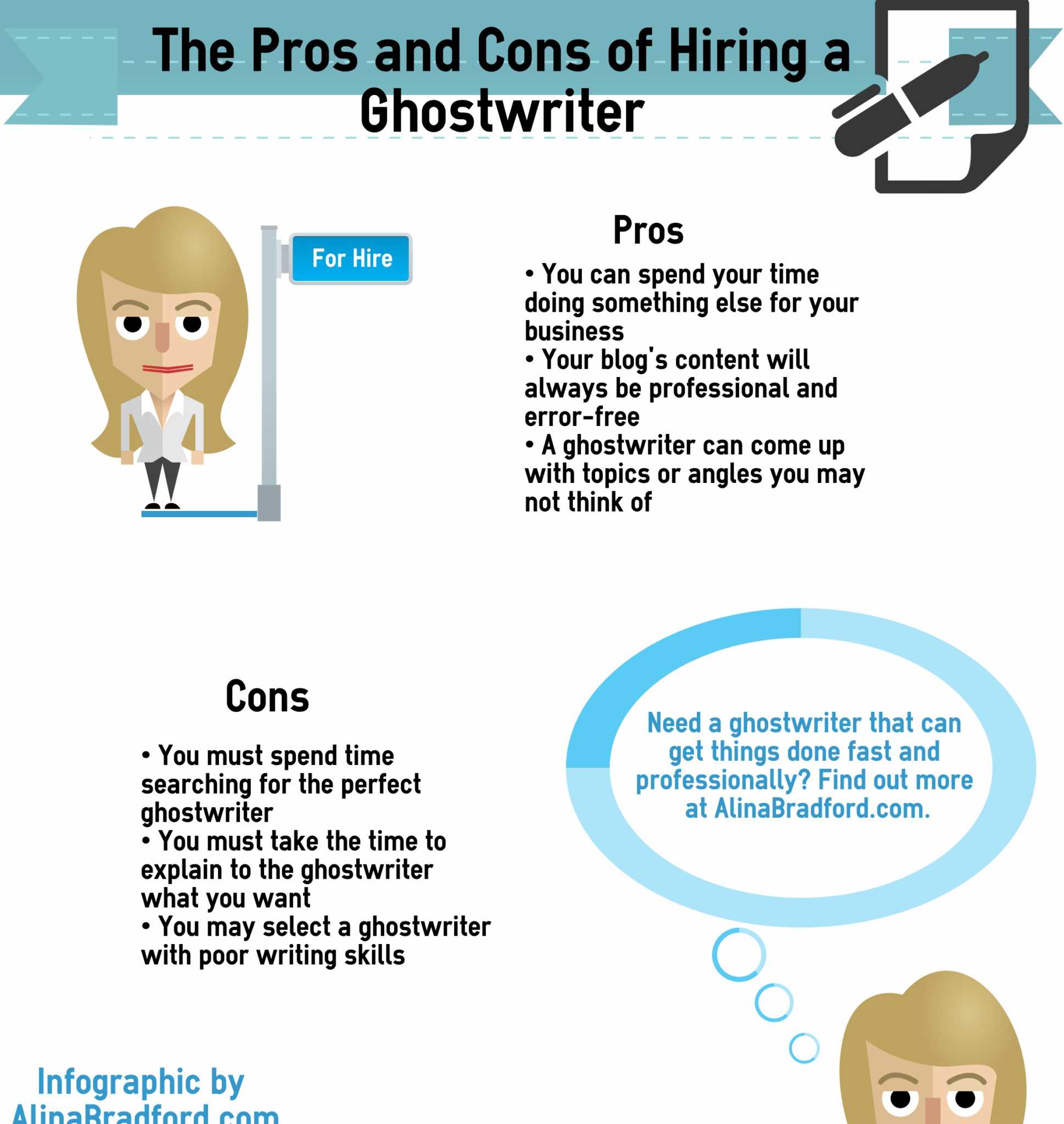
Pros and Cons of Hiring a Ghostwriter Infographic
Should you have someone ghostwrite content for your site? Here are some pros and cons from my point-of-view as a freelance writer.
Pros of Hiring a Ghostwriter
You can spend your time doing something else for your business
Your blog's content will always be professional and error-free
A ghostwriter can come up with topics or angles you may not think of
Cons of Hiring a Ghostwriter
You must spend time searching for the perfect ghostwriter
You must take the time to explain to the ghostwriter what you want
You may select a ghostwriter with poor writing skills
Should I Get the Ghostwriter to Write a Test Paper?
Many people think that they should test a writer by having them write a sample. A lot of professional ghostwriters (including myself) don’t do test papers. There are several reasons why. 1. We writers get burned often by people who want something for nothing. There are people that ask for “test” papers as a way to get writers to do free work for them. I’m sure you’re not one of those people, but a ghostwriter doesn't know you and most won't take the chance. 2. The writer’s credentials, clips and testimonies from past clients should tell you what you need to know about the writer without the need for a test. If the writer doesn't have any of these you don't want to work with him anyway. 3. For professional writers that have years in the business, and all of the credentials to back up their expertise, asking them to take a test is somewhat demeaning. You're starting a professional relationship out on the wrong foot. Trust your writer! 4. Writing a test paper takes time. Time is money. If writers wrote test papers for every client that asked, that would equal out to be hundreds, if not thousands of dollars, in lost time.
Need a ghostwriter with no cons? One that can get things done fast and professionally? One that has testimonials and a long track record of great work? You're on her website right now! Contact me and let's get to taking.
Big SEO Change for 2016? Voice Search
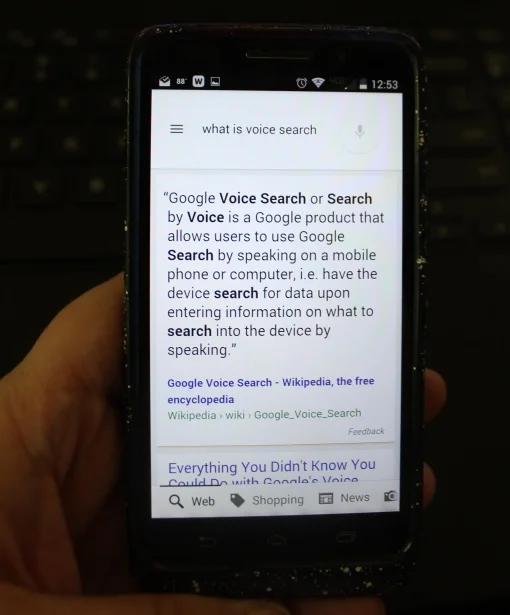
voice search SEO
The other day I was reading Jeff Bullas' article on the newest SEO trends for 2016 and one thing stood out above all the rest: voice search. I use Google voice search on my mobile phone constantly. I bet you've never considered optimizing specifically for voice search.
Google and other search engines look for different things when doing voice searches as opposed to a typed search. This can mean some big things for your website.
What Voice Searches Look For in Content
Remember in English class when you learned the five Ws? If English class was a long time ago for you (I'm not telling you how long ago it was for me), then I'll list the five Ws for you:
Who
What
When
Where
Why
Just about any voice search question starts with one of these five words. So, it makes sense that voice searches will look for content that has the answers to these questions.
How to Optimize SEO for Voice Search
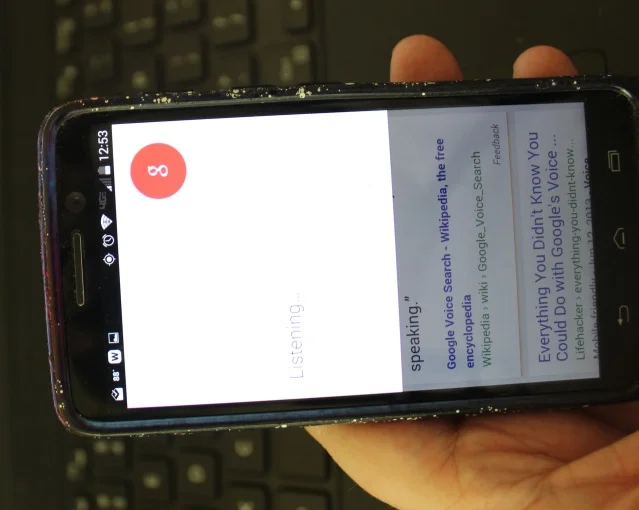
Google search
Basically, the five Ws are five words used in good writing to describe something to the fullest. If your content is great, it should already be answering at least half of the questions that could be asked in voice search. If your site doesn't have content that answers these questions, you're losing business.
Here are some five W questions that you should already be answering on your website:
"Where is (your business name) located?
"What is (your business name)'s phone number?
"Who owns (your business name)?"
"What does (your business name) sell?"
"When is (your business name) open?"
Once you have the basics covered, it's time to create a go-to area for questions. Write down a list of all the questions your customers have asked you or that you think they may ask. Now, create a Q&A page that answers these questions. That's SEM for voice search gold.
Go a Step Further

content marketing SEO for business
Once you have a great Q&A page up, now you can further optimize your site by adding blog posts that dig deep to really answer each question in detail. Use the question as the title of the post and be sure that your post is more than 200 words to draw in search engines. The longer the better, in fact.
To make the post even juicer to search engines, add graphs, photos, video or any other kind of media to really drive your point home. Not only will search engines love all the extras, but your visitors will, too. When visitors are happy they become customers, so when optimizing your content, keep that in mind.

How to Optimize SEO for Voice Search Infographic
Make Your Site Stand Out in Search Results
Even if your site makes it onto first page mobile results, there's no guarantee it will get clicked on. So, you need to make your search result stand out. To do this, use structured data to help Google add more information to your search result. Google has a great tutorial for optimizing your site with structured data.
SEO is always changing and evolving, but if you get a jump on next year's trends today, your business will be prepared and have an edge over your competitors.
Need help with your content? I'm available.
Share this infographic: <iframe width="769" height="2592" frameborder="0" scrolling="no" style="overflow-y:hidden;" src="http://alinabradford.com/big-seo-change-for-2016-voice-search"></iframe>
The Big Jerks! How to Deal with Content Theft

prevent people from stealing content
If you've posted content on the web, you've probably had your articles stolen and posted on another site. Often, the thief will claim that he wrote the brilliant article you paid for or wrote. The gall of these people!
I've had it happen to me so many times I can't count them all. Time to fight back, everybody! There are some ways that you can thwart content thieves and even get their sites shut down.
The No Copy Code
The No Copy Code keeps people from being able to copy and paste your articles or blogs. Simply copy and paste this code into your site's HTML and you're golden:
[bctt tweet="Here are ways you can thwart content thieves and even get their sites shut down."]
<script language="JavaScript1.2">
//Disable select-text script (IE4+, NS6+)- By Andy Scott
//Exclusive permission granted to Dynamic Drive to feature script
//Visit http://www.dynamicdrive.com for this script
function disableselect(e){
return false
}
function reEnable(){
return true
}
//if IE4+
document.onselectstart=new Function ("return false")
//if NS6
if (window.sidebar){
document.onmousedown=disableselect
document.onclick=reEnable
}
</script>
<script language=JavaScript> <!-- //Disable right mouse click Script //By Maximus (maximus@nsimail.com) w/ mods by DynamicDrive //For full source code, visit http://www.dynamicdrive.com var message="Function Disabled!"; /////////////////////////////////// function clickIE4(){ if (event.button==2){ alert(message); return false; } } function clickNS4(e){ if (document.layers||document.getElementById&&!document.all){ if (e.which==2||e.which==3){ alert(message); return false; } } } if (document.layers){ document.captureEvents(Event.MOUSEDOWN); document.onmousedown=clickNS4; } else if (document.all&&!document.getElementById) document.oncontextmenu=new Function("alert(message);return false") // --> </script>

how to stop article theives
Anti-Content Theft PlugIns
An easier thing to do is to simply install a plugin that will prevent content theft. Ther are several good anti-theft plugins out there. Here are a just a few:
What to Do if Your Content has Already Been Stolen?
This first thing you should do when you find out your content has been stolen is to write an email to the website's owner. Here is a sample email template you can use:
Dear (Site's Name) Owner,
It has come to my attention that my article (Name of the article and a link to the article on your site) is posted on your site. You can find it here: (Insert link to the article.)
In accordance with US copyright law, I own all rights to this article. By posting the article without my permission, you are breaking the law. I am sure this is a mistunderstanding. Please, remove my article by (give a deadline.) If the article is not removed by this deadline, I will be filing a complaint with Google and I will be contacting your site host to have your site removed for copyright infringment.
Thank you for your compliance in the matter.
(Signature)
Now, that's the letter that I use and it works pretty well. If you want something a little more intimidating and formal you can use this template by IPWatchdog. This is called a DMCA ( which stands for the Digital Millennium Copyright Act) letter.
Next, follow through with your threats if your article isn't removed. File a copyright complaint with Google. Then, contact the site's host to have the site taken down. To file a complaint with the host, go to WhoIs Lookup to find out details about the site. Then send the details, your information and a DMCA letter, in writing, to the host. Many hosting platforms will have a specific protocol for handling copyright issues, so call or live chat with their customer service to find out what you must do to get the offending site taken down.
I know it sounds like a lot of work, but if more people went after content thieves more people would understand that they can't get away with content theft.
Small Business Tips: What to Read this Week, April 13-19

small business tips
Hey, happy Monday! Welcome to another installment of What to Read this Week. This week, I'm going to focus on articles that will help small businesses.
Free List Building Mega Book
Last week I told you about a massive article that linked to over 100 articles on list building. Well, this week, I've found you a massive guide on the subject. The Definitive Guide to List Building is incredible and covers just about everything you can think of on the subject. The best part is you can download it for free to read on your Kindle or tablet. That's what I did.
Social Media Tips for Small Business
Want to know how to handle social media in 2015? Read Guy Kawasaki's Social Media Insights for Small Businesses. Here's a great tip from the article:
Assuming you have a great product or service, the most effective social media strategy is to establish a presence as a sector expert that creates and curates valuable content. By establishing a reputation for expertise, a small business gains credibility and endears itself to its followers. Hopefully, this will lead to more business.
Getting Blog Traffic
Does your blog need more traffic to drive conversions? Of course it does! I haven't seen but one or two small businesses that didn't need help. Lisa Burben over at Online Super Ninja has some great idea in her article The A – Z Of 26 Ways To Drive Traffic To Your Blog. Here is just one of them:
Kingged – Kingged is a new community of bloggers that truly drives bloggers to your blog. It seems to grow daily and has been around less than a year.
Some Off-Topic Fun
Last week, I offered to feature those who left comments on the last What to Read this Week Post. Here are the winners:
Chris Eirschele clued us in on her new book:
"I am proud of my new book – The Kid-Gardener’s Planting Book for Parents – that is targeted at adults who know children that have expressed an interest in gardening, but they themselves have rarely, if ever, grown plants. It started out in an electronic format in late 2014, and now has gone into paper in two versions: color and black & white. My first ebook was – Garden Truths From My Family’s Stories – which I self-published on Amazon. The Kid-Gardener’s Planting Book was the brainchild of myself and my editor/publisher, Victoria Nicks; Decoded Science self-published the ebook and the printed versions."
Fran Spiegel gets a shoutout for her humorous travelogue – Ride the Rocket – Toronto Enabled. The book is about meeting a newly-discovered family in Toronto and exploring the city with them. She says:
When I explore a city I wear my disabled hat. I ask questions like: Can I get my wheelchair to all parts of that museum? What help is available for anyone who needs a little extra help?"Ride the Rocket is more than just a humorous travelogue. It’s about family. It’s about developing strong family ties and traditions, and laughing at some of the hilarious situations we found ourselves in because of the language differences. And, yes there are some big differences. English English is different to Canadian English!"
Have you read anything interesting? Have written anything interesting? Share in the comments! You may be featured next week!
Build Your Email List and Please Your Customers: What to Read this Week, April 6-12

Business tip articles
Welcome to this installment of What to Read this Week! I hope you had a great Easter weekend. My kids are too old for egg hunting this year (*sad mama*) so we just stuffed ourselves with candy, ham, rolls, mashed potatoes and Netflix.
Let's jump into these great reads!
List Building Supreme
I probably don't need to tell you how important list building is, but to get a great email list you need a good strategy. There's no lack of strategies out there. Jenna Dalton rounded them all up into a super post: The Ultimate List-Builder’s Resource Guide: 111 Links to Double or Even Triple Your Subscribers. Yup, 111. Have mercy!
What Do Your Customers Want?
Danny Iny has a different way of building a business. He lets customers tell them what they want. His new book, The Audience Revolution, details his experience. I read it over the weekend. If you want a more detailed approach, his free video and worksheets can help you figure out what your audience wants, too.
The Code for Content
Wouldn't be great if there was a code that you could use to create fantastic content people love and that draws in visitors? The article Ignite Your Content Marketing With The Content Code is about a code created by Mark Schaefer aimed at doing just that. The article is basically a summary of some of the great tips from Mark's book. One great quote from the article:
Repurpose content. Mark gives a good example of how one of his posts had 7,000 page views but when repurposed as slides it was viewed more than 100,000 times on Slideshare.
Did you read or write something awesome this week? Share it in the comments!
Also, don't miss my free book:
[selz link="http://selz.co/1ytOYC9" show_logos="false" text_color="#ffffff" background_color="#1e73be" link_color="#4887bf" type="widget" theme="light" interact="modal"]
What to Read this Week: March 23-29 Fresh Content Ideas for Spring
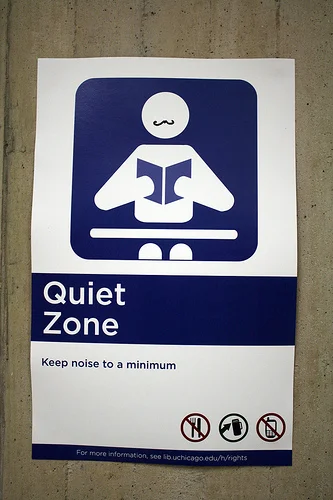
Shh, I'm reading.
Hey, welcome to this week's installment of What to Read. Spring has sprung and there is no better time to refresh your website or blog with new content. (You really should be refreshing your content regularly, by the way.) If you haven't posted in a while, or you just need some great ideas, check out these articles.
Blooming Blast of Blog Post Ideas
Need a great idea for a blog post? Russ Henneberry has 212 content ideas for you! Check out this post The Ultimate List of Blog Post Ideas. The best part is the infographic, which I have printed out and posted on my office wall. I NEVER do that, so you know this post is a good one. Hey, even content experts like me need some inspiration from time to time!
Recycle, Refresh and Reuse
Sometimes fresh content doesn't need to be, well, fresh. It just needs to be new to the audience. That's why I'm digging 11 Ways to Repurpose Blog Content Into New Media by Rebekah Radice. My favorite tip from the article is:
If you have considered podcasting, but don’t know what to talk about, grab a few points from your latest article and expand upon each bullet point.
Repurposing your content is good, but what about posting content verbatim somewhere else? Does it hurt your site? Kim Cooper and Andy Crestodina have the answers in this article: Is Reposting Blog Content On LinkedIn Pulse, Medium, and Other Sites a Good Idea? Here is a great quote from the article:
The idea behind copying and pasting an article into another location is simply to make it more visible to a broader audience. It’s a brand builder and it works. But there are a lot of things that it doesn’t do…
Make Landing Pages Your New Content
I like to share free stuff with you guys each week and this week isn't any different. Why not add some great landing pages to your site content? These pages will drive conversions and help your bottom line. The good people over atLeadpages are giving away three flexible landing page templates that will increase your conversions.
What are you reading this week? Tell me in the comments or hit me up on Twitter.
Photo credit: The man with the moustache says "shut up" via photopin(license)
What to Read this Week: March 2-8, 2015

Content packages keep your customers up-to-date.
Every Monday, I will share with you some of the best marketing, content and business articles on the web. Here's what I'm loving this week:
5 Pointless Marketing Metrics You Can Stop Tracking Today
I think a lot of people have gone overboard with tracking, so I love seeing articles like this one by Rachel Sprung. Email opens, Facebook likes, ad impressions, blog comments and the like don't really tell you if you are succeeding at your marketing goals.
Top 15 FREE Internet Marketing Tools To Boost Your Online Business
Nothing is better than free, especially when you are trying to keep up with the big boys on a startup's budget. That's why I love with roundup by Kulwant Nagi. Some of these tools are even useful if you've been in business for years, like me.
Creating and Optimizing a Profile that Attracts Prospects
Okay, so this is watching more than reading, but I wanted to put these videos into this list. The guys over at Linked University are experts in using LinkedIn to make money, so give these videos a look. Everyone could use a little profile sprucing.
Twitter Chat Schedule
Want to make new connections on Twitter? Then join Twitter chats. This Twitter chat schedule tells you when chats are going down and the associated hashtags.
Do you know of any other good articles, pages or sites? Tell me about them!
Spring Clean Your Website and Make it Shine

clean your website
Just like your home, your website needs a good scouring every now and then, too. As spring slowly inches its way into the present, clear out your site's cobwebs, dust off your content and polish your visuals.
Tidy Up Your Cobwebs
Over time, your site collects cobwebs that need to be periodically cleared out. Take the time to clean these little buggers out, and your site will rank better.
Old code is something that can accumulate and make your site slower. Joe Foley has a great tutorial for cleaning up old code: 10 Quick Ways to Clean Up and Optimize Your WordPress Site
Another thing that can accumulate like cobwebs on your granny's front porch is broken links. Broken links not only frustrate your readers, Google doesn't like them either. You can manually go through all of your pages and posts, check each link and delete the broken links. Another option is installing a plugin to WordPress sites that clears out bad links for you or, if your don't have a WP site, you can use software. There are many software programs and plugins that can help you sweep away your bad links in a jiff, for free. One good plugin is Broken Link Checker.
Do Some Content Dusting

dusting
If you haven't touched your site's blog posts or articles since they were published, they're covered with a fine layer of dust. The dust is all of the things you missed adding when you first published the post or things you need to update to make it search engine friendly. Revisit them and squirt them with a little cleanser, then wipe them down:
Add H2 headers to sections.
Add a couple of great images, complete with meta, descriptions and captions.
Be sure that your post has a meta description.
Check for any misspellings or typos.
Add bullet points to clarify any points.
Remove excess keywords, links and ads.
Add Tweetable Text. Here's an example:
[bctt tweet="Cleaning out your site's cobwebs make it rank better. Get rid of broken links and old code. #sitespringcleaning" via="no"]
Look! Your content's all pretty, so share it again! In fact, tweet it to me @alinabradford and use the hashtag #SiteSpringClean.

adam lambert cleaning
Polish that Sucker 'Till it Shines
Finally, add some little touches to your site that makes it just a little snazzier.
Change your font so that it is easier to read. Take a look at Avoiding Font Failures: Choosing the Right Fonts For Your Website for tips.
Add links to your social media accounts so your visitors know where they can follow you.
Simplify your menu so that it is easier to use.
Mmm, smell that fresh, piney scent? That's the smell of a clean website.
Page Views Don't Define Your Site

Your pageviews don't mean anything.
Usually, when you ask someone how their site is doing, they will say, "Oh, it's doing great! I'm getting (fill in the blank) page views!" That doesn't really answer your question, does it? But you probably do the same thing when someone asks about your site.
Let's get one thing straight. Large page view numbers doesn't ensure that you sale a lot of product. It doesn't guarantee ad clicks. The only thing it really helps is to sale ads to companies. If that isn't your focus, then you shouldn't try so hard to increase your page views. You can still make a lot of money with low page views.

stop talking about page views
You won't believe how many times I've visited SEO forums or webmaster forums to see dozens of posts that basically say the same thing: "I have more than 30,000 views per day, but only make $.17 from AdSense." It makes sense that these people are complaining or looking for help. That's big numbers with very little reward.
There are a few reasons why these website owners aren't making what they think they should be from their site.
The Revenue Style is Wrong
I've been in the content business for almost two decades and I've found that:
Content + the right revenue style = earnings
Some audiences are more responsive to ads while others are more responsive to book sales or product offers. It's possible that a site that isn't making a profit, but still has massive page views, is using the wrong revenue system.
For example, sites that focus on money saving tips do really well with ads. It seems like people who want to save money are ad clicking machines. On the other hand, sites about history or other educational subjects do really poorly when it comes to ad clicks, but they may do well selling study guides or tutoring sessions. Experimenting with the revenue methods on your site can make a big difference in how much you earn, regardless of how many clicks you get.
Their Site is Full of Crap

say no to click bait
Another reason a website owner may have great numbers but awful earnings are that the site is useless. For example, say Fred sets up a site about medical solutions for the elderly. Instead of providing helpful information and then selling a product, Fred advertises his site using click-bate tactics. Once the interested person clicks on his site, they realize that it is just a bunch of ads and useless crap. His click-bate tactics may have gotten people to his site, but they didn't click on any ads or buy a product because they could tell he was shifty in the first few seconds. People are smart. They know when a site is just there to grab their money.
You Don't Need a Lot of Page Views to Earn a LOT of Money
So you may be saying, "Okay, now I get why sites with a lot of page views may not make a lot of money, but I don't get a lot of page views. Can I still earn money from my site without impressive numbers?"
Yes! The site you're on right now is a great example! Take a look:

low pageviews
Believe it or not, this site only brings in 35 to 100 page views a month, but I have earned thousands from it this month. I bet your eyes are darting around looking the site over. Yep, there are no ads. I don't make money from ad clicks. I'm selling a product, which are my content writing services and website consultations. With such a great conversion rate I don't need to worry about how many people are coming to my site.
The reason I make so much money from such a small amount of visitors is that the people coming to my site are a highly targeted audience. I draw them here by advertising in very specific places where I know my audience lurks.
For example, I write articles for sites where web owners look for SEO and website tips. Then, I add my bio with a link to my site to the bottom of the article. Those readers who want to take their site to the next level with the help of an experienced content creator follow the link and hire me.
I also make sure to link to my site in my post signature on webmaster forums. You wouldn't believe how successful that technique has been.
The main point I'm trying to make here is this: you don't need a lot of page views to make money. What you do need to do is find a targeted audience that is craving your product, and then dangle your site in front of them as the go-to place for answers.
Trust me. It works.
Need help with your site? Take a look at what I offer or send me an email.
What All Businesses Need to Know Before Hiring a Content Writer

link building
Want to get better ranking on search engines? Content writers can help, but there are some things you need to know. Check out this article by Erin Everhart: 7 Things I Wish Execs Knew About Link Building
384 Free Flat Icons for Your Site
Here's a little something for your site for free.
Nothing jazzes up a site more than interesting icons. Here are 384 that you can use for free on your site courtesy of Elegant Themes.
Don't say I never gave you anything.
To download them, click on the link at the bottom of this post.

Free flat icons for your website or blog.
Dynamic Views? More Like Dismal Earnings

How to make money with blogger
I like to mess around with my personal blogs to find the best way to earn. This knowledge benefits my blogs and my customers. Recently, I have been toying with Blogger's Dynamic Views blog themes.
Here's what I've found.
Your Blogger Pageviews Skyrocket
I switched from using the generic template to the Blogger Dynamic View template. These templates look very professional, so I figured they would be a great way to spruce up
. My views went up 400%. That is a fantastic jump. There's just one problem.
Your Blogger Earnings Plumet
My earnings all but stopped. I ended up just making a couple dollars per month. Pageviews are great, but not when you aren't making any money.
The earnings dropped because when you use Dynamic Views, Blogger doesn't let you add anything to the sidebars other than one Adsense block. So you can't add affiliate advertising, links to your favorite blogs, in-line advertising...nothing. I tested my earning/views with Dynamic Views on one of my other blogs (that had a completely different audience) and found the same results.
Reboot
Just to make sure this whole thing wasn't a fluke, I tried the experiment one more time. I switched back to a basic template that allowed me to customize my Blogger blog the way I wanted. The earnings went gone up 1,088% in just a week's time. Keeping with the previous results, the page views dipped to down to 1,200 per month.
So, if you also write your own blog you may want to avoid using Dynamic View templates if you want to have control over your earnings and your sidebar information. If you want more pageviews, Dynamic View is the way to go.
New SEO Tips That Will Give Your Site Google Mojo

Get some Google love!
So your site was hit by Panda. Then it was hit by Penguin. Then, Hummingbird came along. Don't worry, all is not lost, my friend. It's just that the old SEO techniques that you've used over the past few years need to be thrown out the window and replaced with ones that work after these three major algorithms changes. The beautiful part about new SEO is that the changes will make your site look more professional and they will be more likely to weather new Google algorithms.
Go Long!
For years, people have been saying, "Only post content that is between 350 and 500 words. Search engines like short because no one will take the time to read longer pieces." This simply is not true! There are people out there craving in-depth information, and after Hummingbird, the sites providing large slices instead of little tastes are getting Google love.
Entrepreneurial genius Neil Patel recently did some research on this. He found that pages with over 2,000 words had higher page rankings. The higher the word count, the higher they ranked. You can read his entire post here: How Content Length Affects Rankings and Conversions.
Pretty shocking, huh?
Now, just adding words to your content isn't going to cut it, either. Each piece needs to be chock full of interesting, engaging and helpful information. For example, you could write a quick how-to blog post or you can give your reader the how-to, the whys, upkeep tips, advice on where to find supplies, etc. To keep it all engaging, use your voice. Talk to the reader like you would a good buddy. Stiff and business-like text is what bores readers, not long text.
Link Love
You used to hear that having people link to your site was the key to getting more Google love. This is still true, but giving others link love is almost as helpful, now. Add a couple of outgoing links to content to get search engine friendliness. These links will help add usefulness to your article by referring readers to information they need. That's why Google likes sites that offer outgoing links.
Grab the Mojo by the Tail
Another old SEO tip was to fill your content with short keywords that people may use to find your article. People took this to heart and created content so full of keywords it was a bunch of gibberish. Panda was almost solely created to wipe out sites that overused keyword stuffing.
Not only is keyword stuffing out, short keywords are also out. It is all about long-tail keywords now. That's right, the keywords that everyone told you not to bother with before are now the key players in the search engine game.
So from now on, don't think of keywords, per say, think of phrases. For example, one website I used to do a lot of SEO work for focused on drawing techniques. One of the most popular terms used to find articles on the site weren't "drawing" or "art," it was "how use oil pastels." The article I wrote to draw in people who searched for that term reaped over 100,000 views, which is a massive amount for art related content. Even back before Panda, phrases were a great way to draw in traffic for sites that typically weren't big traffic pullers.
Be Organic
Like I mentioned before, keyword stuffing is the death of website content. SEO should come organically, meaning, don't worry about jamming your article full of keywords. If a keyword ends up in your article, great, but don't plan to put a certain keyword in every hundred words or whatever. If it happens it happens. Search engines are smart enough to find your content without all the keywords.
Seize People's Attention
Bounce rates have always been important to search engines, now more than ever. A bounce rate is the percentage of people that leave your site after visiting only one page. There are plenty of ways to lower your bounce rate and encourage your visitors to head on over to other parts of your site:
· Separate your long content into two or three pages so that your visitor has to click to the second page to read to the end of the content
· Add a "For more information" box at the bottom of a blog post or article that links to content on related topics
· Add a list of your most popular content to the sidebar of your blog or site to entice readers to click
Google+ to Boost Google's Ego

Adsense google plus scorecard
Nobody loves Google more than Google. This is evidenced by the fact that using Google+ gives your site the green flag on the AdSense webpage. To get the full Plus experience:
· Add a Google+ badge to your site
· Make a Google+ page for your site
· Add your site to your links on your personal Google+ account
· Get Google Authorship (This was phased out.)
· Share new posts on your Google+ page Now that you know the new SEO rules, you're ready to make Google fall in love with your site all over again. Turn on some Barry White and get to work!