

Get Paid: A Freelance Writer's Guide to Invoicing
When you work as a freelancer, it might take a while for you to get used to the throughout of having to handle your own invoices and chase up payments if they don’t come on time. Here are some tips.
This is one of the things I hate most about being a freelance writer. It took me a while to get used to the thought of handling my own invoices and chasing up payments if they don’t come on time. It’s not as hard as it sounds, though. Here’s my quick guide to help you out.

What needs to be on an invoice?
If you have never made your own invoice before, you’re forgiven for thinking that you simply write down the price for the work and the clients details. It's not that easy!
Here are all the elements that need to be added on to the invoice to make sure you get paid:
The clients order number if they have purchased a physical product
The name of the project or product which was purchased by the client
Details about the work completed, including hours worked, if needed
The total sum which needs to be paid to you by the client
Your payment terms- add a payment deadline
You bank details or Paypal info so that they can transfer you the money over
Your client's name and address
Your name and address
Invoice number and date
Registered business number and address
Contact information
How to create an invoice
Now that you know what should be on an invoice, how do you wrap it up into a professional looking package that screams ‘pay me’? You can use an automated invoicing system like chaserhq.com or PayPal’s invoicing system to make sending out invoices and receiving payments easier.
I like to use PayPal’s invoice system when my clients agree to pay me through PayPal, but for checks or direct deposits, I use an invoice template I created in Word. You can use my template. Here’s the download. (If you’d like more templates like this to make your job as a freelancer easier, be sure to check out my No-Fluff Freelance Writing Starter Pack.)
How to chase up your invoice
When it comes to chasing up the payment of your invoices you might feel a little uncomfortable. Don’t worry, it is totally normal for you to feel a little weird about demanding money from your client, but just bear in mind that you need the money to finance your business and your life. Plus, you did the damn work, so you deserve it!
If you have several freelance jobs going on at once, it would be helpful for you to create a calendar with reminders on when certain payments are due. (I use Google Calendar.) If the due date comes and the invoice has not been paid, you will need to contact your customer to find out what is going on.
It could be that they simply forgot, or they have another reason for not paying you. Send a gentle reminder and a copy of the invoice in an email.
If they ignore you, I've found that sometimes it helps to send a notice to a client's boss in the company to get things moving. For example, if you usually send your invoice to your editor, contact HR or the editor’s boss.
What to do when a client won’t pay
If they refuse to pay, there are several things you can do. Pick the option that feels right to you:
You can get the law involved since you sent them an invoice with a payment agreement on it. Send them a certified letter stating that you intend to take them to small claims court if they don't pay by a certain day. Typically, clients will get scared into action.
You can open a payment dispute with PayPal if you sent the invoice through their services. All you need for proof is a screenshot of the email you used to send the finished article, blog post or whatever. A screenshot of the finished work on your client’s website and a copy of your contract are also good things to send over to PayPal as proof of services rendered.
Use the non-payment as a tax write-off. Be sure to contact your tax professional for more information on this option.
For more advice, here’s my guide to dealing with clients.

Pitchwhiz is the Best (Free) Place to Find High-Paying Writing Gigs
I’ve written about where to find quick writing gigs before, but today I want to share a very special one with you. The site is called Pitchwhiz. I feel like the name really fits because it feels like magic to any writer who has been through the toil of finding sites and magazines to write for. Plus, it’s free to use.
Pitching isn’t always something that writers enjoy about their job. It’s sometimes tedious and you need to send out a lot of pitches to keep income coming in. That’s why I like to help writers anyway I can. I’ve written about where to find quick writing gigs before, but today I want to share a very special one with you. The site is called Pitchwhiz. I feel like the name really fits because it feels like magic to any writer who has been through the toil of finding sites and magazines to write for. Plus, it’s free to use.

Let me just start by saying I don’t get any money from promoting this site and there are no affiliate links. It’s just a super fantastic place to find awesome paying freelance work. I personally use it, so I want to share it with all of my No-Fluff friends.
What is Pitchwhiz?
Here’s how the site describes itself:
Pitchwhiz is a tool for any editorial freelancers (writers, copy editors, proofreaders, photographers and more) looking to sell their work or their time. Find commissioning editors and publication titles, contact them, monitor and track your communications, keep notes and pitch ideas - all from one place.
EMAIL TRACKING
Total transparency on your communications with 'received' and 'opened' notifications
EDITORIAL DATABASE
Immediate and direct access to a database of high quality writers, editors and publications
STORY MARKET
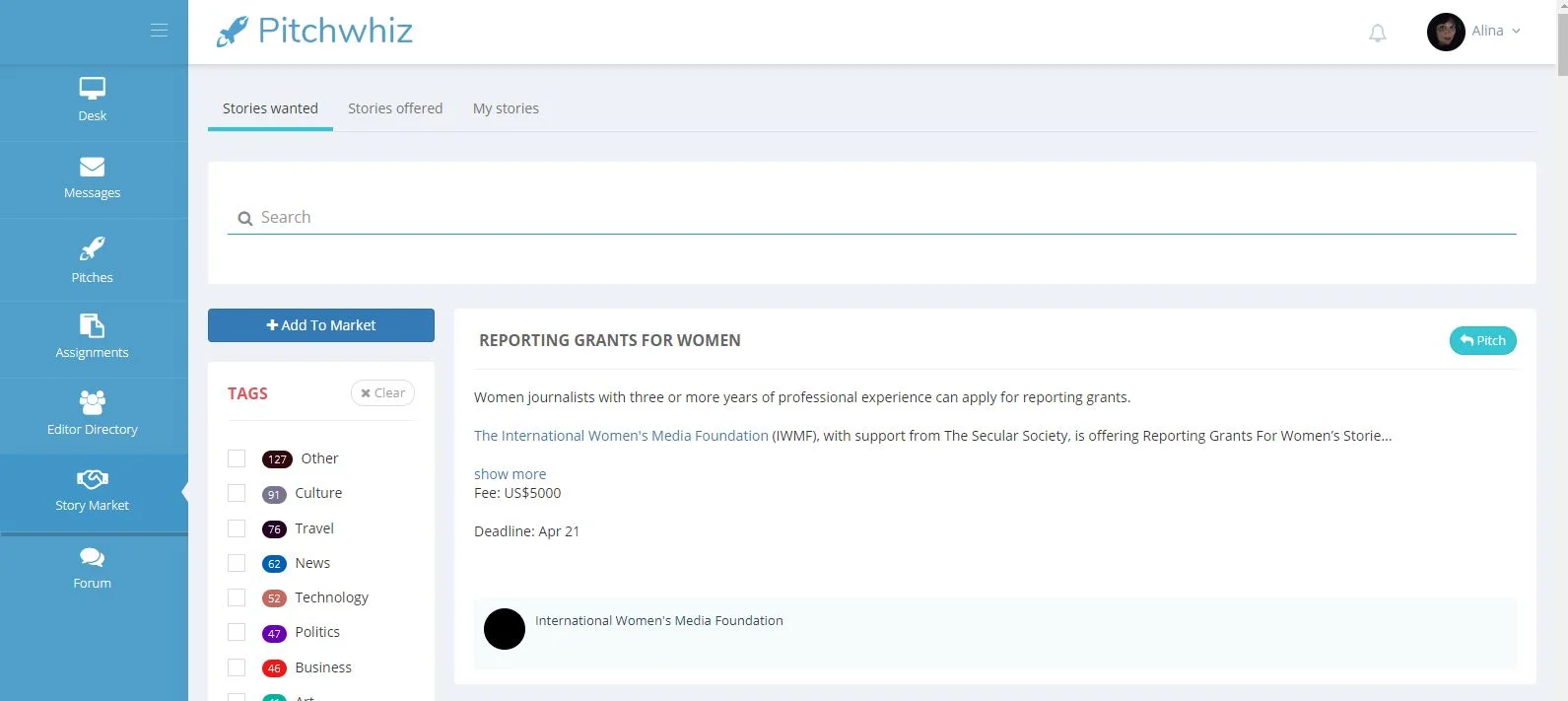
Stories wanted and Stories offered - a marketplace for stories connecting both sides of the writer/editor divide
ONE STOP SHOP
Notes, bio details, contacts and more - Pitchwhiz is a responsive, cloud-based toolkit for all your editorial needs
Pitchwhiz makes it easier than ever to sell and buy high quality stories.
How Pitchwhiz Works
The Pitchwhiz Story Market
Basically, you just sign up with the site, tell it what you write about, where you’re located and what kind of currency you want to be paid in and you’re ready to dive in. Editors post their needs to the site and you can sort through to find websites or magazines that need your work. The dashboard offers you some gigs you may be interested in, or you can target certain niches and markets to create a custom search.
From there, you pitch the editor your idea. When you are accepted for a gig, you can submit your work through the website, though some editors will hire you for long-term positions outside of the site.
Extras
There are two other features that make this site special:
Want to pitch to a specific website or magazine, but don’t have their contact information? Pitchwiz has a directory where you can look it up.
If you’ve already written an article, but you don’t have a buyer, you can post it in the Story Market.
Can You Really Get Work Here?
Yup, I got a high-paying gig within my first week of using the site. But don’t take my word for it. Usually, the best way to gauge a site like this is to look at how many people are actually getting work. Here’s Pitchwhiz’s activity for December 2020 (they display these stats on your dashboard):
101 members were added
169 new pitches were sent
83 pitches received responses
75 new Story Market submissions were created
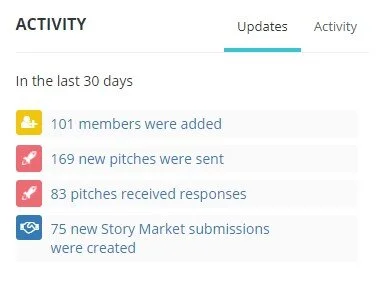
From these stats, it looks like around half of the pitches sent out received responses, so that’s a really good sign. I personally got a high-paying long term gigs from this site, so I know it’s legit.
EDITORIAL DATABASE
Immediate and direct access to a database of high quality essay writers, editors and publications

Freelance Writing Jobs of the Week Mega List: December 16, 2020
Here’s this week’s list of remote freelance writing jobs.
No matter what type of writer you are, there’s probably a gig for you in this week’s list of remote writing jobs. Let’s get to it!
Hey hey, we here at Blocked Party HQ are once again looking for some freelancers for our PAID guest newsletters for January-March. Send us an e-mail at info@blockedparty.com with your pitch. We would love to hear from women and from LGBTQ2S+ writers especially.
— Blocked Party (@blockedpartypod) December 8, 2020
Hi, if you are a freelance journalist/writer who writes on culture, environment, tech, society, internet-- and you have a story for @news18dotcom, write to me.
— Adrija Bose (@adrijabose) December 9, 2020
Note: We are looking for in-depth analytical pieces.
Email is in bio. I will miss DMs.
Please read this entire thread! This is open to pitches for our May/June issue on Housing & Homes. Pitches are due January 7. We're looking for reported pieces, news, arts profiles, memoir, and essays. We publish Canadian residents only. We do not accept already written pieces.
— This Magazine (@thismagazine) December 9, 2020
Experienced writers needed in multiple niches: Business, Real Estate, Law, Digital Marketing, Health/Wellness, and more
Grant Writer
Technology Writer | SEO Marketing
Marketing Content Writer
Content Marketing Writer and Strategist
Experienced Content Editor Wanted for a Growing, Outdoor Sports E-Commerce Company
Technical Writer
Marketing Copywriter
SEO Team Content Writer
Are you a freelance journalist looking for work? We're hiring writers and photographers in your area for paid opportunities. View the live document on the link below to see our list of available stories, or submit your own using our pitch content link. https://t.co/Zu1U1LAEGE pic.twitter.com/LYxi5kW5uu
— Orato World Media (@OratoWorld) December 9, 2020
Craft & Communicate, LLC is looking for a freelance content writer for senior living and senior-related topics
Freelance Templates Copywriter (Argentina)
Content Writer & Strategist
Auto Mechanic - Freelance Writer
Comic Book News Writer
Amazon Copywriter
Freelance Script Writer
Writers / Editors Wanted For Finance Niche (Singapore)
beestung is currently seeking work in all genres. we encourage Black and Indigenous writers to send work, in particular.https://t.co/usuilJRy5l
— beestung (@beestungmag) December 6, 2020
$20 honorarium, no fee. two-spirit writers and writers under the non-binary umbrella only.
If you’re seeking a space dedicated to elevating the voices of women and non-binary people of color, consider pitching @galdemzine! You can read their guidelines and pitch here: https://t.co/vuVxhpqzVC
— Ploughshares (@pshares) December 5, 2020
Writer friends! I’m starting a recipe blog at my company and looking for pitches. We’re paying WELL. Please check this out and hit me up!https://t.co/qQrfvvH9RE
— Ali Trachta (@alitrachta) December 9, 2020
‼️Call for submissions ‼️
— It's Freezing in LA! Magazine (@itsfreezinginla) December 2, 2020
We're looking for climate writing on the theme of 'Regeneration' for our 7th Issue
🔅 Email editor@itsfreezinginla.com with detailed description of proposed article
🔅 Pitch deadline 6th Jan
🔅 £150 for successful articles
🔅https://t.co/UaAng0Zm9M pic.twitter.com/kiZcEgKk1f
We're currently accepting pitches for the March/April 2021 issue of Water Canada. We're especially looking for an article on a topic related to drinking water. Have an idea for the issue? Contact Andrew Macklin at andrew@actualmedia.ca pic.twitter.com/tXMHz31h5Z
— Water Canada (@CanadianWater) December 8, 2020
We are looking for entertainment and features writers for the 2020 Issue ✨ Pitch your own piece to rehana@overachievermagazine.com by December 11th! 🧡 pic.twitter.com/tO41TA52QD
— Overachiever Magazine (@OverachieverM) December 8, 2020
Because we smashed our campaign goal so quickly, we’ve actually started work on issue 2. 😱
— Kaiju Ramen Magazine (@kaiju_ramen) December 5, 2020
We are currently looking for writers/articles to feature. If you are a writer and are interested, email us a pitch:
kaijuramenmagazine@gmail.com
Freelancers! I'm accepting feature pitches for @techradar at olivia.tambini@futurenet.com. If you love audio tech and have a wicked idea, come through! Submissions from BIPOC and LGBTQ+ writers are particularly encouraged 🖊️ pic.twitter.com/bGnPpjyvrx
— Olivia Tambini (@OliviaTambini) December 7, 2020
Pitch us your story ideas 💡
— TwoCircles.net (@TCNLive) December 6, 2020
We're interested in unreported & underreported stories concerning Indian Muslims, Dalits, Adivasis & other marginalized and vulnerable groups.
This is an open call to freelance journalists from across the country.
Email: newsdesk@twocircles.net pic.twitter.com/Q0YUxZWH7X
Conjecture Magazine is currently open to pitches!
— Conjecture Magazine (@Conjecture_Mag) December 6, 2020
Please contact us at info@conjecturemagazine.com with a pitch for your article idea.
Check out https://t.co/Yn0vV51Uq5 to get a feel for the kind of themes we're interesting in exploring.
We pay our writers.
Contingent Magazine is looking for pitches
The Fuller Project is always on the lookout for excellent stories
Need more work as a writer? The No-Fluff Freelance Writer Starter Pack teaches you everything you need to know to become a successful freelancer writer.

Write This Way: Tips for Success on Medium
These pro tips will give you a head start on Medium.
Medium is a great place to get your first publishing credits, but it’s also a good site to use to build a career. Medium has many publications that pay very well, plus you can make money from their Partner Program. According to a recent email from Medium, writers in the Partner Program all together earned over $11 million in 2020. For the most success on the publishing site, I’ve rounded up some tips.
Impress the editors
Editors at Medium are just like editors at any publication. They like for their writers to follow certain rules. “While we, and other publications, may look to the AP Stylebook and Chicago Manual of Style for grammar and style rules, we also have an internal style guide that the copy editors refer to when editing a story,” wrote Sloane Miller, copy editor at Medium. In Miller’s post “Grammar Mistakes That Medium’s Copy Editors Really Don’t Want You to Make,” copy editors from Medium outline the mistakes they want you to avoid when writing a post for the site. Make sure to avoid these oopsies.
Send story updates to your subscribers
The more people you get to your Medium stories, the more you make through the Partner Program. One way to get more people to a new story is to send a notification to all of your followers on Medium. There is a feature that allows you to do this easily.
Go to your Settings page
Click on “Followers”
Check the box next to “Display a message to promote email subscriptions on your profile and story pages”
Now, before you hit “Publish” on a story, you will have the option to send your followers an email when your article goes live.
Export subscribers
You can also save your follower’s contact information to start your own mailing list outside of Medium, which gives you a little more control and a way to contact readers about other projects.
To export your subscriber list use these steps:
Go to your Settings page
Click on “Followers”
Go to the Export Subscribers section and click “Export”
Customize your profile
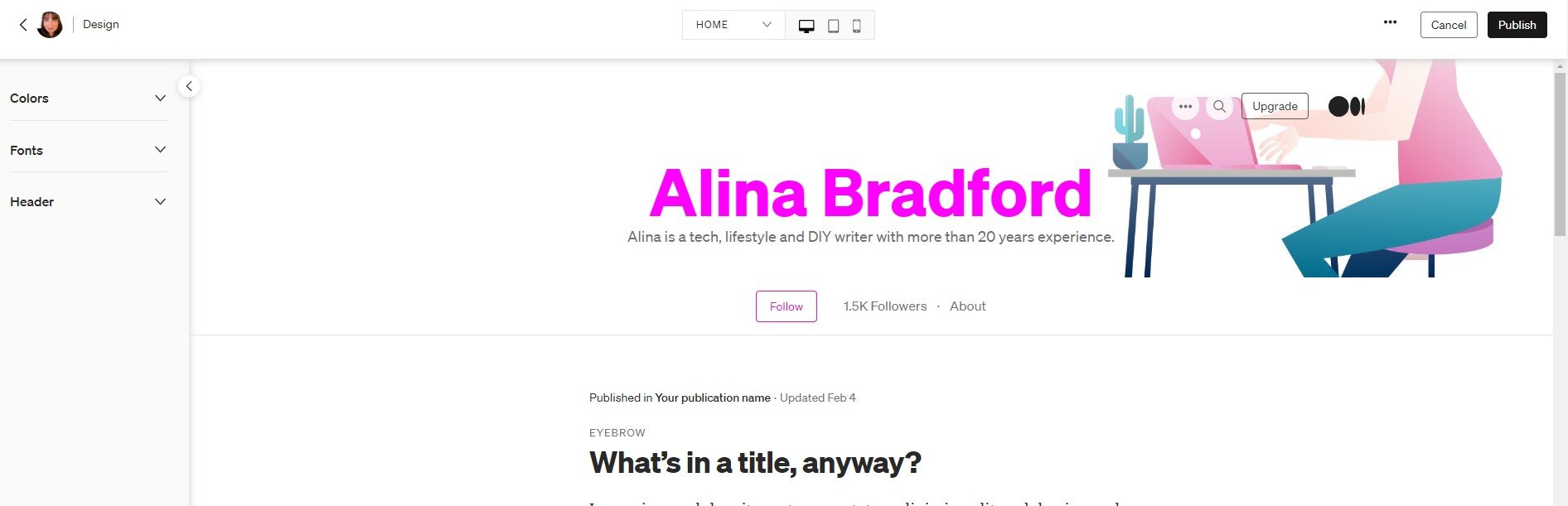
Since you’ll probably be using your Medium profile as a writing portfolio, make sure to customize it to fit your brand.
Go to your Settings page
Click on “Design”
In the Design section choose “Design Your Profile”
From there, customize the colors, fonts, and header for your profile page.
Avoid clickbait
Medium is cracking down on clickbait, so be sure not to write this type of stuff. Medium has a specific definition of clickbait:
Is the title trying to exploit a reader’s personal worries, insecurities, or emotional state?
Is the title or story image more provocative than the content of the story merits?
Is the title over-reaching or over-promising with hyperbolic claims or absolutes that are not verifiable?
Is the title withholding important context; misleading the reader; or using cliches, gimmicks, or cheap language?
If you can reasonably answer “yes” to any of these four questions, we consider that clickbait — and it will now disqualify a story from additional distribution on Medium.
Learn what Medium readers want
One of the best ways to figure out what Medium readers want is to look at the most popular articles. The homepage will give you an idea throughout the year. According to a recent email sent out by the company, these were the top five stories of 2020:
“Coronavirus: Why You Must Act Now,” Tomas Pueyo
“Prepare for the Ultimate Gaslighting*,” Julio Vincent Gambuto
“A Supercomputer Analyzed Covid-19 — and an Interesting New Theory Has Emerged,” Thomas Smith
“Coronavirus: The Hammer and the Dance,” Tomas Pueyo
“103 Things White People Can Do for Racial Justice,” Corinne Shutack
BTW, the No-Fluff Freelance Writer Starter Pack teaches you everything you need to know to become a successful freelancer writer.

Steps You Can Take To Become The Ultimate Travel Writer
Here are some tips to consider to become the ultimate travel writer. Guest Post by Jennifer Ranking
Guest Post by Jennifer Ranking
When you scroll through your Instagram timeline it’s almost as if everyone’s out travelling except you! It appears to be the trend nowadays and it’s no surprise why it is, the world is a beautiful thing and something that should be explored when you’re given the opportunity. Audiences love to read about experiences as inspiration and knowledge of what to expect for their travels. Travel writers are seen as influencers who have been around the block and know they’re stuff.
So, how do you become one of them people too? Here are some tips to consider to become the ultimate travel writer.

Be Dedicated To Your Writing
In order to become a travel writer, you first need to build the foundations of being a successful writer first. Travelling is the knowledge, but writing is the skill you have to get to spot on in order to be successful. You need to be able to communicate your experiences well and in a way that will engage your readers with what you have to say. Start by writing creative pieces and gradually improve your vocabulary and skills as a writer before you begin to write about your travelling experiences.
Consider Writing School or Journalism
A great advantage of journalism is that you slowly begin to learn how to make notes quickly and write great pieces in a short space of time. This means you won’t be spending too much time on writing the pieces and instead, you can enjoy telling your story without it taking too much of your time and continue your experiences of travelling. Get yourself in with the local newspapers or see if there are any writing schools that you can attend to improve on the skills that you’re developing.

Start Off Writing On Subjects That Aren’t About Yourself
Writing helps to get your name out there and gets your work published easily, almost satisfying the ego that people want to hear from you and what you have to say. What’s ironic about this though is that the skill to write about yourself can be rather difficult and sharing something about what you’ve done may not come across the best. Therefore, when you first start out why not try writing interviews or profiles instead and this way you can easily identify a theme and prevent getting sidetracked.
Review Your Writing Over And Over Again
The biggest waste when it comes to writing is that writers tend to use up too many words for a sentence which they could have articulated in a more efficient way. Writers feel as though revising the work that they’ve completed contradicts their creativity, but when you read over your work again you can easily find that your point is not as effective as what it could be. Revise and rewrite until your story flows and makes perfect sense.

Develop A Network
The biggest driver of being successful as a travel writer is developing a network in your field. There are plenty of travel writers across social networks and blogs that are easy to connect with. In doing so, it can help build your own reputation as a travel writer and have you integrating with the correct people. Over time, you’ll find yourself writing to a mass audience that you’ve created.
Keep Motivated
Most important of all, remain persistent. If there’s one downfall of writers that don’t make it it’s because they fell at the first hurdle when it arrived. It’s going to take time to build your reputation and get your stories shared in the masses, but how bad do you really want it?
The travelling influencer market is forever growing and there are still plenty of writers who are yet to master their trade. What’s written today is probably forgotten by tomorrow. Your stories have the chance to make a difference, to provide knowledge and form education for your readers. So, before you begin writing about your travelling experience from your luxury Algarve villa, take a step back and dedicate your time to learning your craft. After that, the world is your oyster from a travelling and writing point of view.

Freelance writing jobs of the week mega list: December 9, 2020
This week’s remote freelance writing gigs list.
I know it’s the holidays and it’s hard to stay focused, but don’t let up on your pitching. December is always one of my busiest months. Publications need content now more than ever. Let’s take a look at this week’s remote freelance writing gigs.
Psychedelic Invest is looking for a writer
Political/Government Writer for Journalism Startup
Pro-Military/First Responder Writers Wanted
Contract Technical Writer
Comics - Remote List Article Writer
Copywriter
Podcast show notes & articles
Freelance Writer for Law & Crime Network
Freelance Researcher/Writer
Very Experienced Legal Writer - Independent Contract Attorney
Content Writer
Quality Content Writer – Construction niche
Marketing Communications Writer
Travel Freelance Writer
🌟 Freelance writers! Hello!
— Sarah Kessler (@SarahFKessler) November 30, 2020
I would love to read your pitches for ambitious, reported tech stories. We at @ozm are especially interested right now in features related to surveillance, digital platforms (including the communities on them), and tech/labor.
Remote Safety Alert Writer (Afternoon)
Remote Safety Alert Writer (Morning)
Sexuality Education Content Writer
Legal Website Writer
Arts Editorial Content Writer
Tech Writer
Web Content Writer (20+ Hours/Week) – OneCare.com
Tech Lifestyle Writer (Entertainment, Social Media, Gaming)
Freelance Pop-Culture News Writer

No-Fluff Guide to Creating a Writer's Website
Writers are always getting asked “Can you send me a link to your website?”, so if the answer is “no”, unfortunately there could be another writer not too far away waiting to take your role.
If you are a writer and want to take yourself seriously, having your own writer website is one of the best things you can do. Writers are always getting asked, “Can you send me a link to your website?” So if the answer is “no,” unfortunately there could be another writer not too far away waiting to take your role. Here’s a guide to creating your first website.

Why do I need a website?
No matter how smart you look, clients will always take you a lot more seriously when they see you have your own website. You’ll be able to create a clearer picture of yourself and your services by showing people rather than telling them. Plus, you’ll be able to add examples of your work so clients can see with their own eyes what you’ve been up to, rather than you having to reel all your jobs off for them.
Your clients are hunting for information about you and your work, they don’t have time to read every bit of detail, so you need to make sure they get to the facts super-fast. You’re a writer, so they’ll be expecting big things!

Where do you start?
I've had a lot of writers ask me how to start their website. My best recommendation is to purchase a domain name (see below), get a host account for the hosting and start a WordPress blog on it using the free Customizr theme.
I also love Squarespace. This is what I use. It’s inexpensive and it works great, especially if you have no idea what you’re doing. There are a lot of ways to customize your site so it looks different than everyone else's.
Some people recommend setting up a free site with a free website builder. I don’t like free website builders because the designs are limiting. You have full control over a paid WordPress site and most businesses prefer this platform for their site. If you want a free site, though, here are some platforms:
10 Top Tips for Creating a ‘Real’ Writer’s Website
1. It’s all in the name.
Giving your business a name will add a sense of professionalism. Once you have decided, think about creating a domain name, for example myword.com. This is a great way for people to start taking you seriously and will move you on from being a writer, to a professional that means business.
2. Stand out from the crowd.
With more and more writers coming on to the scene, you’ll want clients to be knocking on your door, first. Make sure to use your voice and don’t worry about being overly formal. Clients want to get to know you.

3. Facts first.
The main thing that people want to know is what is what you do and what you can do for them. Then, if they’re interested, they’ll take a look at your clips.
4. Make them read.
According to research, only 16% of people read web pages word-for-word, so make sure your most important information stands out. Use big, bold headlines to ensure nothing gets missed.
5. Show your passion for words.
It may sound obvious, but choose the words you use to describe you and your business carefully. You want potential clients to see your enthusiasm and love of writing shining through, so make sure everything you say has a confident feel to it.
6. It’s all about you.
People reading your website obviously know you’re a writer. That’s why they’re there. But what other little nuggets of information can you give them about yourself? Have you worked in marketing, so you also know how to market yourself? Have you studied language, so you can offer some wonderful words in French or in Spanish as well? Maybe a brief mention about how you got in to writing - anything that can help the client get closer to you will always add another dimension to your website.
7. Added extras.
Obviously you can write, but what can you write? Don’t just assume everyone knows everything about you. Whether you’re a Social Media Savior or you’re the Mother of Marketing, every extra detail about what you can do is going to add another string to your bow.
8. Beautiful design.
So, you’ve written your website and you’re good to go. Now all you have to do is decide what it’s going to look like. Go for a clean and simple design - anything cluttered is just going to clog up potential clients’ brains. Keep it simple with a lot of white space and let your ability do the talking. If you need a hand creating your site, there are some top website builders to help you every click of the way.

9. The proof is in the pudding.
Don’t just tell them, show them. It’s great to talk about all the things you’ve done and how you’ve created some award-winning work, but no one will believe you more than the person that’s seen it with their own eyes. Examples of great work are an essential part of selling yourself. If you have a blog, let the world see it. Long copy, short copy, online, offline - be loud and proud about the work that you have done and your vibe will attract your tribe.
10. Call me!
One of the biggest mistakes that people make when designing their website is not to have their contact details up front. Everyone’s busy and having to scroll through your web pages to find a contact number or email is enough to make anyone switch off. You could also create a contact form on a page of your website to encourage people to get in touch.
Keep it simple
To keep things simple, your website should have the following:
Homepage: Invite people to take a look at what you have to offer.
About page: Let people know what you’re about and why they should connect with you.
Services page: Your full list of talents and experience.
Clips page: The blogs you’ve done, testimonials, case studies and anything else that sells you.
Contact Me page: The more ways you let people get in contact with you, the more chance they will get in touch. Leave your contact number, email and Linkedin details.
SEO

Search Engine Optimization (SEO) is important for any website. It's how the search engines like Google bring your site to people. I've written up a free guide to help you with the basics of SEO.
Now that you've got the site, get the clients. I teach you how in my book-
The Fluff-Free Freelance Writing Master Course: The only course that gives you concrete, actionable information to building a successful freelance business without any fluff.

Review of Plan A Happy Life & Contest to Win a 2021 Happy Planner Prize Pack!
I’m super excited to be reviewing Stephanie Fleming’s book Plan A Happy Life. Stephanie is one of the founders of Happy Planner, which is a company I love deeply because of my planner obsession. I also have a fun contest for all of you.
Hi everyone! I have been obsessed with planners for my entire writing career, so I’m super excited to be reviewing Stephanie Fleming’s book Plan A Happy Life. Stephanie is one of the founders of Happy Planner, which is a company I love deeply because of my planner obsession. I also have a fun contest for all of you. Let’s get to the contest and the review!

New No-Fluff Contest!!!
I haven't done a contest in a while, so I figured it was about time! The prize this time is a complete 2021 planner set from Happy Planner, including a planner, stickers, productivity tools, and the book Plan A Happy Life by Stephanie Fleming. (Over $100 value.)0
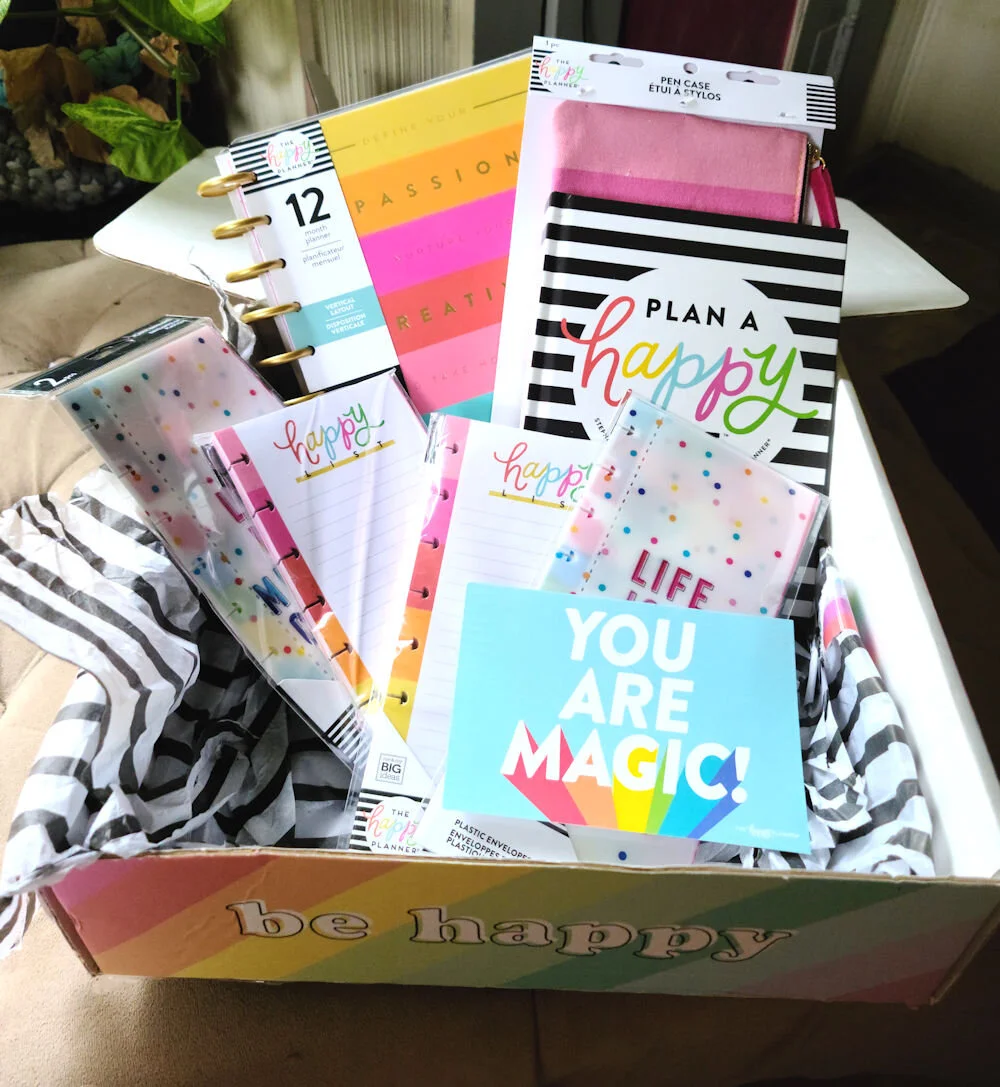
You could win all this!
To enter, all you need to do is grab one of our No-Fluff Mini Courses (only $10) and you'll be automatically entered to win.
Mini courses:
No-Fluff Cold Email Success Mini Course https://www.alinabradford.com/training/no-fluff-cold-email-success-mini-course
No-Fluff 7 Day Blog Challenge https://www.alinabradford.com/training/no-fluff-7-day-blog-challenge
Contest ends January 1st!
Note: If you've already purchased one of these mini courses put a note in the comments and I will enter you into the contest!
Review of Plan A Happy Life book by Stephanie Fleming

Stephanie Fleming is the Co-Founder of Me & My Big Ideas, parent company of the The Happy Planner. While I thought the name of the book sounded too good to be true, I found Stephanie’s book Plan a Happy Life to be much more than just feel-good fluff (and you know how much I hate fluff!).
Throughout the book she walks readers through practical principles to finding your own happiness, whatever that may mean. The exercises in the chapters help you take a hard look at your life so that you can figure out what you really want. Once you know, the book helps you to plan and achieve your goals (with or without a Happy Planner).

What I really loved about the book is that it wasn’t just full of cliché girl power mantras. Stephanie talks to readers in the no-fluff way that I like. No BS, just helpful information.
She also has a free class on YouTube that goes along with the book, so that’s awesome. I’m going to post them below for you folks so you don’t have to go searching!

Freelance writing jobs of the week mega list: December 2, 2020
There are a lot of remote freelance writing jobs this week. Let’s get to them.
Hi No-Fluffer! I hope your week is going well. There are a lot of remote freelance writing jobs this week. Let’s get to them.

Content Writer for National Association of Minority Mortgage Bankers of America
Technical Writer - Life Sciences
Marketing Copywriter
Marketing & SaaS Writers
Podcast Researcher/Writer
Technical Writer Needed for The National Association of Minority Mortgage Bankers of America
Development and Grant Writer
Entry Level Technical Writer
@citezw is making a call to journalists in Byo, Mat North, Mat South and Midlands to submit investigative story pitches on Covid-19 related issues.
— Sizalokuhle Lovejoy (@khanyejoy) November 30, 2020
Submit your pitch to zenzele@cite.org.zw and lesley@cite.org.zw#Asakhe @Internews https://t.co/YoNzVmPTQY
🚨 Writers 🚨
— Crystal Mills (@CKMwrites) November 30, 2020
I'm looking to bring on a few freelance writers to help provide some content at @Ritual_Motion.
If...
🤑 You want to make some extra $
🎮 You love gaming & esports
🧠 Health & wellness in esports is a focus for you
Apply here: https://t.co/SuhzCH0s9i
The official #StarTrek website is looking for pitches from freelance writers! Info & more👉 https://t.co/drYkJn9HGY pic.twitter.com/8oNuxLV6qP
— Star Trek (@StarTrek) November 29, 2020
Long Term Writers For Premium Tire Resource Website
Freelance Personal Finance Writer
Content Writer for B2B eCommerce Tool
Contract E-commerce Copywriter
WebstaurantStore is looking for candidates who possess strong writing, editing, and research skills
On-Demand Content Writer for Human Resource Software
Science Content Writer/Editor - Marketing
🌟 Freelance writers! Hello!
— Sarah Kessler (@SarahFKessler) November 30, 2020
I would love to read your pitches for ambitious, reported tech stories. We at @ozm are especially interested right now in features related to surveillance, digital platforms (including the communities on them), and tech/labor.
A day in the life of [your name]
— The Legal Technologist (@LTechnologist) November 30, 2020
We're looking to publish more content about what it means to work in a legal technology-related role. We're looking to publish at least one 'day in life of' article per issue. If you'd like to share yours please email marc@legaltechnologist.co.uk
Call for pitches (TX politics, culture, books, etc.) | pay: 30 to 50 cents per word #freelance #writer https://t.co/CLMwfH2IfU
— Write Jobs (@write_jobs) November 30, 2020

25+ Sites that Offer Quick Freelance Writing Gigs
There are some good writing gig sites out there and, if you write fast, you could easily make a high per-hour rate. Plus, there's no need to search for clients, so it's quick money. Here are more than 25 writing job sites to check out.
There are websites out there that work as brokers between writers and clients. The client tells the site what they need, the site puts the offer in a queue and writers can snatch the gig up if they need some quick work. The site gets a cut of the profits.

Many people call these sites content mills, notorious for offering low pay to desperate writers. I don't advocate these sites as your one-stop-shop for gigs. Just use these sites to fill in holes in your income.
There are some good gig sites out there and, if you write fast, you could easily make a high per-hour rate. Plus, there's no need to search for clients, so it's quick money.

Here are more than 25 to check out.
Scripted: This is one of the best paying sites. Short posts are often go for around $50 after the site takes a cut. Some clients offer much more. They also work with big brands like eBay and StubHub.
Contently: This site gives writers free, awesome portfolios and often assigns high-paying gigs. One of my gigs there paid $360 per article.
DotWriter: You can get gigs on this site and also sell articles that you haven't placed elsewhere.
Textbroker: I'm not going to say this site pays really well, but there's lots of work.
Study.com: If you have a degree, you can teach classes and make some good money.
Tempesta Media: I've heard good things about this site.
Verblio: You can learn more about this site in my review of Verblio, formerly BlogMutt.
Upwork: This is a site where you bid for gigs. Some writers love it, some hate it. To help you get started, this article about Upwork vs Fiverr will present an overview of how both platforms work, including their features and benefits. At the end of reading this article, you’ll be more familiar with both platforms and ready to start hiring a team of remote workers.
Crowd Content: This site works with big companies like Best Buy.
BKA Content: You must be able to write 2,000 words a week to be a member of this site.
Internet Marketing Ninjas: No experience necessary to join this team. They will train you.
Zen Content: This company was bought by IZEA, a company I have worked with before.
Ebyline: Here is another IZEA property.
Appen: You complete simple tasks and get paid. It's a crowdsourcing site.
Express Writers: Great site for writers who know what content marketing means.
Content Writers: 50% of every project payment goes to the writer. Not great…
Writology: You can do client work and sell your own articles on this site.
ClearVoice: "Our ClearVoice platform matches clients’ assignments with freelancers based on industry, pay rates and experience."
Zerys: This site tends to have a lot of quick freelance gigs.
WriterAccess: Super easy place to make a few bucks.
Mediashower: They have, "Opportunities to advance to senior-level editorial positions".
CopyPress: Pay rates are $.04-$.06/word. Not great, but if the work is quick, you may make some cash.
Constant Content: "We currently work with brands like Sport Chek, zulily, The Brick, CVS, Walgreens and more."
Pitchwhiz: A database full of the latest content calls from some of the biggest publications with the ability to send direct messages to the editors.
Listverse: Pays $100 per listicle (list-based article).
WordApp: Haven't tried this one, so if you have, tell us about it in the comments.
WittyPen: "On an average, the writers in Starter level are paid Rs 1/word. We pay flat pricing for each content piece you write with an average word limit."
Skyword: This is one of my favorite sites. My clients that hired me through the site pay $150 to $200 for short articles.
Need more help finding clients and gigs. There's a huge section with step-by-step help in my book:
The Fluff-Free Freelance Writing Master Course

Here's How to Find out How Much Publications Pay Their Writers Before You Pitch
Have you ever wondered what your favorite magazine or website pays their writers? I bet you have, especially if your ever thought about pitching them an article idea. There are several ways you can investigate their rates. Here’s how.
There have been times when I have sent a pitch to a magazine, have my pitch accepted, and then be crushed to find out that the publication doesn’t pay. Since then, I never pitch unless I know a magazine’s rates.
There are several ways you can investigate their rates. Here’s how.

How much do magazines pay writers? It depends!
Writer’s Market
Writer’s Market has been around for decades and gives writers a detailed inside scoop on rates, submission guidelines and editor contact information. I got my very first copy when I was just 16 years old. You can get the Writer’s Market (it hasn’t been updated for 2021 yet) in book form, or you can join their online site for a fee.
From Amazon:
Writer's Market Deluxe Edition 2019 includes everything you expect in a regular copy of Writer's Market, PLUS a one-year subscription to WritersMarket.com. With it, you'll gain instant access to more than 7,500 listings for book publishers, magazines, contests, literary agents, and more--with daily updates.
Beyond the listings, you'll find all-new material devoted to the business and promotion of writing. Discover the secrets to ten-minute marketing, how to make money covering live events, and seven steps to doubling your writing income. Plus, you'll learn how to do video effectively, create a business plan for success, and so much more. This edition includes the ever-popular pay-rate chart and book publisher subject index!
You also gain access to:
Lists of professional writing organizations
Sample query letters
A free digital download of Writer's Yearbook, featuring the 100 Best Markets: WritersDigest.com/WritersDigest-Yearbook-18
Contently’s Rates Database
Contently has a database where writers can add how much a publication paid them, along with any notes on the editors. This database is free to anyone who’s curious. It’s updated often and you can add information anonymously, too. Here’s some of the latest updates:
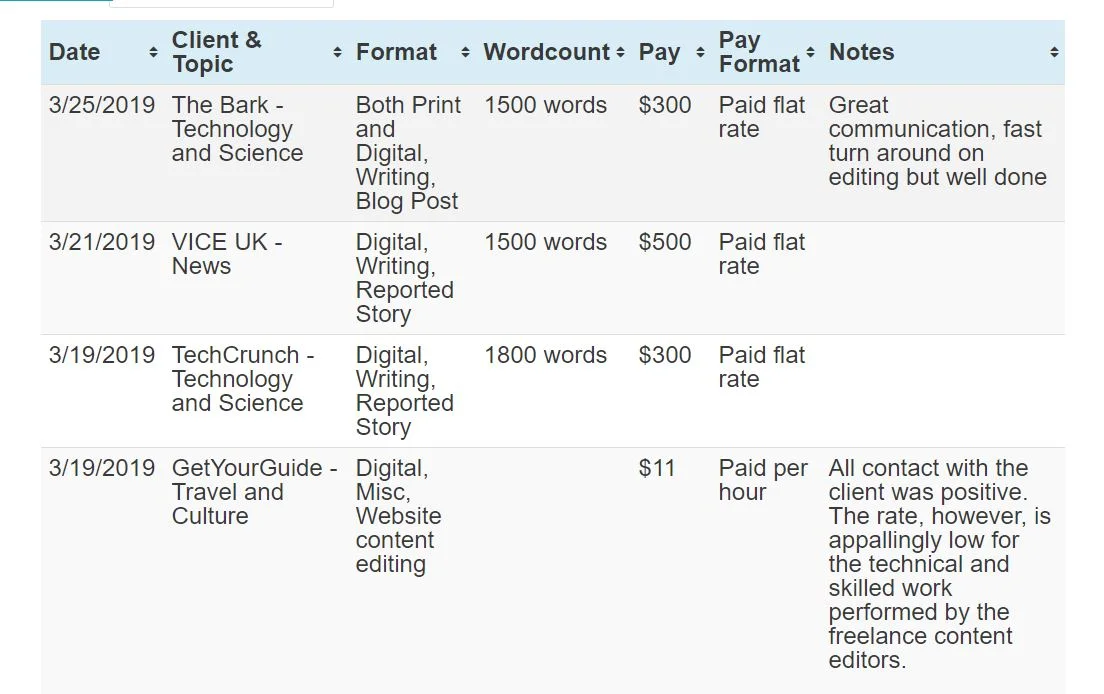
One of the best things about this database is you can find out which publications are deadbeats and don’t pay on time… or at all. You can view the Contently Rates Database here.
Who Pays Writers
I have a list of 20+ High Paying Magazines Looking For Pitches, but I want more. There’s never enough information when it comes to rates, in my option. So, another great resource I love is Who Pays Writers.

Basically, you find a publication in the alphabetically list on the left, and then the rates will pop up on the screen. You can also submit information about websites and magazines you’ve written for to help keep the database up-to-date.
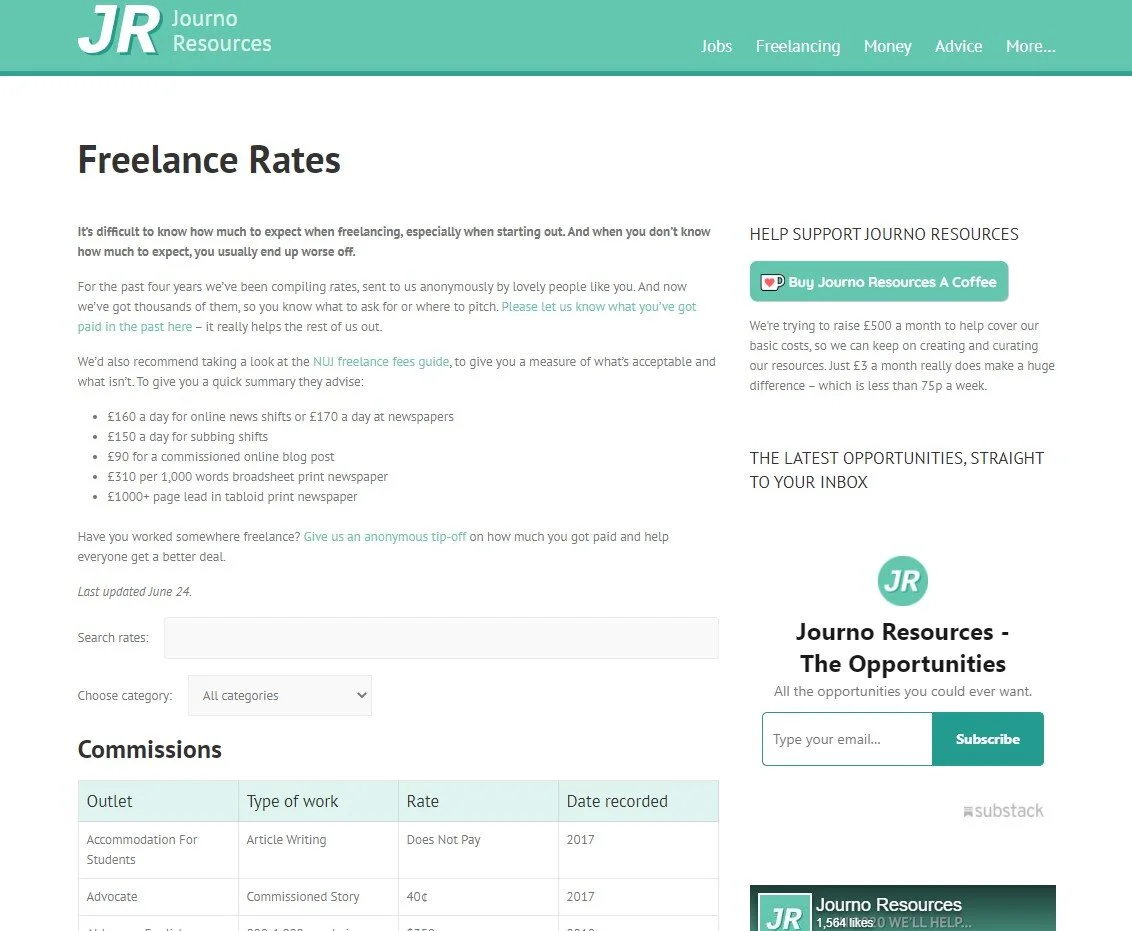
Journalism Freelance Rates
Another good database is the JR Database. It is updated fairly often, so they have recent information about publication rates. I also like how easy the site is to use.
Find a publication that you like and that pays well? Read this next article on how to pitch magazine articles to editors.
My No-Fluff Freelance Writing Starter Pack teaches you how I make a good living at home as a freelance writer.
Use my 20+ years of experience to build an at-home career that you’ll love without all the pitfalls.
The Pack includes my mega course, contract templates, invoice templates and more.
Learn how to:
Get clients
Create and organize clips
Pick a niche
Write awesome content that readers and clients will love
Use SEO and social media marketing in your business
Create contracts
And more!

15 Places Where You Can Find Freelance Writing Jobs
Looking for a freelance writing job? Try these free freelance writing job boards.
Looking for a freelance writing job? Try these free freelance writing job boards. Some of the links are custom-made searches I set up on popular sites so you’ll only be presented with remote writing jobs you can do from home.
Also, don’t forget to check back at nofluffwriter.com every Wednesday for writing gigs that are 100% remote.


What to Do When You Have Haters: How to Deal with Online Trolls Without Losing Your Cool
Here’s how to deal with people that don’t like what you write.
At one point, you’re going to get hit with comments about your articles that hurt. They say that you know you've hit the big time when you have haters. No matter how good you are or how eloquent you are, you're going to have some hateful comments on your website or social media content. It happens. Some people have nothing better to do than to be negative.
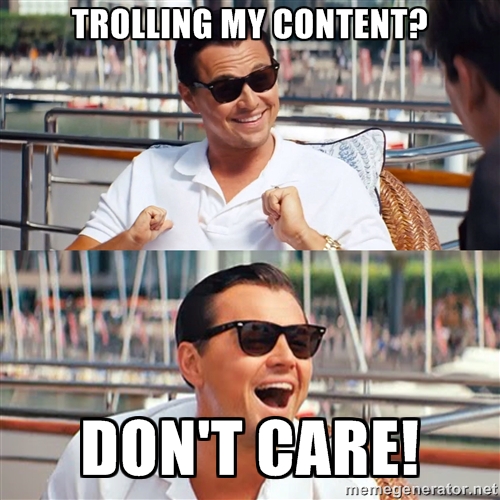
How to deal with online trolls
For example, I wrote an article for CNET about unusual things you can wash in the dishwasher. People got irate, to say the least. I was dumbfounded. It was an article about washing objects like kids toys in the dishwasher for Pete's sake. Someone on Twitter said that my dishwasher article was "irresponsible journalism, almost criminally so." People really take their dishwasher how-to tips too seriously. Criminally? It's not like I told people to wash their baby in the dishwasher. I didn't even suggest that puppies could be put in the dishwasher. The article was researched and tested.
Oh, well. You just have to shake it off and remember that even angry people are giving you page views, comments and other interaction that can help your content be successful.
Should You Answer a Comment?

how to reply to comments
The best way to respond is with silence. These type of people are looking for attention, begging for a fight. Answering them just fuels their little troll fire.
Of course, if the person commenting has a legitimate problem or question, address it. Make sure to be tactful, though. Thank them for their comment and answer with as few words as possible. The briefness will give them little room to argue if the person was just baiting you.
Put It Out of Your Mind and Your Social Media Account

you mad bro kermit
It's really hard to walk away when Facebook or Twitter alerts you to every reply on a post. I know it's a struggle for me! On Facebook you can turn off notifications for certain posts or you can block troublemakers. On Twitter you can put people on mute, which means you won't see any more comments or posts by that person, or you can block them.
Keep Cool, Calm and Collected

Above all, it is important to keep your cool and not to engage in a back-and-forth argument. People love sharing internet arguments and you may just find your comment battle going viral, which can destroy you or your brand's reputation.

Freelance writing jobs of the week mega list: November 25, 2020
Your weekly mega list of freelance writing gigs.
It’s Thankful Week! What are you thankful for? Have you gotten any gigs lately that you want to talk about? Let me know in the comments! Here’s something else to be thankful about…a mega list of freelance writing jobs! Let’s go!
Seeking writers for evidence- and harm reduction-based guides to different drugs (esp. stims +opiates) and pitches along spectrum of substance use, moderation, sobriety, and recovery. ~$200-$350, depending on the scope. More deets👇
— Kelly Morrell🥴 (@KellyRMorrell) November 18, 2020
⚡️📡⚡️ WE ARE NOW ACCEPTING PITCHES for themes/topics—2020 in review (best of, award season nods) AND indie cinemas/festivals/filmmaking in age of COVID AND democracy x moving image—PAY: $150 flat (no word count min; 2 wk turnaround)⚡️SEND US YOUR PITCHES⚡️: info@cineSPEAK.org pic.twitter.com/NHXKBUgBQK
— cinéspeak (@cineSPEAK) November 18, 2020
Call for freelance pitches 🗣 I'm looking for articles for Inverse's entertainment section through the end of the year:
— Jake (@jacobkleinman) November 11, 2020
- Essays on timely old sci-fi movies ($100-200)
- Smart or unique analysis/reporting on Mandalorian and WandaVision ($150-300)
- High profile interviews ($300+)
South American initiative are looking for a candidate with writing experience either in a local newspaper or college newspaper
Brand Copywriter Needed
Savvy Technical Writer
Need An Experienced Writer/Online Life Insurance Blog
Tech Writer and Proofreader Needed
Dedicated Content Writer to create content for blogs, articles, product descriptions, social media, and the company website
"We are seeking a crackerjack freelance writer to handle newsletters, e-blasts, blogs and social media as we launch an exciting new anti-trafficking initiative." ArtWorks for Freedom seeks PT Writer - $18 to $25/hour https://t.co/MFL9y5bsy7
— Nikki Peele (@TheAdvoc8te) November 19, 2020
Hi freelance writers! I'm always looking for pitches on Hawaii, ideally with a Bay Area hook (though not required). $150-$200 per story. Email in bio.
— Fiona is social distancing like a MF (@moderntime) November 17, 2020
Here are a few stories that I've commissioned and loved.
cc @studyhallxyz @WritersofColor @WestMediaJobs @mandyhofmockel
Beat Writer - Arizona Coyotes
Financial Content Writer
Cybersecurity Writer - Freelance
Content Writer Needed for Cleaner's Supply
Technical Writer Needed for Hire Dynamics
Beat Writer - Columbus Blue Jackets
Freelance writers with medical or medical writing experience to write online health articles for leading US retail pharmacy
Hello! @hellogiggles is looking to connect with writers who are choosing not to empathize with Trump supporters right now for an essay. If you’d like to contribute, please send your pitch to raven.ishak@Meredith.com #journorequest #writersofcolor
— Raven Ishak (@Raven_Ishak) November 9, 2020
Friends/mutuals! I’m looking for freelance writers with experience in tech writing or SEO copy. Hourly rates start at $25/hr. DM me for details! ✨
— Deanna Nguyen (@deannawhen) November 18, 2020

Is Laziness Genius for Creative Types? Probably
Now, to most people, sleeping around 10 to 11 hours a day sounds indulgent, wasteful and lazy. Hear me out, though. Being lazy can actually be a tool writers can use to get better ideas. It's not just my opinion. It's scientific.
I admit it. I think I might be lazy.
I love to sleep.
Sure, everyone likes to sleep, right? No, you don't understand. I loooooooooooove to sleep. It's one of my favorite things. Now, to most people, sleeping around 10 to 11 hours a day sounds indulgent, wasteful and lazy. Hear me out, though. Being lazy can actually be a tool writers can use to get better ideas. It's not just my opinion. It's scientific.

How the Mind Creates Creativity
Your brain has what is called a default mode network (DMN). This is the part of the brain that is used when you daydream or think about yourself. This network is also credited with the line of thought we call creativity.
Creativity is just connecting things. When you ask creative people how they did something, they feel a little guilty because they didn't really do it, they just saw something. It seemed obvious to them after a while. That's because they were able to connect experiences they've had and synthesize new things.
—Steve Jobs

the benefits of daydreaming
In a paper called "Robust Prediction of Individual Creative Ability from Brain Functional Connectivity," researchers found that the default mode network , along with its buddies the executive control network and the salience network, work together to come up with those brilliant ideas that make writers worth their pay.
Psychology Today sums it up this way, "For creativity, scientists hypothesize that the Big Three operate as a team: the default mode network generates ideas, the executive control network evaluates them, and the salience network helps to identify which ideas get passed along to the executive control network."
How to Hack Creativity
For these systems to work, your brain needs downtime. Time to rest and wander. "In making an argument for the necessity of mental downtime, we can now add an overwhelming amount of empirical evidence to intuition and anecdote," said writer Ferris Jabr in an article for Scientific American. "Why giving our brains a break now and then is so important has become increasingly clear in a diverse collection of new studies investigating: the habits of office workers and the daily routines of extraordinary musicians and athletes; the benefits of vacation, meditation and time spent in parks, gardens and other peaceful outdoor spaces; and how napping, unwinding while awake and perhaps the mere act of blinking can sharpen the mind."

how to boost creativity
Here's how to get started:
Meditate: Meditation has been found to shut off the "thinking" part of the brain so that the Big Three can go to work on creating new, interesting concepts. "One increasingly popular solution is mindfulness meditation," noted Emma Schootstra, Dirk Deichmann and Evgenia Dolgova in their article for the Harvard Business Review. "Google, Goldman Sachs, and Medtronic are among the many leading firms that have introduced meditation and other mindfulness practices to their employees. Executives at these and other companies say meditation is not only useful as a stress-reduction tool but can also enhance creativity, opening doors where once there seemed to be only a wall."
Sleep: One of the best times to come up with ideas is right before you go to sleep. This is because your active mind is shutting off. My frequent naps allows me to come up with a bunch of ideas. "The space and quiet that idleness provides is a necessary condition for standing back from life and seeing it whole, for making unexpected connections and waiting for the wild summer lightning strikes of inspiration—it is, paradoxically, necessary to getting any work done," Tim Kreider wrote in The New York Times.
Daydreaming: Give your mind permission to wander. Stare out the window or off into space and let go. You'll be amazed at the things you come up with. "Our brains need down time. Your quality of life will skyrocket as you flush hours of seeking out of your week. The majority of the interesting, exciting, novel stimuli you're getting in society are composed of empty calories anyway. So give yourself as much downtime as you can," advised writer Michael W. Taft in his article Downtime for the Stone Age Brain.

Warning: Your Byline May Not Be Your Byline Forever
Bye, bye byline? Maybe! Here’s how to protect your byline.
As you may or may not know, I have been a writer for well over two decades. During that time I have written thousands of articles. A large portion of them no longer have my name as a byline. No, they weren’t ghostwritten. Losing your byline is a common problem in the content writing world, and I’ll tell you why.
Contracts and loopholes
When you create work for a website, unless you have a contract that states you retain rights, in the US the work is considered “work made for hire.” In this case, your client, the online magazine or site, gets the copyright for your work one it is paid for in full.
According to the US Copyright Office:
For legal purposes, when a work is a “work made for hire,” the author is not the individual who actually created the work. Instead, the party that hired the individual is considered both the author and the copyright owner of the work.
Whether a work is a work made for hire is determined by facts in existence at the time the work is created. There are two situations in which a work made for hire is produced:
(1) when the work is created by an employee as part of the employee’s regular duties and (2) when a certain type of work is created as a result of an express written agreement between the creator and a party specially ordering or commissioning the work. When a work is produced under these conditions, the employer or the party ordering or commissioning the work is considered the author and copyright owner.
What does this have to do with your byline? Very simply, once you have written the article and the site has paid for it, they can put whatever name they want as the byline because they own the article.
Why sites change bylines
Now, most sites don’t change the bylines to be sneaky and take credit for work that you did (though some do!). Most of the time, over the months or years after the article is live, publications will bring in other writers to update the article. The publication will then put that writer’s name as the byline. I’ve had this happen to my articles more times than I can count.
How to save your bylines
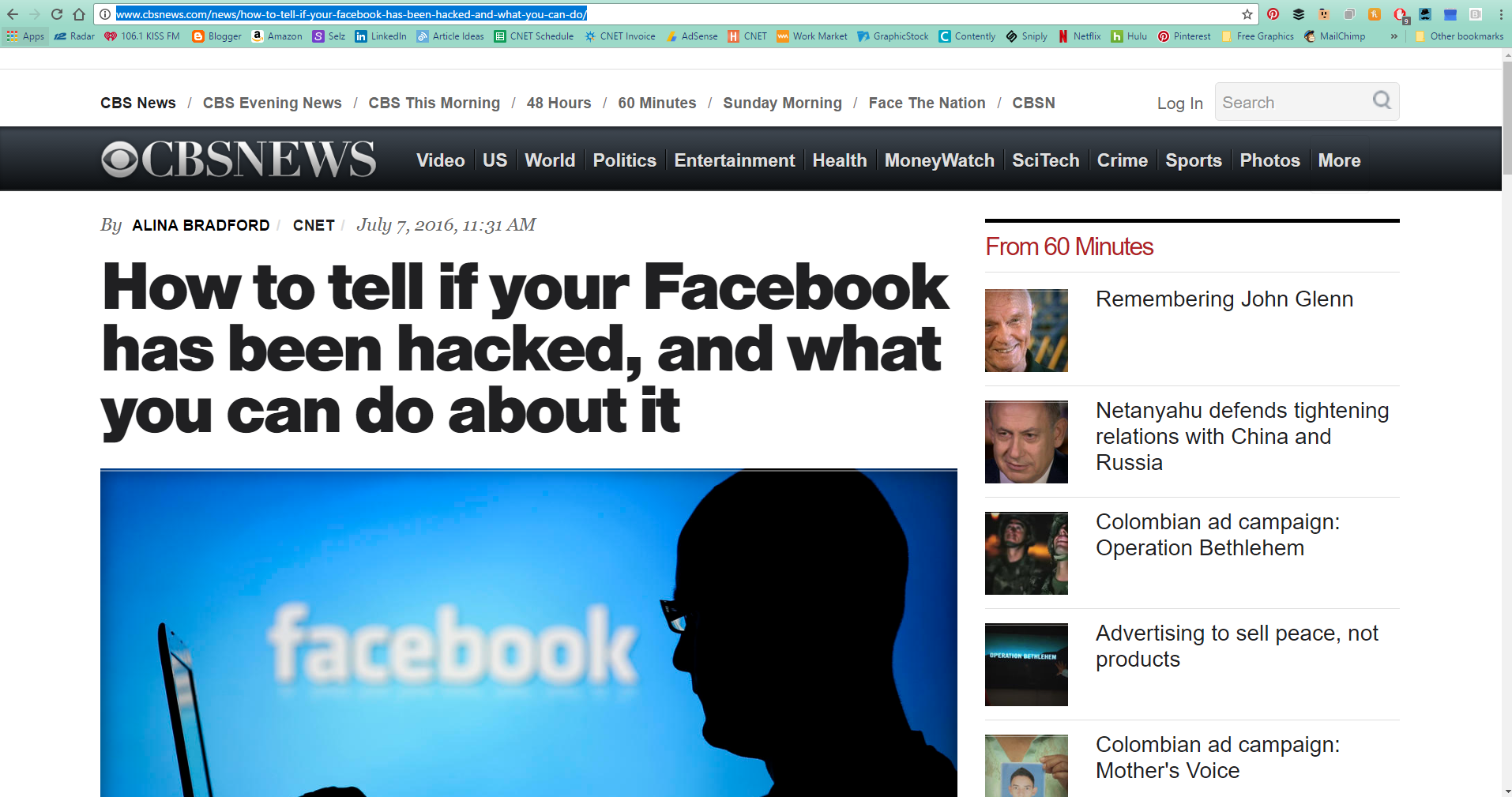
By this point, you’re probably a little disturbed. How are you supposed to build clips for your portfolio if a publication changes your byline? Years ago I would have suggested making sure that you retain rights to your articles, but most large sites and companies these days require that all contracts be work made for hire contracts. When it’s company policy, most editors don’t have the ability to change the contract for writers. So, what’s another option?
As soon as the article is published, take a full-page screenshot, including your byline and the site name or logo. Then, add the screenshot to your website.
To take a full-page screen shot that includes your entire article, there are several options. If you have Chrome as your browser you can use the GoFullPage extension. You can also use software like Snagit or a website like Web-capture.net. No matter what option you choose, be sure to save your clips so you can use them later.

Getting Ghosted by an Editor? Here's Why
Just about any writer that has been working with publications for a year or more has run into the magical disappearing editor. Here's why they disappear and how to solve the problem.
One of the most frustrating things that happens to us freelance writers is an editor that ghosts for no apparent reason. They loved your work and you had a great relationship. Why the silence all the sudden? Why can’t they email you back? Is it your pitches? I’ve had this happen to me many times, and there’s one major reason why editors don’t reply.

Change happens…often
First of all, it’s probably not your fault. In the publication world, editors come and go frequently. And when an editor joins a publication, they get an email address that is specifically for that publication. When the editor moves to a new publication, no on is checking that old email address anymore, so all of your emails go unread.
Why some editors just leave and don’t tell their writers is beyond me. (You’d think they would want to keep their writers happy just incase they need them again in the future.) Once they leave, your connection with that editor is severed…unless…
You keep connected with editors

You need to take action when you make a connection with a new editor. Once you’ve made contact with an editor at a publication, make sure to connect with them on LinkedIn. That way, no matter where their career takes them, you can still get in touch with them about an article idea.
When reaching out, make sure to remind them about who you are in the connection message. Something like, “Hi, Amy. We recently worked together at XYZ Magazine on an article about ghosts in Texas boarding houses. I would love to connect here on LinkedIn.” Chances are, your connection will be accepted, and who knows, they may even offer you another chance to pitch an article.
BTW
If you haven’t heard back after just one email, an editor could have just missed your email. Sending a follow-up with your original message copy and pasted in the new email is always smart after about a week with no reply. If you don’t hear back after a follow-up, the editor may have moved on.

Writers: Here’s The Best Time to Talk About Your Rate
Don’t know when to mention your rates to a potential client. Here’s the best time.
Ah, the dreaded potential client call or email. I'm not sure that any writer likes to negotiate with clients. When's the best time to talk about your rate without scaring customers off? “First of all, if the first time price comes up is at the end of conversation, it’s far too late,” says Weldon Long MBA, CEO of a multimillion-dollar business that landed on the Inc 5000 list of America’s Fastest Growing Companies.

“What’s worse, addressing price only after your prospect brings it up themselves will diminish trust and kill your chances at a successful sales interaction,” adds Weldon. Weldon Long is a top sales expert consulting for some of the world’s biggest companies – but he has a very unique personal history.
A high school dropout, Weldon spent 13 years in prison for robbery, money laundering, and mail fraud. While in jail, Weldon started studying; earning his GED, BS in Law, and MBA in Management. Then, at 39 years old, Weldon was released. While living in a homeless shelter, Weldon landed a commission-only sales position and quickly became the company's top sales leader. In 2004 he opened his own heating and cooling business and grew it into a multimillion-dollar enterprise.

When to Talk About Your Rates
Address price first: “If you talk about your product or service’s price at the very beginning of your conversation, when your prospect is naturally feeling less trepidation than they’ll feel at the closing, you benefit from having time to build rapport by empathizing with them about cost, as well as have more time to combat inevitable objections while building trust."
“So if you want to be more successful in sales, discuss price at the beginning of your meeting, not the end. Here’s how to do it with without feeling awkward.”
So Does This Work for Writers?
Yes! After 20+ years as a writer, I have found this technique to be very useful. Typically when someone contacts me for potential work, I mention my rates up-front. This weeds out people who don’t have the budget for my services, saving me time, but it also puts me in the position of power. I control the conversation as a professional and the client takes me more seriously.

Freelance writing jobs of the week mega list: November 18, 2020
This week’s mega freelance writing jobs list.
I hope your week is going great!! Have you been pitching? I hope so! One thing I know for sure, something that is universal for every writer, is that you need to be consistent to become successful. Let’s do this!

Wanna work with us!? 🦄 .@simplysecureorg is looking for a Design Researcher (part-time), Project Manager (part-time) & Writer (short-term contract) -- all remote --https://t.co/b3Pcb6qZL0 pic.twitter.com/XhWjUQalRq
— Simply Secure (@simplysecureorg) November 18, 2020
Dear Twitter - we are looking for new writers at @raconteur! Would love to hear from some fresh, dynamic voices on all things business - people from diverse backgrounds/experiences particularly welcome. Upcoming themes include: HR, AI, IoT, Retirement and Fintech.
— FranCassidy (@FranCassidy4) November 11, 2020
We have a Star Wars section of our site called @WhatsNewOnJakku. Feel free to reach out to us via DMs to discuss writing for us.
— FanaticMedia (@FanaticMedia1) November 18, 2020
We aren’t currently looking for page management but we’d always love to showcase new writers and bring more voices to the team!
*New job announcement* Thrilled to share I'm now the Head of Content and Social at @sweatybetty. That means no more travel commissions, but I'm currently looking for brilliant lifestyle writers with a knack for telling inspirational, human interest stories. Send portfolios! (RT)
— Matilda Egere-Cooper (@megerecooper) November 16, 2020
We are looking for freelance writers for some upcoming large writing projects ranging from fleas to politics.
— Brent D. Payne (@BrentDPayne) November 18, 2020
You can literally set your own price and hours.
Apply here:https://t.co/LeuHvQB9cT#journalismjobs #journojobs #freelancework
Seeking strong persuasive content writer with journalistic flair for killer finance/tech copy
Writers Needed for High Volume, Long Term Work on Multiple Niches
Writer for the Illustrated Annual Report
We are looking for talented screen writers
Tax Industry Writer / Copywriter
GERMAN Creative Writers Wanted – Long-term Work
SEO/COPYWRITER
Multimedia Journalist
Freelance Mortgage Writer
Enterprise & Investigative Writer - Everyday Health
[PLUS+] Looking for reflection pieces from veterans, service/family members | pay: $300 per piece #freelance #writer https://t.co/baow2QlxXR
— Writer Jobs (@writerjobsnow) November 10, 2020
Friends/mutuals! I’m looking for freelance writers with experience in tech writing or SEO copy. Hourly rates start at $25/hr. DM me for details! ✨
— Deanna Nguyen (@deannawhen) November 18, 2020
loanDepot is looking for a remote Technical Writer #workathome #remotework #digitalnomad #remotejobs #remoteworking #techjobs #remote #nomad #jobs #job https://t.co/ve8n3kVGpW
— BestRemoteJobs (@BestRemoteJobs1) November 18, 2020
We're looking for a #contentmarketing writer at Ripley PR! If you have top-notch #writing skills and the flexibility to create across platforms, we want to hear from you. https://t.co/Y8N1y0Zkb5
— Ripley PR (@RipleyPR) November 18, 2020

10 Free Sites for Creating Amazing Article Content
You don't need to hire a designer to create memes, website images and infographics to make your content go viral, either. Here is everything you need in one list.
I know a lot of you want to design your own visuals for your client's articles or blog content. It just makes you look good as a writer. If you listen to many website gurus, you may think you need Photoshop to create fantastic images for your content site. Not true!
There's no reason to spend almost $700 on software that will take you months to learn when there are free photo editing tools online that take no skills what so ever. You don't need to hire a designer to create memes, website images and infographics to make your content go viral, either. Here is everything you need in one list.

Free Photo Editing Software
Let your photos no longer be boring and unedited. Try out a couple of these free photo editing tools. You'll be adding some snap to your content in no time.

pablo photo editor
1. Pablo
Have you ever lusted after those sites that have beautiful article images overlaid with pretty quotes or the titles of their articles? Well lust no more. Pablo by Buffer provides you with the beautiful stock images, the fonts and the layering capability. All you need to do is come up with the text.
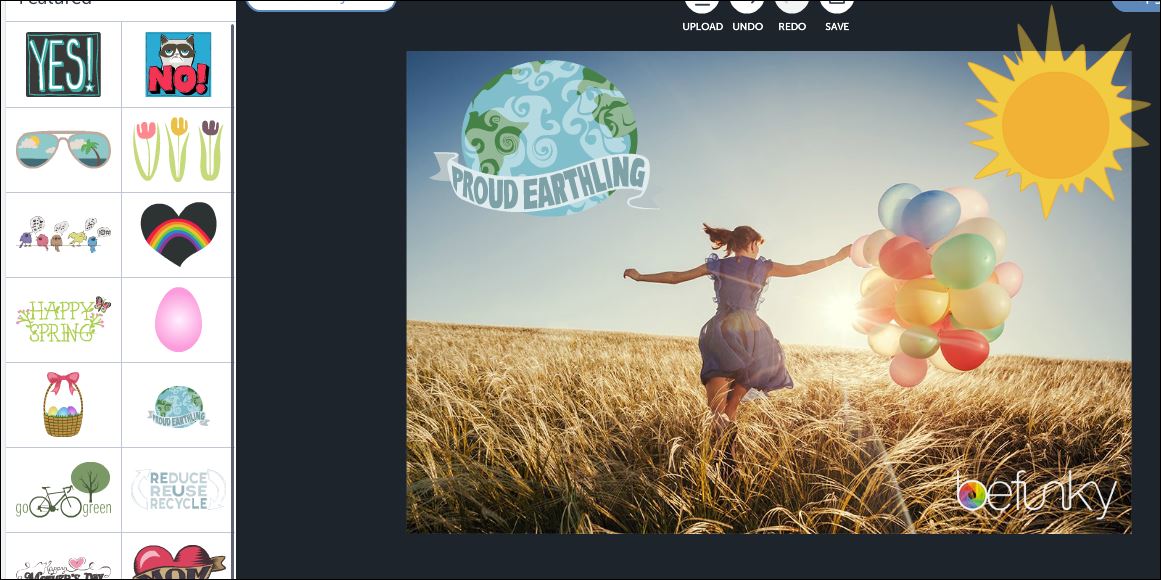
be funky photo editing
2. Be Funky
I love Be Funky. You can use their tools to make your photos totally retro, in a good way. Groovy! They also have stock photos you can use for free.
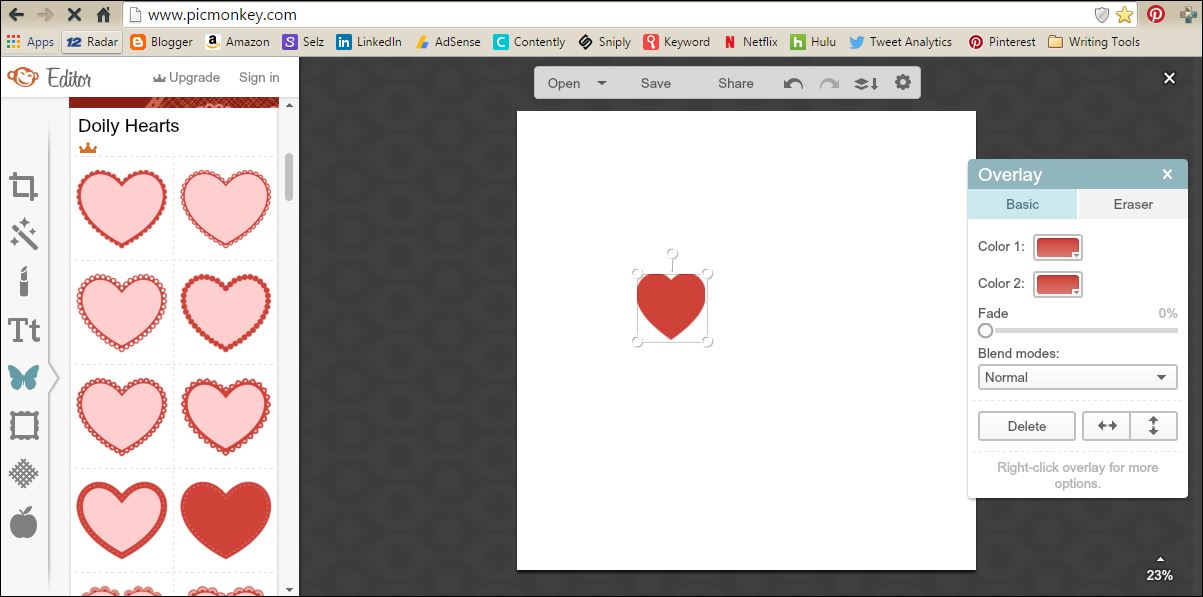
pic monkey photo editing
3. Pic Monkey
Pic Monkey is one of the most popular free photo editing software sites out there, and for good reason. Not only does it give you the capability to edit photos, you can also use it to create far out photo projects with overlays, frames, textures and more.
4. GIMP
When you need a huge amount of editing tools, but like a zero on the price tag, consider downloading GIMP. Think of GIMP as Photoshop's ugly twin. They both have tons of features, but GIMP is a little clunkier to use. Hey, the price is right, though!
Free Tools to Make Memes, Infographics and More Content
Memes, infographics, gifs and other visuals can help make your content go viral. A lot of the bigger sites hire people to create these visuals for them, but if you are on a tight budget, these free tools can get the job done in a pinch.
free photo editing software
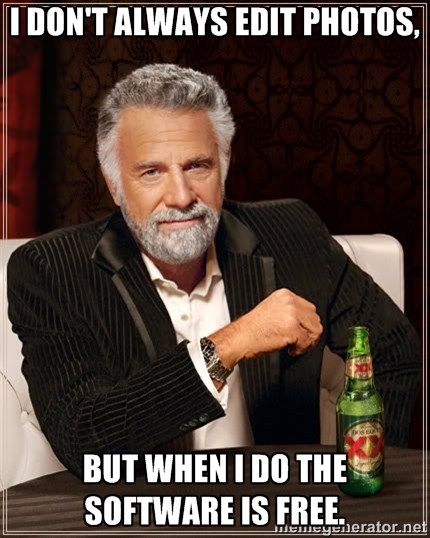
5. Meme Generator
Everyone is mad for memes and the Meme Generator makes creating your own simple and quick. Just browse through premade memes, add your own text, download them, and you're in business. Or, you can start from scratch with your own photo. Just upload your photo, fill in the text fields and boom! You've made your own meme.
Easily content
6. Easel.ly
Easel.ly is easily the most awesome visual tool I use. (See what I did there?) It gives you everything you need to create stunning infographics and simple drag-and-drop tools. I use it constantly for myself and my customers. The best part? Easel.ly creates code so that you can embed your infographic on websites.
The free version has a lot of great visuals to start with, but if you want to go pro, I recommend upgrading.
giphy free gifs content
7. Giphy
Sometimes you just need a snappy gif to make your blog post or social media post just a little more special. Never fear, Giphy is here to supply you will all the gifs your heart could possibly desire, for free.
8. Three Graphs
Need a chart to illustrate some stats? Three Graphs is the site to hit up. You can create a variety of different types of charts, choose your chart's colors and more.
9. Siege Media Embedded Code Generator
How many times have you created an awesome visual and then wanted to allow people to share it, but remembered you don't know a thing about creating embedded code? I've been there! The solution is using Siege Media Embedded Code Generator. No skill required!
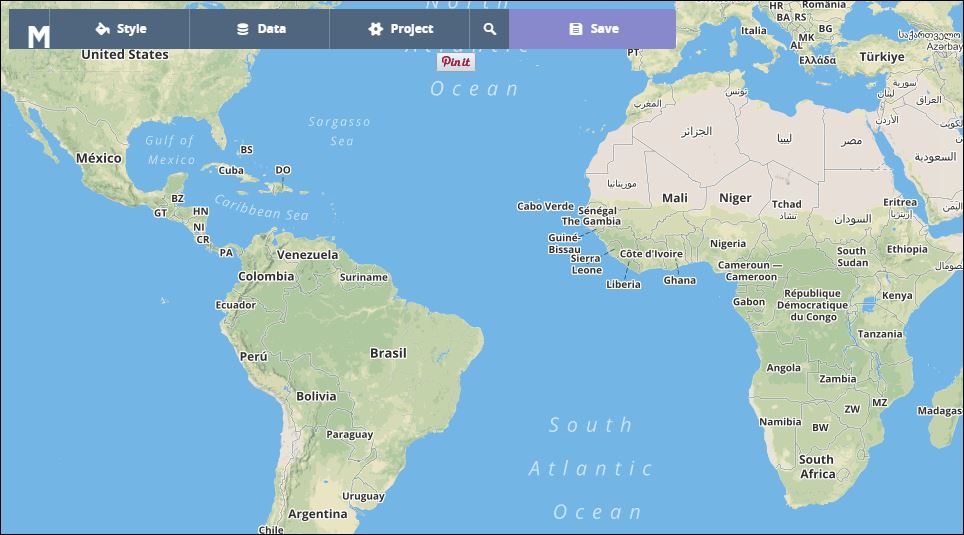
how to make your own customized map
10. MapBox
Maps are a cool visual that's not utilized as often as it should be. MapBox makes creating your own maps easy and, dare I say it, fun. Just input your data and you're map comes out like you hired Magellan.
Got any image creation tools or sites you're dying to share? Let me know!