

100+ of My Best Writing Tips
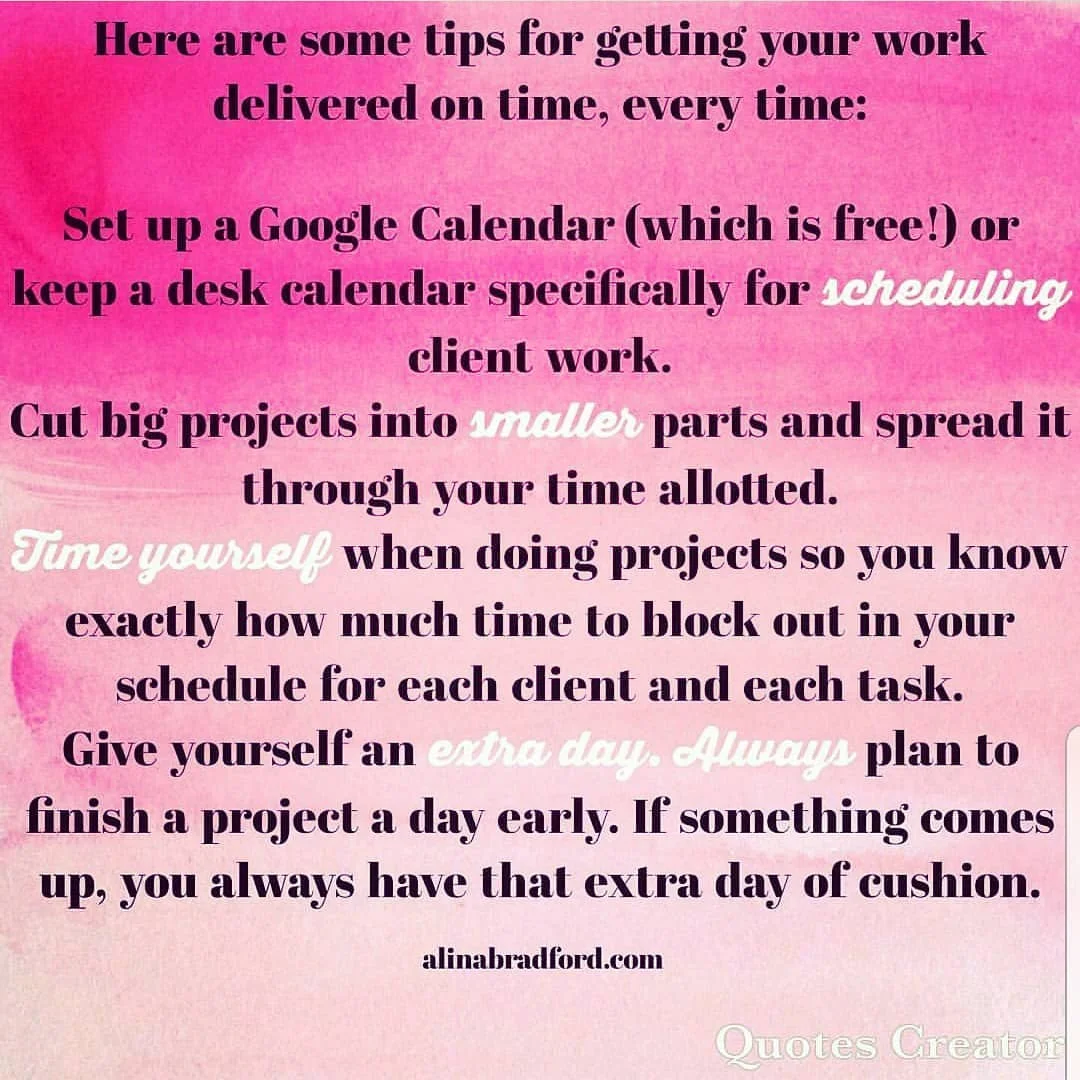
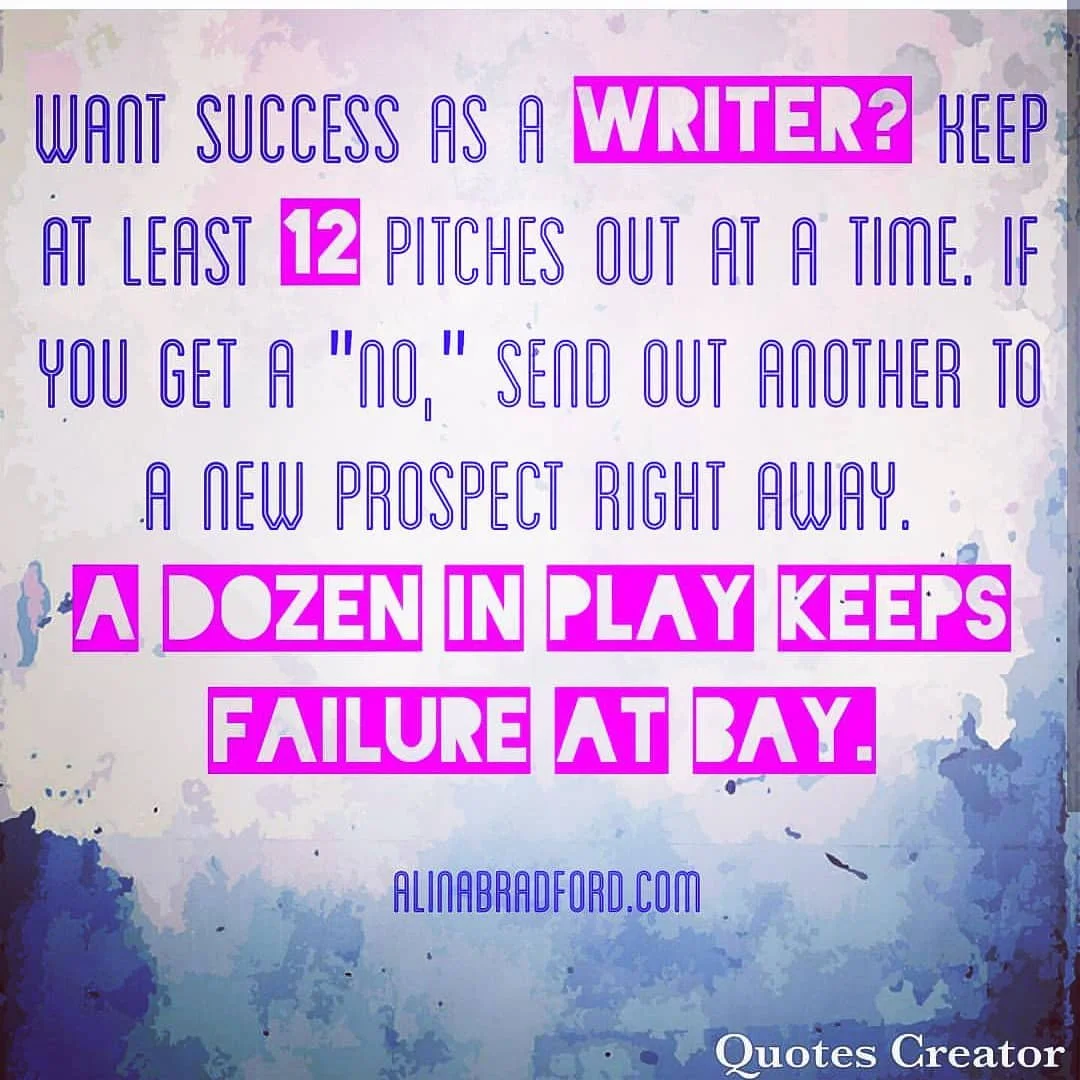
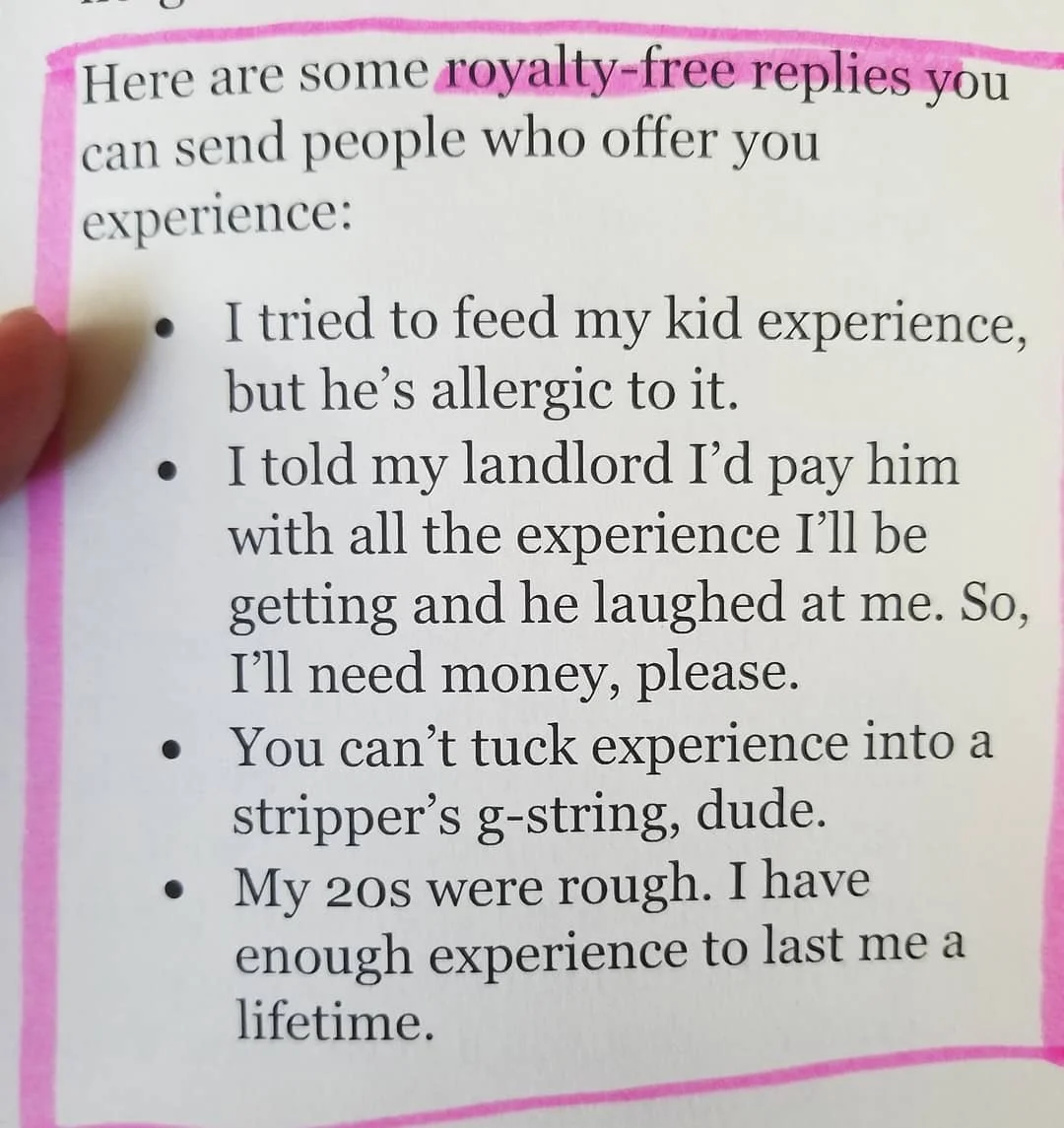
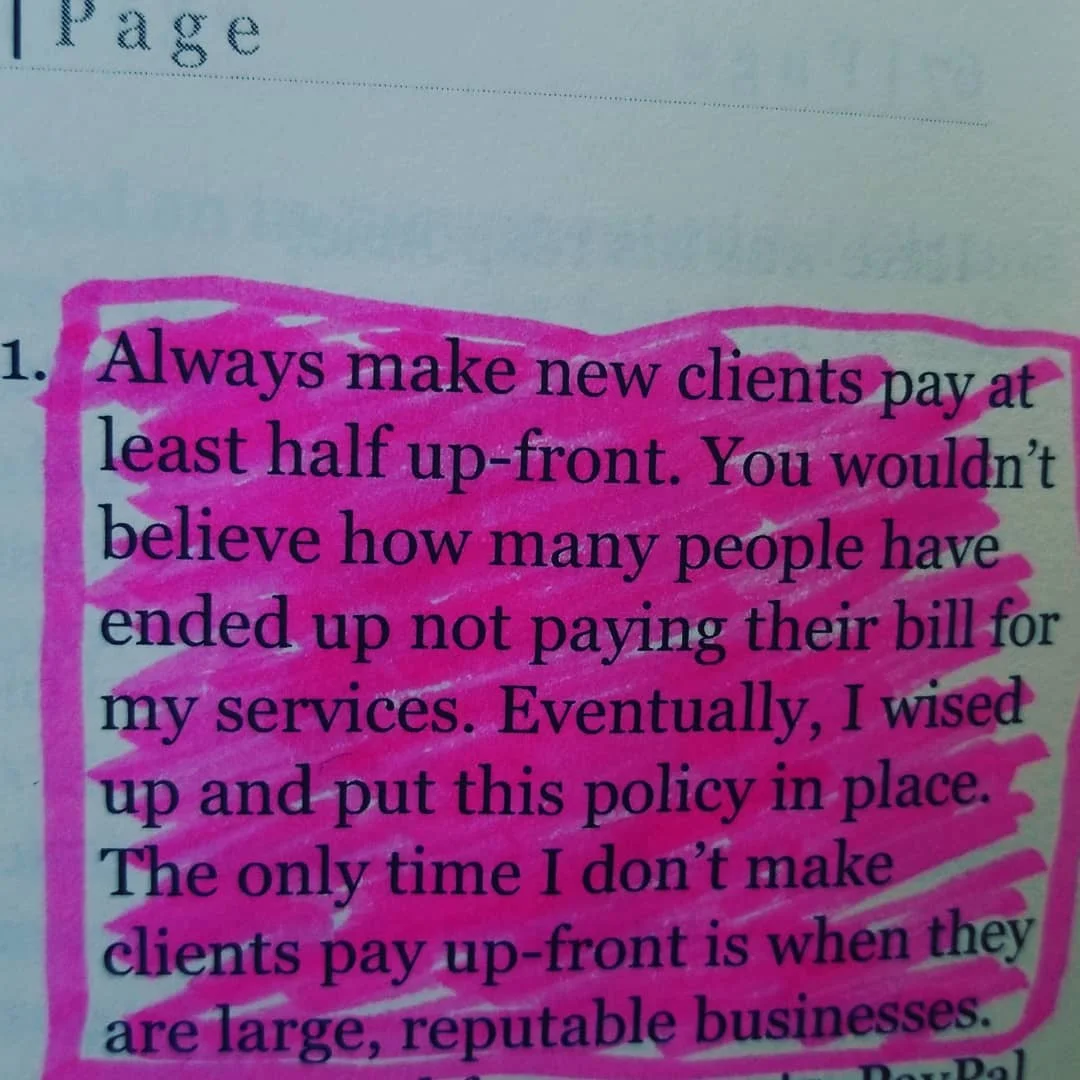
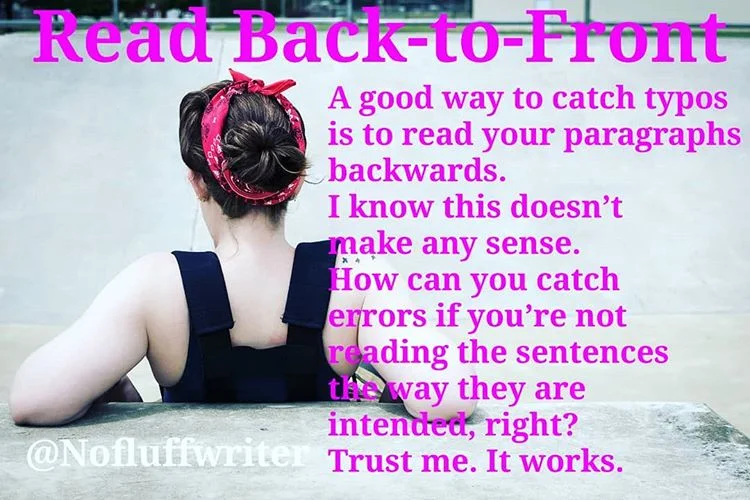
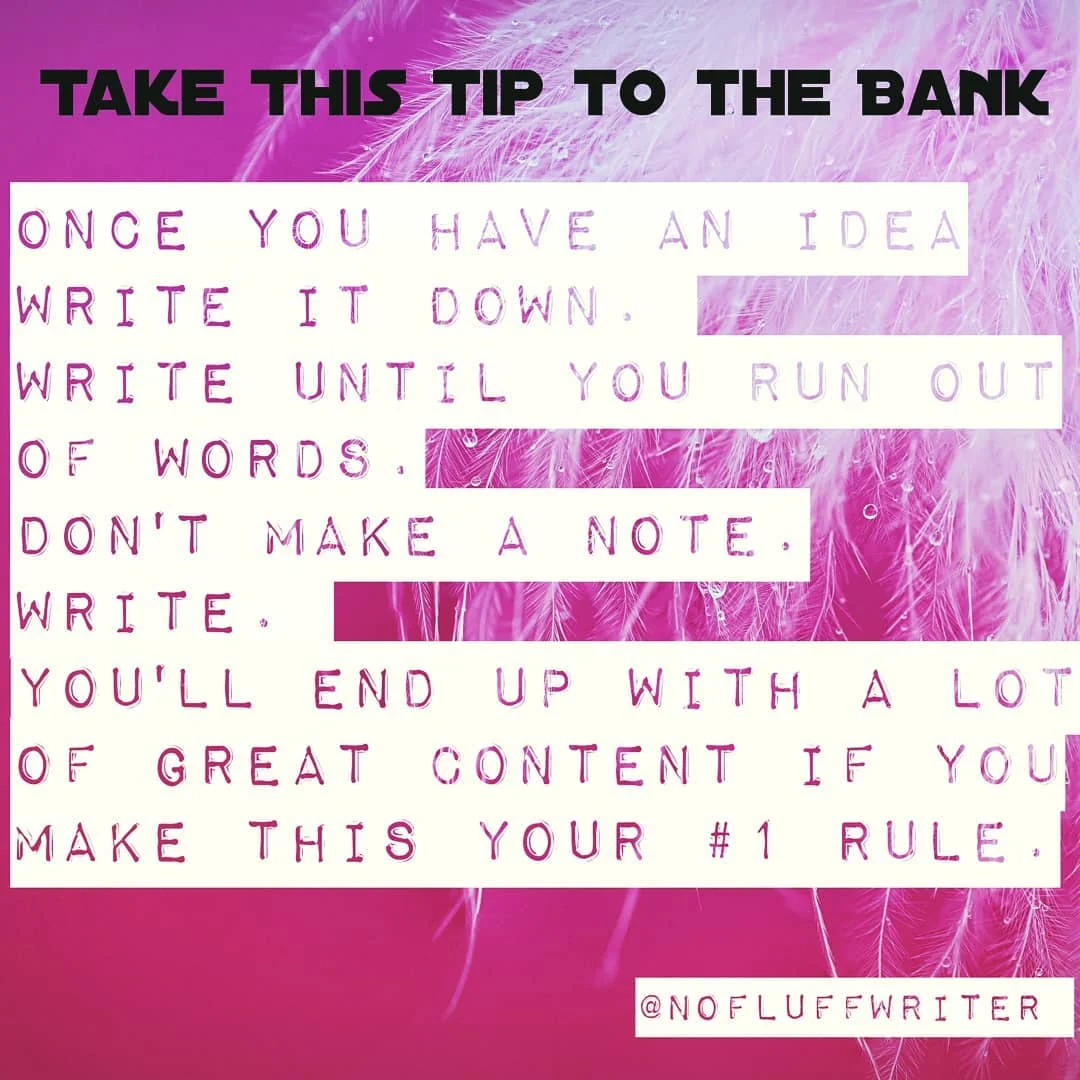
If you haven't been to my Instagram page, you should. I share all kinds of writing goodies there. Here are some of my best tips I've shared.
If you haven't been to my Instagram page, you should. I share all kinds of writing goodies there. Here are some of my best tips I've shared.




















Guide to Writing Niches: Yes, You Need a Niche, Freelance Writers
Here’s everything you need to know about freelance writing niches.
This is by far the biggest question I get from writers: “Do I need a niche?” Umm, yes. This usually makes at least a few people mad. “Why should you limit yourself!? You’re just limiting your income by having a niche!”
Please, have a seat.
I struggled to get paid what I was worth for a long time as a freelance writer. You know why? Because I was a generalist. I would write about anything. When someone asked me what my specialty was I would say, “I can write anything!”
*Insert the sound of a deflating balloon here*

Yah, potential clients don’t want to hear that you write about all kinds of things. They want to know you specialize in their category. They want to know they’ve hired a writer that knows industry terms and sounds like they genuinely know what they’re talking about.
Why Clients Want to Know Your Niche
Okay, think about it this way… You wouldn’t hire someone to paint your car if their sign says, “We can paint anything!” No, you’d want someone who has years of experience painting cars so you know your vehicle will come out looking shiny and flawless.
Picking Niches Changed Everything
Eventually, I wised up and focused on three topics: DIY, health/science and tech. Know what happened when I finally pick some niches? I quadrupled my freelance income.

freelance life
How to Pick a Niche
Picking your niche isn’t as overwhelming as it may seem. All you really need to do is think about what you like writing about. This is the most important thing. Remember, you will be writing about this topic day in and day out, so you better enjoy it.
Here are some ideas to get you started:
Do you love researching the latest scientific discoveries? Then you may be a science writer.
Can’t wait to write about the latest iPhone? You may be a tech writer.
Adore sharing tips on eating healthy? You may be a diet or health writer.
Do you like to build or fix things, then write about it? You’re probably a DIY writer.
Have the need to share your parenting tips with the world? You could be a parenting writer.
Feel the overwhelming urge to talk about movies or the latest Hollywood gossip? You’re probably an entertainment writer.
Do you know the difference between post modernism and expressionism? You may like being a fine art writer.
Does doing your taxes or following the stock market give you a high? You might be a financial writer.
Were you a marketer in another life? Copywriting or content marketing may be for you.
Do you love correcting someone’s grammar more than you love writing? You’re probably better suited as a copyeditor.
Pro tip: Perusing job lists (like the ones I post every Monday and Wednesday on this blog) can give you a feel for what kinds of content people are looking for and may even give you some ideas for your niche.

choosing a niche as a freelance writer
Don’t Get Too Narrow, Though
While you’re narrowing down your niche, remember not to get too specific. A broad category will allow you to find ample work, while still anchoring you as an expert.
For example, "tech writer" is nice and broad. This niche label lets me write about anything under that enormous umbrella, including tablets, phones, computers, home hubs, self-driving cars and home security. If I picked tablet writer, though, my niche would be so narrow I wouldn’t be able to find much work. Plus, I would get bored very quickly!
Your Assignment
Now, I want you to go sit down with your trusty notebook and write down all the things you like to write about. Then, choose no more than three to be your specialty.

Be a Niche Spy: How to Write Authoritative Copy For Niche Clients
Freelance writers, particularly when they’re just starting out, will often take any paying clients that happen to come along. This means that occasionally you’ll need to write for a business that occupies an extremely narrow niche, that you have very little experience with. Obviously, this makes writing consistently high-quality content a little harder than it would be with more conventional clients. Here’s some of the best advice for writing for these niche clients…
Educate Yourself
If you want your work for a niche client to be as fitting and effective as possible, you need to strive to make yourself an expert in that given niche, or at least as close as possible without having to scramble to meet your deadline.

Researching and reading some publications tied to that specific industry is usually the best way to start, as it can introduce you to industry-specific terms which will give your content a potent sense of authority. For example, if you were writing for a company that sells diesel generators, you wouldn’t be able to write a competitive piece of content while sticking to a conversational, generic blogger’s style. The tone would need to be a little more formal and a lot more technical.
You should strive to educate yourself about any product or service you write about, and this is even more important when it comes to niche clients.
Examine Larger Competitors’ Content Strategy
Your clients are going to want unique content that hooks readers and sticks in their mind. One of the best ways to draw inspiration is by taking a peek at the business’s larger, more successful competitors. You can easily find them by googling the industry. The top results are usually the best in the niche.
Pretend you're a corporate spy.

Okay, don't do anything illegal. Just head on over to their website and take in their copy, their style and their tone. You're going to want to mimic it to a certain extent. To prevent being too copycatty, take a look at several different competitors and look for similarities. This is what you want to incorporate into your approach with your client's copy.
There will also be some competitors who are running a notably worse content strategy, which can be just as important to research and understand. No one’s going to give you their Google Analytics password, no matter how nicely you ask, so you’re going to need to apply a little detective work to see how content is performing. Take a look at their social engagement on social media (how many likes they get, how many comments, how many shares). If they are doing things right, they should have tons of engagement. If not, try to figure out what they are doing differently than their more successful competitors.
Also take a look at their SERPs, and comments on the posts themselves to gauge how a given piece of content is being received by your client’s target audience. Most importantly, as with anything creative, you should be combining different elements that seem to be working, all the while thinking about some way you can make your content stand out.
Write for the Target Niche Audience
Like I said before, when writing about certain niche businesses, it can be smart to include a few specialised phrases and pieces of jargon that will assure the reader that you know what you’re talking about. Having said that, if you write like a professor in a given field, and use too much specialised language, you could risk alienating the readers you’re trying so hard to attract.

It’s all about getting the balance just right. If the company you’re writing for targets B2B clients, then you should write according to the basic knowledge of these people, without getting too complex and trying to sound too clever. If a prospective customer has to keep opening a dictionary in another tab just to figure out what your content is actually saying, they’re not going to stay on the page for long!
Want more tips on becoming a successful freelance writer? Read my book:
The Fluff-Free Freelance Writing Master Course: The only course that gives you concrete, actionable information to building a successful freelance business without any fluff.

Easy Steps to Writing a Blog Post in Just Minutes
Time is money, especially when you’re a writer. Here is your step-by-step guide to writing blog posts faster and better than ever before.
I’ve been in the game of content creation for, well, a bunch of years. One thing that I’ve learned well is how to write a blog post and write it quickly. Hey, when you’re getting paid by the post, you learn how to be fast!

Forget about the font!
So, I thought I’d share with my readers my tips for going from an idea to a published post in less than 60 minutes. Got those timers ready? Get ready. Get set. Go!
Figure Out Your Topic
Don’t know what to write? Take a look at what others in your field are writing about to brainstorm some ideas using BuzzSumo. Here is a more traditional way to brainstorm, too.
Time: 5 to 10 minutes
Do Your Research
You’ve got a fantastic idea, but don’t start typing yet. First, plug the topic into Google’s Keyword Planner to decide which keywords will be best for your post. Don’t get too caught up in picking, just choose a couple that have low or medium competition, but have high monthly search (over 20,000 searches is ideal).
Time: 5 minutes
Summarize Your Content
To make the writing process as fast as possible, summarize the different parts of your post you want to talk about and then use them as your H2 headers.
Time: 5 minutes

Get to it!
Fill in the Blanks
Now that you have your headers, fill in the blanks until you talk about everything you wanted to cover in the post.
Time: 15 to 20 minutes
Finish Up Writing Your Blog Post
Now, write the intro, the closing paragraph and the call to action. Once you have those wrapped up, don’t forget to write a meta description.
Time: 10 to 15 minutes
Add Some Multimedia
Add some flash (and some search engine love) to your post by adding some media. Search for free content or create your own using:
PhotoPin for Creative Commons photos
Creative Commons for Creative Common photos
NVD3 for charts
Mapbox for maps
ClipSafari for clip art
Survey Monkey for surveys
Office Sway for presentations
Pond5 for historic media files
GetEmojis for emojis
Time: 10 minutes
That’s all there’s to my process. Pretty simple, huh? Trust me, once you get the hang of it, you can crank out blog posts in just 15 to 30 minutes without breaking a sweat!
Need some tips on writing better content or becoming a content writer for hire? Read my book:

The No-Fluff Guide to Starting a Blog
Ready to make the leap? Here’s how to get started.
While you may not go viral and earn millions from your blog, it is still a great tool. Blogging is one of the best ways to grow a portfolio and a following as a writer. It takes time and dedication, but I promise you it’s not a waste of time.
Ready to make the leap? Here’s how to get started.
how to make your blog awesome
Where to Start
Before you can do anything else, you need a blogging platform. If you don’t want to fuss with setting up your own blog, Medium is a good place to start. Blogger also offers a free blogging platform. Though these sites help you get started for free, they offer very little freedom. Setting up your own site with its own domain name is usually a better option. I’ve found SquareSpace to be affordable and very easy to use. They also have a lot of free website templates for those of us that know nothing about web design. (No, they aren’t paying me to say that.)
Set Up a Home Office
When you're working from home, it makes sense to set up a good office space. A space of your own means you're comfortable and can stay productive- once you're at your desk you know, it's time to get down to work. Having a separate office also helps you to maintain a good work/ life balance which can be tricky when you're working a significant amount of time from home.
If you have a spare bedroom, give it a coat of paint and kit it out with a sturdy desk, an office chair, some shelves and some storage. You could finish with some fun accessories and personal touches that make the room feel pleasant to spend time in.
Here are some tips for setting up a home office.
Clear, Beautiful Images
Your content is important, and the words you write will keep a reader coming back for more. But it’s the images you use that will draw them in and will bring your words to life. It's the photos that will make your blog and blog posts look visually appealing. If you run the kind of blog that reviews products, you will need clear, high-quality images of whatever you’re talking about. If you write about lifestyle or travel, you will a good camera to be able to take beautiful, stunning shots of the places you visit.
A good quality camera such as a DSLR is a good investment as a blogger. These can be complex, but Skillshare has some great low-cost classes that you can take to learn how to use one.
A good understanding of Photoshop or other editing software is useful too, so you can enhance your images and make them the best they can possibly be.
Good stock photos are important, too, for times you can’t take your own photos. Here’s a list of all the places you can get free images and graphics for your blog:
20+ Free Ways to Get Photos and Multimedia Content for Blog Posts and Articles
A Nice Layout
Cluttered blogs with ads everywhere, messy presentation, cheap looking fonts in poor styles and colors and the cardinal sin, background music playing, can all put off a reader. You might feel like your content is the only thing that truly matters, but unfortunately, no one will read what you have to say your blog has an unpleasant aesthetic.
If you've tried designing your blog yourself you could be putting people off in all kinds of ways. Your best bet in this case is to either use a premade template or find a web designer.
Improve Your Domain Authority
Your domain authority is something that sponsors will be looking at when they're searching for blogs to work with. This is a metric devised by Moz which shows how much authority your blog has online.
Lots of different factors make up your score, some of which you can’t directly influence (such as your website's age) but one thing you can do is get as many backlinks as possible. This is where you get your link onto good quality websites, and the main way you can go about it is by offering guest posting. The website owner gets some good quality content, and you get to include your link. You could also speak to a network of bloggers and ask if they would be willing to swap links with you which is a quick and easy way for you all to gain some backlinks.
Another thing you can do to boost your domain authority is to get rid of any broken links and within your site. Use a broken link checker and go through and remove anything that no longer works.
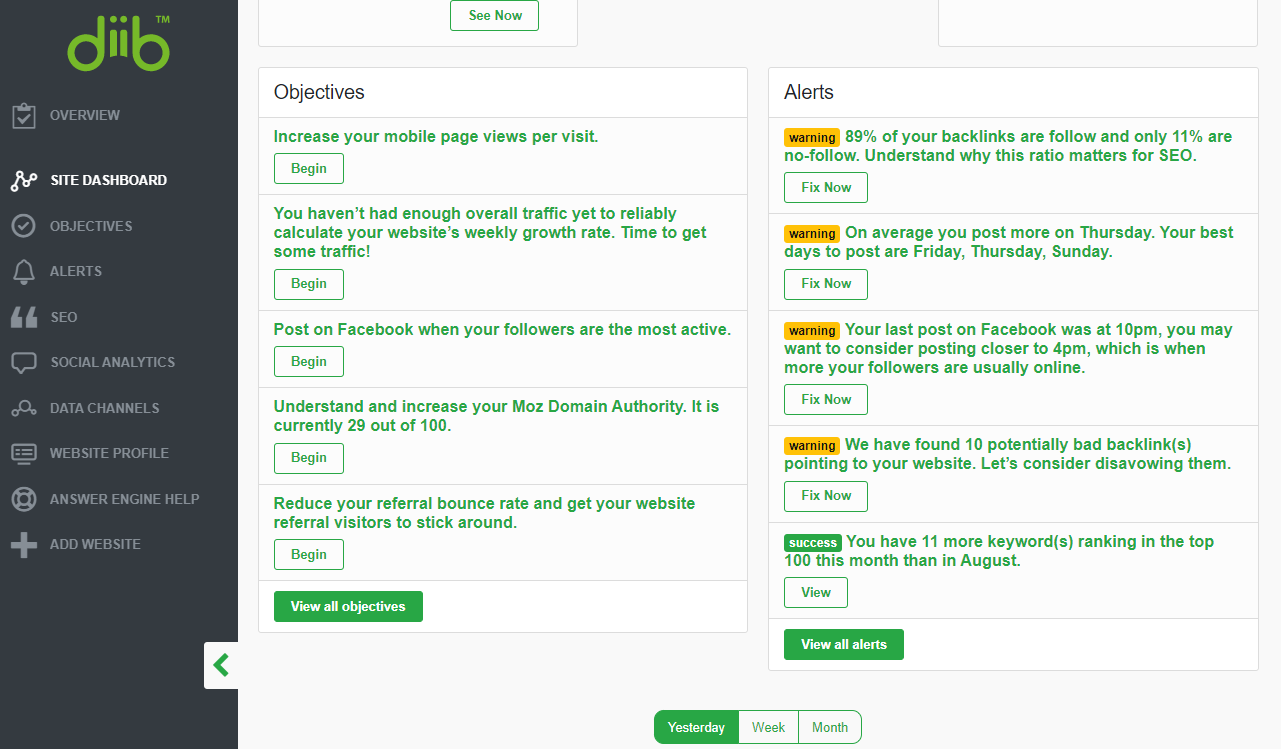
My favorite tool is Diib. It goes through your whole site and finds ways to improve your site’s rank and earn more money from your blog. It also walks you through the steps to fix your site rank, get more readers and more.
Think of Ways To Monetize
You can earn money from blogs in a number of ways. Your biggest source of income as a blogger will be sponsored content, here you will work with an advertiser publishing blog posts or ads for a fee. Depending on how influential your blog is, advertisers can pay very well for this. The only trouble is because they come to you, you can never be sure how much work you're going to get. Some months you might get lots of interest and others less or none.
Some other income sources are:
Selling your own ebooks or other digital media
Set up a members area for special pro tips or socializing
SEO

SEO (Search Engine Optimization) is how search engines find your blog or posts so they can suggest them to internet searchers. Here’s how to make Google, and the others, love you.
Think long
When it comes to blogs you need well written, interesting and engaging content, and you don’t need to squeeze this into a couple of hundred words. Allow your creative writing to flow and expand on your favourite topics.
Why? Because your readers deserve a beautifully crafted, well thought out read. Also, search engines tend to favor longer posts. You might be done at 1,000 words, but there’s nothing wrong with pressing on to 2,000 if you find you can. Don’t make a post long if it doesn’t need to be, though! Search engines are smart and can tell when a blogger is just writing fluff to make their posts longer.
Remember, make your posts interesting and informative, but stop when you’re done.
Keywords and phrases
These are the tools for your SEO success, but they must be used very carefully. When creating your blog title you’ll want to use SEO keywords that are highly searchable. But shoe horn them into your title and you’ll be penalised for using phrases that look unnatural and obviously there for Google’s eyes only.
The same goes for the rest of your text. Make sure that you use your keywords and phrases as naturally and liberally as possible but without making it look like they don’t belong.
Click here to learn more about SEO.
Frequent Updates

Arguably, the most important quality of a successful blog is that it is updated as frequently as you can manage. However, you shouldn’t allow this rule of thumb to get in the way of quality. Your blog posts should always be helpful to your audience, or at least entertaining.
Ultimately, if you are not entirely happy with your writing, then you should either polish it until you are, or write something new.
Still, it is important that you keep your blog regularly updated, as this ensures that readers will continue to return as often and search engines will show your site in search results. Whatever posting schedule you decide on, keep it. Consistency is important.
Outside Advice
Many people have gone before you already, even with the Internet being as young as it is, and many of the trailblazers have great advice to share. There are a huge number of blogging resources out there which you should take advantage of for this reason. Doing so will help you to get your blog to where you want it to be. I suggest reading Jon Morrow's blog.
YouTube
Blogging and YouTube might be separate platforms, but they can go hand in hand. You can work with both of these as a way to gain a bigger audience and appeal to the most number of people. For example, you could do lifestyle vlogs on YouTube, but then full reviews of places you visit on the blog.
You can learn more about Vlogging (video blogging) here.
Social Media

As a blogger, you absolutely need to utilise social media to do well. This is the way you connect and network with others, and it also gives you a free way to advertise. You should set up accounts on Twitter, Facebook, Instagram and Pinterest (choose two you really like) and use each of them as a way to promote your blog and connect with others.
Pay Taxes
Once you start making money from your blog, you need to ensure that you’re paying the right amount of taxes and that you're registered to do so. In most cases, it's as simple as completing a form online and then submitting a tax return each year where you can pay anything that's outstanding. It’s good practice to put money aside in a separate account, that way when your tax bill comes in you have a way to pay it without struggling.
Here's the legal stuff you need to know.
Content is King
Finally, the most important thing for any blog is putting out the best content possible. You should provide the reader with information that’s interesting and valuable. If you write about things you yourself are passionate about, your enthusiasm will transfer to your posts. This is how you will attract readers and gain you interaction on your blog posts.
Other Articles You May Like

What is Evergreen Content?
No matter what kind of writing you do, you’ll probably come across a client or publication that needs “evergreen” articles or blog posts. This is an important term to know since it is a very specific type of content. It’s easy to screw up if you’re not 100% sure what evergreen means. No worries, I’m here to help.

What is evergreen content?
An evergreen is a tree that stays green all year round. There isn't a specific season where it has leaves. Evergreen content is the same way. These articles and blog posts are intended to be useful all year, not just during a certain time. Usually, these articles are SEO optimized.
Evergreen content vs. non-evergreen
The opposite of evergreen articles are “timely” articles or articles focused on a certain time, holiday, news item, or event. Let’s compare the two.
Examples of timely article titles:
This Holiday Trick will Save Your Turkey
The FDA Just Approved the XYZ Drug for Aneurisms
This New Alexa Feature Lets You Sing with Lady Gaga
10 Tips to Make Your Summer Better
Tax Season is Coming: Use These 5 Tips to Avoid Audits
Examples of evergreen article titles:
How to Fix a Leaky Bathtub Faucet
10 Relationship Tips to Keep the Home Fires Burning
5 Reasons Why You Need a Bidet
Never Mention These 5 Things to Your Boss
Examples of evergreen articles that I have written that you can study:

Why publications want evergreen content
Evergreen articles and blog posts are a common ask because they are the foundation of the traffic scheme of a publication. Timely articles typically bring in a lot of traffic, but only for a limited time. Evergreen content may not have an explosion of traffic, but it brings in a steady flow over time, if done well.
These articles also tend to help a site with search ranking because they are still relevant year after year, giving the site authority points with search engines like Google. Older articles are often given seniority over newer articles, as long as they are still relevant.
Elements of evergreen content
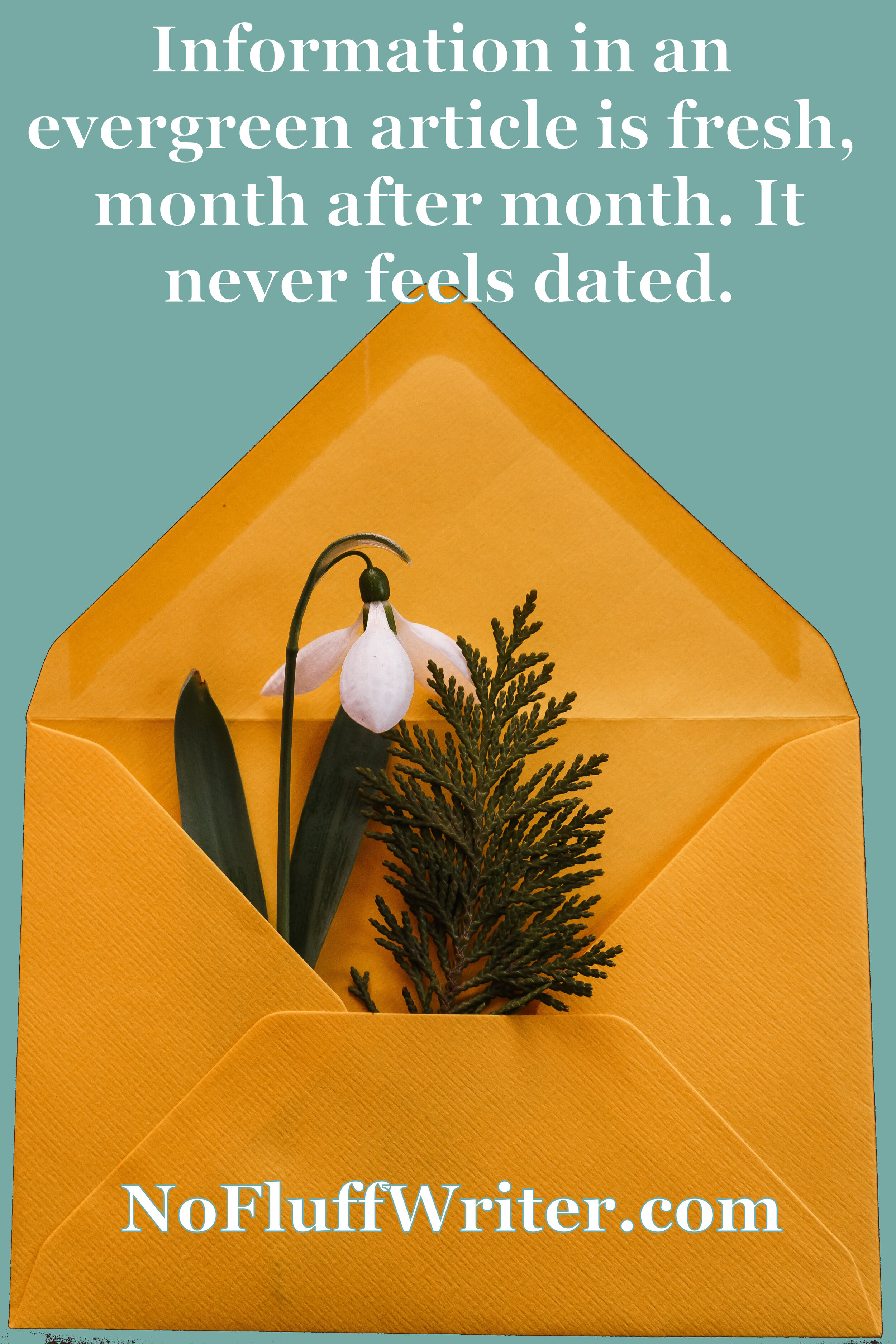
Evergreen content should include information that is useful whenever the article is accessed by your reader and should never feel dated. Generally, you want to avoid anything that will make the article become outdated or specific to a certain time frame. There are several things you need to exclude from an evergreen piece to achieve this. Here are some things to avoid:
Commenting on how something is coming in the future. Eventually, the future will be the past, making the article outdated. For example, don’t say something like, “Spring is coming soon.”
Saying “this year.” Instead, say something like, “In (the year), xyz happened.”
Including statistics from more than a year ago. Use statistic from as recently as possible so the information stays fresher, longer.
Talking about a sale. Sales expire, so they aren’t evergreen.
Common types of evergreen articles
Generally, there are certain types of articles that are more likely to be evergreen. These include:
How-to
Tips
Listicles
Reviews
Reference
Guides
Case studies
Round-up
Generally, news articles, articles about new features of a product or service, time-based round-ups or listicles (like The Best SEO Tips of 2001), and announcements are not evergreen.
If you’d like a step-by-step guide on how to become a successful writer, check out my book The Fluff-Free Freelance Writing Master Course Workbook: The only course that gives you concrete, actionable information to building a successful freelance business without any fluff.

10 Tips for Creating Headlines and Titles that Get Clicked
For freelance writers, crafting great headlines that capture readers' attention increases the chance of getting a click and eventual customer conversions. Here’s how to get better at it.
It's difficult to write irresistible headlines. It's a fact, even for old pros like myself. For freelance writers, crafting great headlines that capture readers' attention increases the chance of getting a click and eventual customer conversions.

An iconic headline from almost two decades ago.
How can you ensure that you have the perfect headline? Here are some ideas from Dave McDonald and myself:
Make your headline inviting by giving them an answer to what they are looking for. Example: "This (blank) Trick Makes Your Life Easier in Just 10 Minutes."
But don't reveal everything. For example, "This Trick will Lower Your Electric Bill by 25%" tells the readers that they are going to learn something to lower their electric bill, but doesn't give any clues as to what in the title. Curiosity will get the best of most people and they'll click.
Research customer demographics so that you'll know what the visitors to your site are looking for. They might be looking for new products, practical tips, useful information or new ideas, for example.
Make sure your headline is unique, very specific, useful and presents a sense of urgency.
Do away with commercial wordings that most other e-marketers are using. Instead be prepared to take some risks.
Taglines can be used as headlines effectively.
Grab your reader's attention by starting your headline with "How to…" since this indicates you're providing them with useful information.
A number in the title ensures your readers will be intrigued by what you have to say. ("20 Unexpected ways to use dryer sheets" is one of my most popular articles on CNET.) Just ensure that the list contents fully support the headline.
Employ an element of surprise by presenting the readers with something unexpected. It can tickle your audience's curiosity. Novelty and unpredictability are things that stimulate the brain, ensuring that readers will stay and read on. "Angelina Jolie Doesn't Look Like Herself Anymore" is a good example of piquing curiosity.
Add a little humor. “Annoying 2000s Tech We Kinda Miss” is a title example that uses a little fun to draw people in.
Bonus tip: Borrow what works. Titles can't be copyrighted so you really don't need to worry about plagiarism. If you see a great headline jot it down to use as inspiration later. Integrity wise, it is best to borrow and customize headlines created for a niche outside of your own so it doesn't look like you're just copying your competitors.
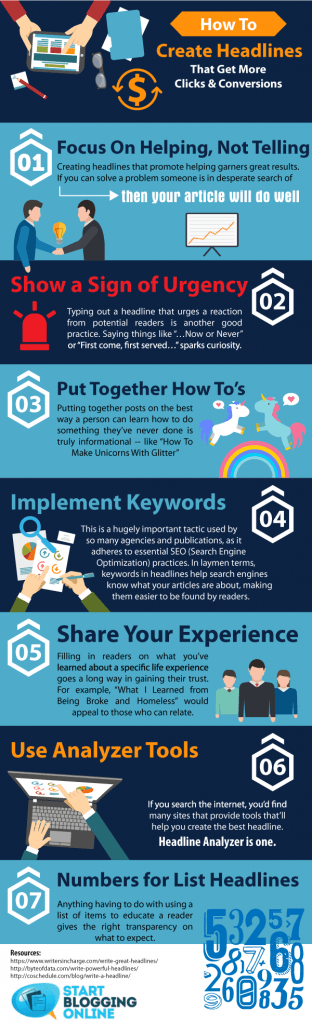
Get more ideas by checking out the infographics below.
Need more help with starting your freelancing career? Take my master course on how to become a well-paid freelance writer.

Steps You Can Take To Become The Ultimate Travel Writer
Here are some tips to consider to become the ultimate travel writer. Guest Post by Jennifer Ranking
Guest Post by Jennifer Ranking
When you scroll through your Instagram timeline it’s almost as if everyone’s out travelling except you! It appears to be the trend nowadays and it’s no surprise why it is, the world is a beautiful thing and something that should be explored when you’re given the opportunity. Audiences love to read about experiences as inspiration and knowledge of what to expect for their travels. Travel writers are seen as influencers who have been around the block and know they’re stuff.
So, how do you become one of them people too? Here are some tips to consider to become the ultimate travel writer.

Be Dedicated To Your Writing
In order to become a travel writer, you first need to build the foundations of being a successful writer first. Travelling is the knowledge, but writing is the skill you have to get to spot on in order to be successful. You need to be able to communicate your experiences well and in a way that will engage your readers with what you have to say. Start by writing creative pieces and gradually improve your vocabulary and skills as a writer before you begin to write about your travelling experiences.
Consider Writing School or Journalism
A great advantage of journalism is that you slowly begin to learn how to make notes quickly and write great pieces in a short space of time. This means you won’t be spending too much time on writing the pieces and instead, you can enjoy telling your story without it taking too much of your time and continue your experiences of travelling. Get yourself in with the local newspapers or see if there are any writing schools that you can attend to improve on the skills that you’re developing.

Start Off Writing On Subjects That Aren’t About Yourself
Writing helps to get your name out there and gets your work published easily, almost satisfying the ego that people want to hear from you and what you have to say. What’s ironic about this though is that the skill to write about yourself can be rather difficult and sharing something about what you’ve done may not come across the best. Therefore, when you first start out why not try writing interviews or profiles instead and this way you can easily identify a theme and prevent getting sidetracked.
Review Your Writing Over And Over Again
The biggest waste when it comes to writing is that writers tend to use up too many words for a sentence which they could have articulated in a more efficient way. Writers feel as though revising the work that they’ve completed contradicts their creativity, but when you read over your work again you can easily find that your point is not as effective as what it could be. Revise and rewrite until your story flows and makes perfect sense.

Develop A Network
The biggest driver of being successful as a travel writer is developing a network in your field. There are plenty of travel writers across social networks and blogs that are easy to connect with. In doing so, it can help build your own reputation as a travel writer and have you integrating with the correct people. Over time, you’ll find yourself writing to a mass audience that you’ve created.
Keep Motivated
Most important of all, remain persistent. If there’s one downfall of writers that don’t make it it’s because they fell at the first hurdle when it arrived. It’s going to take time to build your reputation and get your stories shared in the masses, but how bad do you really want it?
The travelling influencer market is forever growing and there are still plenty of writers who are yet to master their trade. What’s written today is probably forgotten by tomorrow. Your stories have the chance to make a difference, to provide knowledge and form education for your readers. So, before you begin writing about your travelling experience from your luxury Algarve villa, take a step back and dedicate your time to learning your craft. After that, the world is your oyster from a travelling and writing point of view.

Warning: Your Byline May Not Be Your Byline Forever
Bye, bye byline? Maybe! Here’s how to protect your byline.
As you may or may not know, I have been a writer for well over two decades. During that time I have written thousands of articles. A large portion of them no longer have my name as a byline. No, they weren’t ghostwritten. Losing your byline is a common problem in the content writing world, and I’ll tell you why.

Contracts and loopholes
When you create work for a website, unless you have a contract that states you retain rights, in the US the work is considered “work made for hire.” In this case, your client, the online magazine or site, gets the copyright for your work one it is paid for in full.
According to the US Copyright Office:
For legal purposes, when a work is a “work made for hire,” the author is not the individual who actually created the work. Instead, the party that hired the individual is considered both the author and the copyright owner of the work.
Whether a work is a work made for hire is determined by facts in existence at the time the work is created. There are two situations in which a work made for hire is produced:
(1) when the work is created by an employee as part of the employee’s regular duties and (2) when a certain type of work is created as a result of an express written agreement between the creator and a party specially ordering or commissioning the work. When a work is produced under these conditions, the employer or the party ordering or commissioning the work is considered the author and copyright owner.
What does this have to do with your byline? Very simply, once you have written the article and the site has paid for it, they can put whatever name they want as the byline because they own the article.
Why sites change bylines
Now, most sites don’t change the bylines to be sneaky and take credit for work that you did (though some do!). Most of the time, over the months or years after the article is live, publications will bring in other writers to update the article. The publication will then put that writer’s name as the byline. I’ve had this happen to my articles more times than I can count.
How to save your bylines
By this point, you’re probably a little disturbed. How are you supposed to build clips for your portfolio if a publication changes your byline? Years ago I would have suggested making sure that you retain rights to your articles, but most large sites and companies these days require that all contracts be work made for hire contracts. When it’s company policy, most editors don’t have the ability to change the contract for writers. So, what’s another option?
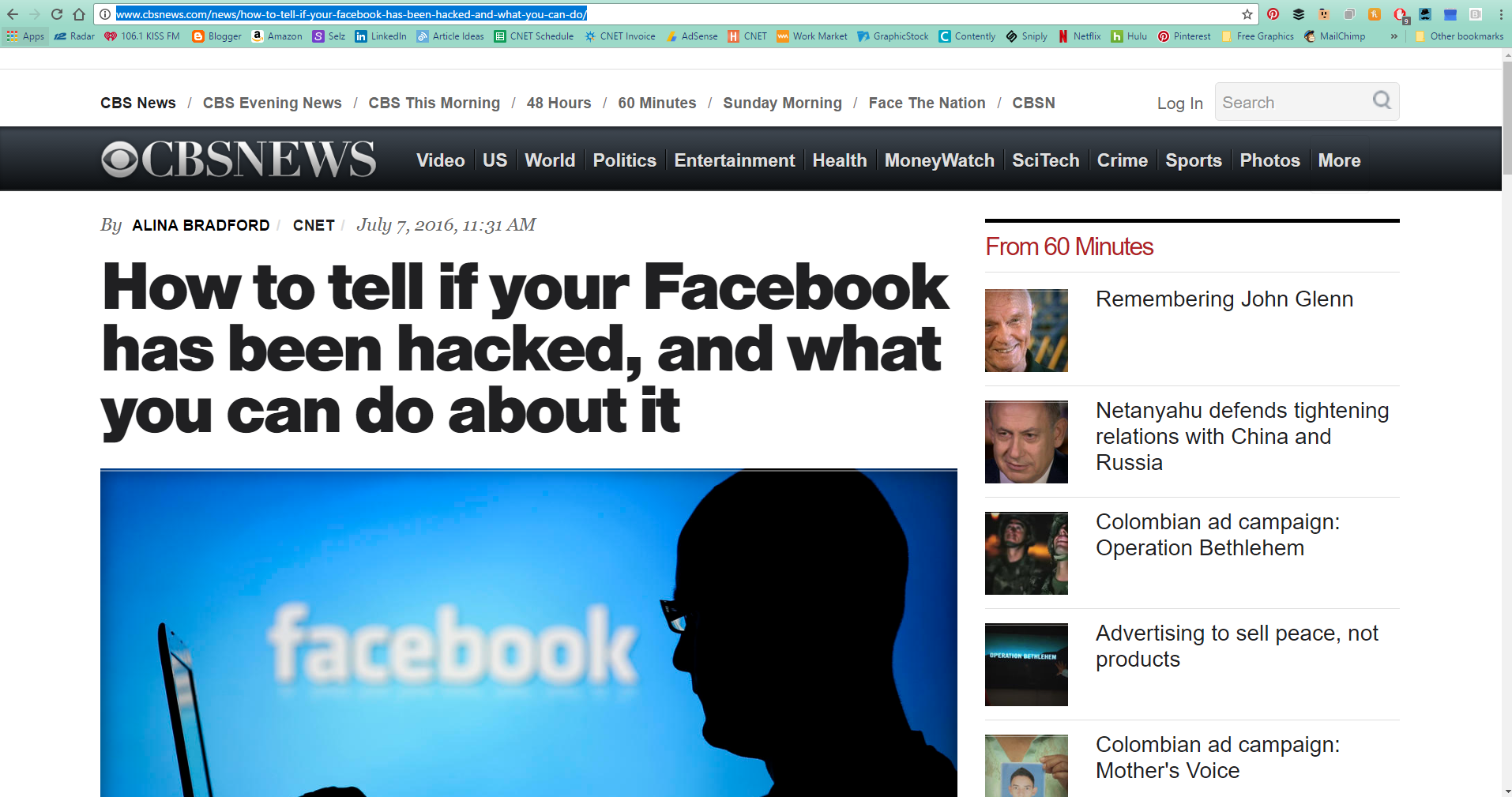
As soon as the article is published, take a full-page screenshot, including your byline and the site name or logo. Then, add the screenshot to your website.
To take a full-page screen shot that includes your entire article, there are several options. If you have Chrome as your browser you can use the GoFullPage extension. You can also use software like Snagit or a website like Web-capture.net. No matter what option you choose, be sure to save your clips so you can use them later.

10 Free Sites for Creating Amazing Article Content
You don't need to hire a designer to create memes, website images and infographics to make your content go viral, either. Here is everything you need in one list.
I know a lot of you want to design your own visuals for your client's articles or blog content. It just makes you look good as a writer. If you listen to many website gurus, you may think you need Photoshop to create fantastic images for your content site. Not true!
There's no reason to spend almost $700 on software that will take you months to learn when there are free photo editing tools online that take no skills what so ever. You don't need to hire a designer to create memes, website images and infographics to make your content go viral, either. Here is everything you need in one list.

Free Photo Editing Software
Let your photos no longer be boring and unedited. Try out a couple of these free photo editing tools. You'll be adding some snap to your content in no time.

pablo photo editor
1. Pablo
Have you ever lusted after those sites that have beautiful article images overlaid with pretty quotes or the titles of their articles? Well lust no more. Pablo by Buffer provides you with the beautiful stock images, the fonts and the layering capability. All you need to do is come up with the text.
be funky photo editing
2. Be Funky
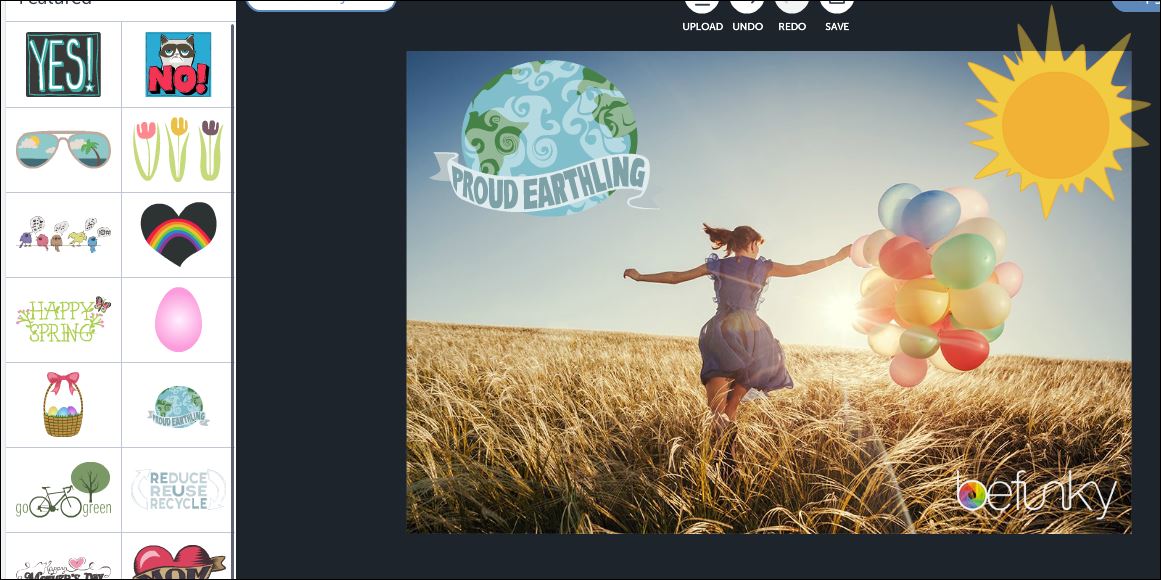
I love Be Funky. You can use their tools to make your photos totally retro, in a good way. Groovy! They also have stock photos you can use for free.
pic monkey photo editing
3. Pic Monkey
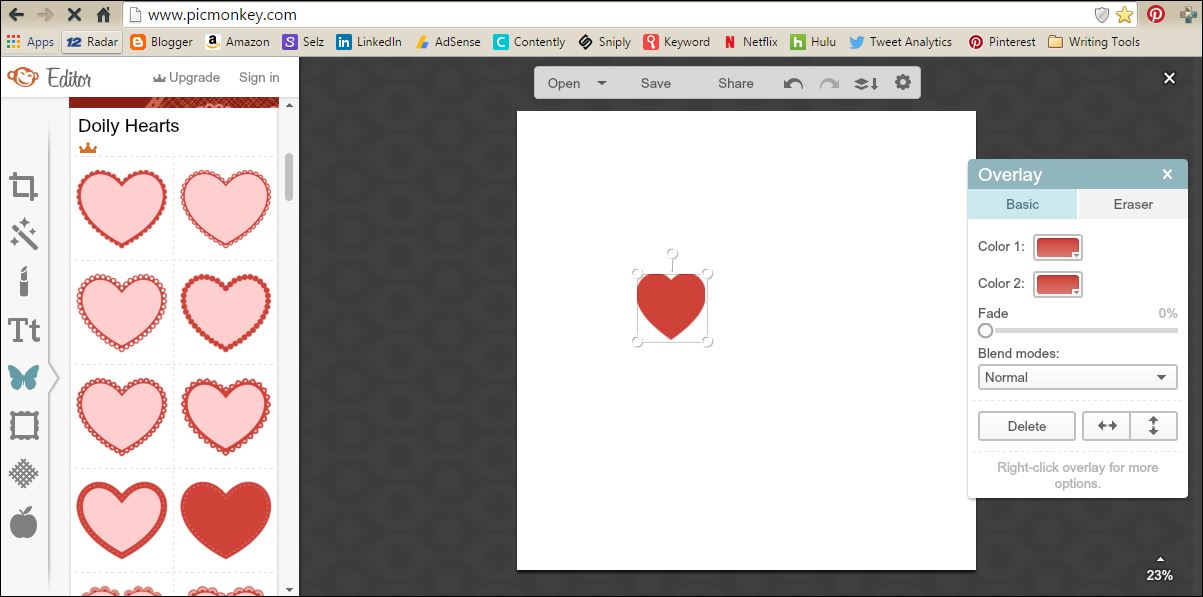
Pic Monkey is one of the most popular free photo editing software sites out there, and for good reason. Not only does it give you the capability to edit photos, you can also use it to create far out photo projects with overlays, frames, textures and more.
4. GIMP
When you need a huge amount of editing tools, but like a zero on the price tag, consider downloading GIMP. Think of GIMP as Photoshop's ugly twin. They both have tons of features, but GIMP is a little clunkier to use. Hey, the price is right, though!
Free Tools to Make Memes, Infographics and More Content
Memes, infographics, gifs and other visuals can help make your content go viral. A lot of the bigger sites hire people to create these visuals for them, but if you are on a tight budget, these free tools can get the job done in a pinch.

free photo editing software
5. Meme Generator
Everyone is mad for memes and the Meme Generator makes creating your own simple and quick. Just browse through premade memes, add your own text, download them, and you're in business. Or, you can start from scratch with your own photo. Just upload your photo, fill in the text fields and boom! You've made your own meme.
Easily content
6. Easel.ly
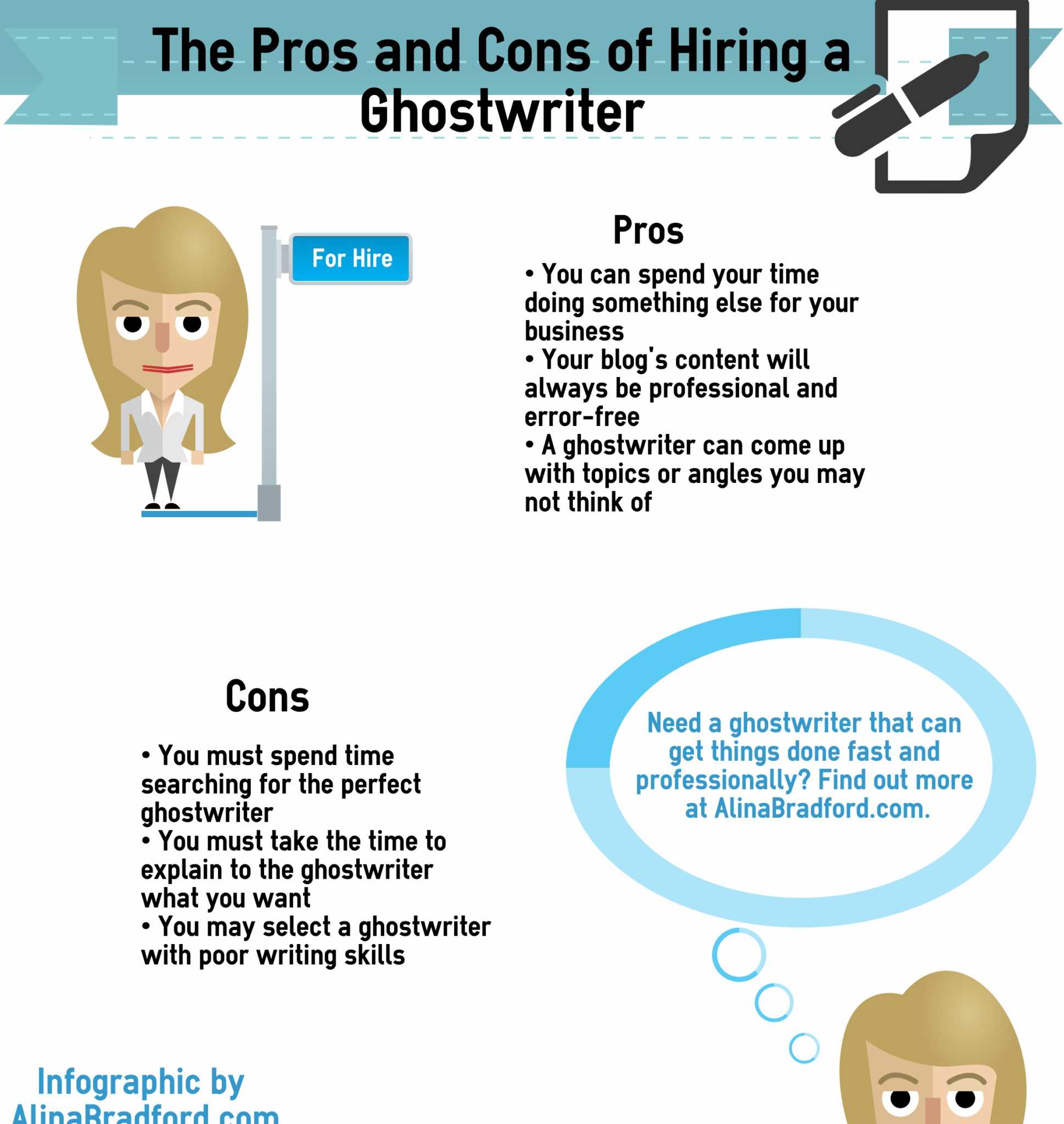
Easel.ly is easily the most awesome visual tool I use. (See what I did there?) It gives you everything you need to create stunning infographics and simple drag-and-drop tools. I use it constantly for myself and my customers. The best part? Easel.ly creates code so that you can embed your infographic on websites.
The free version has a lot of great visuals to start with, but if you want to go pro, I recommend upgrading.
giphy free gifs content
7. Giphy
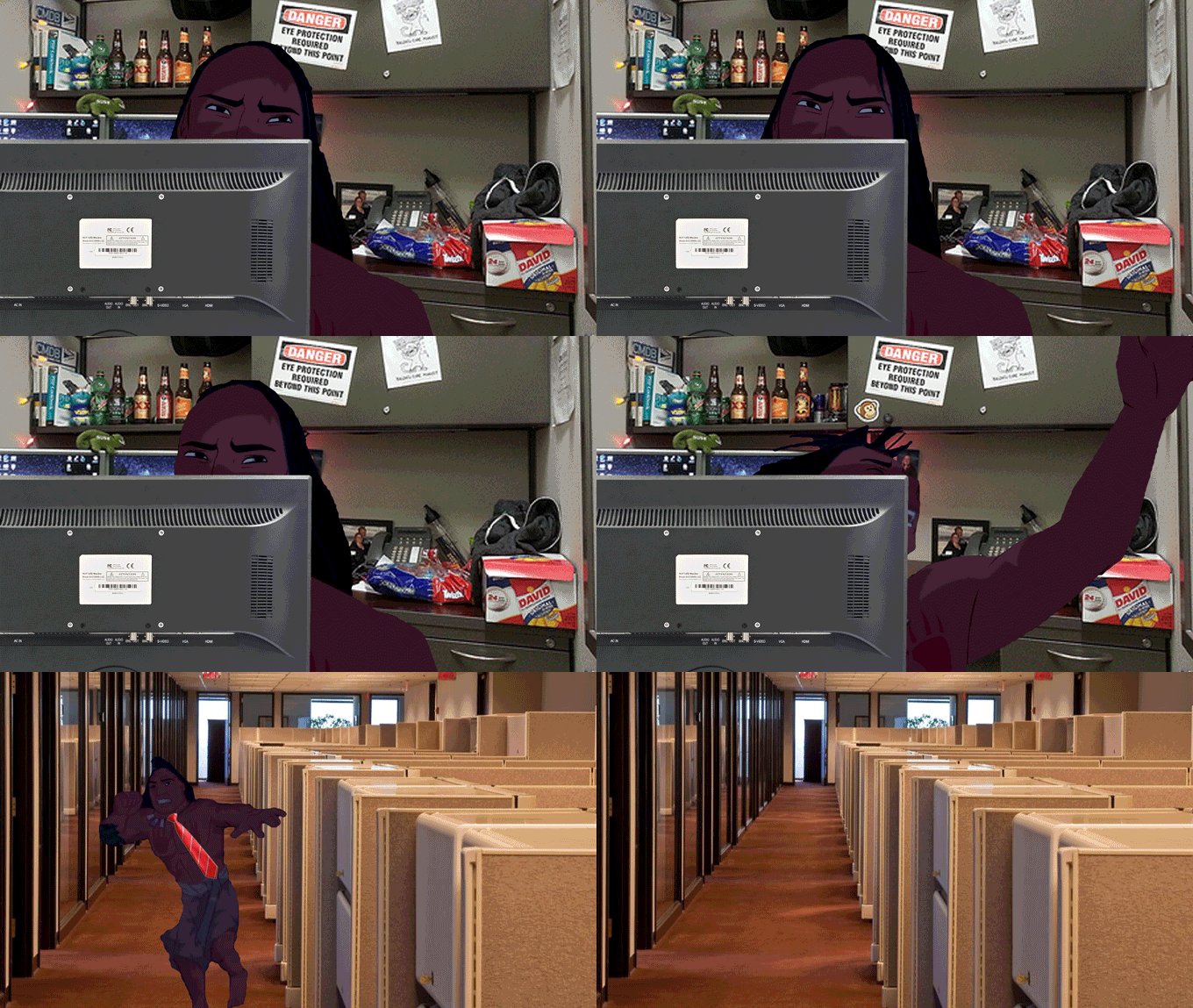
Sometimes you just need a snappy gif to make your blog post or social media post just a little more special. Never fear, Giphy is here to supply you will all the gifs your heart could possibly desire, for free.
8. Three Graphs
Need a chart to illustrate some stats? Three Graphs is the site to hit up. You can create a variety of different types of charts, choose your chart's colors and more.
9. Siege Media Embedded Code Generator
How many times have you created an awesome visual and then wanted to allow people to share it, but remembered you don't know a thing about creating embedded code? I've been there! The solution is using Siege Media Embedded Code Generator. No skill required!
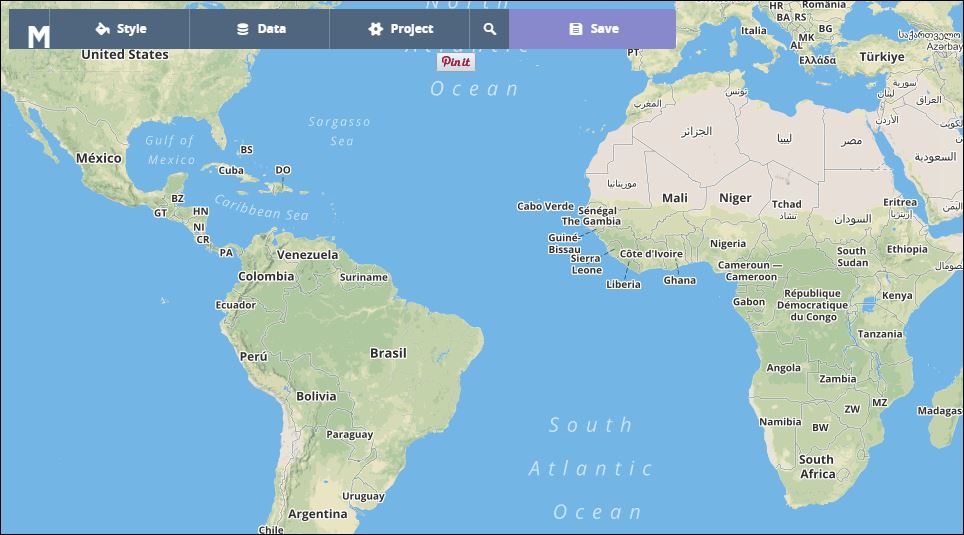
how to make your own customized map
10. MapBox
Maps are a cool visual that's not utilized as often as it should be. MapBox makes creating your own maps easy and, dare I say it, fun. Just input your data and you're map comes out like you hired Magellan.
Got any image creation tools or sites you're dying to share? Let me know!

Do You Write Weak Words? Find out!
Make your writing stronger with these tweaks!
How strong are the words you write? Weak words can leave your articles, blogs, social media posts, and more, insubstantial. Here's how to find your wilty words and plump them up with interesting alternatives thanks to this illuminating infographic.
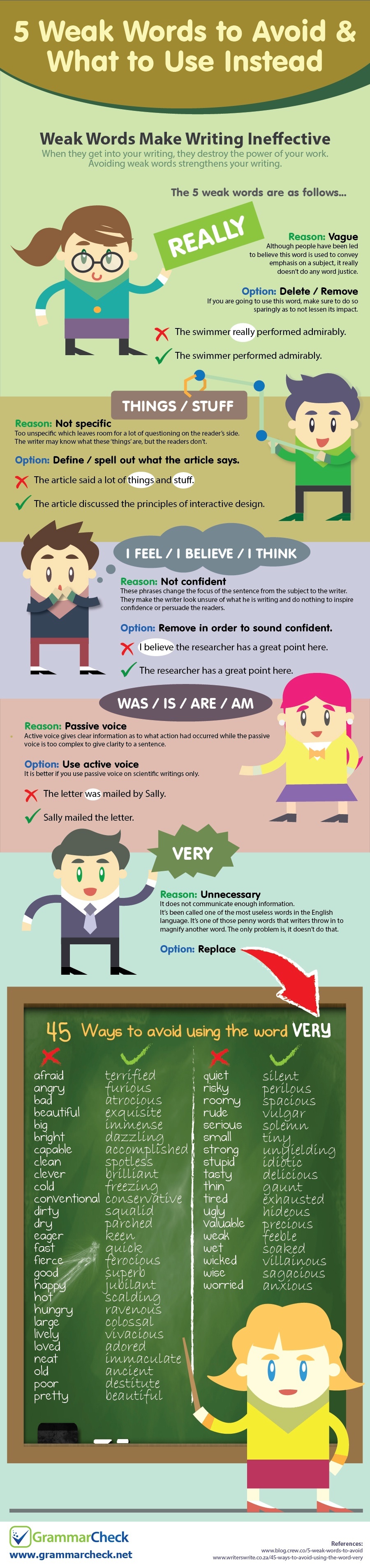
Source: www.grammarcheck.net

140+ Keyboard shortcuts to make writing faster
Here’s a huge list of shortcuts and why you need them in your life.
I’ve been seeing a post going around Facebook about keyboard shortcuts that can save you time while writing. It’s information that’s well known to people who have been writing (or just typing!) for a long time, so I thought I would share a big long list with you, just in case you didn’t know all of the PC keyboard shortcuts. Here’s the shortcuts and why you need them in your life.
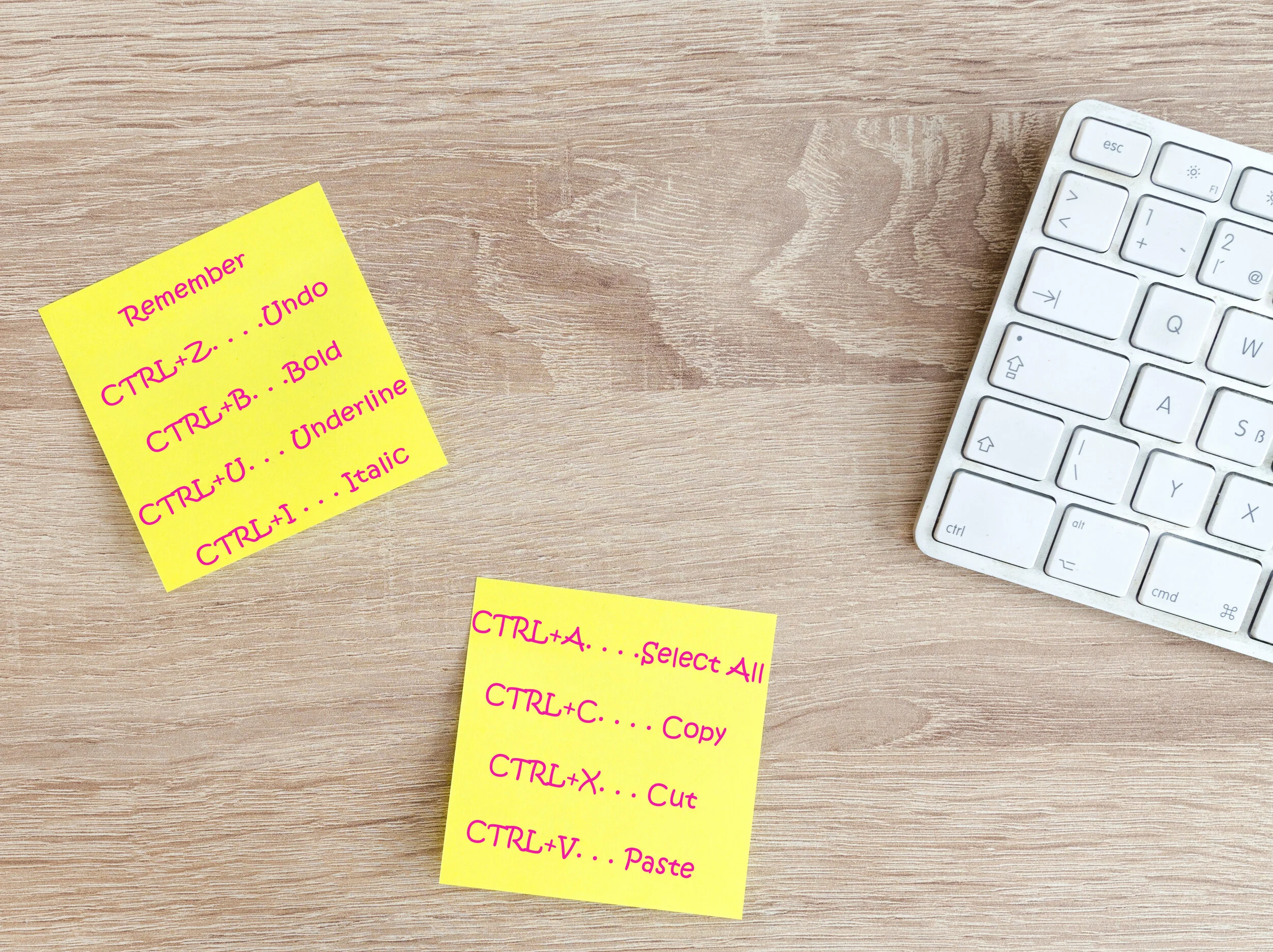
What are keyboard shortcuts?
What are keyboard shortcuts? The are keys you press to signal to your computer that you want a certain function. For example, the most common shortcut is pressing the CTRL button and the C button to copy highlighted text on the screen. There are around dozens of combinations.
Benefits of memorizing keyboard shortcuts
Just by memorizing the shortcuts you’ll use most, you can shave massive amounts of time off your writing sessions over a day, a month, and a year. I know, I used to be stubborn, too, and wouldn’t learn them. I mean, how long does it really take to use your mouse to click on the Bold or Italic option in WordPress or Microsoft Word?
Over time, I realized that taking my hands off the keyboard to reach for my mouse halted my thought process and it took a bit to get back on track once my hands were back on the keyboard. So, keyboard shortcuts let me process my thoughts much faster, saving a lot of time.
How to memorize keyboard shortcuts
Be sure to print these out and keep them by your computer so that you can glance at them while your writing and start using them. Even better, write a few down on a sticky note and post them somewhere near your screen until you have them memorized. Then, post some more. Before you know it, you’ll have them all memorized!
Keyboard shortcuts to make writing faster
Okay, No-Fluff writer. Without further ado, I present to you the list of keyboard shortcuts that will make your typing faster, and a few that will help with flipping back and forth while researching, reading emails, and other tasks:
GENERAL SHORTCUTS (the first 8 generally work on most programs or content management system, like Wordpress for example)
CTRL+A. . . . . . . . . . . . . . . . . Select All
CTRL+C. . . . . . . . . . . . . . . . . Copy
CTRL+X. . . . . . . . . . . . . . . . . Cut
CTRL+V. . . . . . . . . . . . . . . . . Paste
CTRL+Z. . . . . . . . . . . . . . . . . Undo
CTRL+B. . . . . . . . . . . . . . . . . Bold
CTRL+U. . . . . . . . . . . . . . . . . Underline
CTRL+I . . . . . . . . . . . . . . . . . Italic
F1 . . . . . . . . . . . . . . . . . . . . . . Help
F2 . . . . . . . . . . . . . . . . . . . . . Rename selected object
F3 . . . . . . . . . . . . . . . . . . . . . Find all files
F4 . . . . . . . . . . . . . . . . . . . . . Opens file list drop-down in dialogs
F5 . . . . . . . . . . . . . . . . . . . . . Refresh current window
F6 . . . . . . . . . . . . . . . . . . . . . Shifts focus in Windows Explorer
F10 . . . . . . . . . . . . . . . . . . . . Activates menu bar options
ALT+TAB . . . . . . . . . . . . . . . . Cycles between open applications
ALT+F4 . . . . . . . . . . . . . . . . . Quit program, close current window
ALT+F6 . . . . . . . . . . . . . . . . . Switch between current program windows
ALT+ENTER. . . . . . . . . . . . . . Opens properties dialog
ALT+SPACE . . . . . . . . . . . . . . System menu for current window
ALT+¢ . . . . . . . . . . . . . . . . . . opens drop-down lists in dialog boxes
BACKSPACE . . . . . . . . . . . . . Switch to parent folder
CTRL+ESC . . . . . . . . . . . . . . Opens Start menu
CTRL+ALT+DEL . . . . . . . . . . Opens task manager, reboots the computer
CTRL+TAB . . . . . . . . . . . . . . Move through property tabs
CTRL+SHIFT+DRAG . . . . . . . Create shortcut (also right-click, drag)
CTRL+DRAG . . . . . . . . . . . . . Copy File
ESC . . . . . . . . . . . . . . . . . . . Cancel last function
SHIFT . . . . . . . . . . . . . . . . . . Press/hold SHIFT, insert CD-ROM to bypass auto-play
SHIFT+DRAG . . . . . . . . . . . . Move file
SHIFT+F10. . . . . . . . . . . . . . . Opens context menu (same as right-click)
SHIFT+DELETE . . . . . . . . . . . Full wipe delete (bypasses Recycle Bin)
ALT+ underlined letter . . . . Opens the corresponding menu
Document Cursor Controls
HOME . . . . . . . . . . . . . . to beginning of line or far left of field or screen
END . . . . . . . . . . . . . . . . to end of line, or far right of field or screen
CTRL+HOME . . . . . . . . to the top
CTRL+END . . . . . . . . . . to the bottom
PAGE UP . . . . . . . . . . . . moves document or dialog box up one page
PAGE DOWN . . . . . . . . moves document or dialog down one page
ARROW KEYS . . . . . . . move focus in documents, dialogs, etc.
CTRL+ > . . . . . . . . . . . . next word
CTRL+SHIFT+ > . . . . . . selects word
SPECIAL CHARACTERS
Alt 0145 . . . ‘ Opening single quote
Alt 0146. . . . ‘ Closing single quote
Alt 0147. . . “ Opening double quote
Alt 0148. . . “ Closing double quote
Alt 0150… – En dash
Alt 0151… — Em dash
Alt 0133… Ellipsis
Alt 0149… • Bullet
Alt 0174… ® Registration Mark
Alt 0169… © Copyright
Alt 0153… ™ Trademark
Alt 0176… ° Degree symbol
Alt 0162… ¢ Cent sig
Alt 0188… 1⁄4
Alt 0189… 1⁄2
Alt 0190… 3⁄4
Alt 0233… é
Alt 0201… É
Alt 0241… ñ
Alt 0247… ÷
FILE MENU OPTIONS IN A CURENT PROGRAM
Alt + E… Edit options in current program
F1… Universal help (for all programs)
Ctrl + A… Select all text
Ctrl + X… Cut selected item
Shift + Del… Cut selected item
Ctrl + C… Copy selected item
Ctrl + Ins… Copy selected item
Ctrl + V… Paste
Shift + Ins… Paste
Home… Go to beginning of current line
Ctrl + Home… Go to beginning of document
End… Go to end of current line
Ctrl + End… Go to end of document
Shift + Home… Highlight from current position to beginning of line
Shift + End… Highlight from current position to end of line
Ctrl + f… Move one word to the left at a time
Ctrl + g… Move one word to the right at a time
MICROSOFT WINDOWS SHORTCUT KEYS
Alt + Tab… Switch between open applications
Alt + Shift + Tab… Switch backwards between open applications
Alt + Print Screen… Create screen shot for current program
Ctrl + Alt + Del Reboot/Windows®… task manager
Ctrl + Esc… Bring up start menu
Alt + Esc… Switch between applications on taskbar
F2.. Rename selected icon
F3… Start find from desktop
F4… Open the drive selection when browsing
F5… Refresh contents
Alt + F4… Close current open program
Ctrl + F4… Close window in program
Ctrl + Plus Key… Automatically adjust widths of all columns in Windows Explorer
Alt + Enter… Open properties window of selected icon or program
Shift + F10… Simulate right-click on selected item
Shift + Del… Delete programs/files permanently
Holding Shift During Bootup… Boot safe mode or bypass system files
Holding Shift During Bootup when putting in an audio CD, will prevent CD Player from playing
WINKEY SHORTCUTS
WINKEY + D… Bring desktop to the top of other windows
WINKEY + M… Minimize all windows
WINKEY + SHIFT + M… Undo the minimize done by WINKEY + M and WINKEY + D
WINKEY + E… Open File Explorer
WINKEY + Tab… Cycle through open programs on taskbar
WINKEY + F… Display the Windows® Search/Find feature
WINKEY + CTRL + F… Display the search for computers window
WINKEY + F1… Display the Microsoft® Windows® help
WINKEY + R… Open the run window
WINKEY + Pause /Break… Open the system properties window
WINKEY + U… Open utility manager
WINKEY + L… Lock the computer (Windows XP® & later)
OUTLOOK SHORTCUT KEYS
Alt + S… Send the email
Ctrl + C… Copy selected text
Ctrl + X… Cut selected text
Ctrl + P… Open print dialog box
Ctrl + K… Complete name/email typed in address bar
Ctrl + B… Bold highlighted selection
Ctrl + I… Italicize highlighted selection
Ctrl + U… Underline highlighted selection
Ctrl + R… Reply to an email
Ctrl + F… Forward an email
Ctrl + N… Create a new email
Ctrl + Shift + A… Create a new appointment to your calendar
Ctrl + Shift + O… Open the outbox
Ctrl + Shift + I… Open the inbox
Ctrl + Shift + K… Add a new task
Ctrl + Shift + C… Create a new contact
Ctrl + Shift+ J… Create a new journal entry
WORD SHORTCUT KEYS
Ctrl + A… Select all contents of the page
Ctrl + B… Bold highlighted selection
Ctrl + C… Copy selected text
Ctrl + X… Cut selected text
Ctrl + N… Open new/blank document
Ctrl + O… Open options
Ctrl + P… Open the print window
Ctrl + F… Open find box
Ctrl + I… Italicize highlighted selection
Ctrl + K… Insert link
Ctrl + U… Underline highlighted selection
Ctrl + V… Paste
Ctrl + Y… Redo the last action performed
Ctrl + Z… Undo last action
Ctrl + G… Find and replace options
Ctrl + H… Find and replace options
Ctrl + J… Justify paragraph alignment
Ctrl + L… Align selected text or line to the left
Ctrl + Q… Align selected paragraph to the left
Ctrl + E… Align selected

Punctuation You Should Know: Apostrophes, Colons, and Semicolons
Get your punctuation right with these tips.
I don’t know how many times an editor has told me, “Oh, I love editing your work. There’s not much to change!” A big part of this is that I know how and when to use punctuation. As a writer, you should, too. Here is how to write with some of the trickier punctuation.
Apostrophes
Ugg. From my close observation and research, this punctuation mark ranks among the most abused in the English language. Just check posters, billboards, and various ads in your neighborhood and you will see what I mean. Even though we encounter the use of the apostrophe in our daily lives, many people tend to mess it up. This punctuation mark serves only two purposes:
Show possession
The addition of an apostrophe at the end of a proper noun indicates the noun owns a particular object. Basically, we use an apostrophe to reduce the number of words in a particular piece of writing. For instance, we can say ‘Party of Peter.’ To make it nicer to the eyes and ear, we write 'Peter’s party’ by adding an apostrophe and an S to the noun.
Some words end with an S. No problem. In this case, you can put an apostrophe at the end of the word after the S. For example: "The classes' (multiple classes, so it's plural) book was very long." "Go pick up the cats' (multiple cats) toys."
Show omission of a word or letter
This punctuation mark can show that some letters and words have been omitted intentionally. Instead of writing, ‘I am’, for example, you can use this punctuation mark and the word will become ‘I’m.’ Pick ‘n’ mix is also the short form for ‘pick and mix.’ ’89 is the short form for 1989. It's is short for it is.
Colons
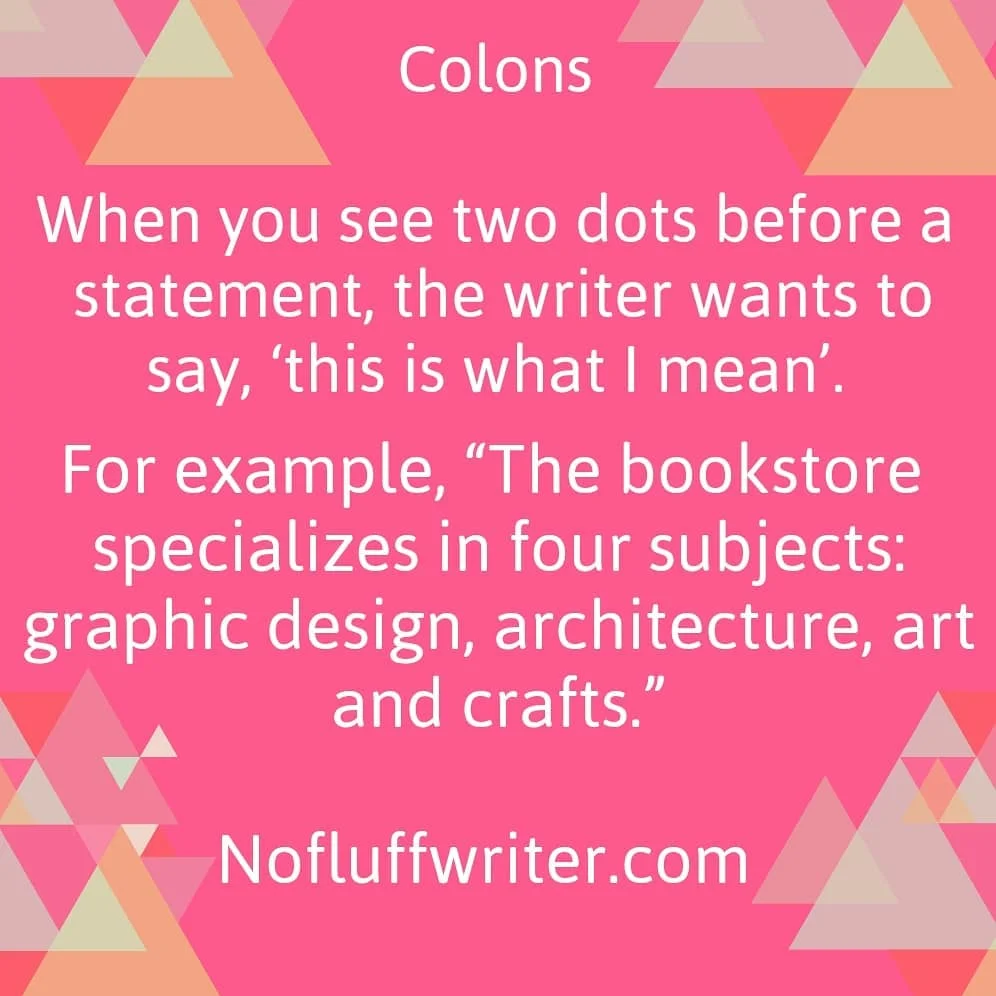
When you see two dots before a statement, the writer wants to say, ‘this is what I mean’. The colon as a punctuation mark has three primary uses which include:
Introducing a list of items
For example, "The bookstore specializes in four subjects: graphic design, architecture, art and crafts."
Punctuation between two independent clauses where the second clause illustrates or explains the first one
"He has little knowledge of the English language: he grew up in China."
Emphasis
We also use the colon to make a statement, word or phrase more powerful.
"Working 20 hours a week as a personal driver and taking care of all his family members: that was his dream job."
Semicolons
Most of us use colons and semicolons interchangeably which should not be the case. The following are some of the uses of a semicolon:
It join clauses that are independent but related
The words before the semicolon form a complete sentence or phrase while those after the semicolon also make sense as a sentence. The two statements will also share a logical connection.
"Mary went to the library; it’s open until 2."
“I hate salad; it gets stuck in my teeth.”
It's used in a serial list
When you want to list a number of things in one sentence, the semicolon comes in handy.
"I need accommodation rates for the following cities: London, Ontario; London England: Paris, Ontario; Paris; France."


Minimizing The Stress And Strain Of Being A Writer
Let’s look at a few tips to ensure you stay safe and sane when writing in your den.
Oh, woe, being a writer is truly the toughest job of them. Okay, so that might not be true. Compared to the majority of workers, we might have things fairly cushy. However, that doesn’t mean that the stresses writers face on the job shouldn’t be taken seriously. They can get in the way of your productivity, affecting your ability to make a living and, even more crucially, can cause real injury if you’re not careful. Let’s look at a few tips to ensure you stay safe and sane when writing in your den.
Ensure that you have a comfy office
Writing involves spending a lot of time sitting in one place with your hands at a keyboard, type, type, typing away. If that’s not a recipe for repetitive strain injury, then nothing else is.
The first tip is to make sure that your office supports and comforts you, reducing the physical strain that tends to build up in your shoulders and lower back when you work for a long time. A comfortable chair, one that supports these parts of your body, and allows you to adjust the height to make sure that you’re adopting good sitting posture is a must. Here’s what I use. Otherwise, you might actually want to get a standing desk to avoid the issues of sitting too much in the first place.
Get up and stretch
Even if you do have a great ergonomic chair, you should take the time to get up and stretch your legs every hour. Even if you have a standing desk, you should shake out your body and move around a little.
For writers, it’s particularly important to do wrist stretches to make sure that you’re taking care of the parts of your body that are most likely to suffer from RSIs in the first place. One good stretch is to slowly raise your palms to the air with your arms held directly upwards for ten seconds, before slowly lowering them. Then you hold your arms by your side, holding your hands so that the back of them points to the ground for ten minutes, repeating this until you do ten of each stretch. Here are some ideas:
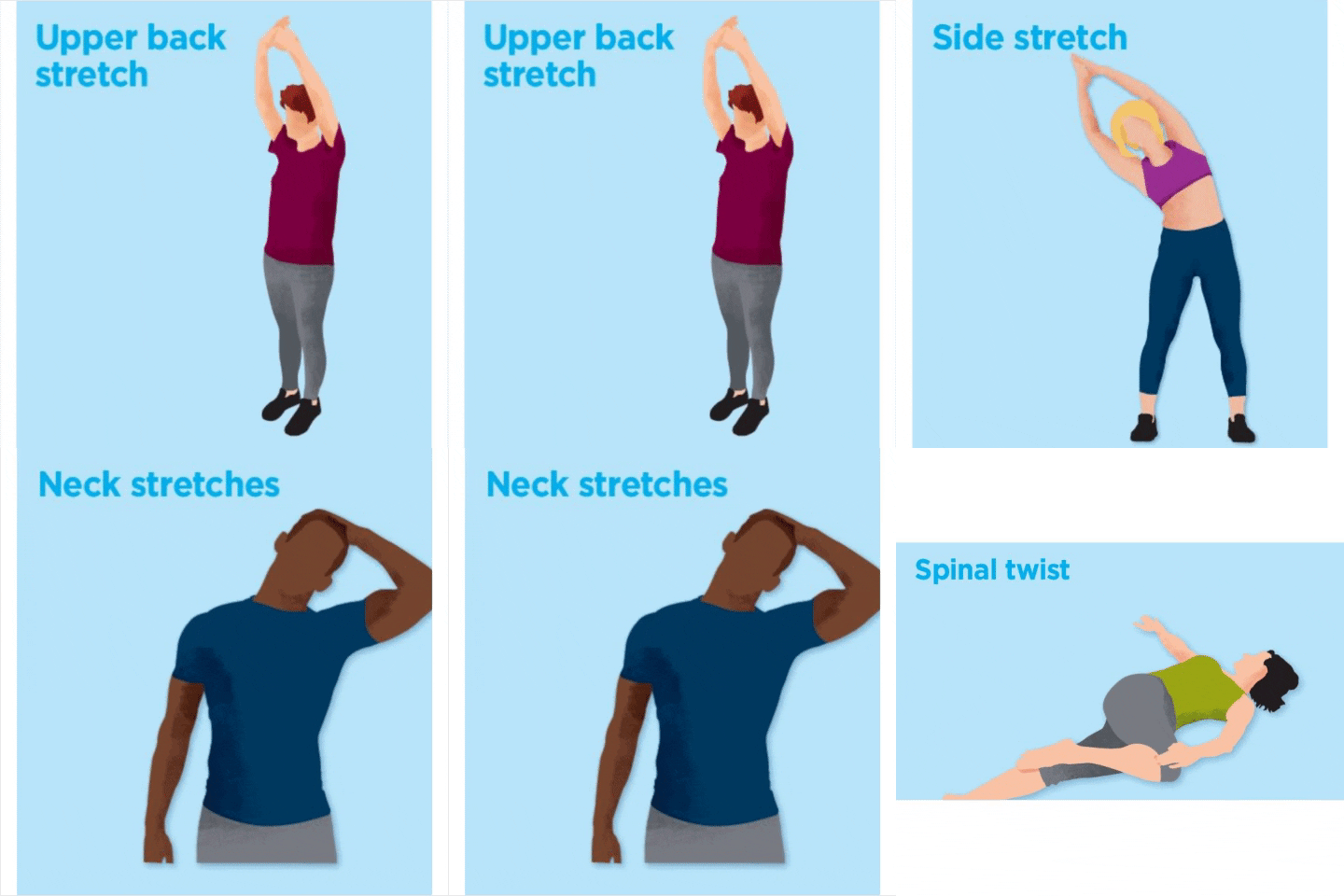
Work in good lighting
Aside from spending their day sitting in front of a keyboard, writers also spend a lot of time with their eyes glued to a computer monitor. Direct contact with blue light can affect you in a range of ways. For one, it can cause eyestrain, which can be stinging and annoying. It can also affect your sleep if you’re working at night. Windows allows you to switch from blue to yellow light on your monitor. Just go into Settings > Display > Night Light. Toggle on the Night Light setting and schedule when the blue light will turn off. I have mine set so that the blue light turns off at sunset.
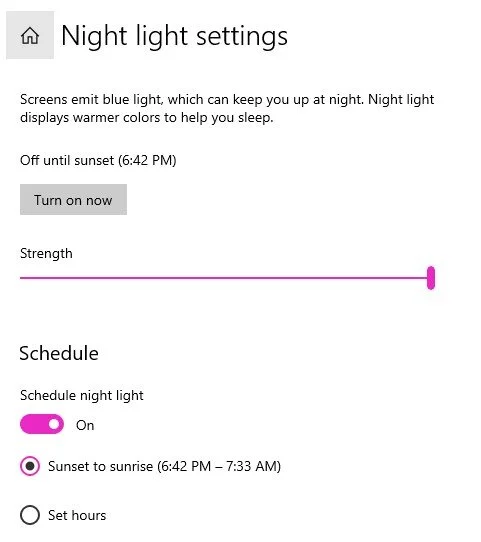
You can also use glasses that have blue light filters, and you might want to choose a shop that offers free shipping as you might want to get more than one pair for safety. You need your eyes to see what you’re writing, so they’re 98worth protecting.
Know how to position your wrists
Enough keyboarding and mousing can lead to some pretty nasty injuries and conditions, with carpal tunnel able to effectively end your writing career if it gets bad enough. However, computer use doesn’t have to lead to such nasty injuries if you take care of yourself.
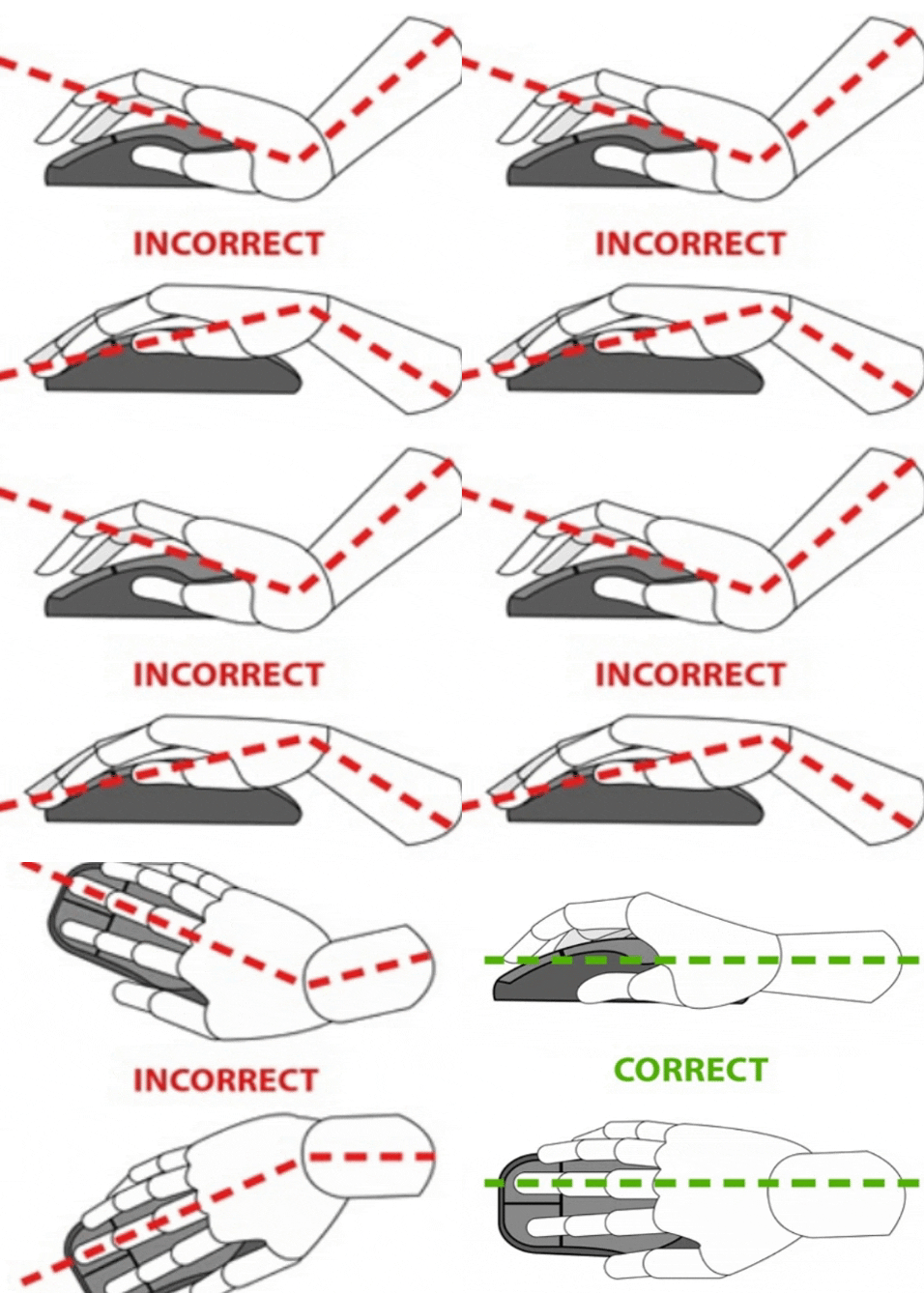
Make sure your chair is positioned so that your hands are raised just above the level of the keyboard but below the level of your elbows. You shouldn’t be reaching up to type at the keyboard, nor should you be typing at any angle other than straight, if you can help it. Also, keep your wrist straight when using your mouse.
Know your limits

Because of the intensive nature of the work, writers can get into some pretty unhealthy patterns (like skipping meals) in order to get those 5,000 words a day (or however many it is) out there. For one, it’s important to set realistic expectations for how much you can reasonably write in one workday, make sure that your getting paid a decent rate per word, and try not to push your limits. Burnout is a very real risk. If a writing piece involves a lot of research, then be sure to include that time in your calculations, as it counts as work all the same, even if it doesn’t involve any typing.
Choose a time that best fits you
A lot of writers end up being night owls, for some reason. There’s not necessarily anything wrong with this if it is truly when you’re at your most productive. Just make sure you’re negating the risk of eyestrain and sleep disruption and it can work fine. However, if you end up working late due to procrastination more than anything, you should make an effort to try scheduling out different writing times to see what works best for you.
Having a pre-work preparation ritual, such as getting dressed, eating breakfast, and taking a walk might be able to help you better switch on your “work mode” at any time of the day. Stick to your most productive time once you find it.
Know when to take breaks
Due to the intensive nature of professional writing, it’s easy for stress to build up, especially if you’re writing to a deadline. Burnout is a real risk that you should stay keenly aware of. You should make sure to schedule breaks to allow yourself to breathe, be it at certain times or whenever you hit a certain word count. Be willing to take impromptu breaks, as well. If you start to feel yourself getting distracted or you feel like your head is starting to get too fussy, then you should take a break, get away from the computer, and take a moment to breathe or even to chat to someone.
With the tips above, you can ensure that you’re able to fire off thousands of words without worry of getting burnt out or of doing real injury to yourself.

46 Expert Tips for Creating Fantastic, Addictive Content
Upgrade your content with these tips.
I was featured in Venngage's ebook 46 Expert Tips for Creating Addictive Content. You can find my tip, and 46 other great tips for creating great content for your site in this infographic:

Infographic made with Venngage

Where to Find Expert Quotes and Facts for Your Articles and Blog Posts
Here is a quick list of places I go when I need information for my articles.
Nothing makes you look more like a professional writer than using expert opinions and researched data to back up your topic. Where do you find all of these knowledgeable people? Good question! Here is a quick list of places I go when I need information for my articles.

Qwoted- This site is my new favorite. It’s super easy to use and you can easily sort through replies to your query.
Profnet- I use this site the most. You type up a note about what type of person you need and Profnet sends it out to people that may be interested.
HARO- Help a Reporter Out is a lot like Profnet. When you use this one, be ready for a flood of replies to your query.
ExpertClick- You can find press releases, experts and news stories at this site.
TravMedia- Do you write travel pieces? Then this is the site you need to join.
NewsWise- NewsWise can send you the latest press releases and list of expert contacts to your email address. They specialize in health, science and life news.
Game Press- This is the go-to site for video game information. You can get contact information for gaming experts here, as well as news and press releases.
Association of Food Journalists- Foodie writers can find leads and information for food trend articles on this site.
Reporter Connection- I haven't used this site, but it looks like it works like Profnet.
MyBlogU- This is a collaboration site for bloggers.
Businesswire- Business writers will love this site. You can find press releases, market information and more.
Kiti- This site, formally Media Kitty, helps you “find unique story angles, news releases, connect with brands and network with media and influencers.”
Want to make $100 to $200 per hour from home like I do? My No-Fluff Freelance Writing Starter Pack teaches you how to make a living as a writer from home.
You'll learn:
☆How to gather and create clips for your portfolio
☆Everything you need to know about SEO
☆How to create amazing articles
☆Information on invoicing
☆How to get high-paying clients and keep them
The pack includes my guide for writing content, freelance writing course, a social media marketing guide for writers, invoice template, contract template and more. Now $29.97. Get yours now!

Here's a New Type of Time Management Solution for Working at Home
This fascinating way of managing your time may just be the answer to your slump.
Guest post by Dr. Caro Williams-Pierce and University of Maryland College of Information Studies
I have always struggled to be on time. Somehow, my natural tempo sends me to places either 10 minutes early or 5 minutes late, leaving me bored out of my skull (what can you actually do in 10 minutes?) or harried and flush with embarrassment. I have always assumed that this was my superpower (hey, superpowers can be bad — just because they’re not good doesn’t mean they’re not superpowers), and all I could do was fight to be the person that shows up annoyingly early every time. It was exhausting, and I never understood why others found it so effortless.
Then, the pandemic taught me that my bad superpower has a flip side, and in a situation like the one we are currently in, it’s a good superpower. And, like many superpowers, I got this one from my parents.

What unschooling taught me
I grew up unschooled in an off-the-grid home in rural Maine, with a feminist mother who took flack for deciding to be a full-time mom and a self-employed dad who kept us safe and fed. Unschooling varies by household, but in ours it meant that we spent most of our time doing whatever we wanted. We read books, built unstable treehouses, roasted apples over an open fire, played in the swamp, went over rickety bicycle jumps we constructed out of half-rotten boards and a couple large rocks, etc. So our sense of time was thoroughly disconnected from what the rest of society called ‘time’ — because it was based upon the emergent rhythms of our activity.
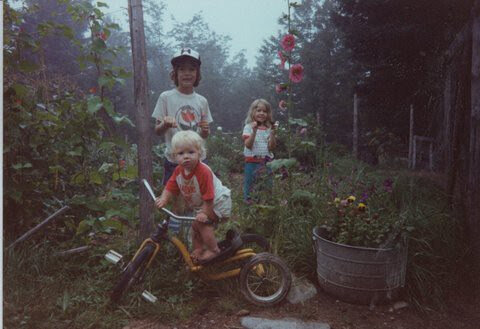
The Williams kids, corralled momentarily for this photo in the late 1980s.
At the same time that we were throwing rotten apples at each other until we got bored and decided to go pick blueberries on the barrens because we wanted a snack, children our age were having their activities dictated by an external clock (we are doing Science now, but in a couple minutes a bell will ring and we’ll have three minutes to fully switch from doing Science to learning how to type, and no snacks because it’s not 11:32 a.m. yet, which is the Time For Food). In other words, we obeyed our interests and bodily desires — and, sometimes, our parents — while other children were being taught to obey the bell.
As we grew up, those children transitioned to obeying other proxies for society’s time: their watch, the machine for punching into work, the exact moment that the bus will pass your stop if you’re not there to catch it, the time their kids have to be at school or risk a tardy slip. I, on the other hand, grew up to be finally introduced to the fact that an invisible and intractable force was now running my life — and I always struggled to be on time.
The time management breakthrough
Then, many years later, in graduate school, my friend and colleague, Crystle Martin, introduced me to Gell (1992). Gell “divided time up into what he termed A-series time, or standardized time as measured by a clock, and B-series time, or time that is run by the punctuation of activity” (Martin et al., 2012, p. 229). I remember thinking, “Hah — I grew up in B-series time!” Now, the pandemic has upended the structures I had developed in the A-series time of universities, and I’ve realized just how much I relied upon various proxies for time to stay productive.
At first, I couldn’t focus on anything, and all the little rituals and plans and ways of keeping myself working (most of which focused on where I was when) were useless. After all, while society as a broad structure is still running on A-series time, our individual lives are running on B-series time — with all the familiar A-series structures fallen by the wayside. No longer is there a place that indicates work (driving to the office signifies that it is Time to Work) — there is only this one place (home) that signifies everything, and thus nothing. And the nearest proxy for time — my computer clock — does not anchor me into the familiar pattern of a day. It’s 9:50 am eastern, and who cares?
The way it works
So, I have let myself fall back into the soft fluffy B-series time of my childhood. Rituals and plans have drifted away. I haven’t worn my watch in weeks, and I ignore the little proxies for time sprinkled around my home. Instead, I have reverted to obeying my interests and bodily desires, just as I did as a barefoot, curious, creative kid. For those of us academics learning to work away from the Ivory Clocktower (brilliant phrase coined by the brilliant Ana Ndumu) and needing to learn (or re-learn) how to strive in unstructured, organic rhythms, I’ve outlined how I manage in this new B-series world.
First, I am fortunate enough that I have a job that I generally enjoy — so I have projects that are interesting and make me want to get right into B-series time and a sense of flow (e.g., Nakamura & Csikszentmihalyi, 2005). But even interesting projects have to be organized, so I have a Magic Method from the brilliant Susan Winter — but you have to promise to continue reading past the first sentence of the next paragraph, because it will make you snort in disbelief. (I know this to be true because the first time Susan Winter explained it to me, I snorted in disbelief. Then came back to her two months later and said, “I can’t stay organized — what should I do?!” And she explained it again, and I didn’t snort, and now I’m a firm believer.) So just give me a little time to properly explain before you dismiss the Method. Promise? Okay, here we go!
I use a Google spreadsheet. (Yep, let that snort out — get it over with!) Each column represents a week of time (proxies for time are useful, sometimes), and each row represents a different type of obligation, grouped within a meta-goal (e.g., Goal 6: teaching INST 728F). So today (a Tuesday), I had this week’s column to guide me, and then I had the beautiful luxury of choosing which project or obligation I want to work on right now — which activity should I punctuate my life with? Which makes me feel excited about jumping in and getting busy? Below are two of my meta-goals for this week and next — and you can see that there are obscure notes to myself alongside hyperlinks to make sure I have quick access to the most relevant digital information about that cell or row.
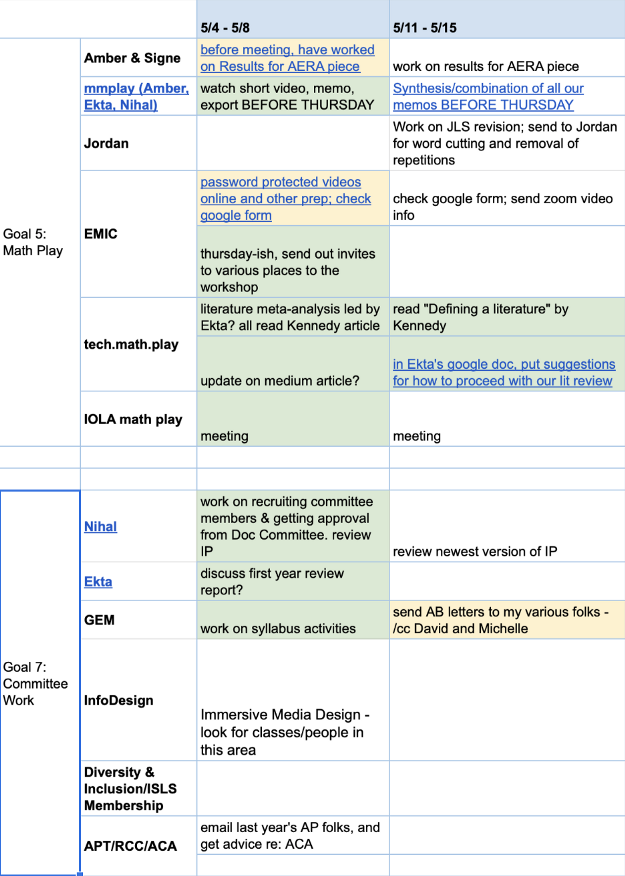
My spreadsheet: metagoals to the far left, subdivided into smaller obligations one column to the right of that, then weekly tasks for those obligations.
So within today (a Tuesday), I had the current week’s column to guide me: this is what I want to accomplish this week. And then I allowed myself the beautiful luxury of choosing which project or obligation I want to work on right now — which activity should I punctuate my life with? Which makes me feel excited about jumping in and getting busy? When I do some work on a cell (say, Project mmPlay for this week — memoing video data), I highlight the cell yellow to indicate I’ve done some of it. When I complete the task (memo the entire second video, and export memos to share with the research team), I highlight it green — and then I ignore it for the rest of the week!
I also have a couple of odd rows, like “One-Off Service” — if an editor asks me to review a journal article, I can go directly to that row and see if I have a spare cell to tuck it in. All the cells are full for the next two months? Welp, too bad, can’t review. There’s also a row called “Annoying Bits” where I put the administrative paperwork (like filling out the travel reimbursement paperwork that has stopped piling up but is still piled up). Committees sometimes share a row, but my doctoral students get their own– sometimes it just says “weekly meeting,” but other times it says “Don’t forget to read that draft BEFORE the meeting!”
Then, at the end of the week, I move over any task I’ve left incomplete to the next week’s column (or ignore it as ultimately unnecessary), and “hide” the column so that my new week is the most prominent column. And, just to add a dash of gamification, before I hide the old column, I count up the green cells — total number of tasks I completed that week, which tends to be between 12 and 20—and transfer that number of dollars into my bank account that is for FUN STUFF ONLY. If the slow accumulation of guilt-free money into a fun-only stash doesn’t motivate you, find something that does. Maybe 5 minutes of pleasure reading for each completed task, so you can store them up and finally dig into those cozy mysteries you’ve been putting off. Or 5 minutes of Netflix—I recommend Keeping Up Appearances for an oldie-but-goodie (completing six tasks gets you an episode!). Or 5 minutes of the peculiarly peaceful Animal Crossing. Whatever you choose, take pleasure in adding up your completed tasks each week, and using your thoroughly deserved awards regularly.
So each individual day of my week is guided by my spreadsheet, but driven by my immediate interest (and see the Footnote and image below) — and I can work on what I’m most interested in until B-series time bops me on the head and says, “Your stomach is growling! Punctuate this activity with the activity of eating!” Often, after such a call by my bodily functions, I realize that I’m tired of working on that project — so I scribble a few notes to remember where to pick up next time, color the cell in appropriately, and move on to something else I feel like doing. Or I bite the bullet and do one of those Annoying Bits, just to give my brain something different-feeling to focus on.
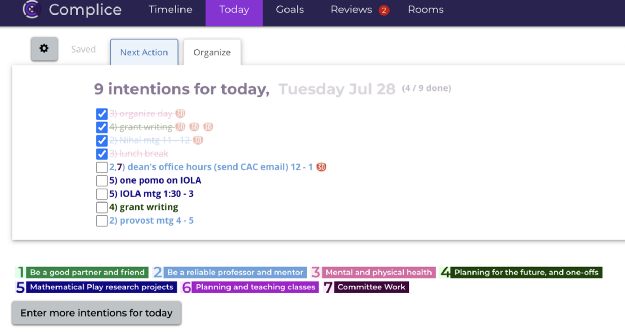
My Complice list for a single day — meetings and goals from my spreadsheet.
Now, here are is the single concession I make to A-series time: every single A-series time commitment I make (whether the weekly family zoom session, teaching my online class, a research meeting, a planned grocery trip, etc.) goes directly on my calendar, and I get alerts on my phone 10 minutes beforehand. (The school bell that kept kids on track in school, and reminded them that A-series time runs their lives, has now transitioned to a phone ding!) This way, I can otherwise ignore proxies for time, and I have 10 minutes to help myself transition from the interrupted B-series activity to the upcoming A-series one. That’s it — that’s all the A-series concessions I make. The rest of my life is B-series.
The world is a complicated mess right now — but accepting that my life is now B-series time has helped me ebb and flow with the new normal. Embrace motivation, interest, enjoyment, and necessities, and try a life that isn’t wrapped around your familiar proxy for A-series time. Give into the urge to do what you feel like doing, in the moment that you feel like doing it, and see what happens. It might just turn out that B-series time is your new favorite tempo.
Footnote
As I’m looking over my spreadsheet each morning, and letting my interests guide me (or any hard deadlines for the day, like reading that integrated paper), I put the things that seem most interesting into my daily task list in https://complice.co. Complice was designed specifically to avoid stale task lists — that is, the constant accumulation of additional un-done tasks from day to day until your list is 3,007 individual tasks long and you decide to never look at it again. If you tend towards guilt-inducing stale tasks lists, try Complice — it complements the spreadsheet perfectly, because the spreadsheet gives you the long-term view and the weekly view, and Complice gives you the daily view (and some lovely co-working rooms!).
References
Gell, A. (1992). A-series:B-series::Gemeinschaft:Gesellschaft::Them:Us. The anthropology of time: Culture construction of temporal maps and images (pp. 286–293). Oxford: Berg.
Martin, C., Williams, C., Ochsner, A., Harris, S. King, E., Anton, G., Elmergreen, J. & Steinkuehler, C. (2012). Playing together separately: Mapping out literacy and social synchronicity. In G. Merchant, J. Gillen, J. Marsh & J. Davies (Eds.), Virtual literacies: Interactive spaces for children and young people (pp. 226–243). London: Routledge.
Nakamura, J., & Csikszentmihalyi, M. (2002). Concept of Flow. In C. R. Snyder & S. J. Lopez (Eds.), Handbook of Positive Psychology (pp. 89–105). New York: Oxford University Press, Inc.
Acknowledgements: Thanks to: Joan B. for helping me realize that my bad superpower had turned good; the fall semester’s students in my Games & Learning class for our discussion about A-series and B-series time; and my old research lab’s chapter Playing Together Separately (Martin et al., 2012) for getting my brain to mesh the two together. Additional thanks to Ana Ndumu and Jordan T. Thevenow-Harrison for their brilliant feedback on the original version, and to Mia Hinkle for her encouragement to dust this off and get it out there. #BlackTransLivesMatter

How to Deal with Distractions When Working from Home
If you’re among those who telework, you’re probably familiar with these struggles. Let’s dive into more details about each issue and show you how to deal with them.
Guest post by Marija Kojic
Working from home has many benefits, such as the fact that there’s no commuting, so you can sleep longer, and you can wear cozy clothes all day long. And, almost everything you need for work is within a hand’s reach. But, your personal belongings are also nearby, which means that your attention can easily be disrupted.

Working from home involves many distractions, which are quite different from those in a traditional office setting. There was a recent survey by the research firm Valoir, which interviewed 327 participants who telecommute. According to their answers, the major distractions when working from home are:
Social media - 32%,
children - 24%,
other adults - 18%,
other distractions - 16%, and
traditional media - 10%
If you’re among those who telework, you’re probably familiar with these struggles. Let’s dive into more details about each issue and show you how to deal with them.
Social media
Knowing that your boss or manager is not around gives you the freedom to check your phone whenever you hear a notification from social media channels. But, the famous “just checking” behavior can quickly evolve into spending 15 minutes or more browsing your Instagram or Twitter account. Next thing you know, you still haven’t finished an important task that needs to be done by noon.
To avoid stressful situations like this, you can do the following:
Turn off notifications for social media apps.
By doing so, you’ll save your valuable time and leave social media explorations for later. In addition, you can mute your phone calls and text messages.
Schedule your social-media-dedicated time
For instance, set a reminder and have a 5-minute break every hour. These can be the moments when you catch up on the latest social media posts.
Try website blockers.
If you prefer visiting social media sites on your laptop, this is an ideal option for you. Website blockers can keep you away from entering predefined sites. All you need to do is add the sites that you want to block and choose for how long these sites should be banned. We suggest apps and extensions such as StayFocusd, WasteNoTime, and Freedom.
Children

We bet you remember that viral video of children interrupting a BBC news interview. We all laughed while watching this scene that’s quite common when working from home. Now, you might not be a journalist broadcasting from your home office, but if you have kids, you’re aware they can sometimes disrupt your work.
Here are some steps you can take to overcome this problem:
Create a dedicated workspace.
If you have a spare room that you can turn into your home office, that would be the best solution. Let your children know that, when you’re in that room, you’re working and shouldn’t be interrupted. Also, prepare some fun activities, or even chores for kids to keep them occupied during your work hours.
However, if you live in a small apartment, you may not have a separate room for work. Instead of modifying an entire room, choose a quiet corner where you can put your laptop, your notebooks, headphones, and everything else you need for work.
This setting is also useful if you need to constantly keep an eye on your baby. In case your children are older, hopefully they’ll understand that you have job duties, and they’ll behave properly.
Learn how to manage your tasks.
Organize your tasks in accordance with your children and their daily routine. So, whenever they’re sleeping or napping, that’s when you should focus on deep work, or try to finish more complex assignments.
On the other hand, leave all your tedious tasks for the times when your kids are having lunch or spending time with you in the same room. For example, you can check your email at that time.
If you have a lot of meetings on your plate, try scheduling them during the times when your children are sleeping. Besides, you can create a spreadsheet for all your colleagues who are also parents, so that you can manage your meetings time together. You can try Doodle, an app for coordinating meetings or check out other work from home apps that can help you automate work.
Other adults

Besides children, you might be distracted by adults living with you - your roommates, your partner, parents, or other family members. Now, they won’t disturb you on purpose, but maybe they don’t realize that even a quick chat can affect your productivity.
Here’s what we suggest you do:
Set clear boundaries.
We mentioned before and we’ll emphasize again - having a separate room for work, or at least some quiet place in your home is crucial for your productivity. The people you live with need to know that your working area is only yours.
The rules are simple - if they see that your office doors are closed, you’re working. Also, if you put on noise-canceling headphones, that’s the sign that you want to focus and you won’t tolerate any interruptions.
Let them know when you are and are not available.
Keep your working hours transparent. That way, your family members will know when you’re busy and when you’ll be available again. Ask them to respect your working schedule and not to bother you during busy hours.
Whenever you need a quick break from work, you can have coffee or lunch with your loved ones. Besides, this is one of the main perks of working from home.
Other distractions
When it comes to the “other distractions” choice in the Valoir study, there was no precise data about this box and what distractions it includes.
So, we’ll cover some additional diversions that can decrease your productivity. These can be outside noises, visual distractions, and internal distractions.
Outside noises
Dogs barking, neighbors yelling or singing, construction works outside your building, or simply the sound of a traffic jam. These are all outside noises that are usually out of your control. Except when it comes to your neighbors, you can try talking to them about the noise they’re making.
Speaking of the other outside noises, here’s what you can do:
Use noise-canceling headphones.
The most effective way to deal with this issue is to use noise-canceling headphones. This is an investment that will make you less nervous and more productive.
Enjoy some music.
Also, you can find some soothing music that will keep you away from noises. We suggest some classical music playlists, movie soundtracks, or instrumentals. If you don’t mind listening to the music that has lyrics, go for it. Plus, you can also listen to some interesting podcasts when dealing with some less-demanding tasks.
Aside from music, you can try noise generator apps, such as Noisli, MyNoise, or Coffitivity. These tools offer diverse sounds, like rain sounds, or waterfalls, or even sounds from a busy coffee shop.
Visual distractions

If you tend to keep a lot of things on your desk, especially those that are not work-related, you might get distracted by them. But, visual distractions include all other items across the room, the ones you use in your free time. So, whenever you don’t feel like working, these items can draw your attention away.
How to avoid these diversions?
Organize your workspace and working area.
Try keeping your desk as clear as possible. If there are a few things you need during your daily job activities, leave only them on your desk. Everything else can be stored in a drawer or in any other room.
When it comes to other items in the room, hide them from your sight if possible. If you don’t see them, these items won’t interrupt you.
Internal distractions
If you don’t feel well or you’re experiencing a personal problem, you likely won’t be able to focus. Thus, your productivity levels will drop, and your mind will start wandering around.
So, whenever you’re feeling down, here’s how you can deal with this issue.
Take frequent breaks.
By having quick breaks every hour or so, you’ll feel a bit more focused and more productive. If you don’t have time to take a walk around the block, at least you can take a few minutes to close your eyes and relax.
You can also try meditation, yoga, or pilates in the evening, after you’re done with work.
Try the Pomodoro technique.
This method will help you stay productive and less distracted by your problems. To get started with the Pomodoro technique, you need to use a timer and work in 25-minute intervals, along with a 5-minute break after each interval. Then, after four cycles, you can have a longer, 20-minute break. This way, you’ll be able to finish your tasks with ease.
Traditional media

Traditional media are all those media channels that were here before the Internet - radio, print, and broadcast television. Some sources even add billboards, film, and music to this list.
Now, listening to the radio probably won’t bother you during your work hours. After all, you can find a radio station that won’t affect your productivity.
When it comes to print media, newspapers and magazines can rather be a visual distraction. So, just like we mentioned, be sure to store them somewhere out of your sight.
That brings us to the third element of traditional media - broadcast television. When you or a family member leaves a TV on, this will surely distract you from work.
How to prevent interruptions caused by traditional media?
Keep them away from you and your workspace
If you can, work in a room without the TV and be sure to keep newspapers and magazines out of that room, too. Let your family members, your partner, or roommates know that television affects your productivity.
This way, you won’t be tempted to turn on the TV during your work hours. Therefore, your productivity levels will remain high.
One bonus tip

Aside from your children and adults living with you, your pets can sometimes distract you from work, too. But, there are ways you can prevent this.
If you have a dog, try taking him/her for a walk before you start working. This way, you’ll get some fresh air, too. Then, you can play with them during your quick breaks.
We recommend that you keep your pets outside of your workspace area. This is especially important if you have calls with your colleagues and clients often.
It’s also vital to keep your pets occupied while you’re working. Give them something they can play with so that they won’t bother you.
Wrapping up
When working from home, you’ll sometimes have to deal with your children running around, or other family members who always feel like chatting with you. In addition, you might be tempted to check your social media accounts or turn on the TV to get some inspiration for lunch from your favorite cooking show. In some cases, the construction work in front of your building might be the reason why you can’t finish an important project.
One thing’s for sure - telecommuting doesn’t have to be hectic. By changing your workspace and your work habits, you’ll be able to maintain your productivity. Hopefully, the tips we’ve covered in this article will be your first steps to accomplishing this goal.
About the author:
Marija Kojic is a productivity expert specialized in time management techniques. She works at Clockify, where she enjoys helping people discover meaningful and effective ways to work smarter.

How to Write a Paragraph the Right Way
No matter if you're just starting out as a writer, or have some experience under your belt, this little guide will get your work read and published. Sit back and take notes.
No doubt you can write a sentence. That's easy. The problem comes when you try to lace those sentences together to make a paragraph, and then go on to write another paragraph.
No matter if you're just starting out as a writer, or have some experience under your belt, this little guide will get your work read and published. Sit back and take notes.
How to Write the First Line
There are several types of paragraphs. The type of paragraph you’re writing determines what your opening sentence will be. Types of paragraphs include:
An introduction paragraph- These are found at the beginning of a blog or article and are meant to draw the reader in while giving them a pretty firm idea of what the rest of the paragraphs are about. Think of it as a hey-I’ve-got-something-awesome-for-you-so-here’s-a-little-summary paragraph. Hit them with an interesting fact or statistic. Try to get this done in three to four sentences. Be sure to use your keyword as soon as possible, too.
Example:
“40 percent of writers don’t know how to write a paragraph correctly, according to Writing XYZ Magazine. That’s a shocking statistic, but you may be in that percentage and not even know it. Here’s what you need to know so that you’re not part of the clueless masses.”
Standard paragraph- The first line of a standard paragraph is meant to either introduce the reader to a topic or to continue a thought from the last paragraph.
Closing paragraph- A closing paragraph sums up what your post was about and tells the reader what to do next. This can be encouraging the reader to click on a link to an article, book, item you’re selling, whatever. No matter what you guide your reader to next, this bit is called a Call to Action (CTA).
Inside the Paragraph

Once you have the opening sentence down, there are a few rules you need to follow.
First, don’t repeat the main word in every line. For example:
Wrong: “40 percent of writers don’t know how to write a paragraph correctly, according to Writing XYZ Magazine. That’s a shocking statistic about writers, but you may be in that percentage and not even know it. Here’s what you need to know so that you’re not part of the clueless writer’s club.”
Notice I used the word “writers” in every sentence. That’s bad. Not only does it make the paragraph boring, writing the same word over and over again will hurt the article’s SEO (I talk more about SEO here).
Next, be sure that each sentence is different. Using sentences that are the same length and construction is boring. Mix it up.
Use:
A short sentence
A compound sentence (a sentence that uses ‘and,’ ‘or,’ ‘but,’ ‘though,’ a semicolon or a colon, etc.)
A sentence that uses a comma
Quotes
Statistics
You get the idea. Sentence salad. Just make sure that each sentence makes sense in how to connects to the sentence before it. Using different lengths of sentences, but not making them stream together in a harmonious stream of thought isn’t going to work.
Check out the difference between these two paragraphs:
Writing is fun. It takes work. Keep being creative. Use variety. Keep readers entertained.
Writing is fun, but it takes work. Keep being creative. Use variety to keep readers entertained.
Thought the first paragraph is perfectly fine, it’s boring and choppy because it only used super short sentences. Mixing up the sentence structures made the paragraph more interesting.

Finally, be sure to always transition from one paragraph to the next. You can do this by using transitional words in the first sentence. These words continue the thought from the last paragraph.
Some transitional words and phrases include:
‘First,’ ‘second,’ and ‘third’
Next
Finally
Again
Also
Then
Though
Additionally
On the other hand
Remember
Don’t forget
Conversely
Even though
Not only
Actually
Besides
Likewise
Hence
Thus
Later
Immediately
Meanwhile
Therefore
Consequently
For instance
For example
Of course
Otherwise
Still
Yet
In contrast
Take a look back at my previous paragraphs in this article and you’ll see I use transitional words a lot. They help your reader follow your thought process and they are particularly useful for guiding readers through how-to instructions.

5 Types of Files and Extensions and How to Use Them
If you’re going to be a writer, you need to know about different file types. Enjoy this guest article!
Guest post by Emily Lamp
Note from Alina: If you’re going to be a writer, you need to know about different file types. Enjoy this guest article!
There are different types of file formats used by a computer, with each file type designed to support certain forms of content. The most common file types include program, scripts, images and web pages.
Filename extensions are often noted in parentheses if they are different from the file format abbreviation or name. Keeping this in mind, here are five file types and extensions and how to use them on your website.
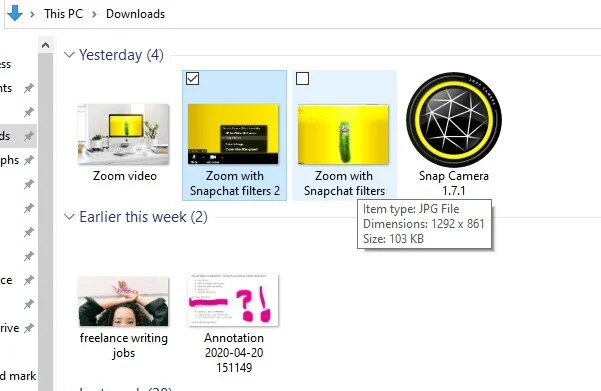
1. JPG
Also known as JPEG, Joint Photographic Experts Group (JPG) is a method of lossy compression often used for digital images, especially for images produced by digital photography. You can adjust the degree of compression, which allows a selectable tradeoff between image quality and storage size. JPG files are easy to upload, making them suitable for use on the web.
2. ASPX file
Aspx file extension is an ASPX (Active Server Page Extended) file, a webpage that's generated by web servers designed to run the Microsoft ASP.NET framework. An ASPX file contains one or more scripts that are written in C# code or VBScript, which is processed by a web server into HTML (Hypertext Markup Language). This is then sent to your web browser.
You can convert ASPX page to PDF using Itextsharp. Itextsharp is a tool used to create reports and documents based on data from XML files or databases and split or merge pages from Portable Document Format files (PDF).
3. PDF
Commonly used for printing purposes and online documents, PDF was developed in the '90s by Adobe to achieve two main things. The first being to allow users to open their documents on documents on any web browser, operating system, application and device without needing the application used to create them - you only need a PDF reader. The second reason is that when you open a PDF file, the layout of your document will look the same. The reliability of PDFs allow you to create long documents, then share them with other people without losing the original design. Portable Document Format files can contain forms, interactive buttons, video, hyperlinks, embedded fonts, images and text.
4. PNG
Developed as an improved and non-patented replacement for GIF (Graphics Interchange Format), PNG (Portable Network Graphics) is a bitmap image or raster graphics file-format designed for the web to support lossless data compression. Unlike GIF, Portable Network Graphics use better image compression technology, allowing for smaller files that can download more swiftly. PNG images also allow you to achieve full alpha channel transparency, allowing you to easily move images from a background and place it on another.
5. MP4
MP4 or MPEG-4 Part 14 is a multimedia container format used to store audio and video. An MP4 file can also contain PDF, metadata and XMP (Extensible Meta Data Platform), including PDF, subtitles, images based on PNG or JPEG and more. Support for metadata means you can integrate the file with user navigation options, 3D graphics or menus and other user interaction features. Its compression format makes the file small and lightweight, making it easy to upload your website. MP4 can be used on many platforms as it's supported by all media players. This makes it easier to use or distribute. It's ideal for those who want to save high definition audio-video files on their website.
Final Words
File formats and extensions are important as they allow you to identify the nature of contents in a file. File extensions tell your computer how it will handle a file by following a convention that the application's developer laid down.
About the Author
Emily Lamp is a professional writer, working closely with many aspiring thinkers and entrepreneurs from various companies. She is also interested in technology, business growth and self-improvement.

How to Organize Your Ideas for Better Web Content Writing
Here’s how to organize your website content ideas.
Guest post by Emily Lamp
Given that nearly all content begins with written words, it won’t matter what kind of web content you generate. But the truth is that you can benefit from observing how professional writers go about their work. The biggest struggle for many content marketers is finding a way to create enough content while at the same time ensuring its high-quality content.
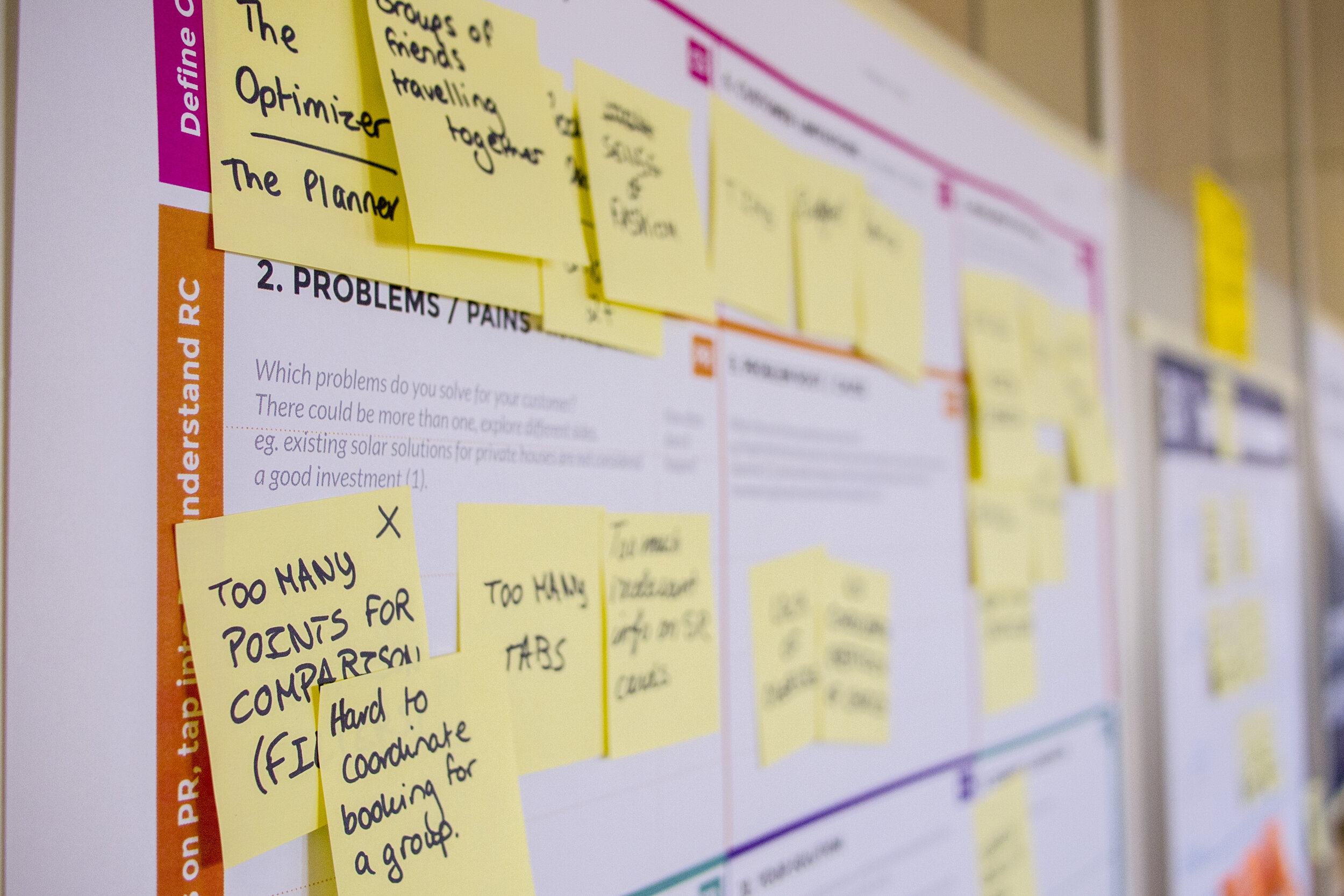
This is something that all professional writers have to deal with on a day-to-day basis. The following is a look at how to organize your website content ideas.
Begin with the Sitemap
We have already established that content writing isn’t a piece of cake. It’s the reason why you need to be organized. Failure to organize your writing will cause the writing task to feel overwhelming. For this reason, you need to take a step by step approach when writing content for your website.
You can start by opening a Word or Google document featuring an outline. Then take a step back and inhale deeply. You can simplify the whole process by using readily available tools. Look for tools that will enable you to set up a map as you continue to supplement the content that you will eventually want to display.
Create an Outline for Each Page
A good sitemap ought to have an outline for all the content to appear on the website. Garner a general idea of the kind of structure that you need. Start by organizing this first. You can use an excel spreadsheet to help you organize all the ideas that you have generated so far, and will continue to generate.
Go back to the sitemap created above and start jotting down the main points, which will include the top-level navigation for the website. Using a programming language like C# to read excel spreadsheet will make it easier for you to continue drilling down all the individual pages. For instance, in the Services section, you will need to have numerous pages about each service.
Ensure that the outline gets to capture all the key components of the pages you intend to write. This kind of organization enables you to not only organize words, but also determine the images that you have to start collecting, the CTAs to use, and any other items you may want to capture.
Start Writing the Copies
Having developed an outline, you can now start writing content for your website. Now put your thinking cap on, grab your thesaurus and start crafting your copies.
If you always find it hard for you to tackle the writing aspect, you are in luck, as the work that was done earlier will help smoothen things for you.
At this juncture, you have already done most of the work, and you can always opt to let another team member handle the creative aspect. All you need to do is hand them the notes you prepared in the second step.
Polish and Refine the Content Created for the Website
At this point, you have already created the content for the site, and all that is left is to refine it. Refining will involve checking the spacing, font size, adding images, and using a spell checker to look for grammar and spelling errors. Ensure that the work looks perfect before publishing it for the world to read and view.
Conclusion
It becomes easier to create content for your website when you are properly organized. The good news is that there are tools such as excel that have been designed specifically for this purpose. You need to utilize these tools whenever you’re writing new website content to ensure that you don’t get stuck midway. And always remember to proofread your work before publishing it.
About the Author
Emily Lamp is a professional writer, working closely with many aspiring thinkers and entrepreneurs from various companies. She is also interested in technology, business growth and self-improvement.