

100+ of My Best Writing Tips
If you haven't been to my Instagram page, you should. I share all kinds of writing goodies there. Here are some of my best tips I've shared.
If you haven't been to my Instagram page, you should. I share all kinds of writing goodies there. Here are some of my best tips I've shared.








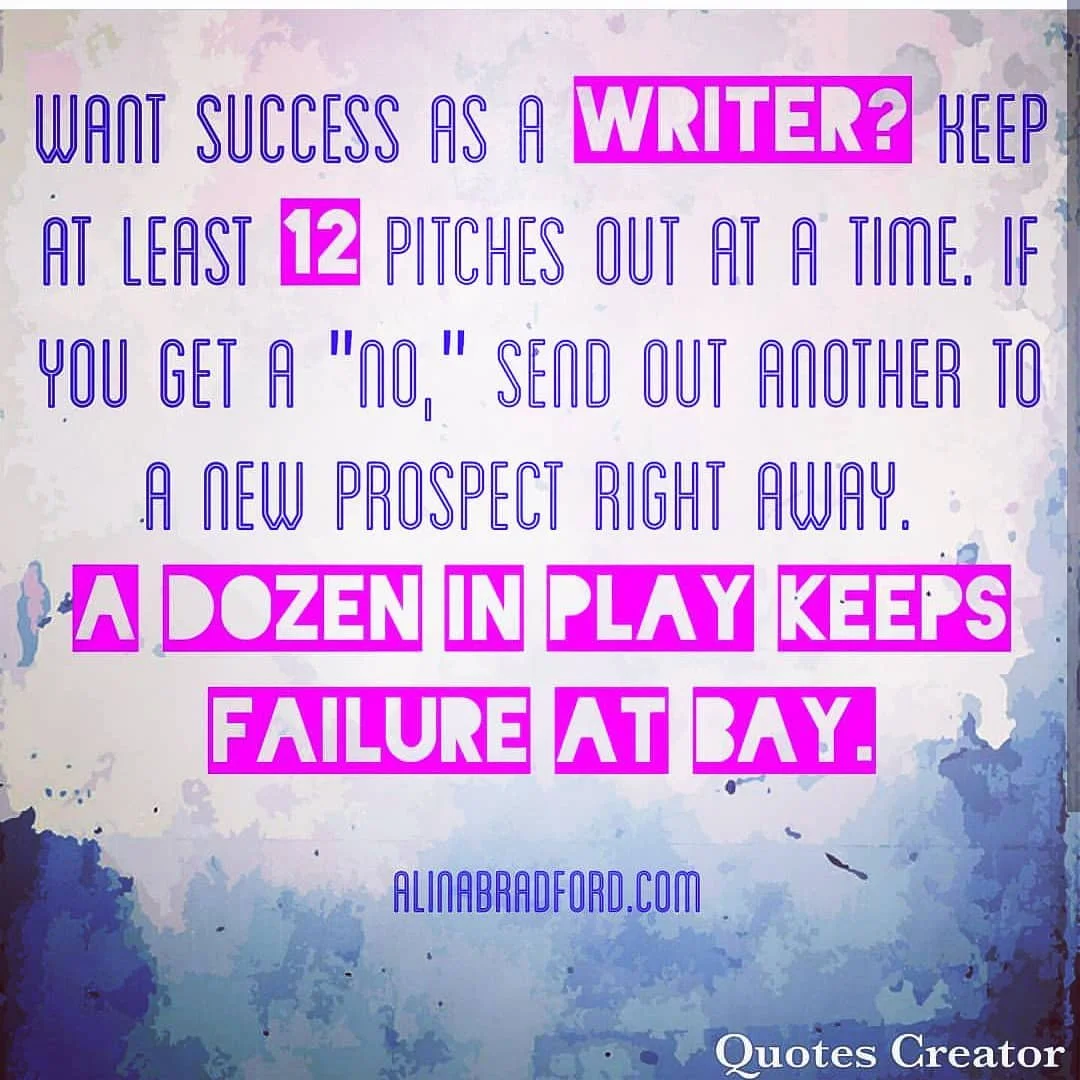
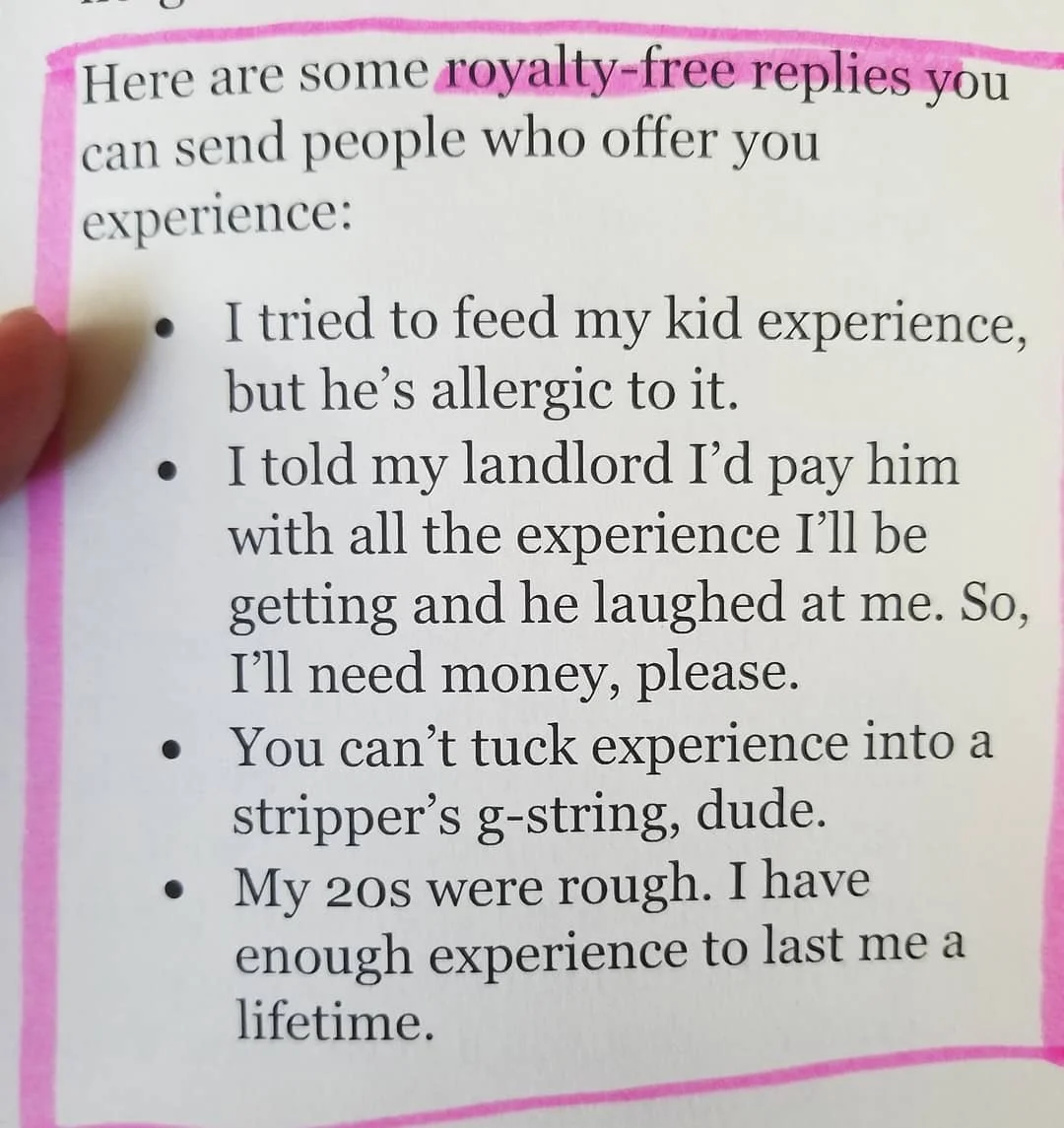
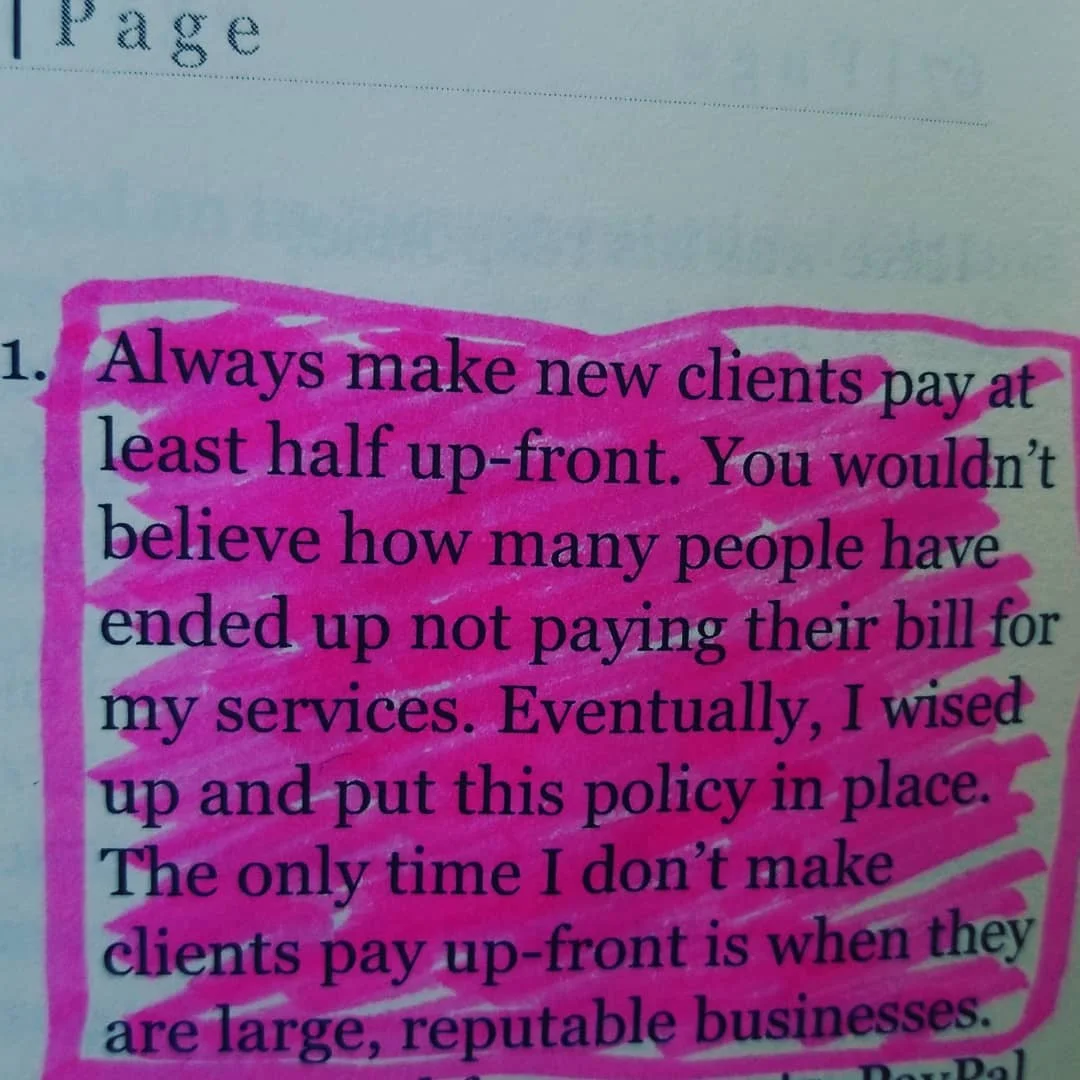
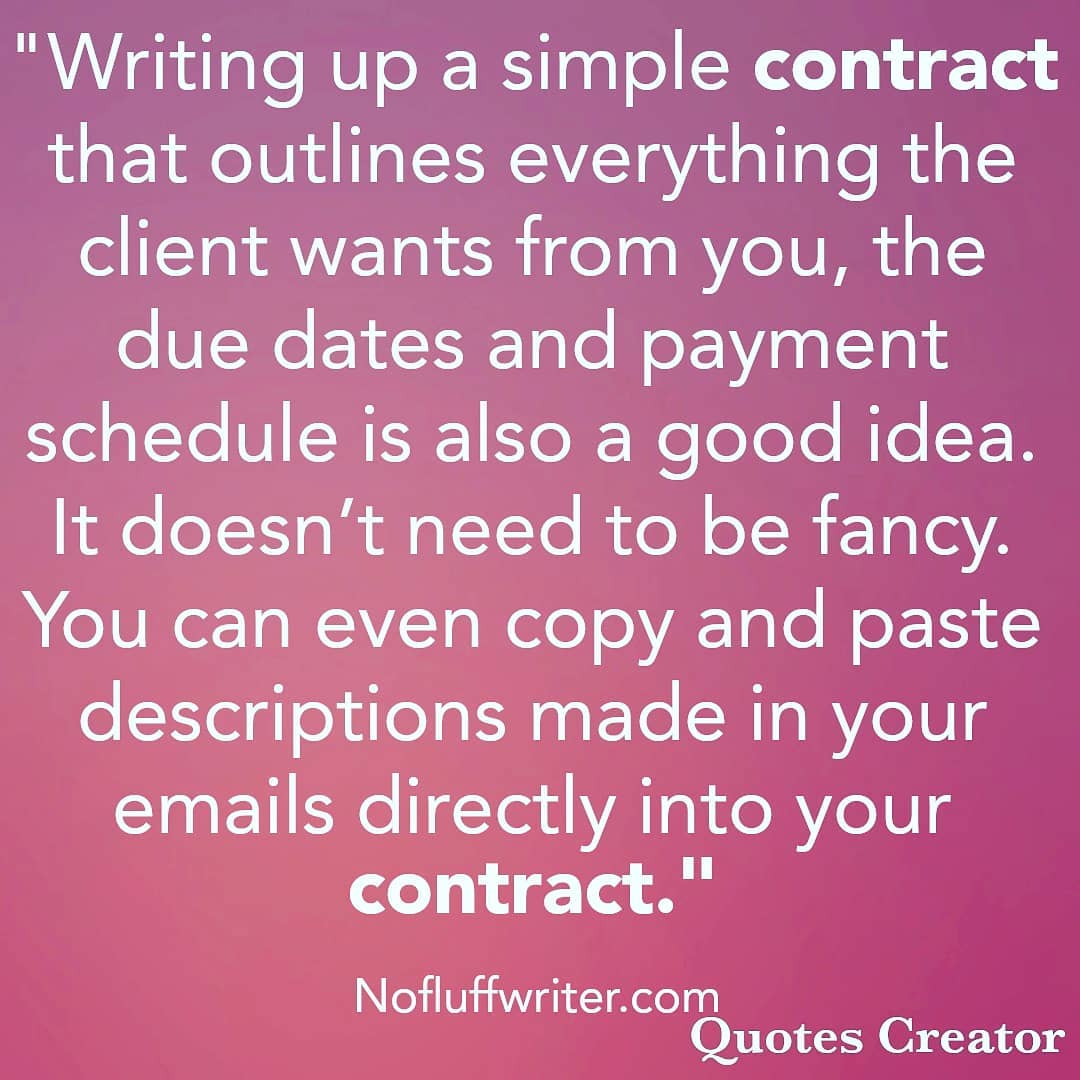






Here's What an Editor Wants You to Say in Your Pitches
Ever wonder exactly what editors think about pitches or what advice they would give writers? This editor shares his thoughts.
Ever wonder exactly what editors think about pitches or what advice they would give writers? Sam Dylan Finch created a Twitter thread to give you some insights into an editor’s mind. It was started in July of 2019, but I think the advice never grows old. I’ve embedded the thread here, or you can scroll to the bottom of this page and click on the thread roll for easier reading.
I've spent the last couple weeks going through hundreds of pitches from writers (literally! HUNDREDS). And I'm noticing some common mistakes that writers are making when they pitch.
— Sam Dylan Finch 🌿 (@samdylanfinch) July 30, 2019
So here's a thread about pitching an editor, and some stuff you should consider! 🧵✨
Before I get into it, if you're a writer and you've done something on this list, HELLO! ME TOO! I've done everything I'm about to outline here. Except nobody told me not to. So instead of going into self-deprecation mode, allow me to say, "Welcome to the club! It's not just you!"
— Sam Dylan Finch 🌿 (@samdylanfinch) July 30, 2019
I'm sharing this info too bc a lot of the folks who pitch me are marginalized in some way, and they weren't given this information or access to the places this kind of info is shared. (That's why I think it's so important for editors to be active and transparent on social. 🌸)
— Sam Dylan Finch 🌿 (@samdylanfinch) July 30, 2019
So let's get into this. Here's a list of "hey, maybe don't do this, try this instead" uh, things, when you're pitching an editor. (I'm so eloquent! Look at meeeeee!!)
— Sam Dylan Finch 🌿 (@samdylanfinch) July 30, 2019
What you're saying when you inform me that this is your first pitch is something like, "This is the first time I've had access to an opportunity like this and/or felt safe enough to pursue it." That's not about YOU, the writer! That's about the industry.
— Sam Dylan Finch 🌿 (@samdylanfinch) July 30, 2019
The wrong editor (boo them!) will hold it against you, so it's a habit I very much want you to break. But also, more importantly, you don't owe this information to ANYONE. Because your ideas can hold their own. You can hold your own. Industry access is a systemic issue!
— Sam Dylan Finch 🌿 (@samdylanfinch) July 30, 2019
Instead of saying it's your first pitch, just Google "how to pitch an editor" & poke around online. And then? Just go for it. There are seasoned writers who send me the sloppiest pitches and newbies who absolutely kill it. Just focus on doing your best! No need to apologize.
— Sam Dylan Finch 🌿 (@samdylanfinch) July 30, 2019
You are allowed to be new at something! And you don't need to apologize for being new at something. Everyone starts somewhere, and most writers started by following the oft-quoted mantra "fake it 'til you make it." I did. You can. We all do! It's okay. ❤️
— Sam Dylan Finch 🌿 (@samdylanfinch) July 30, 2019
(2) "I've never been published before, I hope that's okay!"
— Sam Dylan Finch 🌿 (@samdylanfinch) July 30, 2019
Kind of the same as above re: pitching... but ALSO, that's probably a lie.
More than likely, that's a lie, because most of us have written words somewhere on the internet. (Stay with me, I'll explain.)
Have you written a Twitter thread before? Bam, there's a clip or like, ten. You can use an app like Threader and it will convert it into an article format, or you can just send the thread you wrote!
— Sam Dylan Finch 🌿 (@samdylanfinch) July 30, 2019
A lot of my own threads were saved like this! https://t.co/emWENijFdS
Facebook posts! Blog posts! Newspaper articles! Instagram captions! If you've written words and put them somewhere, you are published.
— Sam Dylan Finch 🌿 (@samdylanfinch) July 30, 2019
And even if you aren't? It doesn't matter. If you have a strong pitch that shows me you can write and that you've got an awesome idea? Amazing.
Share the content you DO have, and even if it's not "relevant," focus on what you're demonstrating with the clips. Example: "I'm sending along a Twitter thread I wrote — I'm including it because it offers (a glimpse into my voice/perspective/expertise/etc)."
— Sam Dylan Finch 🌿 (@samdylanfinch) July 30, 2019
Basically, don't insult yourself when pitching. Focus on your strengths! You don't need to dwell on what you think is "lacking." Even if you don't feel "writer enough," that's fine — you are "hidden gem" enough today, okay? Hold yourself in respect! You have value regardless. 🌸
— Sam Dylan Finch 🌿 (@samdylanfinch) July 30, 2019
(3) "I want to write about every single aspect of my life experience as it relates to this topic!"
— Sam Dylan Finch 🌿 (@samdylanfinch) July 30, 2019
You THINK you do, eager beaver. But what you actually want to do is either write a book, OR write multiple essays.
When you're crafting a pitch, think about SCOPE. Meaning, how "big" does this topic feel? If it could be a book, it's not an article pitch! If it feels like it could be multiple essays... it probably *is* multiple essays.
— Sam Dylan Finch 🌿 (@samdylanfinch) July 30, 2019
This is the one that I still struggle with. Our excited, writerly brains want to do it ALL. BUT! We have an audience to keep in mind! We need articles to still be digestible. We want them to have a "takeaway," some kind of message that feels succinct and satisfying for a reader.
— Sam Dylan Finch 🌿 (@samdylanfinch) July 30, 2019
So when you're crafting a pitch, think less about "this is what I want this article to say about ME" (which is more of a blog post, yeah?), and more about "this is what I want this article to say TO a specific audience."
— Sam Dylan Finch 🌿 (@samdylanfinch) July 30, 2019
And really distill down that message. It's less about "here's the story I'm telling" and more about "here's what I want a reader to learn from me." And ask yourself, "Is it reasonable to think I can teach someone that in a single piece? And if so, how do I plan on doing that?"
— Sam Dylan Finch 🌿 (@samdylanfinch) July 30, 2019
I know that when you are multiply-marginalized, it's very tempting to include every facet of our identities in every pitch that we write. In actuality, it can really blur the takeaway. "But Sam," you ask me. "I want to be my whole self. How?" I'll tell you! It can be done.
— Sam Dylan Finch 🌿 (@samdylanfinch) July 30, 2019
Which leads me to (4) "I have this, this, this, this, AND THIS experience, which will all be present in my essay, I swear."
— Sam Dylan Finch 🌿 (@samdylanfinch) July 30, 2019
All of those experiences matter. All of those experiences are valid.
Not all of those experiences make sense as the FOCUS of your pitch.
I'm going to use myself as an example. I am queer AND mentally ill, and those things absolutely are inseparable for me.
— Sam Dylan Finch 🌿 (@samdylanfinch) July 30, 2019
However, that's not how I go about writing a pitch. Because that's... a really, really big topic.
How can we get more specific than that?
— Sam Dylan Finch 🌿 (@samdylanfinch) July 30, 2019
Rather than saying, "Being queer impacts my experience of mental illness," I might try, "Being queer impacted my PTSD."
Still big. So let's try, "Being queer impacts how/when/why I was diagnosed with PTSD."
Think of it as taking a big idea and letting it branch off into smaller ideas, until you have something that feels truly doable. And from there... think about HOW you're going to tell that story.
— Sam Dylan Finch 🌿 (@samdylanfinch) July 30, 2019
Because a lot of pitches introduce a topic, but they don't really unpack HOW the writer intends to invite readers in.
— Sam Dylan Finch 🌿 (@samdylanfinch) July 30, 2019
Which leads me to (5) "I'm going to write about this specific topic... somehow."
Can we paint a picture for a minute, to help our dear editor envision it?
Going back to our previous example, let's say I'm going to write about how being queer delayed WHEN I was diagnosed with PTSD (because queerness is sometimes considered synonymous with trauma/expected, yeah?).
— Sam Dylan Finch 🌿 (@samdylanfinch) July 30, 2019
That's the topic. But there's a lot of ways I could write it.
It could be a listicle, "X Ways That Being Queer Can Delay a PTSD Diagnosis." It could be a personal essay, where I share the story of being diagnosed, and how being queer led me to invalidate the legitimacy of my own diagnosis.
— Sam Dylan Finch 🌿 (@samdylanfinch) July 30, 2019
It could be a reported feature, where I went and interviewed lots of queer people with PTSD, and clinicians who are experts in working with that population, all about the phenomenon of delayed PTSD diagnosing in LGBTQ+ populations!
— Sam Dylan Finch 🌿 (@samdylanfinch) July 30, 2019
When you pitch, try to help your editor VISUALIZE what your piece is going to look like. And go to the publication itself to see some of the formats they've published in before, or peruse your editor's Twitter account and see what sorts of stuff they've recently worked on!
— Sam Dylan Finch 🌿 (@samdylanfinch) July 30, 2019
And here's the key... you want to keep all of this concise.
— Sam Dylan Finch 🌿 (@samdylanfinch) July 30, 2019
So (6) "-insert 6000 word pitch that could've been an essay all by itself-"
You want to keep it snappy! It doesn't have to be a long pitch. You just have to be a little clever about how it's all pulled together.
So with my previous example, let's say I'm going with the personal essay format.
— Sam Dylan Finch 🌿 (@samdylanfinch) July 30, 2019
I quickly wrote a sample pitch for this, just to give you a sense of what that pitch might look like, all condensed and stuff!
(I'll break it down, transcribed, in my next tweets!) pic.twitter.com/gYhPCK8z0i
For starters, I opened up by identifying how I found that particular editor. I don't sir/ma'am/Mr/Ms or use any gender identifiers. I keep it neutral:
— Sam Dylan Finch 🌿 (@samdylanfinch) July 30, 2019
"Hi EDITOR’S NAME,
I saw your call for pitches and wanted to reach out, as I think I have a piece you might be interested in!"
"I’d like to write a personal essay on how, as a queer person, I struggled to accept that I could have PTSD."
— Sam Dylan Finch 🌿 (@samdylanfinch) July 30, 2019
Snappy. This tells me format (personal essay), the POV I'm coming from (lived experience), and the theme that pulls it all together (struggling w/ acceptance).
"So many of us just assume that trauma is expected, which leads us to invalidate and normalize our own experiences of it."
— Sam Dylan Finch 🌿 (@samdylanfinch) July 30, 2019
This is where I give it a little more nuance. What is the unique perspective I'm bringing to the table? What is the reader takeaway? Why does this matter?
"I want to use my personal story as an entry point into a larger conversation about how queerness complicates our experiences of PTSD."
— Sam Dylan Finch 🌿 (@samdylanfinch) July 30, 2019
BOOM. There's the "how." Yes, I'm telling my own story, but here's WHY I'm telling it. This is why it matters and how readers will benefit.
"I think this would be a great fit for (PLATFORM)’s readership. You’ve really been opening up some important conversations around trauma, and I’d love to add a little nuance to it!"
— Sam Dylan Finch 🌿 (@samdylanfinch) July 30, 2019
This is where I acknowledge that I'm familiar with the publication, and why it's a good fit!
"Let me know if you’d be interested in this! I have some clips you can check out, here, here, and here [each here is hyperlinked]."
— Sam Dylan Finch 🌿 (@samdylanfinch) July 30, 2019
Link out to other content! And if needed, explain why, if the content isn't an article (like I mentioned above with the Twitter threads).
Now this is just a made-up example, and your pitch might look a little different depending on the topic, your experience, and the platform you're pitching to. But this should give you a sense of how to pull this stuff together, especially if you're pitching for the first time!
— Sam Dylan Finch 🌿 (@samdylanfinch) July 30, 2019
In a nutshell: Your pitch should exist to help the editor understand what you'll be writing, how you'll do it, who you're speaking to, and why it's a good fit for that particular platform.
— Sam Dylan Finch 🌿 (@samdylanfinch) July 30, 2019
It says, "This is what I have to offer and how I'll pull it off."
There are exceptions to every rule, but often times in publishing, you need to have a solid grasp of The Rules before you start breaking them. So the general stuff I've outlined here will hopefully give you that grasp, so then you can carve out your own approach. ❤️
— Sam Dylan Finch 🌿 (@samdylanfinch) July 30, 2019
Which leads me to (7) "You don't know anything about baseball but I'm going to use a bunch of insider terminology!"
— Sam Dylan Finch 🌿 (@samdylanfinch) July 30, 2019
Make sure you don't assume that your editor shares the level of expertise that you have!
That's my final bit of advice, really. It's okay to showcase the fact that you know stuff, but there's a fine line between "I know a lot about this topic" and "my pitch will only make sense to someone who knows a lot about this topic."
— Sam Dylan Finch 🌿 (@samdylanfinch) July 30, 2019
It's hard to refine that balance! So unless I have an established relationship with an editor or I'm 100% sure of their background, I tend to hold back a little with "insider language." If my teenaged cousin wouldn't totally get what I'm saying, I likely need to simplify.
— Sam Dylan Finch 🌿 (@samdylanfinch) July 30, 2019
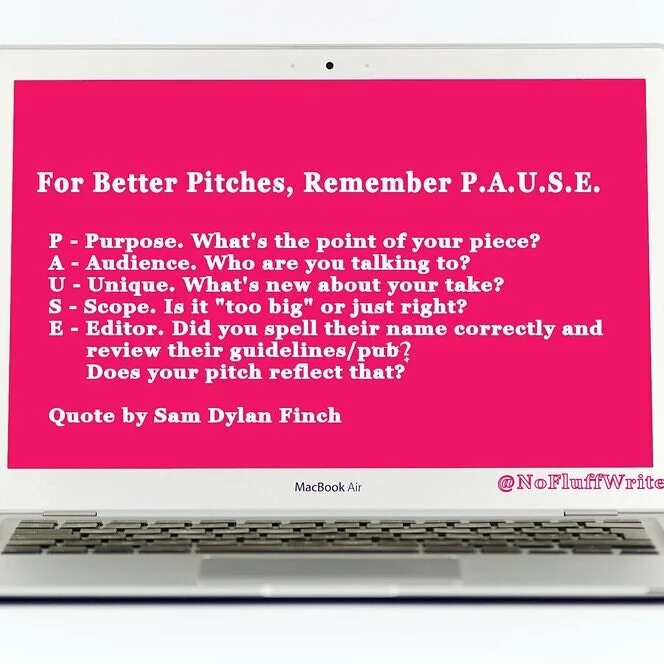
At the risk of turning this Twitter thread into an overwhelming mess, just remember this acronym. PAUSE before you pitch.
— Sam Dylan Finch 🌿 (@samdylanfinch) July 30, 2019
P - Purpose. What's the point of your piece?
— Sam Dylan Finch 🌿 (@samdylanfinch) July 30, 2019
A - Audience. Who are you talking to?
U - Unique. What's new about your take?
S - Scope. Is it "too big" or just right?
E - Editor. Did you spell their name correctly and review their guidelines/pub? Does your pitch reflect that?

The Freelancer Writer’s Guide to Dealing with Clients
As a freelance writer, for me, the work is easy. It’s dealing with the clients that's hard. So, over the past few years I have developed a strategy for dealing with clients, and ensuring I get paid every time!
No matter how put together you think you are as a business person, one day, someone will come along and make your question your sanity, restraint, and professionalism. As a freelance writer, for me, the work is easy. It’s dealing with the clients that's hard. So, over the past few years I have developed a strategy for dealing with clients, and ensuring I get paid every time!

How to Spot a Scam
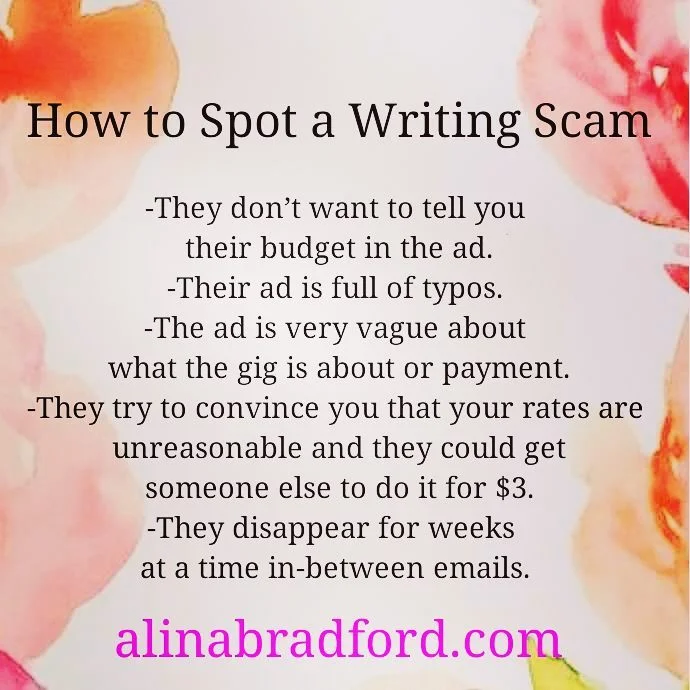
There are a lot of scammers out there that would just love for you to write something great for them, and then disappear without paying. You can spot the tricksters with these tips:
They don’t want to tell you their budget in the ad.
Their ad is full of typos.
It doesn’t seem like the person who wrote the ad speaks English very well.
The ad is very vague about what the gig is about or payment.
They try to convince you that your rates are unreasonable and they could get someone else to do it for $3.
They disappear for weeks at a time in-between emails.
Here are some more signs that a client will be a PITA (pain in the ass) or a straight-up scammer.
Get Paid Upfront
This may be the most important thing someone will ever tell you about being a freelance writer: ALWAYS get paid at least 50% upfront. If a client doesn’t want give you money upfront, then give them a hard pass. You never do work on a promise. If you do, there’s a big chance you’ll never see your money.

You don’t go up to Walmart and tell the cashier, “I’m going to take this food home. If I like it I’ll come back and pay you for it.”
“But, Alina,” you say, “this is a service job and you pay for those types of jobs after the work is done.” Yes, sometimes you pay for services afterwards, but many smart contractors, like doctors, dentists, landscapers, janitorial services and such make clients pay a deposit, or don’t let them leave the building without at least paying a deductible or making payment arrangements.
What should you say to a client who doesn’t want to pay upfront? Tell them that your time is valuable. A deposit ensures a place on your client list and in your schedule.
The only exception I make to my rule is when I work for large companies that pays their freelancers and employees once a month through direct deposit and I have a contract stating when the money will be deposited each month.
Get Everything in Writing
You’ll find that most clients want to talk things over on the phone. I avoid this in most cases. It is much better to have everything written in an email so you can refer to it when problems arise. Taking a screenshot of an email and sending it to a client to prove what they said is much more effective than, “But you said on the phone…”

I had one client decide that he wanted a refund, basically for no reason. He filed a complaint with PayPal. Luckily, I had proof that I fulfilled my end of the agreement. All I had to do was send PayPal the emails with the client.
If a client REALLY wants to talk on the phone, open up a new email and summarize everything that is agreed upon in the phone conversation. Then, add at the bottom, “Please email me back with confirmation that this information is correct. Send the client the email with the subject line: Summary of Our Phone Conversation. This basically works like a simple written contract.
Here are some more contract tips for freelance writers.
What to Do if You Don’t Get Paid

Unfortunately, this section will be interesting to a lot of you. When you’re an employee and working for someone else, the roles are clear; you’re responsible for doing your job and showing up on time, while your employer is in charge of making sure you get paid. It’s simple and plain. Too bad it's not always that simple when you’re freelancing.
When you’ve told your client that you’d want some of the payment up front and you receive no payment, the course of action is clear. Just tell your client that you’re not doing the work until the payment has cleared.
If you get halfway through the project and another milestone payment is required and they don't pay, stop doing the work.
Give them a friendly reminder. It could have been an honest mistake and you want to keep a courteous tone if this is the case. One reminder is enough, though. If they don't pay up, then remove them from your client list. You don't need someone who is slow in performing the one duty they have towards you.
I like using the invoicing system through PayPal, because I can open a dispute with non-payers and I usually win.
Avoid Scope Creep
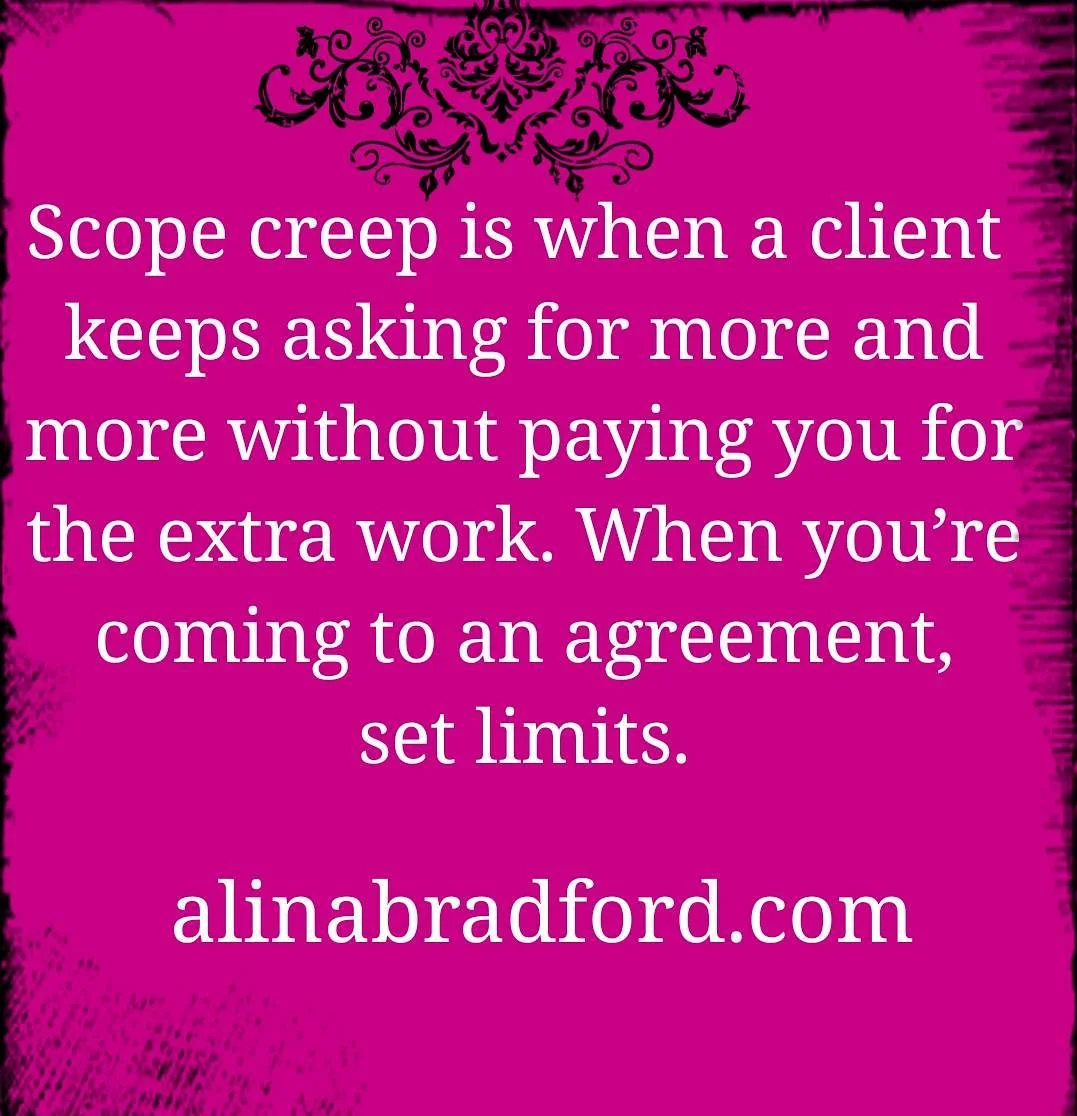
Scope creep is when a client keeps asking for more and more without paying you for the extra work. When you’re coming to an agreement, set limits. Here are some rules to prevent scope creep:
Limit how many times a client can ask for revisions. Two revisions is usually standard.
Set word count or page limits. They want it to be longer? Great, then they must pay more. Let them know what extra pages or words will cost them in your agreement.
Charge extra for graphics, photos, video or any other extras or work it into the price.
If the client wants weekly in-person meetings, put that in the agreement and charge him for it.
Don’t Be Bullied
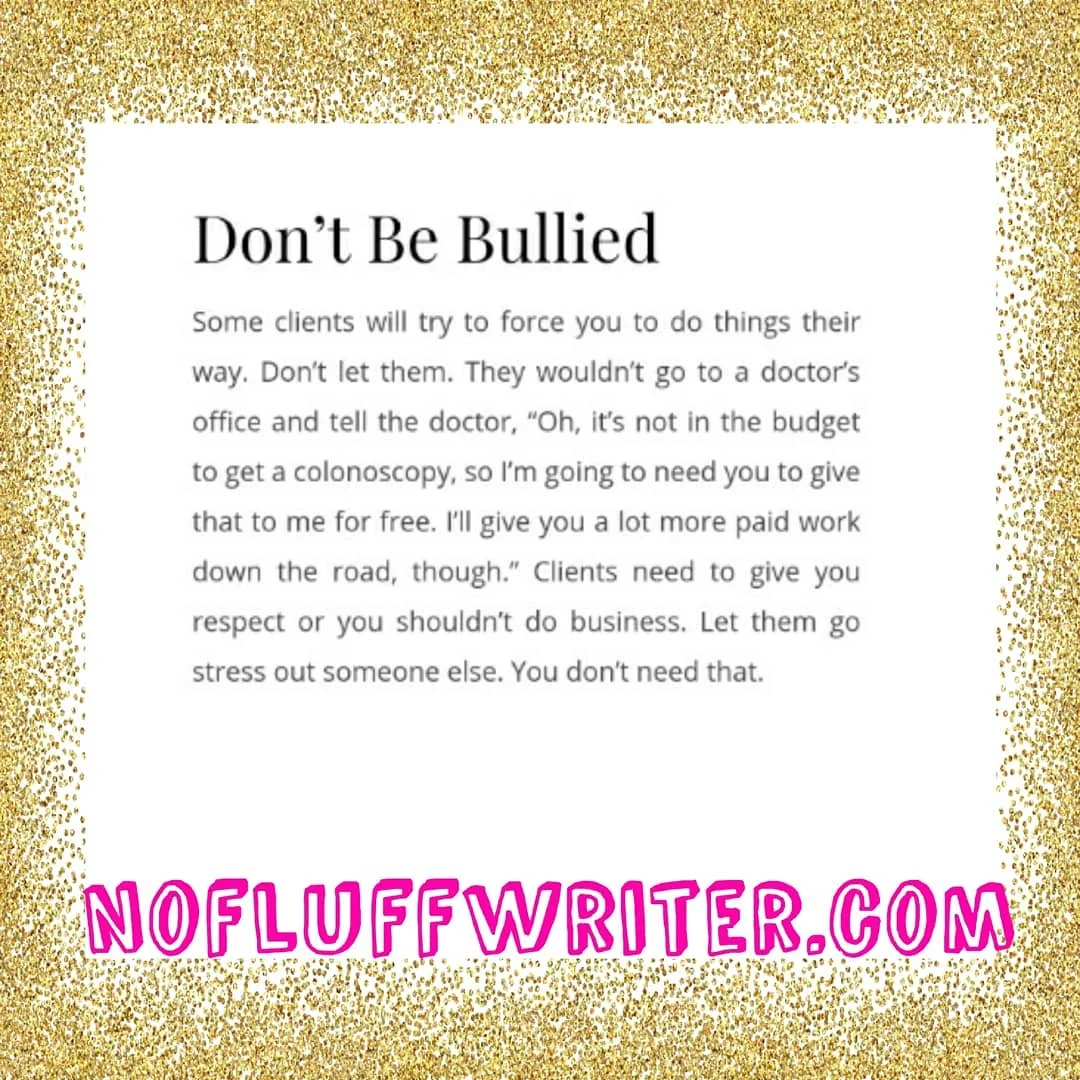
Some clients will try to force you to do things their way. Don’t let them. They wouldn’t go to a doctor’s office and tell the doctor, “Oh, it’s not in the budget to get a colonoscopy, so I’m going to need you to give that to me for free. I’ll give you a lot more paid work down the road, though.” Clients need to give you respect or you shouldn’t do business. Let them go stress out someone else. You don’t need that.
Trust me.
The right clients are out there and they are willing to pay you what you’re worth.
Protect Your Work
Always show clients ongoing projects by sending them a link to a Google Doc that is set as “Read Only.” This way, the client can make suggestions, but won’t be able to steal the work without paying. When a final payment is made, simply unlock the document.
Be Professional
My last advice deals with how you present yourself as a professional. The better you are at building an image of yourself as proper, polite and experienced in the work you do, the higher your chances are of getting high-paying, trustworthy clients.
Stay polite and professional, build an online reputation with loads of great reviews and showcase a solid network of other professionals - it will scare those amateur clients away.
Need more tips on getting great freelance gigs? Grab my No-Fluff Freelance Writing Starter Pack. It has everything you need to become successful as a writer.

Guide to Writing Niches: Yes, You Need a Niche, Freelance Writers
Here’s everything you need to know about freelance writing niches.
This is by far the biggest question I get from writers: “Do I need a niche?” Umm, yes. This usually makes at least a few people mad. “Why should you limit yourself!? You’re just limiting your income by having a niche!”
Please, have a seat.
I struggled to get paid what I was worth for a long time as a freelance writer. You know why? Because I was a generalist. I would write about anything. When someone asked me what my specialty was I would say, “I can write anything!”
*Insert the sound of a deflating balloon here*

Yah, potential clients don’t want to hear that you write about all kinds of things. They want to know you specialize in their category. They want to know they’ve hired a writer that knows industry terms and sounds like they genuinely know what they’re talking about.
Why Clients Want to Know Your Niche
Okay, think about it this way… You wouldn’t hire someone to paint your car if their sign says, “We can paint anything!” No, you’d want someone who has years of experience painting cars so you know your vehicle will come out looking shiny and flawless.
Picking Niches Changed Everything
Eventually, I wised up and focused on three topics: DIY, health/science and tech. Know what happened when I finally pick some niches? I quadrupled my freelance income.

freelance life
How to Pick a Niche
Picking your niche isn’t as overwhelming as it may seem. All you really need to do is think about what you like writing about. This is the most important thing. Remember, you will be writing about this topic day in and day out, so you better enjoy it.
Here are some ideas to get you started:
Do you love researching the latest scientific discoveries? Then you may be a science writer.
Can’t wait to write about the latest iPhone? You may be a tech writer.
Adore sharing tips on eating healthy? You may be a diet or health writer.
Do you like to build or fix things, then write about it? You’re probably a DIY writer.
Have the need to share your parenting tips with the world? You could be a parenting writer.
Feel the overwhelming urge to talk about movies or the latest Hollywood gossip? You’re probably an entertainment writer.
Do you know the difference between post modernism and expressionism? You may like being a fine art writer.
Does doing your taxes or following the stock market give you a high? You might be a financial writer.
Were you a marketer in another life? Copywriting or content marketing may be for you.
Do you love correcting someone’s grammar more than you love writing? You’re probably better suited as a copyeditor.
Pro tip: Perusing job lists (like the ones I post every Monday and Wednesday on this blog) can give you a feel for what kinds of content people are looking for and may even give you some ideas for your niche.
choosing a niche as a freelance writer
Don’t Get Too Narrow, Though
While you’re narrowing down your niche, remember not to get too specific. A broad category will allow you to find ample work, while still anchoring you as an expert.
For example, "tech writer" is nice and broad. This niche label lets me write about anything under that enormous umbrella, including tablets, phones, computers, home hubs, self-driving cars and home security. If I picked tablet writer, though, my niche would be so narrow I wouldn’t be able to find much work. Plus, I would get bored very quickly!
Your Assignment
Now, I want you to go sit down with your trusty notebook and write down all the things you like to write about. Then, choose no more than three to be your specialty.
Be a Niche Spy: How to Write Authoritative Copy For Niche Clients
Freelance writers, particularly when they’re just starting out, will often take any paying clients that happen to come along. This means that occasionally you’ll need to write for a business that occupies an extremely narrow niche, that you have very little experience with. Obviously, this makes writing consistently high-quality content a little harder than it would be with more conventional clients. Here’s some of the best advice for writing for these niche clients…
Educate Yourself
If you want your work for a niche client to be as fitting and effective as possible, you need to strive to make yourself an expert in that given niche, or at least as close as possible without having to scramble to meet your deadline.

Researching and reading some publications tied to that specific industry is usually the best way to start, as it can introduce you to industry-specific terms which will give your content a potent sense of authority. For example, if you were writing for a company that sells diesel generators, you wouldn’t be able to write a competitive piece of content while sticking to a conversational, generic blogger’s style. The tone would need to be a little more formal and a lot more technical.
You should strive to educate yourself about any product or service you write about, and this is even more important when it comes to niche clients.
Examine Larger Competitors’ Content Strategy
Your clients are going to want unique content that hooks readers and sticks in their mind. One of the best ways to draw inspiration is by taking a peek at the business’s larger, more successful competitors. You can easily find them by googling the industry. The top results are usually the best in the niche.
Pretend you're a corporate spy.

Okay, don't do anything illegal. Just head on over to their website and take in their copy, their style and their tone. You're going to want to mimic it to a certain extent. To prevent being too copycatty, take a look at several different competitors and look for similarities. This is what you want to incorporate into your approach with your client's copy.
There will also be some competitors who are running a notably worse content strategy, which can be just as important to research and understand. No one’s going to give you their Google Analytics password, no matter how nicely you ask, so you’re going to need to apply a little detective work to see how content is performing. Take a look at their social engagement on social media (how many likes they get, how many comments, how many shares). If they are doing things right, they should have tons of engagement. If not, try to figure out what they are doing differently than their more successful competitors.
Also take a look at their SERPs, and comments on the posts themselves to gauge how a given piece of content is being received by your client’s target audience. Most importantly, as with anything creative, you should be combining different elements that seem to be working, all the while thinking about some way you can make your content stand out.
Write for the Target Niche Audience
Like I said before, when writing about certain niche businesses, it can be smart to include a few specialised phrases and pieces of jargon that will assure the reader that you know what you’re talking about. Having said that, if you write like a professor in a given field, and use too much specialised language, you could risk alienating the readers you’re trying so hard to attract.

It’s all about getting the balance just right. If the company you’re writing for targets B2B clients, then you should write according to the basic knowledge of these people, without getting too complex and trying to sound too clever. If a prospective customer has to keep opening a dictionary in another tab just to figure out what your content is actually saying, they’re not going to stay on the page for long!
Want more tips on becoming a successful freelance writer? Read my book:
The Fluff-Free Freelance Writing Master Course: The only course that gives you concrete, actionable information to building a successful freelance business without any fluff.

What is Evergreen Content?
No matter what kind of writing you do, you’ll probably come across a client or publication that needs “evergreen” articles or blog posts. This is an important term to know since it is a very specific type of content. It’s easy to screw up if you’re not 100% sure what evergreen means. No worries, I’m here to help.
What is evergreen content?
An evergreen is a tree that stays green all year round. There isn't a specific season where it has leaves. Evergreen content is the same way. These articles and blog posts are intended to be useful all year, not just during a certain time. Usually, these articles are SEO optimized.
Evergreen content vs. non-evergreen
The opposite of evergreen articles are “timely” articles or articles focused on a certain time, holiday, news item, or event. Let’s compare the two.
Examples of timely article titles:
This Holiday Trick will Save Your Turkey
The FDA Just Approved the XYZ Drug for Aneurisms
This New Alexa Feature Lets You Sing with Lady Gaga
10 Tips to Make Your Summer Better
Tax Season is Coming: Use These 5 Tips to Avoid Audits
Examples of evergreen article titles:
How to Fix a Leaky Bathtub Faucet
10 Relationship Tips to Keep the Home Fires Burning
5 Reasons Why You Need a Bidet
Never Mention These 5 Things to Your Boss
Examples of evergreen articles that I have written that you can study:

Why publications want evergreen content
Evergreen articles and blog posts are a common ask because they are the foundation of the traffic scheme of a publication. Timely articles typically bring in a lot of traffic, but only for a limited time. Evergreen content may not have an explosion of traffic, but it brings in a steady flow over time, if done well.
These articles also tend to help a site with search ranking because they are still relevant year after year, giving the site authority points with search engines like Google. Older articles are often given seniority over newer articles, as long as they are still relevant.
Elements of evergreen content
Evergreen content should include information that is useful whenever the article is accessed by your reader and should never feel dated. Generally, you want to avoid anything that will make the article become outdated or specific to a certain time frame. There are several things you need to exclude from an evergreen piece to achieve this. Here are some things to avoid:
Commenting on how something is coming in the future. Eventually, the future will be the past, making the article outdated. For example, don’t say something like, “Spring is coming soon.”
Saying “this year.” Instead, say something like, “In (the year), xyz happened.”
Including statistics from more than a year ago. Use statistic from as recently as possible so the information stays fresher, longer.
Talking about a sale. Sales expire, so they aren’t evergreen.
Common types of evergreen articles
Generally, there are certain types of articles that are more likely to be evergreen. These include:
How-to
Tips
Listicles
Reviews
Reference
Guides
Case studies
Round-up
Generally, news articles, articles about new features of a product or service, time-based round-ups or listicles (like The Best SEO Tips of 2001), and announcements are not evergreen.
If you’d like a step-by-step guide on how to become a successful writer, check out my book The Fluff-Free Freelance Writing Master Course Workbook: The only course that gives you concrete, actionable information to building a successful freelance business without any fluff.

10 Tips for Creating Headlines and Titles that Get Clicked
For freelance writers, crafting great headlines that capture readers' attention increases the chance of getting a click and eventual customer conversions. Here’s how to get better at it.
It's difficult to write irresistible headlines. It's a fact, even for old pros like myself. For freelance writers, crafting great headlines that capture readers' attention increases the chance of getting a click and eventual customer conversions.
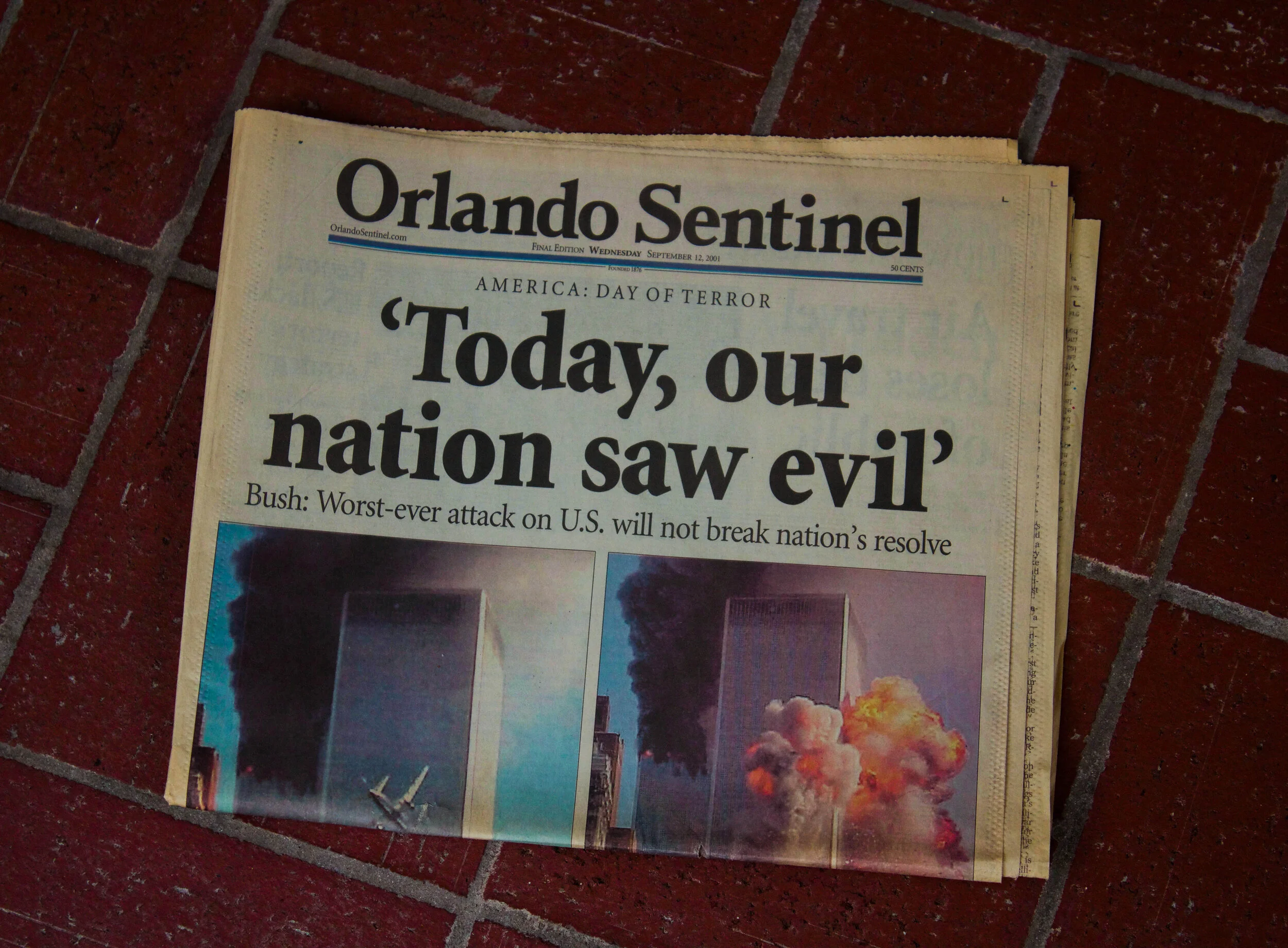
An iconic headline from almost two decades ago.
How can you ensure that you have the perfect headline? Here are some ideas from Dave McDonald and myself:
Make your headline inviting by giving them an answer to what they are looking for. Example: "This (blank) Trick Makes Your Life Easier in Just 10 Minutes."
But don't reveal everything. For example, "This Trick will Lower Your Electric Bill by 25%" tells the readers that they are going to learn something to lower their electric bill, but doesn't give any clues as to what in the title. Curiosity will get the best of most people and they'll click.
Research customer demographics so that you'll know what the visitors to your site are looking for. They might be looking for new products, practical tips, useful information or new ideas, for example.
Make sure your headline is unique, very specific, useful and presents a sense of urgency.
Do away with commercial wordings that most other e-marketers are using. Instead be prepared to take some risks.
Taglines can be used as headlines effectively.
Grab your reader's attention by starting your headline with "How to…" since this indicates you're providing them with useful information.
A number in the title ensures your readers will be intrigued by what you have to say. ("20 Unexpected ways to use dryer sheets" is one of my most popular articles on CNET.) Just ensure that the list contents fully support the headline.
Employ an element of surprise by presenting the readers with something unexpected. It can tickle your audience's curiosity. Novelty and unpredictability are things that stimulate the brain, ensuring that readers will stay and read on. "Angelina Jolie Doesn't Look Like Herself Anymore" is a good example of piquing curiosity.
Add a little humor. “Annoying 2000s Tech We Kinda Miss” is a title example that uses a little fun to draw people in.
Bonus tip: Borrow what works. Titles can't be copyrighted so you really don't need to worry about plagiarism. If you see a great headline jot it down to use as inspiration later. Integrity wise, it is best to borrow and customize headlines created for a niche outside of your own so it doesn't look like you're just copying your competitors.
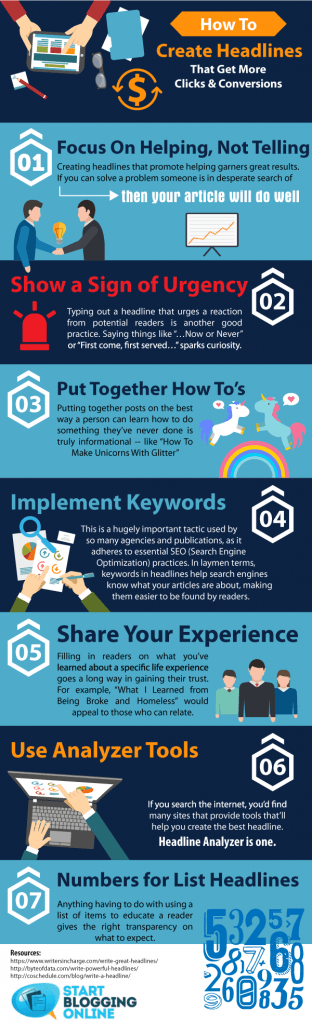
Get more ideas by checking out the infographics below.
Need more help with starting your freelancing career? Take my master course on how to become a well-paid freelance writer.

Steps You Can Take To Become The Ultimate Travel Writer
Here are some tips to consider to become the ultimate travel writer. Guest Post by Jennifer Ranking
Guest Post by Jennifer Ranking
When you scroll through your Instagram timeline it’s almost as if everyone’s out travelling except you! It appears to be the trend nowadays and it’s no surprise why it is, the world is a beautiful thing and something that should be explored when you’re given the opportunity. Audiences love to read about experiences as inspiration and knowledge of what to expect for their travels. Travel writers are seen as influencers who have been around the block and know they’re stuff.
So, how do you become one of them people too? Here are some tips to consider to become the ultimate travel writer.

Be Dedicated To Your Writing
In order to become a travel writer, you first need to build the foundations of being a successful writer first. Travelling is the knowledge, but writing is the skill you have to get to spot on in order to be successful. You need to be able to communicate your experiences well and in a way that will engage your readers with what you have to say. Start by writing creative pieces and gradually improve your vocabulary and skills as a writer before you begin to write about your travelling experiences.
Consider Writing School or Journalism
A great advantage of journalism is that you slowly begin to learn how to make notes quickly and write great pieces in a short space of time. This means you won’t be spending too much time on writing the pieces and instead, you can enjoy telling your story without it taking too much of your time and continue your experiences of travelling. Get yourself in with the local newspapers or see if there are any writing schools that you can attend to improve on the skills that you’re developing.

Start Off Writing On Subjects That Aren’t About Yourself
Writing helps to get your name out there and gets your work published easily, almost satisfying the ego that people want to hear from you and what you have to say. What’s ironic about this though is that the skill to write about yourself can be rather difficult and sharing something about what you’ve done may not come across the best. Therefore, when you first start out why not try writing interviews or profiles instead and this way you can easily identify a theme and prevent getting sidetracked.
Review Your Writing Over And Over Again
The biggest waste when it comes to writing is that writers tend to use up too many words for a sentence which they could have articulated in a more efficient way. Writers feel as though revising the work that they’ve completed contradicts their creativity, but when you read over your work again you can easily find that your point is not as effective as what it could be. Revise and rewrite until your story flows and makes perfect sense.

Develop A Network
The biggest driver of being successful as a travel writer is developing a network in your field. There are plenty of travel writers across social networks and blogs that are easy to connect with. In doing so, it can help build your own reputation as a travel writer and have you integrating with the correct people. Over time, you’ll find yourself writing to a mass audience that you’ve created.
Keep Motivated
Most important of all, remain persistent. If there’s one downfall of writers that don’t make it it’s because they fell at the first hurdle when it arrived. It’s going to take time to build your reputation and get your stories shared in the masses, but how bad do you really want it?
The travelling influencer market is forever growing and there are still plenty of writers who are yet to master their trade. What’s written today is probably forgotten by tomorrow. Your stories have the chance to make a difference, to provide knowledge and form education for your readers. So, before you begin writing about your travelling experience from your luxury Algarve villa, take a step back and dedicate your time to learning your craft. After that, the world is your oyster from a travelling and writing point of view.

Here's How to Find out How Much Publications Pay Their Writers Before You Pitch
Have you ever wondered what your favorite magazine or website pays their writers? I bet you have, especially if your ever thought about pitching them an article idea. There are several ways you can investigate their rates. Here’s how.
There have been times when I have sent a pitch to a magazine, have my pitch accepted, and then be crushed to find out that the publication doesn’t pay. Since then, I never pitch unless I know a magazine’s rates.
There are several ways you can investigate their rates. Here’s how.
How much do magazines pay writers? It depends!
Writer’s Market
Writer’s Market has been around for decades and gives writers a detailed inside scoop on rates, submission guidelines and editor contact information. I got my very first copy when I was just 16 years old. You can get the Writer’s Market (it hasn’t been updated for 2021 yet) in book form, or you can join their online site for a fee.
From Amazon:
Writer's Market Deluxe Edition 2019 includes everything you expect in a regular copy of Writer's Market, PLUS a one-year subscription to WritersMarket.com. With it, you'll gain instant access to more than 7,500 listings for book publishers, magazines, contests, literary agents, and more--with daily updates.
Beyond the listings, you'll find all-new material devoted to the business and promotion of writing. Discover the secrets to ten-minute marketing, how to make money covering live events, and seven steps to doubling your writing income. Plus, you'll learn how to do video effectively, create a business plan for success, and so much more. This edition includes the ever-popular pay-rate chart and book publisher subject index!
You also gain access to:
Lists of professional writing organizations
Sample query letters
A free digital download of Writer's Yearbook, featuring the 100 Best Markets: WritersDigest.com/WritersDigest-Yearbook-18
Contently’s Rates Database
Contently has a database where writers can add how much a publication paid them, along with any notes on the editors. This database is free to anyone who’s curious. It’s updated often and you can add information anonymously, too. Here’s some of the latest updates:
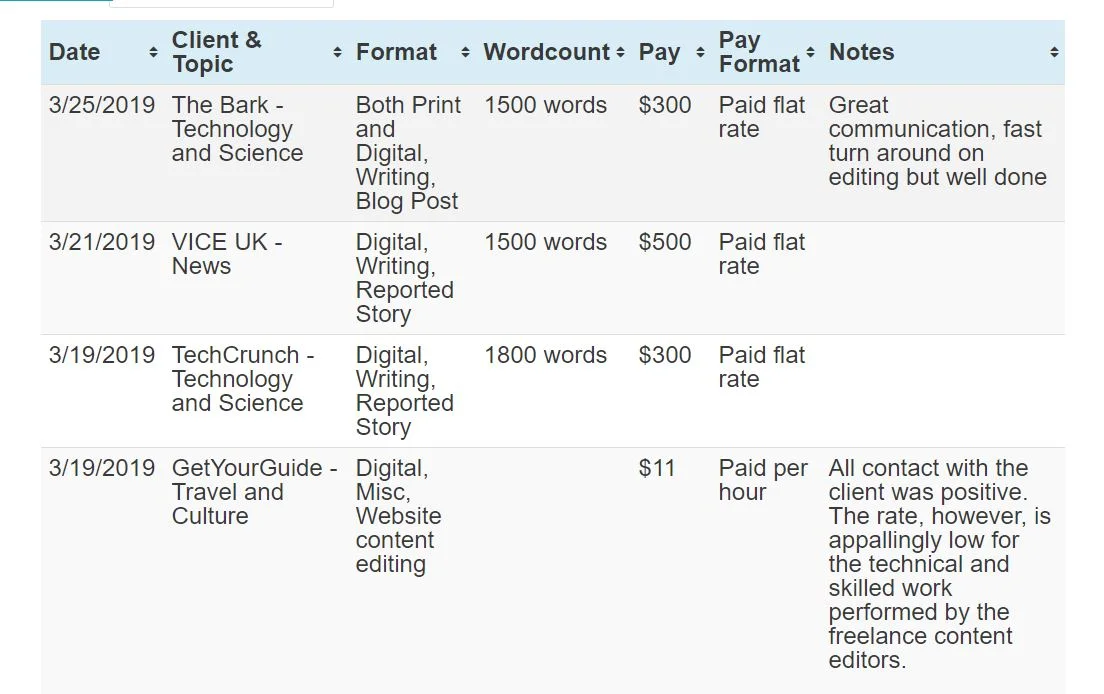
One of the best things about this database is you can find out which publications are deadbeats and don’t pay on time… or at all. You can view the Contently Rates Database here.
Who Pays Writers
I have a list of 20+ High Paying Magazines Looking For Pitches, but I want more. There’s never enough information when it comes to rates, in my option. So, another great resource I love is Who Pays Writers.

Basically, you find a publication in the alphabetically list on the left, and then the rates will pop up on the screen. You can also submit information about websites and magazines you’ve written for to help keep the database up-to-date.
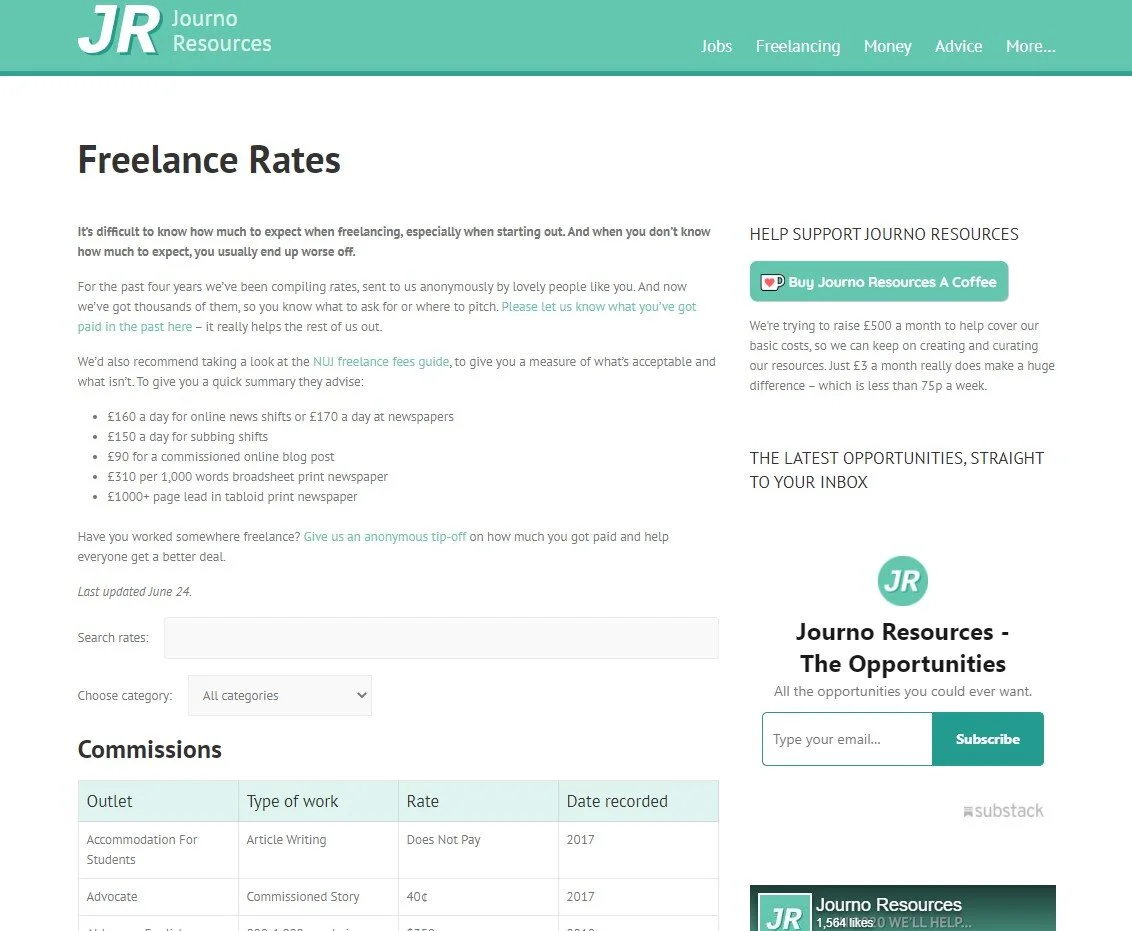
Journalism Freelance Rates
Another good database is the JR Database. It is updated fairly often, so they have recent information about publication rates. I also like how easy the site is to use.
Find a publication that you like and that pays well? Read this next article on how to pitch magazine articles to editors.
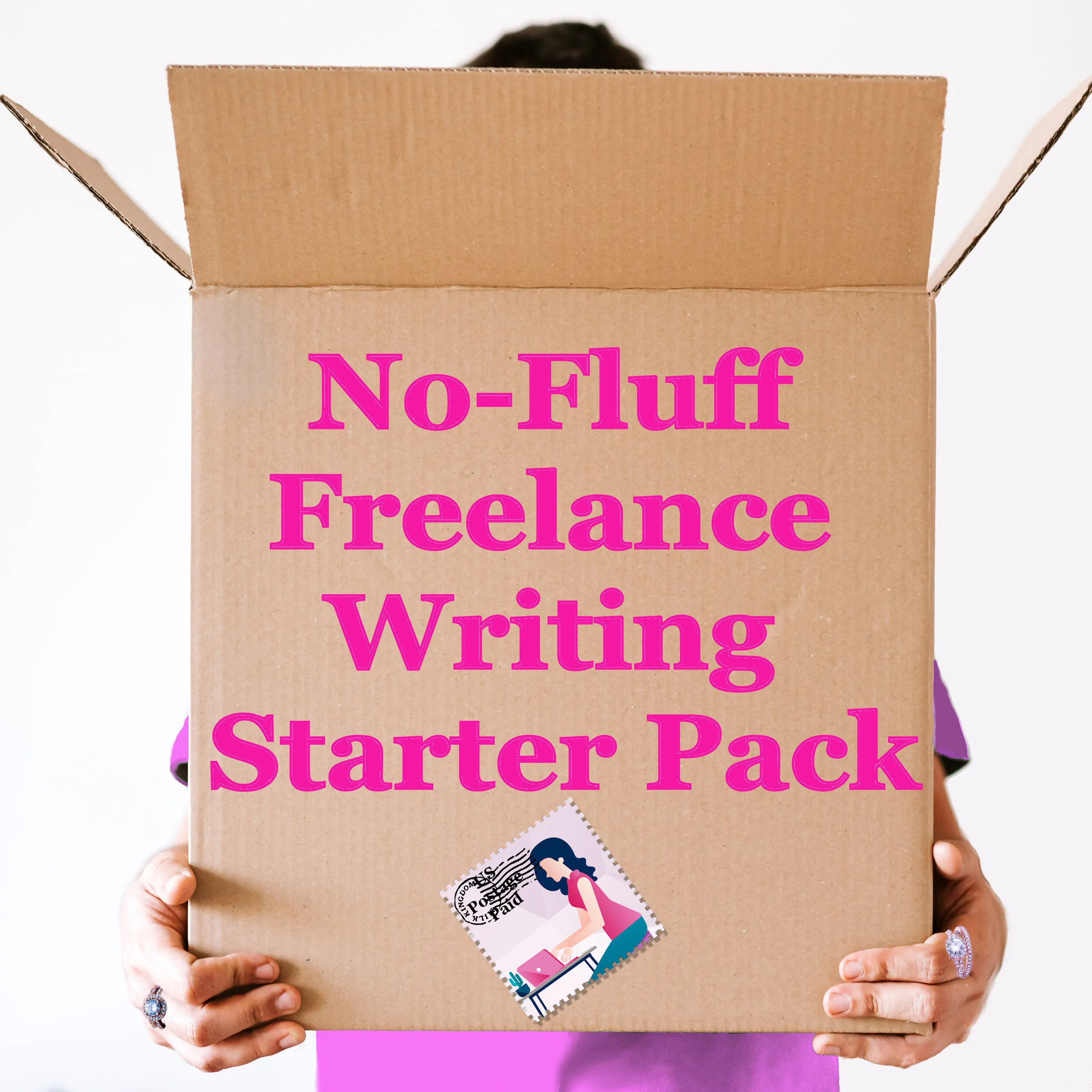
My No-Fluff Freelance Writing Starter Pack teaches you how I make a good living at home as a freelance writer.
Use my 20+ years of experience to build an at-home career that you’ll love without all the pitfalls.
The Pack includes my mega course, contract templates, invoice templates and more.
Learn how to:
Get clients
Create and organize clips
Pick a niche
Write awesome content that readers and clients will love
Use SEO and social media marketing in your business
Create contracts
And more!

15 Places Where You Can Find Freelance Writing Jobs
Looking for a freelance writing job? Try these free freelance writing job boards.
Looking for a freelance writing job? Try these free freelance writing job boards. Some of the links are custom-made searches I set up on popular sites so you’ll only be presented with remote writing jobs you can do from home.
Also, don’t forget to check back at nofluffwriter.com every Wednesday for writing gigs that are 100% remote.


What to Do When You Have Haters: How to Deal with Online Trolls Without Losing Your Cool
Here’s how to deal with people that don’t like what you write.
At one point, you’re going to get hit with comments about your articles that hurt. They say that you know you've hit the big time when you have haters. No matter how good you are or how eloquent you are, you're going to have some hateful comments on your website or social media content. It happens. Some people have nothing better to do than to be negative.
How to deal with online trolls
For example, I wrote an article for CNET about unusual things you can wash in the dishwasher. People got irate, to say the least. I was dumbfounded. It was an article about washing objects like kids toys in the dishwasher for Pete's sake. Someone on Twitter said that my dishwasher article was "irresponsible journalism, almost criminally so." People really take their dishwasher how-to tips too seriously. Criminally? It's not like I told people to wash their baby in the dishwasher. I didn't even suggest that puppies could be put in the dishwasher. The article was researched and tested.
Oh, well. You just have to shake it off and remember that even angry people are giving you page views, comments and other interaction that can help your content be successful.
Should You Answer a Comment?

how to reply to comments
The best way to respond is with silence. These type of people are looking for attention, begging for a fight. Answering them just fuels their little troll fire.
Of course, if the person commenting has a legitimate problem or question, address it. Make sure to be tactful, though. Thank them for their comment and answer with as few words as possible. The briefness will give them little room to argue if the person was just baiting you.
Put It Out of Your Mind and Your Social Media Account

you mad bro kermit
It's really hard to walk away when Facebook or Twitter alerts you to every reply on a post. I know it's a struggle for me! On Facebook you can turn off notifications for certain posts or you can block troublemakers. On Twitter you can put people on mute, which means you won't see any more comments or posts by that person, or you can block them.
Keep Cool, Calm and Collected

Above all, it is important to keep your cool and not to engage in a back-and-forth argument. People love sharing internet arguments and you may just find your comment battle going viral, which can destroy you or your brand's reputation.

Warning: Your Byline May Not Be Your Byline Forever
Bye, bye byline? Maybe! Here’s how to protect your byline.
As you may or may not know, I have been a writer for well over two decades. During that time I have written thousands of articles. A large portion of them no longer have my name as a byline. No, they weren’t ghostwritten. Losing your byline is a common problem in the content writing world, and I’ll tell you why.
Contracts and loopholes
When you create work for a website, unless you have a contract that states you retain rights, in the US the work is considered “work made for hire.” In this case, your client, the online magazine or site, gets the copyright for your work one it is paid for in full.
According to the US Copyright Office:
For legal purposes, when a work is a “work made for hire,” the author is not the individual who actually created the work. Instead, the party that hired the individual is considered both the author and the copyright owner of the work.
Whether a work is a work made for hire is determined by facts in existence at the time the work is created. There are two situations in which a work made for hire is produced:
(1) when the work is created by an employee as part of the employee’s regular duties and (2) when a certain type of work is created as a result of an express written agreement between the creator and a party specially ordering or commissioning the work. When a work is produced under these conditions, the employer or the party ordering or commissioning the work is considered the author and copyright owner.
What does this have to do with your byline? Very simply, once you have written the article and the site has paid for it, they can put whatever name they want as the byline because they own the article.
Why sites change bylines
Now, most sites don’t change the bylines to be sneaky and take credit for work that you did (though some do!). Most of the time, over the months or years after the article is live, publications will bring in other writers to update the article. The publication will then put that writer’s name as the byline. I’ve had this happen to my articles more times than I can count.
How to save your bylines
By this point, you’re probably a little disturbed. How are you supposed to build clips for your portfolio if a publication changes your byline? Years ago I would have suggested making sure that you retain rights to your articles, but most large sites and companies these days require that all contracts be work made for hire contracts. When it’s company policy, most editors don’t have the ability to change the contract for writers. So, what’s another option?
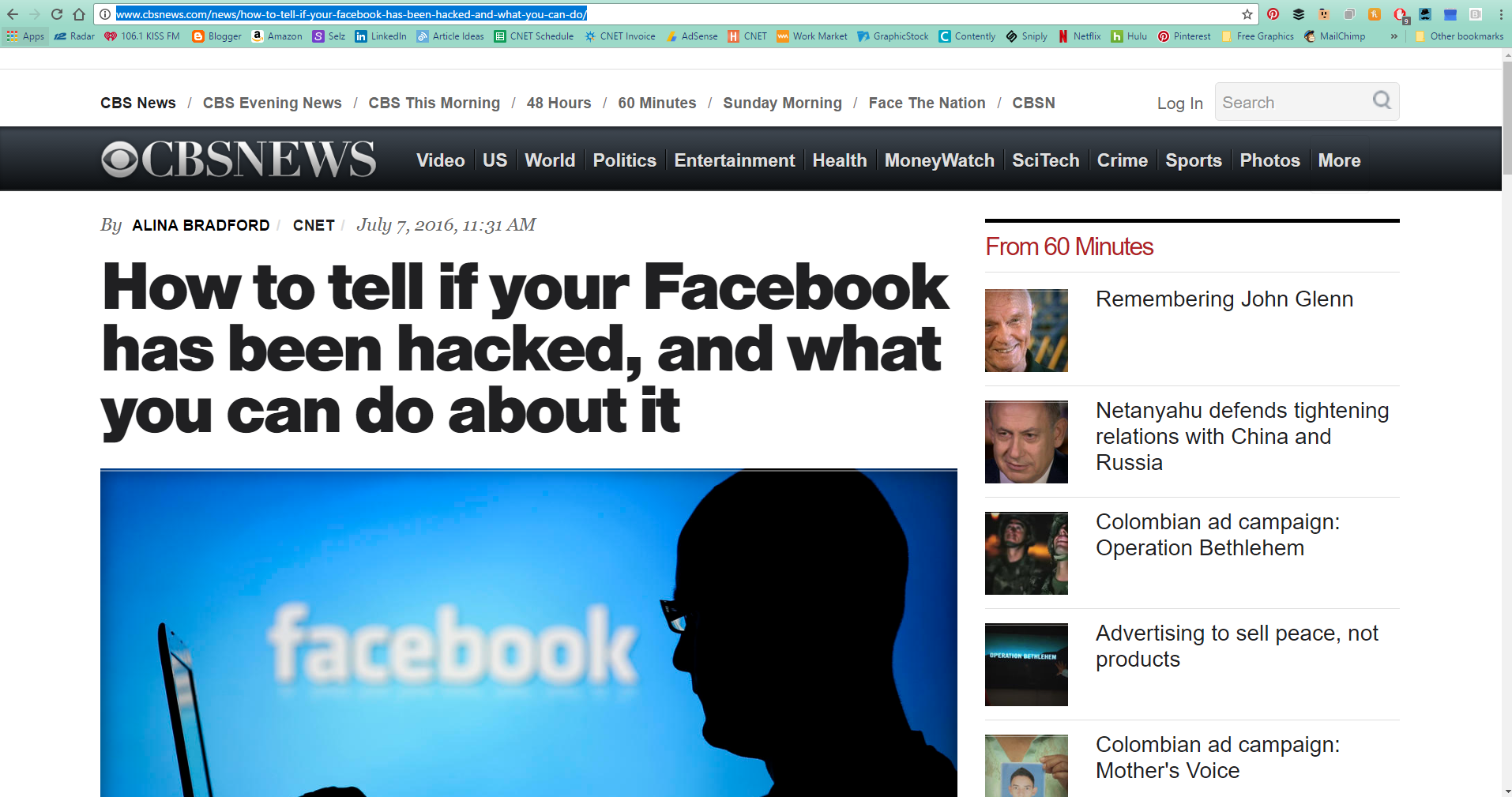
As soon as the article is published, take a full-page screenshot, including your byline and the site name or logo. Then, add the screenshot to your website.
To take a full-page screen shot that includes your entire article, there are several options. If you have Chrome as your browser you can use the GoFullPage extension. You can also use software like Snagit or a website like Web-capture.net. No matter what option you choose, be sure to save your clips so you can use them later.

Getting Ghosted by an Editor? Here's Why
Just about any writer that has been working with publications for a year or more has run into the magical disappearing editor. Here's why they disappear and how to solve the problem.
One of the most frustrating things that happens to us freelance writers is an editor that ghosts for no apparent reason. They loved your work and you had a great relationship. Why the silence all the sudden? Why can’t they email you back? Is it your pitches? I’ve had this happen to me many times, and there’s one major reason why editors don’t reply.

Change happens…often
First of all, it’s probably not your fault. In the publication world, editors come and go frequently. And when an editor joins a publication, they get an email address that is specifically for that publication. When the editor moves to a new publication, no on is checking that old email address anymore, so all of your emails go unread.
Why some editors just leave and don’t tell their writers is beyond me. (You’d think they would want to keep their writers happy just incase they need them again in the future.) Once they leave, your connection with that editor is severed…unless…
You keep connected with editors

You need to take action when you make a connection with a new editor. Once you’ve made contact with an editor at a publication, make sure to connect with them on LinkedIn. That way, no matter where their career takes them, you can still get in touch with them about an article idea.
When reaching out, make sure to remind them about who you are in the connection message. Something like, “Hi, Amy. We recently worked together at XYZ Magazine on an article about ghosts in Texas boarding houses. I would love to connect here on LinkedIn.” Chances are, your connection will be accepted, and who knows, they may even offer you another chance to pitch an article.
BTW
If you haven’t heard back after just one email, an editor could have just missed your email. Sending a follow-up with your original message copy and pasted in the new email is always smart after about a week with no reply. If you don’t hear back after a follow-up, the editor may have moved on.

10 Free Sites for Creating Amazing Article Content
You don't need to hire a designer to create memes, website images and infographics to make your content go viral, either. Here is everything you need in one list.
I know a lot of you want to design your own visuals for your client's articles or blog content. It just makes you look good as a writer. If you listen to many website gurus, you may think you need Photoshop to create fantastic images for your content site. Not true!
There's no reason to spend almost $700 on software that will take you months to learn when there are free photo editing tools online that take no skills what so ever. You don't need to hire a designer to create memes, website images and infographics to make your content go viral, either. Here is everything you need in one list.

Free Photo Editing Software
Let your photos no longer be boring and unedited. Try out a couple of these free photo editing tools. You'll be adding some snap to your content in no time.

pablo photo editor
1. Pablo
Have you ever lusted after those sites that have beautiful article images overlaid with pretty quotes or the titles of their articles? Well lust no more. Pablo by Buffer provides you with the beautiful stock images, the fonts and the layering capability. All you need to do is come up with the text.
be funky photo editing
2. Be Funky
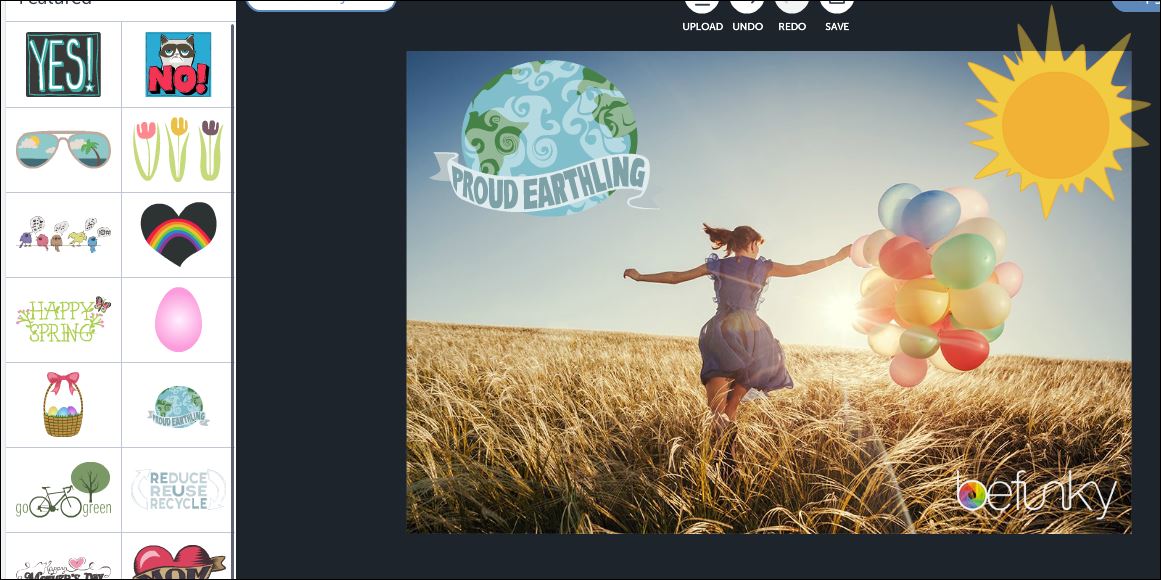
I love Be Funky. You can use their tools to make your photos totally retro, in a good way. Groovy! They also have stock photos you can use for free.
pic monkey photo editing
3. Pic Monkey
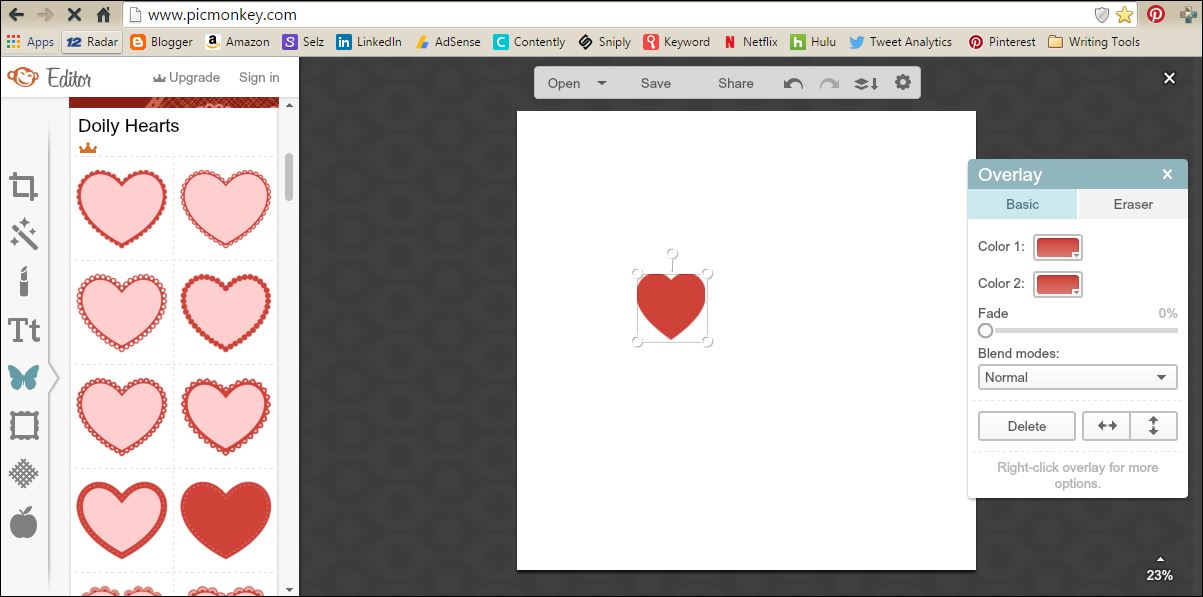
Pic Monkey is one of the most popular free photo editing software sites out there, and for good reason. Not only does it give you the capability to edit photos, you can also use it to create far out photo projects with overlays, frames, textures and more.
4. GIMP
When you need a huge amount of editing tools, but like a zero on the price tag, consider downloading GIMP. Think of GIMP as Photoshop's ugly twin. They both have tons of features, but GIMP is a little clunkier to use. Hey, the price is right, though!
Free Tools to Make Memes, Infographics and More Content
Memes, infographics, gifs and other visuals can help make your content go viral. A lot of the bigger sites hire people to create these visuals for them, but if you are on a tight budget, these free tools can get the job done in a pinch.
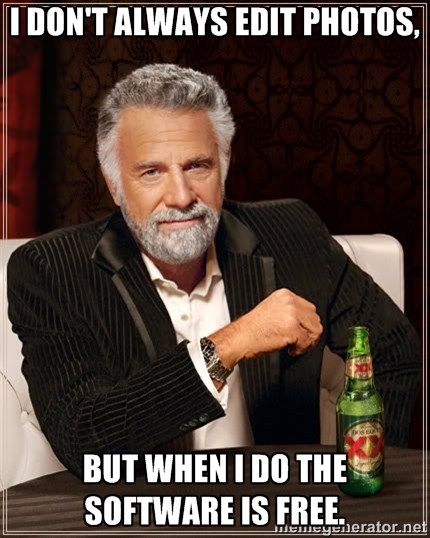
free photo editing software
5. Meme Generator
Everyone is mad for memes and the Meme Generator makes creating your own simple and quick. Just browse through premade memes, add your own text, download them, and you're in business. Or, you can start from scratch with your own photo. Just upload your photo, fill in the text fields and boom! You've made your own meme.
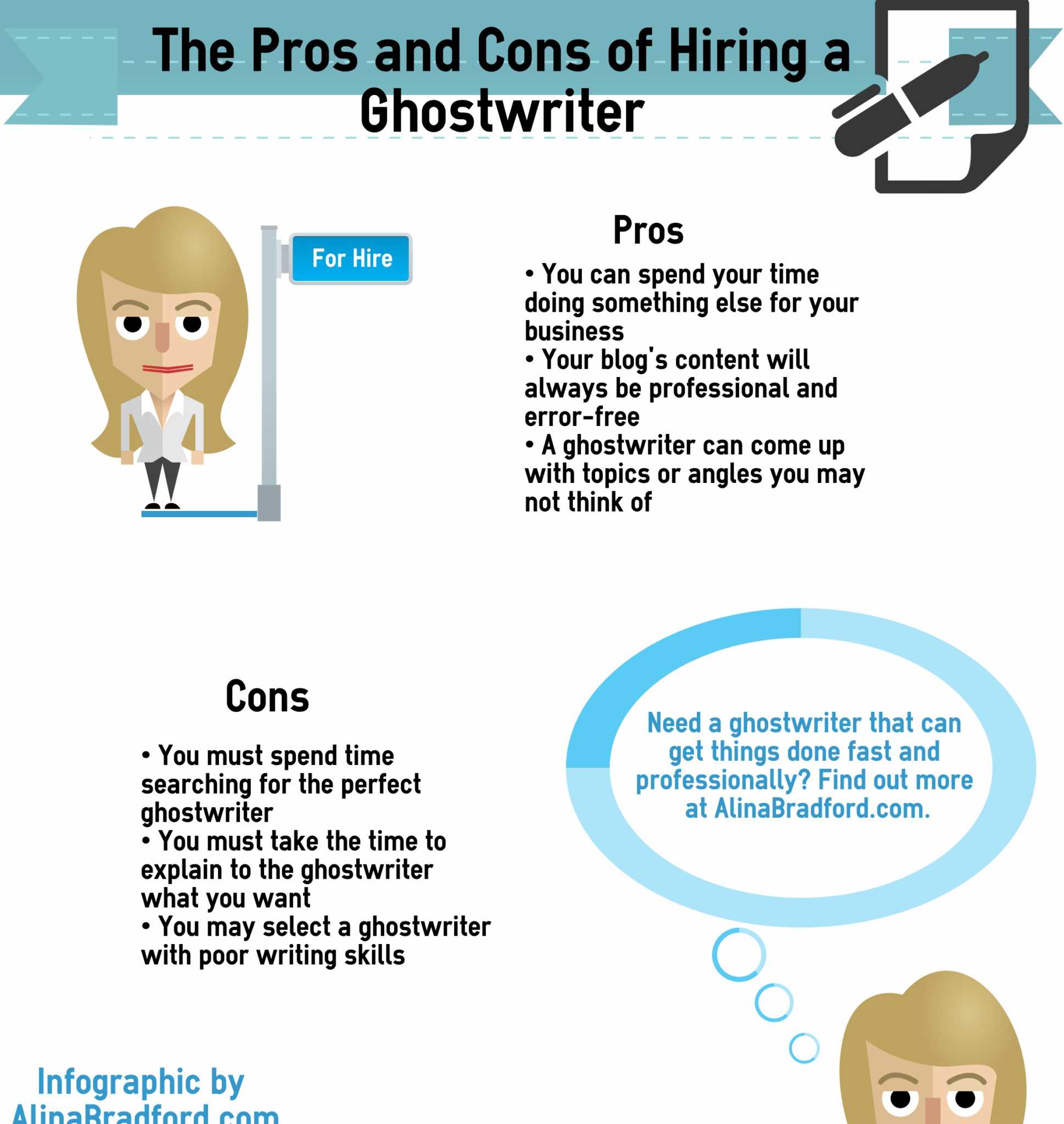
Easily content
6. Easel.ly
Easel.ly is easily the most awesome visual tool I use. (See what I did there?) It gives you everything you need to create stunning infographics and simple drag-and-drop tools. I use it constantly for myself and my customers. The best part? Easel.ly creates code so that you can embed your infographic on websites.
The free version has a lot of great visuals to start with, but if you want to go pro, I recommend upgrading.
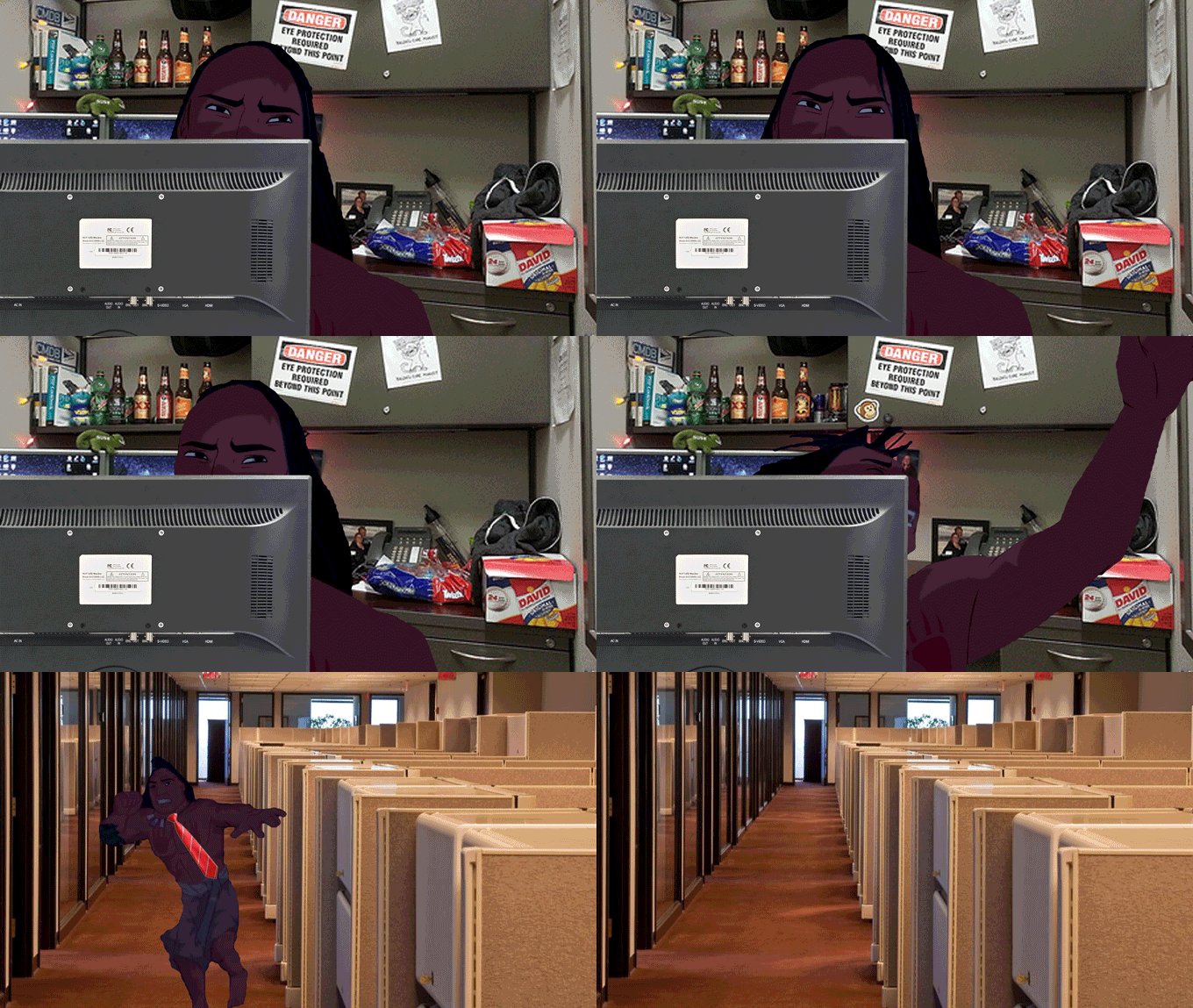
giphy free gifs content
7. Giphy
Sometimes you just need a snappy gif to make your blog post or social media post just a little more special. Never fear, Giphy is here to supply you will all the gifs your heart could possibly desire, for free.
8. Three Graphs
Need a chart to illustrate some stats? Three Graphs is the site to hit up. You can create a variety of different types of charts, choose your chart's colors and more.
9. Siege Media Embedded Code Generator
How many times have you created an awesome visual and then wanted to allow people to share it, but remembered you don't know a thing about creating embedded code? I've been there! The solution is using Siege Media Embedded Code Generator. No skill required!
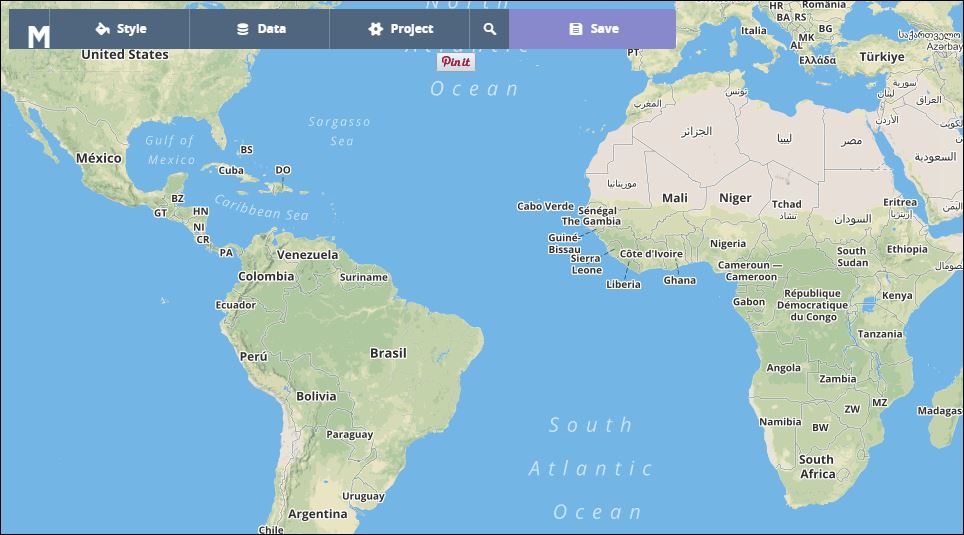
how to make your own customized map
10. MapBox
Maps are a cool visual that's not utilized as often as it should be. MapBox makes creating your own maps easy and, dare I say it, fun. Just input your data and you're map comes out like you hired Magellan.
Got any image creation tools or sites you're dying to share? Let me know!

This Strange Technique Will Help You Get Over Writer's Block
If you’re a writer — of books, essays, scripts, blog posts, whatever — you’re familiar with the phenomenon: the blank screen, a looming deadline, and a sinking feeling in your gut that pairs poorly with the jug of coffee you drank earlier. Here’s how to fix it using your voice.
Ever heard of Automatic Transcription? Yah, me neither. It is an unusual way writers can get rid of writer’s block. This guest article by Jason Kincaid was originally published by Descript and has been posted here with their permission:
If you’re a writer — of books, essays, scripts, blog posts, whatever — you’re familiar with the phenomenon: the blank screen, a looming deadline, and a sinking feeling in your gut that pairs poorly with the jug of coffee you drank earlier.
If you know that rumble all too well: this post is for you. Maybe it’ll help you get out of a rut; at the very least, it’s good for a few minutes of procrastination.
Here’s the core idea: thinking out loud is often less arduous than writing. And it’s now easier than ever to combine the two, thanks to recent advances in speech recognition technology.

Of course, dictation is nothing new — and plenty of writers have taken advantage of it. Carl Sagan’s voluminous output was facilitated by his process of speaking into an audio recorder, to be transcribed later by an assistant (you can listen to some of his dictations in the Library of Congress!) And software like Dragon’s Naturally Speaking has offered automated transcription for people with the patience and budget to pursue it.
But it’s only in the last couple of years that automated transcription has reached a sweet spot — of convenience, affordability and accuracy—that makes it practical to use it more casually. And I’ve found it increasingly useful for generating a sort of proto-first draft: an alternative approach to the painful process of converting the nebulous wisps inside your head into something you can actually work with.
I call this process idea extraction (though these ideas may be more accurately dubbed brain droppings).
Part I: Extraction

Here’s how my process works. Borrow what works for you and forget the rest — and let me know how it goes!
Pick a voice recorder. Start talking. Try it with a topic you’ve been chewing on for weeks — or when an idea flits your head. Don’t overthink it. Just start blabbing.
The goal is to tug on as many threads as you come across, and to follow them as far as they go. These threads may lead to meandering tangents— and you may discover new ideas along the way.
A lot of those new ideas will probably be embarrassingly bad. That’s fine. You’re already talking about the next thing! And unlike with text, your bad ideas aren’t staring you in the face.
Consider leaving comments to yourself as you go — e.g. “Maybe that’d work for the intro”. These will come in handy later.
For me, these recordings run anywhere from 20–80 minutes. Sometimes they’re much shorter, in quick succession. Whatever works.
Part II: Transcription
Once I’ve finished recording, it’s time to harness ⚡️The Power of Technology⚡️
A little background: over the last couple of years there’s been an explosion of tools related to automatic speech recognition (ASR) thanks to huge steps forward in the underlying technologies.
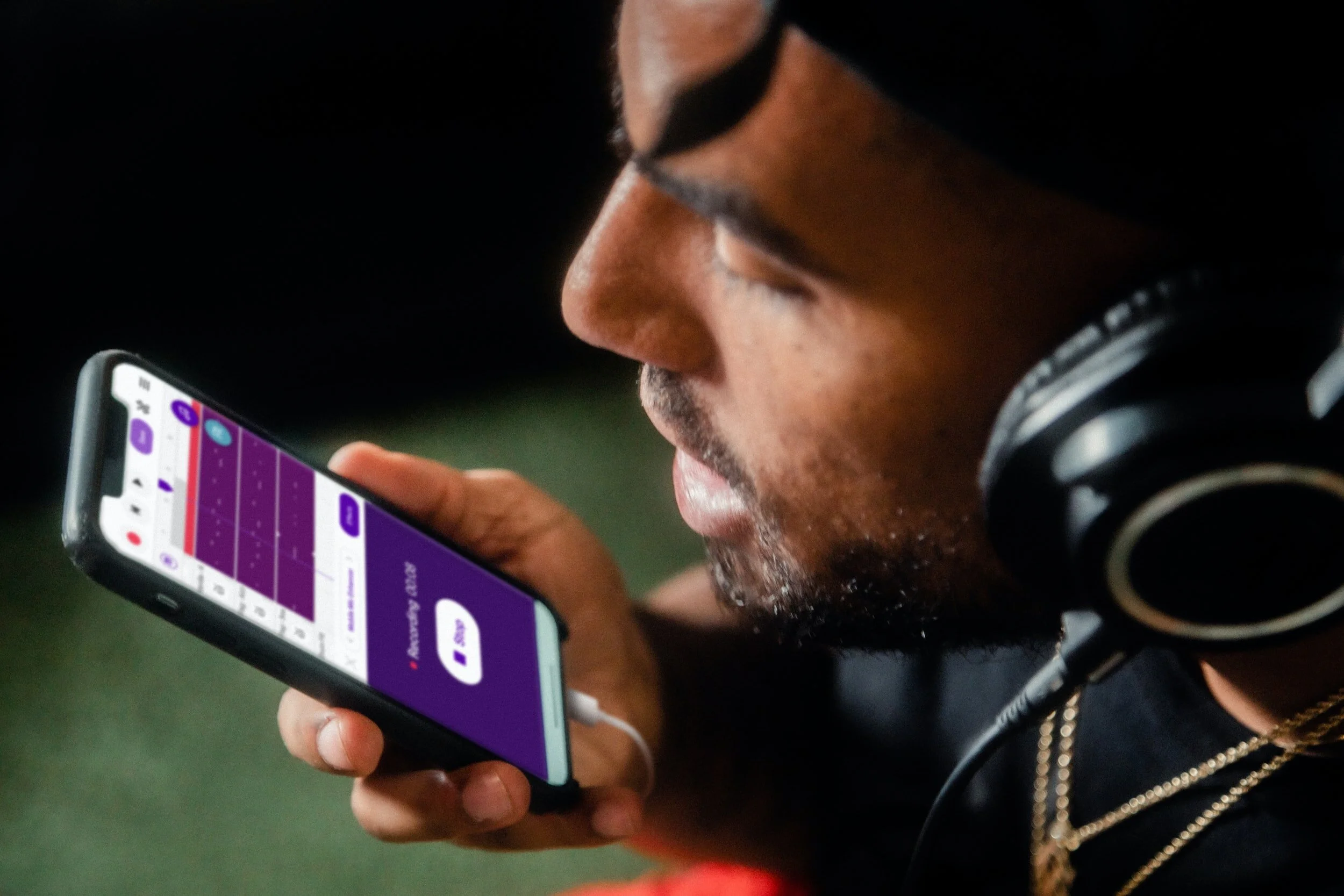
Here’s how ASR works: you import your audio into the software, the software uses state-of-the-art machine learning to spit back a text transcript a few minutes later. That transcript won’t be perfect—the robots are currently in the ‘Write drunk’ phase of their careers. But for our purposes that’s fine: you just need it to be accurate enough that you can recognize your ideas.
Once you have your text transcript, your next step is up to you: maybe you’re exporting your transcript as a Word doc and revising from there. Maybe you’re firing up your voice recorder again to dictate a more polished take. Maybe only a few words in your audio journey are worth keeping — but that’s fine too. It probably didn’t cost you much (and good news: the price for this tech will continue to fall in the years ahead).
A few more tips:
Use a recorder/app that you trust. Losing a recording is painful — and the anxiety of losing another can derail your most exciting creative moments (“I hope this recorder is working. Good, it is... @#*! where was I?”)
Audio quality matters when it comes to automatic transcription. If your recording has a lot of background noise or you’re speaking far away from the mic, the accuracy is going to drop. Consider using earbuds (better yet: Airpods) so you can worry less about where you’re holding the recorder.
Find a comfortable space. Eventually you may get used to having people overhear your musings, but it’s a lot easier to let your mind “go for a walk” when you’re comfortable in your environment.
Speaking of walking: why not go for a stroll? The pains of writing can have just as much to do with being stationary and hunched over. Walking gets your blood flowing — and your ideas too.
I have a lot of ideas, good and bad, while I’m thinking out loud and playing music at the same time (in my case, guitar — but I suspect it applies more broadly). There’s something about playing the same four-chord song on auto pilot for the thousandth time that keeps my hands busy and leaves my mind free to wander.

The old ways of doing things — whether it’s with a keyboard or pen — still have their advantages. Putting words to a page can force a sort of linear thinking that is otherwise difficult to maintain. And when it comes to editing, it’s no contest: QWERTY or bust.
But for getting those first crucial paragraphs down (and maybe a few keystone ideas to build towards)? Consider talking to yourself. Even if you wind up with a transcript full of nothing but profanity — well, have you ever seen a transcript full of profanity? You could do a lot worse.

The Warning Signs of a Trouble Client & How to Safeguard Your Writing Business
There’s nothing worse than a crappy client. As a freelance writer, one of the most important skills you can hone is how to sidestep a potentially bad client.
It’s inevitable. As a freelance writer, you’re going to come across some real turds. There will be people who want to pay you pennies. People who ask too much for too little. People who refuse to pay.
One of the most important skills you can hone is how to sidestep a potentially bad client. Knowing how to do this well will save you time and allow you to make more money in the long run.

Ugg…One of those
I often get emails asking me to write thousands of words for at $10 to $20 a pop. I typically end up telling them my regular clients pay me more than quadruple that or more for the same services. This usually makes them angry. (Not always, but usually.) Low-balling is the first sign that a client is not worth your time. They often haggle, then don't pay at all. If they do pay, they'll be big pains in the ass the entire way through.
This is just one sign of a client that will give you more headaches than dollar signs. Here's some more.
How to tell if a client will be a PITA

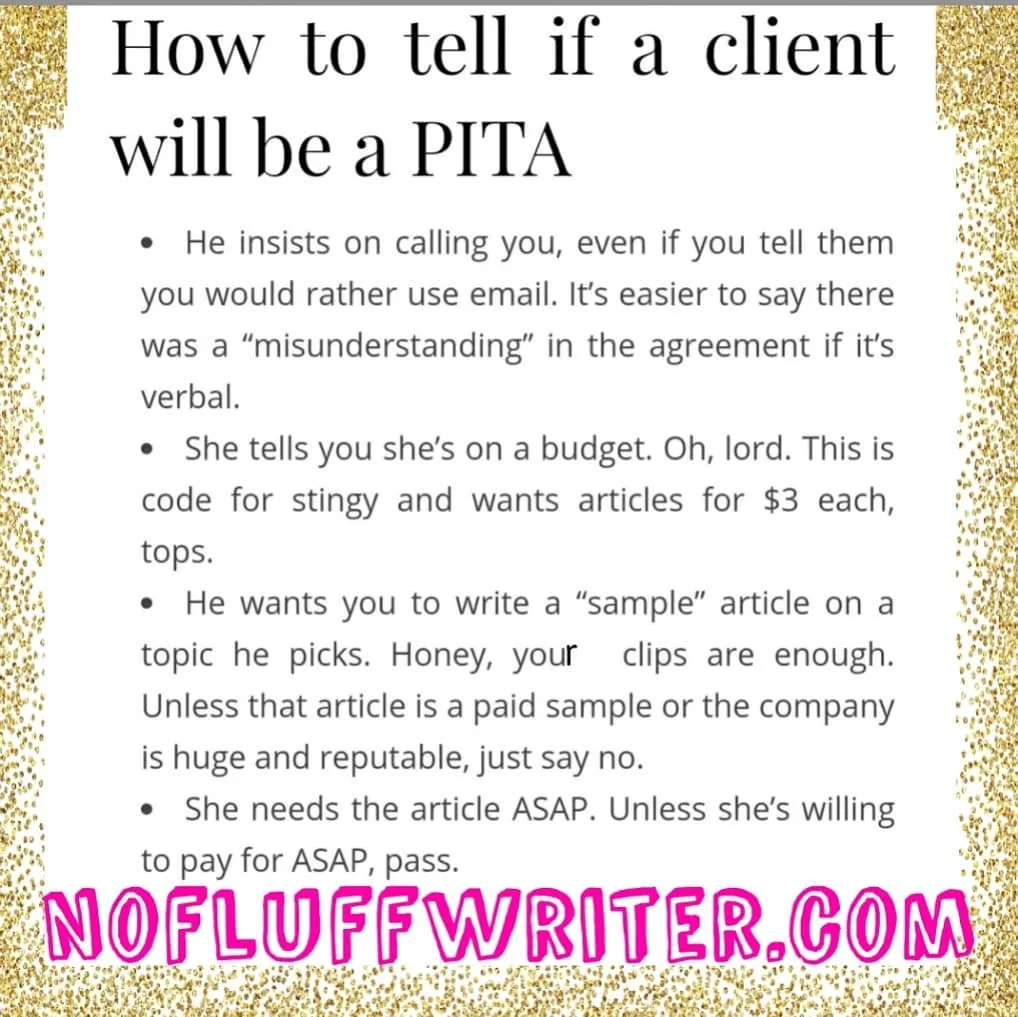
He insists on calling you, even if you tell them you would rather use email. It's easier to say there was a "misunderstanding" in the agreement if it's verbal.
She tells you she's on a budget. Oh, lord. This is code for stingy and wants articles for $3 each, tops.
He wants you to write a "sample" article on a topic he picks. Honey, your clips are enough. Unless that article is a paid sample or the company is huge and reputable, just say no.
She needs the article ASAP. Unless she's willing to pay for ASAP, pass.
email riten lik this. their uprofess inal and un trust worthy. (Yes, I wrote it that way as an illustration. Don't send me emails!)
Ghosts for several days before answering your emails.
Hates everything you do or wants major edits. Typically, the cheaper the client, the more edits they'll want.
Has a long chain of command that must approve all work you do.
Promises "exposure."
Promises that they will pay more in the future if their business takes off. This should go without saying! Damn skippy you will.
Barrages you with emails in a very short amount of time about the project, even though you haven't agreed to do it yet.
How to prevent bad clients

Well, obviously, first you look for any of the warning signs above. There are some other tactics you can take to ensure you always get paid and you have happy working experiences. You can read more about how to deal with clients here, but here’s some good tips to start:
Be sure to get payment upfront (or at least half). If they refuse they can't afford you or don't trust you. Neither make for a happy work environment.
Make your terms clear on your website. Here's a look at mine.
Don't be afraid to say no if you get a funny feeling. Listen to your gut.
Even if you're new to freelance writing, don't let a potential client bully you into insulting rates. Even as a newbie you still know more than your client, and that's worth a lot.
Avoid scope creep by refusing to do work that wasn’t agreed to without adding more money to your fee.
Make sure you get everything in writing, whether that be a formal contract or emails. Trust me. You'll thank me later when crap hits the fan.
Need more good paying clients? Read my book The Fluff-Free Freelance Writing Master Course: The only course that gives you concrete, actionable information to building a successful freelance business without any fluff.

How Much Should I Get Paid for Freelance Writing?
"How much should I get paid for freelance writing?" I hear this question all the time. For my No-Fluff readers out there I'll break it down.
"How much should I get paid for freelance writing?" I hear this question all the time. I could just answer with a vague, "It depends," (because it really does!) but for my No-Fluff readers out there I'll break it down. Here are the basics to determining how much to charge as a freelance writer, no matter if you’re new, or have been a professional writer for years.

How Much Money Do You Need?
Before anything else, you need to decide how much money you need. You see, you can make anything from a few dollars to a few thousand dollars per week. As a freelancer, you get to decide what you get paid and what hours you work. So sit down and do the math.
Start by deciding how much money you need to survive each month. That includes paying bills and buying essentials like clothing, food, medicine, etc.
Take your first figure and decide how much more than that you would need to live comfortably, meaning you could afford a few extras or keep your savings account well fed.
Now, break that monthly total down into how much money you need to make per week by dividing the amount by four.
Find the daily amount by dividing your weekly amount by seven or however many days you want to work per week.
Finally, decide how many hours you want to work per day.
How much you charge per hour, multiplied the number of hours you want to work per day, should equal how much money you need to earn per day.
So: What you want to make / Number of hours you want to work = Hourly fee

Say I decided that I needed to earn $2,000 per week to live comfortably. Then assume I only want to work five days a week so that I have weekends off and I only want to work five hours per day, tops. That means I need to make $400 per day. To achieve this, I charge a minimum of $80 per hour.
Charging by the project
Usually, freelance writers don’t charge by the hour, they charge by the project. For example, I wouldn’t tell clients I charge $80 per hour. I charge a set price for a project by deciding how many hours it will take me. So a blog post that will take me around two hours would cost a client around $160, bare minimum.
My prices are higher than my bare minimum, though. The bare minimum is just a guideline so I know how low I can haggle with a client without shooting myself in the foot. Also, I usually round up to the nearest $100. So, the cost would come out to $200. Why? Because I can! I also round up the hours. If it will take me 30 minutes, I charge for an hour.
Consider all the factors
There are some other factors that can add to your bare minimum pricing. Add more to the price if the piece needs interviews, research, images… or the client seems like they are going to be a pain in the butt (more on how to deal with them here).
Articles per day matter, too
We’re still not done. Now you need to decide how many articles per day you want to do. With the example above, if I charged $100 per article, I would need to write 20 articles a week or four articles per day to make my $2,000 per week goal. But that’s a lot of articles. I myself can’t write four a day. My limit is two.
If your brain blitzes out after one article, then you’ll only be able to do one article per day. No need to be ashamed or try to press yourself past your limit. That will lead to poor product quality and burnout.
Ultimately, you’ll need to up your rate to meet your income needs and your mental needs.
Experience

But Alina, you may be saying, if I only write one article per day and my goal is $2,000 per month, I would need to charge $400 per article and I’m not experienced enough to charge that much! To that I would say, maybe. If you’re approaching clients and proposing charging that much, I would agree. But there’s a loophole.
There are plenty of online magazines that will pay that and more. All you need to do is come up with a great idea, pitch it, and then nail the article. Now, I know it’s harder than that, but most editors don’t care if you’re new if you have a great idea and you can prove you can write well with a couple of clips. So, you have the potential to make way more than your minimum per article, meaning you can write less to meet your goals.
Make sense?
In the end, my answer to the question, "How much should I get paid for freelance writing," is simply:
"How much do you want to get paid?"
Want more great tips like these? Read my book:

Do You Write Weak Words? Find out!
Make your writing stronger with these tweaks!
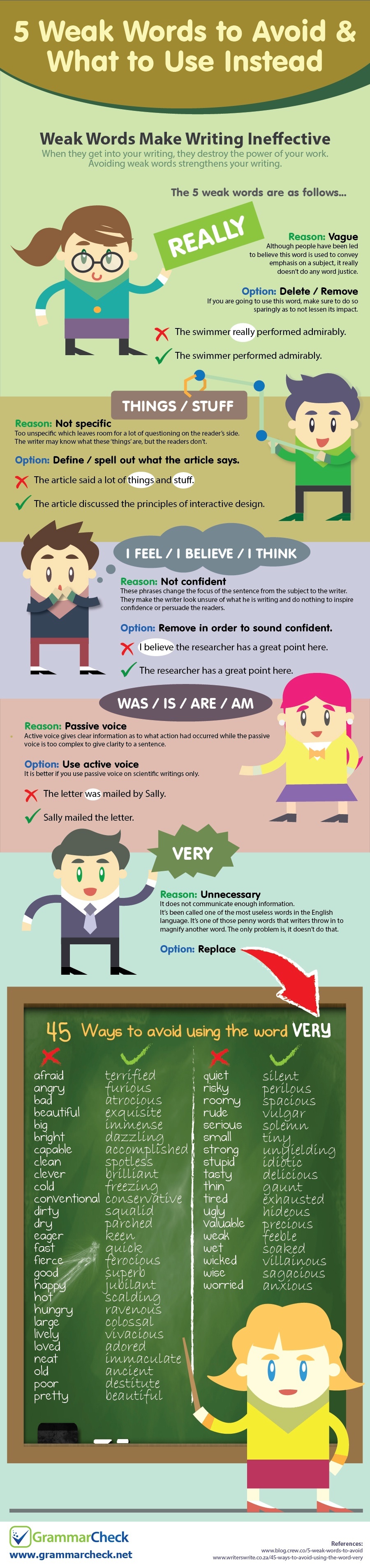
How strong are the words you write? Weak words can leave your articles, blogs, social media posts, and more, insubstantial. Here's how to find your wilty words and plump them up with interesting alternatives thanks to this illuminating infographic.
Source: www.grammarcheck.net

140+ Keyboard shortcuts to make writing faster
Here’s a huge list of shortcuts and why you need them in your life.
I’ve been seeing a post going around Facebook about keyboard shortcuts that can save you time while writing. It’s information that’s well known to people who have been writing (or just typing!) for a long time, so I thought I would share a big long list with you, just in case you didn’t know all of the PC keyboard shortcuts. Here’s the shortcuts and why you need them in your life.
What are keyboard shortcuts?
What are keyboard shortcuts? The are keys you press to signal to your computer that you want a certain function. For example, the most common shortcut is pressing the CTRL button and the C button to copy highlighted text on the screen. There are around dozens of combinations.
Benefits of memorizing keyboard shortcuts
Just by memorizing the shortcuts you’ll use most, you can shave massive amounts of time off your writing sessions over a day, a month, and a year. I know, I used to be stubborn, too, and wouldn’t learn them. I mean, how long does it really take to use your mouse to click on the Bold or Italic option in WordPress or Microsoft Word?
Over time, I realized that taking my hands off the keyboard to reach for my mouse halted my thought process and it took a bit to get back on track once my hands were back on the keyboard. So, keyboard shortcuts let me process my thoughts much faster, saving a lot of time.
How to memorize keyboard shortcuts
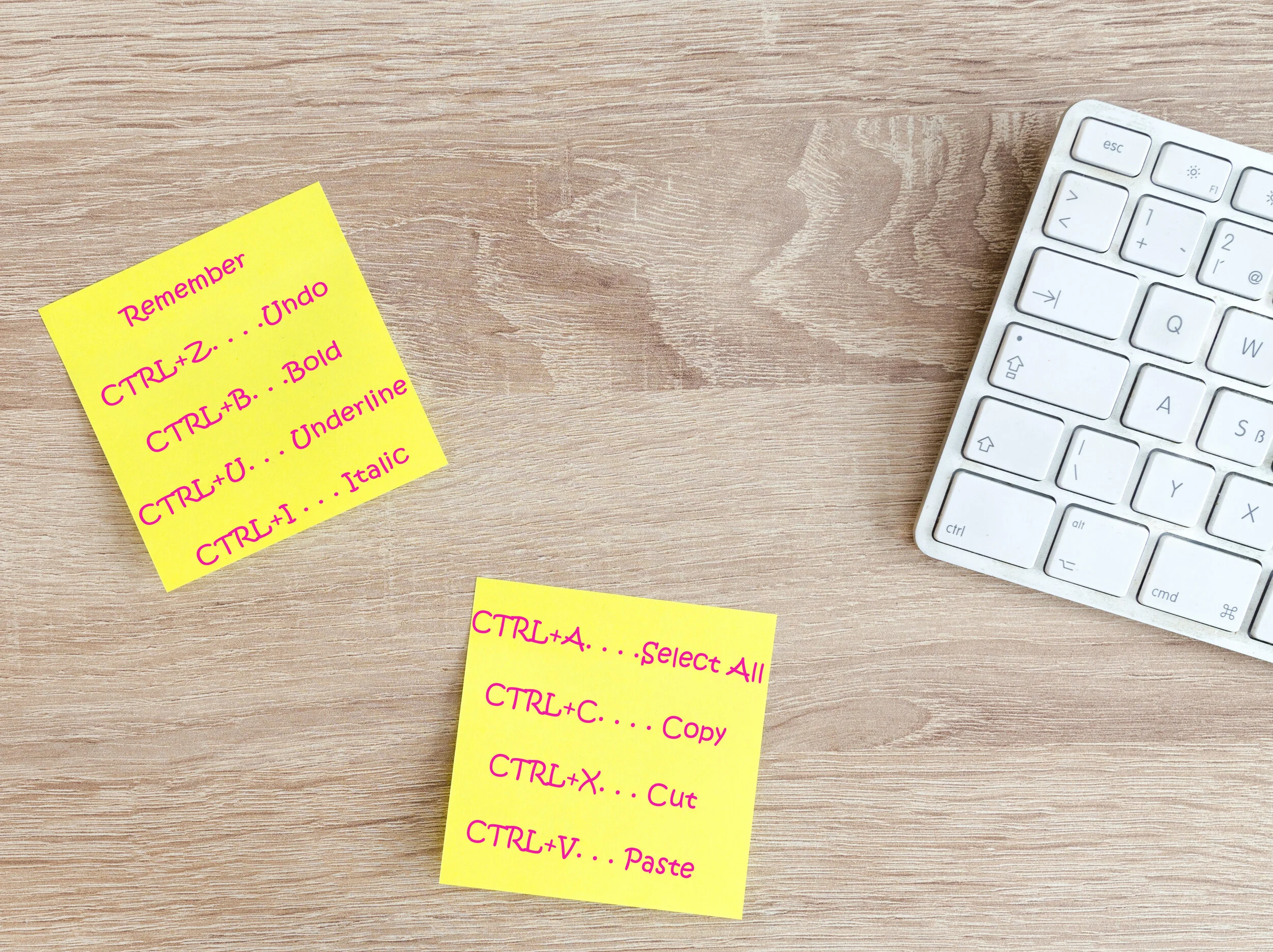
Be sure to print these out and keep them by your computer so that you can glance at them while your writing and start using them. Even better, write a few down on a sticky note and post them somewhere near your screen until you have them memorized. Then, post some more. Before you know it, you’ll have them all memorized!
Keyboard shortcuts to make writing faster
Okay, No-Fluff writer. Without further ado, I present to you the list of keyboard shortcuts that will make your typing faster, and a few that will help with flipping back and forth while researching, reading emails, and other tasks:
GENERAL SHORTCUTS (the first 8 generally work on most programs or content management system, like Wordpress for example)
CTRL+A. . . . . . . . . . . . . . . . . Select All
CTRL+C. . . . . . . . . . . . . . . . . Copy
CTRL+X. . . . . . . . . . . . . . . . . Cut
CTRL+V. . . . . . . . . . . . . . . . . Paste
CTRL+Z. . . . . . . . . . . . . . . . . Undo
CTRL+B. . . . . . . . . . . . . . . . . Bold
CTRL+U. . . . . . . . . . . . . . . . . Underline
CTRL+I . . . . . . . . . . . . . . . . . Italic
F1 . . . . . . . . . . . . . . . . . . . . . . Help
F2 . . . . . . . . . . . . . . . . . . . . . Rename selected object
F3 . . . . . . . . . . . . . . . . . . . . . Find all files
F4 . . . . . . . . . . . . . . . . . . . . . Opens file list drop-down in dialogs
F5 . . . . . . . . . . . . . . . . . . . . . Refresh current window
F6 . . . . . . . . . . . . . . . . . . . . . Shifts focus in Windows Explorer
F10 . . . . . . . . . . . . . . . . . . . . Activates menu bar options
ALT+TAB . . . . . . . . . . . . . . . . Cycles between open applications
ALT+F4 . . . . . . . . . . . . . . . . . Quit program, close current window
ALT+F6 . . . . . . . . . . . . . . . . . Switch between current program windows
ALT+ENTER. . . . . . . . . . . . . . Opens properties dialog
ALT+SPACE . . . . . . . . . . . . . . System menu for current window
ALT+¢ . . . . . . . . . . . . . . . . . . opens drop-down lists in dialog boxes
BACKSPACE . . . . . . . . . . . . . Switch to parent folder
CTRL+ESC . . . . . . . . . . . . . . Opens Start menu
CTRL+ALT+DEL . . . . . . . . . . Opens task manager, reboots the computer
CTRL+TAB . . . . . . . . . . . . . . Move through property tabs
CTRL+SHIFT+DRAG . . . . . . . Create shortcut (also right-click, drag)
CTRL+DRAG . . . . . . . . . . . . . Copy File
ESC . . . . . . . . . . . . . . . . . . . Cancel last function
SHIFT . . . . . . . . . . . . . . . . . . Press/hold SHIFT, insert CD-ROM to bypass auto-play
SHIFT+DRAG . . . . . . . . . . . . Move file
SHIFT+F10. . . . . . . . . . . . . . . Opens context menu (same as right-click)
SHIFT+DELETE . . . . . . . . . . . Full wipe delete (bypasses Recycle Bin)
ALT+ underlined letter . . . . Opens the corresponding menu
Document Cursor Controls
HOME . . . . . . . . . . . . . . to beginning of line or far left of field or screen
END . . . . . . . . . . . . . . . . to end of line, or far right of field or screen
CTRL+HOME . . . . . . . . to the top
CTRL+END . . . . . . . . . . to the bottom
PAGE UP . . . . . . . . . . . . moves document or dialog box up one page
PAGE DOWN . . . . . . . . moves document or dialog down one page
ARROW KEYS . . . . . . . move focus in documents, dialogs, etc.
CTRL+ > . . . . . . . . . . . . next word
CTRL+SHIFT+ > . . . . . . selects word
SPECIAL CHARACTERS
Alt 0145 . . . ‘ Opening single quote
Alt 0146. . . . ‘ Closing single quote
Alt 0147. . . “ Opening double quote
Alt 0148. . . “ Closing double quote
Alt 0150… – En dash
Alt 0151… — Em dash
Alt 0133… Ellipsis
Alt 0149… • Bullet
Alt 0174… ® Registration Mark
Alt 0169… © Copyright
Alt 0153… ™ Trademark
Alt 0176… ° Degree symbol
Alt 0162… ¢ Cent sig
Alt 0188… 1⁄4
Alt 0189… 1⁄2
Alt 0190… 3⁄4
Alt 0233… é
Alt 0201… É
Alt 0241… ñ
Alt 0247… ÷
FILE MENU OPTIONS IN A CURENT PROGRAM
Alt + E… Edit options in current program
F1… Universal help (for all programs)
Ctrl + A… Select all text
Ctrl + X… Cut selected item
Shift + Del… Cut selected item
Ctrl + C… Copy selected item
Ctrl + Ins… Copy selected item
Ctrl + V… Paste
Shift + Ins… Paste
Home… Go to beginning of current line
Ctrl + Home… Go to beginning of document
End… Go to end of current line
Ctrl + End… Go to end of document
Shift + Home… Highlight from current position to beginning of line
Shift + End… Highlight from current position to end of line
Ctrl + f… Move one word to the left at a time
Ctrl + g… Move one word to the right at a time
MICROSOFT WINDOWS SHORTCUT KEYS
Alt + Tab… Switch between open applications
Alt + Shift + Tab… Switch backwards between open applications
Alt + Print Screen… Create screen shot for current program
Ctrl + Alt + Del Reboot/Windows®… task manager
Ctrl + Esc… Bring up start menu
Alt + Esc… Switch between applications on taskbar
F2.. Rename selected icon
F3… Start find from desktop
F4… Open the drive selection when browsing
F5… Refresh contents
Alt + F4… Close current open program
Ctrl + F4… Close window in program
Ctrl + Plus Key… Automatically adjust widths of all columns in Windows Explorer
Alt + Enter… Open properties window of selected icon or program
Shift + F10… Simulate right-click on selected item
Shift + Del… Delete programs/files permanently
Holding Shift During Bootup… Boot safe mode or bypass system files
Holding Shift During Bootup when putting in an audio CD, will prevent CD Player from playing
WINKEY SHORTCUTS
WINKEY + D… Bring desktop to the top of other windows
WINKEY + M… Minimize all windows
WINKEY + SHIFT + M… Undo the minimize done by WINKEY + M and WINKEY + D
WINKEY + E… Open File Explorer
WINKEY + Tab… Cycle through open programs on taskbar
WINKEY + F… Display the Windows® Search/Find feature
WINKEY + CTRL + F… Display the search for computers window
WINKEY + F1… Display the Microsoft® Windows® help
WINKEY + R… Open the run window
WINKEY + Pause /Break… Open the system properties window
WINKEY + U… Open utility manager
WINKEY + L… Lock the computer (Windows XP® & later)
OUTLOOK SHORTCUT KEYS
Alt + S… Send the email
Ctrl + C… Copy selected text
Ctrl + X… Cut selected text
Ctrl + P… Open print dialog box
Ctrl + K… Complete name/email typed in address bar
Ctrl + B… Bold highlighted selection
Ctrl + I… Italicize highlighted selection
Ctrl + U… Underline highlighted selection
Ctrl + R… Reply to an email
Ctrl + F… Forward an email
Ctrl + N… Create a new email
Ctrl + Shift + A… Create a new appointment to your calendar
Ctrl + Shift + O… Open the outbox
Ctrl + Shift + I… Open the inbox
Ctrl + Shift + K… Add a new task
Ctrl + Shift + C… Create a new contact
Ctrl + Shift+ J… Create a new journal entry
WORD SHORTCUT KEYS
Ctrl + A… Select all contents of the page
Ctrl + B… Bold highlighted selection
Ctrl + C… Copy selected text
Ctrl + X… Cut selected text
Ctrl + N… Open new/blank document
Ctrl + O… Open options
Ctrl + P… Open the print window
Ctrl + F… Open find box
Ctrl + I… Italicize highlighted selection
Ctrl + K… Insert link
Ctrl + U… Underline highlighted selection
Ctrl + V… Paste
Ctrl + Y… Redo the last action performed
Ctrl + Z… Undo last action
Ctrl + G… Find and replace options
Ctrl + H… Find and replace options
Ctrl + J… Justify paragraph alignment
Ctrl + L… Align selected text or line to the left
Ctrl + Q… Align selected paragraph to the left
Ctrl + E… Align selected

Punctuation You Should Know: Apostrophes, Colons, and Semicolons
Get your punctuation right with these tips.
I don’t know how many times an editor has told me, “Oh, I love editing your work. There’s not much to change!” A big part of this is that I know how and when to use punctuation. As a writer, you should, too. Here is how to write with some of the trickier punctuation.
Apostrophes
Ugg. From my close observation and research, this punctuation mark ranks among the most abused in the English language. Just check posters, billboards, and various ads in your neighborhood and you will see what I mean. Even though we encounter the use of the apostrophe in our daily lives, many people tend to mess it up. This punctuation mark serves only two purposes:
Show possession
The addition of an apostrophe at the end of a proper noun indicates the noun owns a particular object. Basically, we use an apostrophe to reduce the number of words in a particular piece of writing. For instance, we can say ‘Party of Peter.’ To make it nicer to the eyes and ear, we write 'Peter’s party’ by adding an apostrophe and an S to the noun.
Some words end with an S. No problem. In this case, you can put an apostrophe at the end of the word after the S. For example: "The classes' (multiple classes, so it's plural) book was very long." "Go pick up the cats' (multiple cats) toys."
Show omission of a word or letter
This punctuation mark can show that some letters and words have been omitted intentionally. Instead of writing, ‘I am’, for example, you can use this punctuation mark and the word will become ‘I’m.’ Pick ‘n’ mix is also the short form for ‘pick and mix.’ ’89 is the short form for 1989. It's is short for it is.
Colons
When you see two dots before a statement, the writer wants to say, ‘this is what I mean’. The colon as a punctuation mark has three primary uses which include:
Introducing a list of items
For example, "The bookstore specializes in four subjects: graphic design, architecture, art and crafts."
Punctuation between two independent clauses where the second clause illustrates or explains the first one
"He has little knowledge of the English language: he grew up in China."
Emphasis
We also use the colon to make a statement, word or phrase more powerful.
"Working 20 hours a week as a personal driver and taking care of all his family members: that was his dream job."
Semicolons
Most of us use colons and semicolons interchangeably which should not be the case. The following are some of the uses of a semicolon:
It join clauses that are independent but related
The words before the semicolon form a complete sentence or phrase while those after the semicolon also make sense as a sentence. The two statements will also share a logical connection.
"Mary went to the library; it’s open until 2."
“I hate salad; it gets stuck in my teeth.”
It's used in a serial list
When you want to list a number of things in one sentence, the semicolon comes in handy.
"I need accommodation rates for the following cities: London, Ontario; London England: Paris, Ontario; Paris; France."

The Ultimate Guide to Finding Jobs as a Freelance Writer
Professional freelance writers are always blogging about these sweet gigs they're working on that pays $100 to $2,000 per article. Where the heck do you find these fantastic jobs everyone's talking about?
Professional freelance writers are always blogging about these sweet gigs they're working on that pays $100 to $2,000 per article. Where the heck do you find these fantastic jobs everyone's talking about?
After years, I have honed a way to find great paying gigs quickly. Here are my secrets.

Hit Up Social Media
One of the easiest ways to find gig gems is to search social media. Often, businesses will post their need for a blogger, copywriter or ghostwriter on their pages. All you have to do is search for relevant hashtags.
Put these hashtags into a Facebook or Twitter search bar to find awesome gigs:
#bloggerswanted
#writerswanted
#copywriterwanted
#bloggerjob
#bloggingjobs
#writtingjobs
#publishingjobs
#journalismjobs
#freelancewriterwanted
#remotewriterwanted
#fbloggerswanted (Fashion bloggers wanted)
#healthbloggerswanted
Search Google the Smart Way
Searching for writing jobs on Google can bring up job posts from 2005 or jobs that are five states away and require on-site work. You can avoid all of the crappy job posts by searching smart.

If you want to search a certain site, put site: in front of the site name, then add keywords in quotation marks. For example, I've had a lot of luck with this search:
site:craigslist.org "remote writer "
Some other sites other than craigslist you can try are:
site:problogger
site:freelancewritinggigs.com
Some other terms you can try are:
"content writing companies"
"freelance writing companies"
To get newer job posts, add the date:
site:craigslist.org "remote writer " November 15th 2020
Now the secret to finding high paying jobs: add the type of payment you're looking for.
site:craigslist.org "remote writer " December 15th 2020 pays $220
site:craigslist.org "remote writer " November 15th 2018 $50 per hour
site:craigslist.org "remote writer " November 15th 2018 .50 per word
Successful writer Jennifer Mattern recommends this combination:
writer and "compensation: * per article" site:craigslist.org (Replace the * with the monetary amount you want to be paid.)
If you want to search everywhere, just leave off the site and type in the rest of the search. This will bring up high-paying gigs from company job boards that most people never look at.
Use LinkedIn
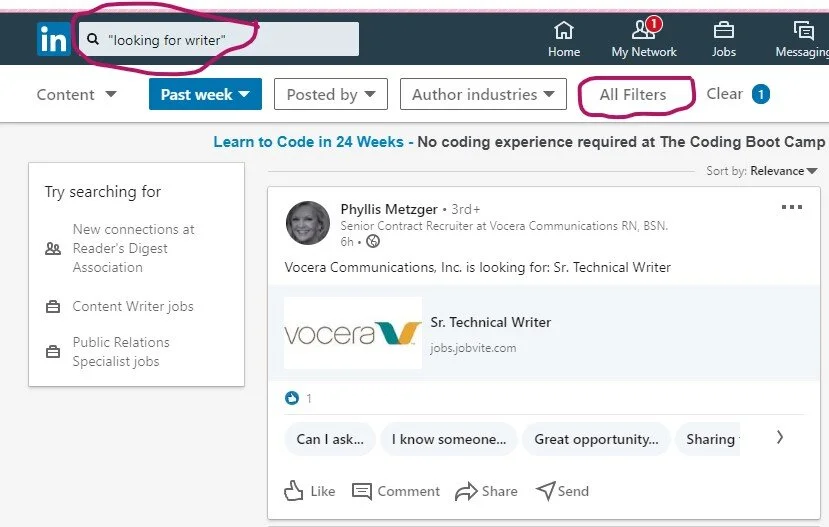
Another great way to find jobs is by searching LinkedIn. No, I’m not talking about the job section. Here are the details to a special way to search:
Go to the Home page
In the search bar type “looking for writer” or “looking for freelance writer”
When it takes you to the page, click on the All Filters option on the left side
Choose Past Week
Click Apply
Posts by companies and individuals looking for writers will pop up.
Get jobs delivered to your inbox
Now that you know the search criteria, set up Google alerts so you can get these great jobs delivered right to your inbox every day.
To set up a Google Alert follow these directions:
Go to https://www.google.com/alerts
Figure out what term you want alerts for (“writer wanted,” “food writer wanted,” “tech writer needed”)
Type your search term into the box at the top of the screen
Click on the "Show Options" dropdown menu
Set it up to send you an email every day and to send you "all results"
Click "Create Alert"
Sign Up to Get Daily Job News Letters

There are some great sites out there that scour the web for freelance writing jobs, then bundles them up into daily emails. I’ve rounded up a selection that provides links to gigs that pay well. Here are my favorite daily and weekly newsletters you need to sign up for:
Never stop searching
The key to finding gigs is volume. Apply for 20 solid gigs per week until you start bringing in the clients you need to pay the bills. Once you’ve got your clients, don’t stop. You’re never done searching when you’re a freelance writer. Simply trim your search down to 12 gigs a week. Remember, a dozen in play keeps the bills paid.

Start searching for clients that pay more to replace your current clients when the gigs end. Eventually, your name will get around and clients will search you out. That’s how you know you’ve made it to the big time. Even then, don’t stop searching. Just be super picky about who you take on as a client.
If you would like more great tips like these, order your copy of No-Fluff Freelance Writer Starter Pack today!