

The Freelancer Writer’s Guide to Dealing with Clients
As a freelance writer, for me, the work is easy. It’s dealing with the clients that's hard. So, over the past few years I have developed a strategy for dealing with clients, and ensuring I get paid every time!
No matter how put together you think you are as a business person, one day, someone will come along and make your question your sanity, restraint, and professionalism. As a freelance writer, for me, the work is easy. It’s dealing with the clients that's hard. So, over the past few years I have developed a strategy for dealing with clients, and ensuring I get paid every time!

How to Spot a Scam
There are a lot of scammers out there that would just love for you to write something great for them, and then disappear without paying. You can spot the tricksters with these tips:
They don’t want to tell you their budget in the ad.
Their ad is full of typos.
It doesn’t seem like the person who wrote the ad speaks English very well.
The ad is very vague about what the gig is about or payment.
They try to convince you that your rates are unreasonable and they could get someone else to do it for $3.
They disappear for weeks at a time in-between emails.
Here are some more signs that a client will be a PITA (pain in the ass) or a straight-up scammer.
Get Paid Upfront
This may be the most important thing someone will ever tell you about being a freelance writer: ALWAYS get paid at least 50% upfront. If a client doesn’t want give you money upfront, then give them a hard pass. You never do work on a promise. If you do, there’s a big chance you’ll never see your money.

You don’t go up to Walmart and tell the cashier, “I’m going to take this food home. If I like it I’ll come back and pay you for it.”
“But, Alina,” you say, “this is a service job and you pay for those types of jobs after the work is done.” Yes, sometimes you pay for services afterwards, but many smart contractors, like doctors, dentists, landscapers, janitorial services and such make clients pay a deposit, or don’t let them leave the building without at least paying a deductible or making payment arrangements.
What should you say to a client who doesn’t want to pay upfront? Tell them that your time is valuable. A deposit ensures a place on your client list and in your schedule.
The only exception I make to my rule is when I work for large companies that pays their freelancers and employees once a month through direct deposit and I have a contract stating when the money will be deposited each month.
Get Everything in Writing
You’ll find that most clients want to talk things over on the phone. I avoid this in most cases. It is much better to have everything written in an email so you can refer to it when problems arise. Taking a screenshot of an email and sending it to a client to prove what they said is much more effective than, “But you said on the phone…”

I had one client decide that he wanted a refund, basically for no reason. He filed a complaint with PayPal. Luckily, I had proof that I fulfilled my end of the agreement. All I had to do was send PayPal the emails with the client.
If a client REALLY wants to talk on the phone, open up a new email and summarize everything that is agreed upon in the phone conversation. Then, add at the bottom, “Please email me back with confirmation that this information is correct. Send the client the email with the subject line: Summary of Our Phone Conversation. This basically works like a simple written contract.
Here are some more contract tips for freelance writers.
What to Do if You Don’t Get Paid

Unfortunately, this section will be interesting to a lot of you. When you’re an employee and working for someone else, the roles are clear; you’re responsible for doing your job and showing up on time, while your employer is in charge of making sure you get paid. It’s simple and plain. Too bad it's not always that simple when you’re freelancing.
When you’ve told your client that you’d want some of the payment up front and you receive no payment, the course of action is clear. Just tell your client that you’re not doing the work until the payment has cleared.
If you get halfway through the project and another milestone payment is required and they don't pay, stop doing the work.
Give them a friendly reminder. It could have been an honest mistake and you want to keep a courteous tone if this is the case. One reminder is enough, though. If they don't pay up, then remove them from your client list. You don't need someone who is slow in performing the one duty they have towards you.
I like using the invoicing system through PayPal, because I can open a dispute with non-payers and I usually win.
Avoid Scope Creep
Scope creep is when a client keeps asking for more and more without paying you for the extra work. When you’re coming to an agreement, set limits. Here are some rules to prevent scope creep:
Limit how many times a client can ask for revisions. Two revisions is usually standard.
Set word count or page limits. They want it to be longer? Great, then they must pay more. Let them know what extra pages or words will cost them in your agreement.
Charge extra for graphics, photos, video or any other extras or work it into the price.
If the client wants weekly in-person meetings, put that in the agreement and charge him for it.

Don’t Be Bullied
Some clients will try to force you to do things their way. Don’t let them. They wouldn’t go to a doctor’s office and tell the doctor, “Oh, it’s not in the budget to get a colonoscopy, so I’m going to need you to give that to me for free. I’ll give you a lot more paid work down the road, though.” Clients need to give you respect or you shouldn’t do business. Let them go stress out someone else. You don’t need that.

Trust me.
The right clients are out there and they are willing to pay you what you’re worth.
Protect Your Work
Always show clients ongoing projects by sending them a link to a Google Doc that is set as “Read Only.” This way, the client can make suggestions, but won’t be able to steal the work without paying. When a final payment is made, simply unlock the document.
Be Professional
My last advice deals with how you present yourself as a professional. The better you are at building an image of yourself as proper, polite and experienced in the work you do, the higher your chances are of getting high-paying, trustworthy clients.
Stay polite and professional, build an online reputation with loads of great reviews and showcase a solid network of other professionals - it will scare those amateur clients away.
Need more tips on getting great freelance gigs? Grab my No-Fluff Freelance Writing Starter Pack. It has everything you need to become successful as a writer.

Guide to Writing Niches: Yes, You Need a Niche, Freelance Writers
Here’s everything you need to know about freelance writing niches.
This is by far the biggest question I get from writers: “Do I need a niche?” Umm, yes. This usually makes at least a few people mad. “Why should you limit yourself!? You’re just limiting your income by having a niche!”
Please, have a seat.
I struggled to get paid what I was worth for a long time as a freelance writer. You know why? Because I was a generalist. I would write about anything. When someone asked me what my specialty was I would say, “I can write anything!”
*Insert the sound of a deflating balloon here*

Yah, potential clients don’t want to hear that you write about all kinds of things. They want to know you specialize in their category. They want to know they’ve hired a writer that knows industry terms and sounds like they genuinely know what they’re talking about.
Why Clients Want to Know Your Niche
Okay, think about it this way… You wouldn’t hire someone to paint your car if their sign says, “We can paint anything!” No, you’d want someone who has years of experience painting cars so you know your vehicle will come out looking shiny and flawless.
Picking Niches Changed Everything
Eventually, I wised up and focused on three topics: DIY, health/science and tech. Know what happened when I finally pick some niches? I quadrupled my freelance income.

freelance life
How to Pick a Niche
Picking your niche isn’t as overwhelming as it may seem. All you really need to do is think about what you like writing about. This is the most important thing. Remember, you will be writing about this topic day in and day out, so you better enjoy it.
Here are some ideas to get you started:
Do you love researching the latest scientific discoveries? Then you may be a science writer.
Can’t wait to write about the latest iPhone? You may be a tech writer.
Adore sharing tips on eating healthy? You may be a diet or health writer.
Do you like to build or fix things, then write about it? You’re probably a DIY writer.
Have the need to share your parenting tips with the world? You could be a parenting writer.
Feel the overwhelming urge to talk about movies or the latest Hollywood gossip? You’re probably an entertainment writer.
Do you know the difference between post modernism and expressionism? You may like being a fine art writer.
Does doing your taxes or following the stock market give you a high? You might be a financial writer.
Were you a marketer in another life? Copywriting or content marketing may be for you.
Do you love correcting someone’s grammar more than you love writing? You’re probably better suited as a copyeditor.
Pro tip: Perusing job lists (like the ones I post every Monday and Wednesday on this blog) can give you a feel for what kinds of content people are looking for and may even give you some ideas for your niche.

choosing a niche as a freelance writer
Don’t Get Too Narrow, Though
While you’re narrowing down your niche, remember not to get too specific. A broad category will allow you to find ample work, while still anchoring you as an expert.
For example, "tech writer" is nice and broad. This niche label lets me write about anything under that enormous umbrella, including tablets, phones, computers, home hubs, self-driving cars and home security. If I picked tablet writer, though, my niche would be so narrow I wouldn’t be able to find much work. Plus, I would get bored very quickly!
Your Assignment
Now, I want you to go sit down with your trusty notebook and write down all the things you like to write about. Then, choose no more than three to be your specialty.
Be a Niche Spy: How to Write Authoritative Copy For Niche Clients
Freelance writers, particularly when they’re just starting out, will often take any paying clients that happen to come along. This means that occasionally you’ll need to write for a business that occupies an extremely narrow niche, that you have very little experience with. Obviously, this makes writing consistently high-quality content a little harder than it would be with more conventional clients. Here’s some of the best advice for writing for these niche clients…
Educate Yourself
If you want your work for a niche client to be as fitting and effective as possible, you need to strive to make yourself an expert in that given niche, or at least as close as possible without having to scramble to meet your deadline.

Researching and reading some publications tied to that specific industry is usually the best way to start, as it can introduce you to industry-specific terms which will give your content a potent sense of authority. For example, if you were writing for a company that sells diesel generators, you wouldn’t be able to write a competitive piece of content while sticking to a conversational, generic blogger’s style. The tone would need to be a little more formal and a lot more technical.
You should strive to educate yourself about any product or service you write about, and this is even more important when it comes to niche clients.
Examine Larger Competitors’ Content Strategy
Your clients are going to want unique content that hooks readers and sticks in their mind. One of the best ways to draw inspiration is by taking a peek at the business’s larger, more successful competitors. You can easily find them by googling the industry. The top results are usually the best in the niche.
Pretend you're a corporate spy.

Okay, don't do anything illegal. Just head on over to their website and take in their copy, their style and their tone. You're going to want to mimic it to a certain extent. To prevent being too copycatty, take a look at several different competitors and look for similarities. This is what you want to incorporate into your approach with your client's copy.
There will also be some competitors who are running a notably worse content strategy, which can be just as important to research and understand. No one’s going to give you their Google Analytics password, no matter how nicely you ask, so you’re going to need to apply a little detective work to see how content is performing. Take a look at their social engagement on social media (how many likes they get, how many comments, how many shares). If they are doing things right, they should have tons of engagement. If not, try to figure out what they are doing differently than their more successful competitors.
Also take a look at their SERPs, and comments on the posts themselves to gauge how a given piece of content is being received by your client’s target audience. Most importantly, as with anything creative, you should be combining different elements that seem to be working, all the while thinking about some way you can make your content stand out.
Write for the Target Niche Audience
Like I said before, when writing about certain niche businesses, it can be smart to include a few specialised phrases and pieces of jargon that will assure the reader that you know what you’re talking about. Having said that, if you write like a professor in a given field, and use too much specialised language, you could risk alienating the readers you’re trying so hard to attract.

It’s all about getting the balance just right. If the company you’re writing for targets B2B clients, then you should write according to the basic knowledge of these people, without getting too complex and trying to sound too clever. If a prospective customer has to keep opening a dictionary in another tab just to figure out what your content is actually saying, they’re not going to stay on the page for long!
Want more tips on becoming a successful freelance writer? Read my book:
The Fluff-Free Freelance Writing Master Course: The only course that gives you concrete, actionable information to building a successful freelance business without any fluff.

Easy Steps to Writing a Blog Post in Just Minutes
Time is money, especially when you’re a writer. Here is your step-by-step guide to writing blog posts faster and better than ever before.
I’ve been in the game of content creation for, well, a bunch of years. One thing that I’ve learned well is how to write a blog post and write it quickly. Hey, when you’re getting paid by the post, you learn how to be fast!

Forget about the font!
So, I thought I’d share with my readers my tips for going from an idea to a published post in less than 60 minutes. Got those timers ready? Get ready. Get set. Go!
Figure Out Your Topic
Don’t know what to write? Take a look at what others in your field are writing about to brainstorm some ideas using BuzzSumo. Here is a more traditional way to brainstorm, too.
Time: 5 to 10 minutes
Do Your Research
You’ve got a fantastic idea, but don’t start typing yet. First, plug the topic into Google’s Keyword Planner to decide which keywords will be best for your post. Don’t get too caught up in picking, just choose a couple that have low or medium competition, but have high monthly search (over 20,000 searches is ideal).
Time: 5 minutes
Summarize Your Content
To make the writing process as fast as possible, summarize the different parts of your post you want to talk about and then use them as your H2 headers.
Time: 5 minutes

Get to it!
Fill in the Blanks
Now that you have your headers, fill in the blanks until you talk about everything you wanted to cover in the post.
Time: 15 to 20 minutes
Finish Up Writing Your Blog Post
Now, write the intro, the closing paragraph and the call to action. Once you have those wrapped up, don’t forget to write a meta description.
Time: 10 to 15 minutes
Add Some Multimedia
Add some flash (and some search engine love) to your post by adding some media. Search for free content or create your own using:
PhotoPin for Creative Commons photos
Creative Commons for Creative Common photos
NVD3 for charts
Mapbox for maps
ClipSafari for clip art
Survey Monkey for surveys
Office Sway for presentations
Pond5 for historic media files
GetEmojis for emojis
Time: 10 minutes
That’s all there’s to my process. Pretty simple, huh? Trust me, once you get the hang of it, you can crank out blog posts in just 15 to 30 minutes without breaking a sweat!
Need some tips on writing better content or becoming a content writer for hire? Read my book:

How to Organize Your Writing Business Using a Planner
Here’s an inside look at how I plan and organize my business.
A big part of my success as a freelance writer is staying organized. It keeps me from missing deadlines or forgetting to invoice clients. This all revolves around my trusty planner. Here’s a look at how I organize my business using a planner.
By the way, I’m not saying this is the only way to plan. It’s just how I do it.
The planner I use
After trying out many planners over the years, I've fallen in love with Happy Planners, mostly because they are incredibly customizable. There are a bunch of different types on inserts you can purchase to make the planner work better for you. You can also print off free inserts to add to your planner. They also come in various themes, such as Desert Flower, Live A Happy Colorful Life, Marbled Paint, Good Habits.
Specifically, I use the Classic Vertical Happy Planner. Vertical types of these planners have three vertical boxes for each of the days. It gives you a lot of space to plan days.
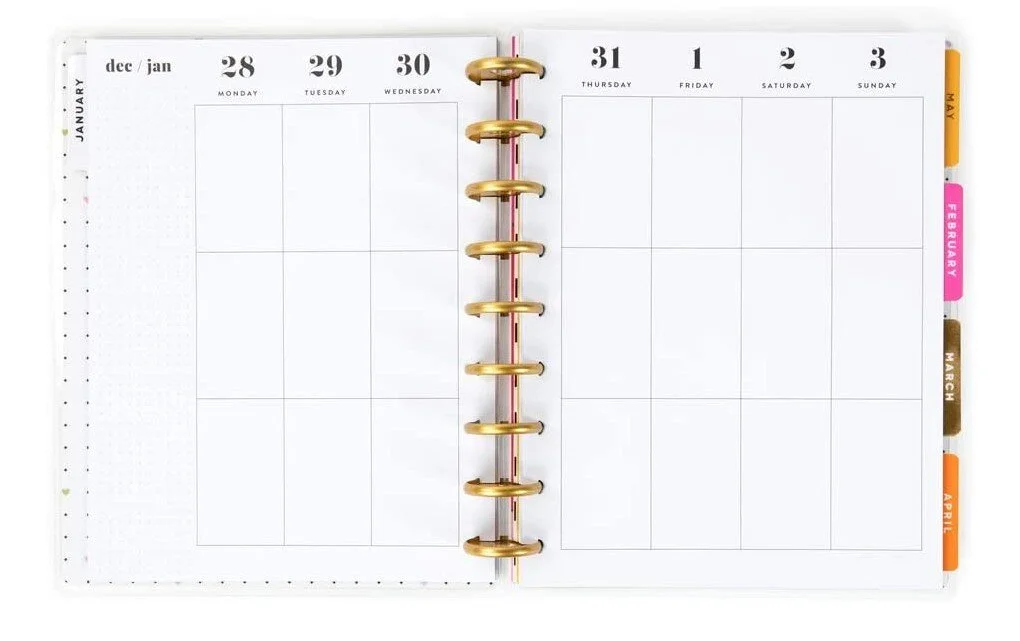
Vertical layout
Dashboard Happy Planners are a little different. For each week there are spaces to help you keep trach of emails, calls, errands, things to buy, and the focus of the week. On the second page the days of the week are laid out along with a to-do list. This style lets you plan out specific tasks. I suggest getting the style that works better for the way you plan.
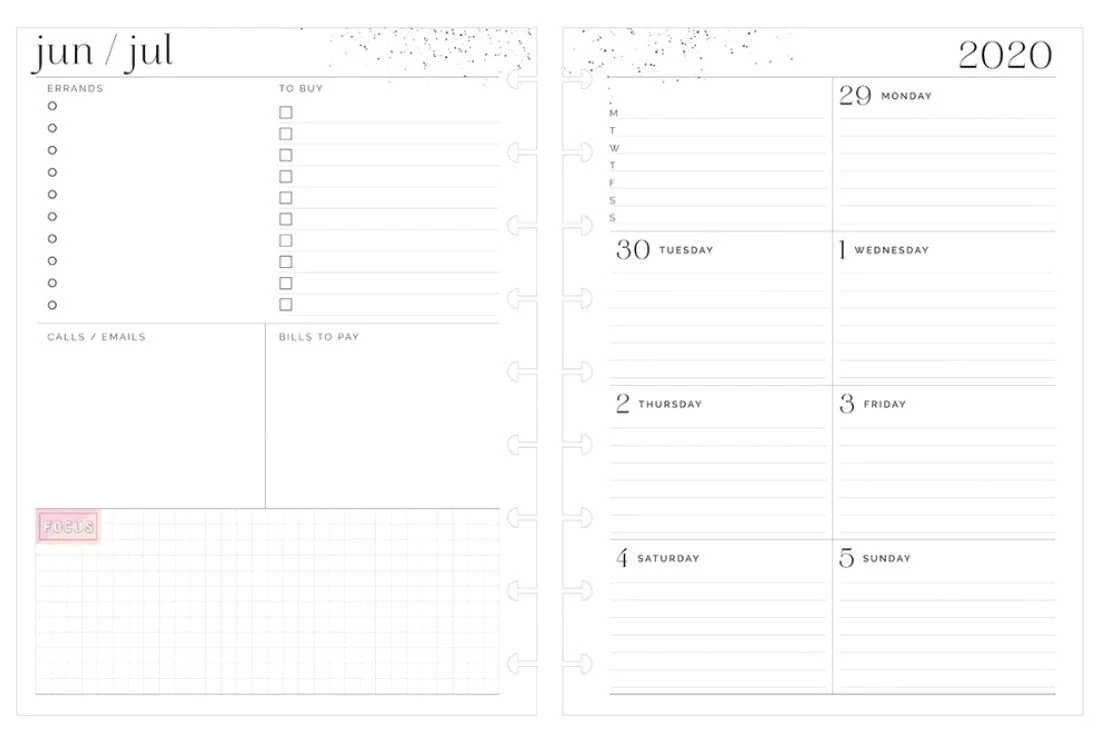
Dashboard layout
How I plan out my week
Now that you’ve gotten a feel for what type of planner I use, my method will make a little more sense. You can use my method in just about any type of planner, but I find the vertical layout of the Happy Planner gives me enough room to write everything down, though I like the dashboard style, too.
Okay, so let’s get into it. First, I write all of my assignments down in the To Do section on the left side. I used to keep a running list on a legal pad, but I find this works better. I make sure to write out the date each article is due and the time. I’ll make a smaller list for other to-dos underneath the assignment to-do list.
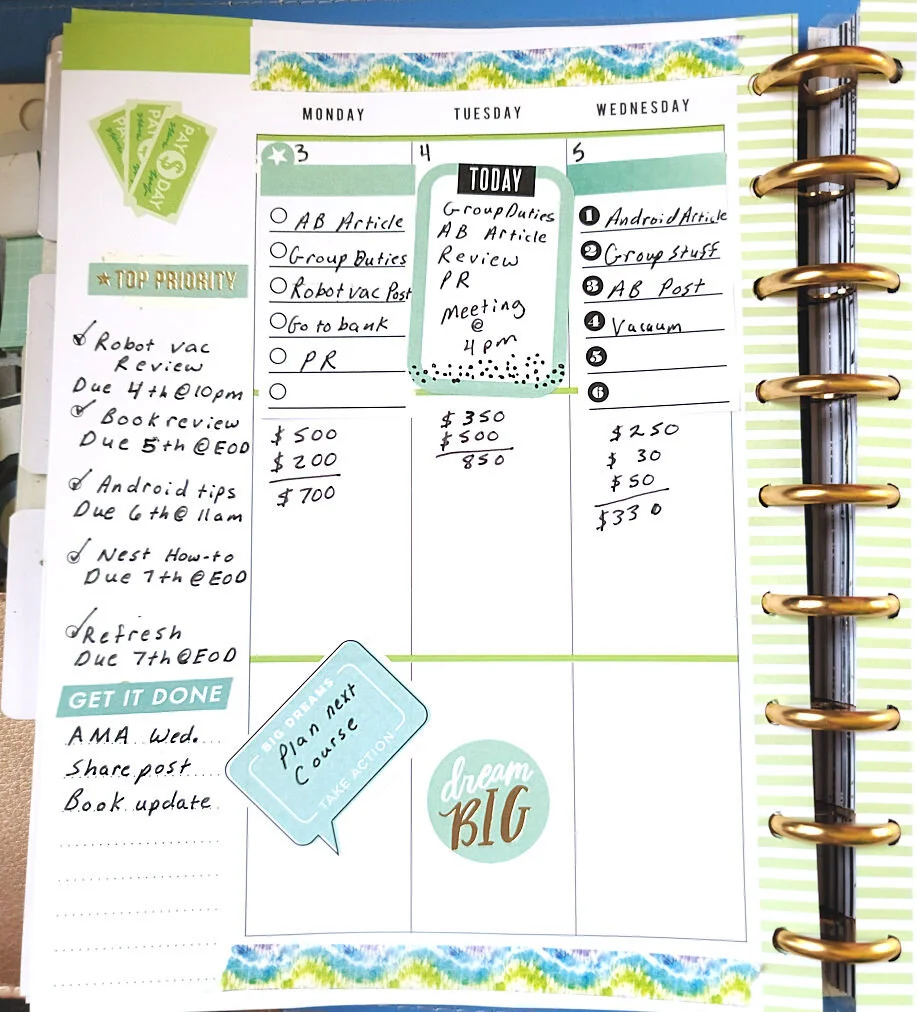
Next, I’ll write down any appointments that I have on the day they come up. From there I’ll do a small daily to-do list at the top of each day. Here will be the assignments I need to do that day, errands, calls to make, etc.
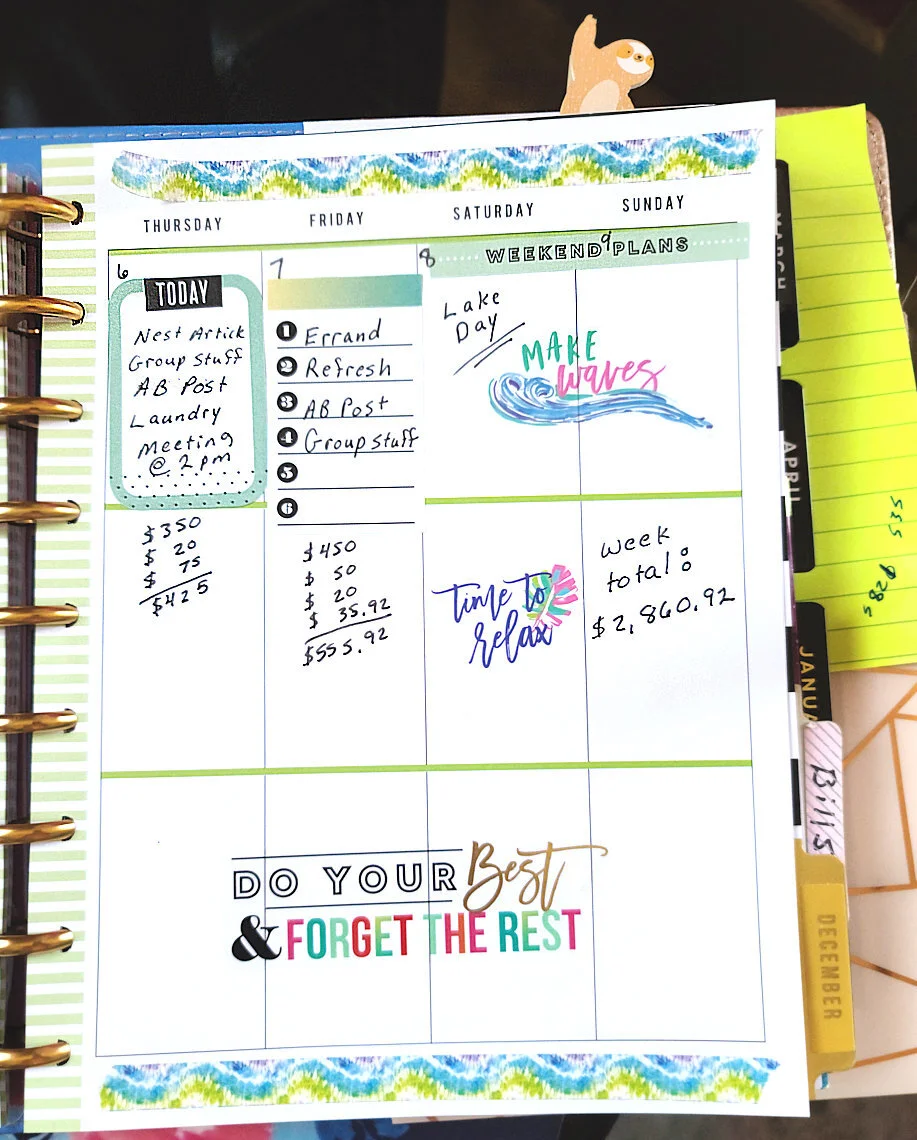
Finally, I tally my earnings. For each assignment I complete I will write down how much I earned and then add it up into a daily total. On Sunday I’ll tally up all of the daily totals and write down the weekly total. At the end of the month I will take my weekly totals, add them up, and write the tally on the last day of the month. Writing down my earnings in my planner helps me stay motivated and gives me a daily glimpse at how my goals are going.
Extras
You’ll notice that I spruce up my pages with stickers. I just like customizing the pages to match my mood that week. Plus, I’m a sticker fanatic. Happy Planner has a lot of stickers designed to be used with their planners, but you can also get cute planner stickers at Dollar Tree if you’re on a budget.
I also use erasable pens because I tend to flip around when I’m going to do what. Some good erasable pens are Pilot Fixion.
If you go with a Happy Planner, I recommend getting their hole puncher so that you can add in homemade or printed inserts to your planner.
BTW, if you need more help making your freelance writing career successful, check out my book The Fluff-Free Freelance Writing Master Course Workbook: The only course that gives you concrete, actionable information to building a successful freelance business without any fluff.

Get Paid: A Freelance Writer's Guide to Invoicing
When you work as a freelancer, it might take a while for you to get used to the throughout of having to handle your own invoices and chase up payments if they don’t come on time. Here are some tips.
This is one of the things I hate most about being a freelance writer. It took me a while to get used to the thought of handling my own invoices and chasing up payments if they don’t come on time. It’s not as hard as it sounds, though. Here’s my quick guide to help you out.

What needs to be on an invoice?
If you have never made your own invoice before, you’re forgiven for thinking that you simply write down the price for the work and the clients details. It's not that easy!
Here are all the elements that need to be added on to the invoice to make sure you get paid:
The clients order number if they have purchased a physical product
The name of the project or product which was purchased by the client
Details about the work completed, including hours worked, if needed
The total sum which needs to be paid to you by the client
Your payment terms- add a payment deadline
You bank details or Paypal info so that they can transfer you the money over
Your client's name and address
Your name and address
Invoice number and date
Registered business number and address
Contact information
How to create an invoice
Now that you know what should be on an invoice, how do you wrap it up into a professional looking package that screams ‘pay me’? You can use an automated invoicing system like chaserhq.com or PayPal’s invoicing system to make sending out invoices and receiving payments easier.
I like to use PayPal’s invoice system when my clients agree to pay me through PayPal, but for checks or direct deposits, I use an invoice template I created in Word. You can use my template. Here’s the download. (If you’d like more templates like this to make your job as a freelancer easier, be sure to check out my No-Fluff Freelance Writing Starter Pack.)
How to chase up your invoice
When it comes to chasing up the payment of your invoices you might feel a little uncomfortable. Don’t worry, it is totally normal for you to feel a little weird about demanding money from your client, but just bear in mind that you need the money to finance your business and your life. Plus, you did the damn work, so you deserve it!
If you have several freelance jobs going on at once, it would be helpful for you to create a calendar with reminders on when certain payments are due. (I use Google Calendar.) If the due date comes and the invoice has not been paid, you will need to contact your customer to find out what is going on.
It could be that they simply forgot, or they have another reason for not paying you. Send a gentle reminder and a copy of the invoice in an email.
If they ignore you, I've found that sometimes it helps to send a notice to a client's boss in the company to get things moving. For example, if you usually send your invoice to your editor, contact HR or the editor’s boss.
What to do when a client won’t pay
If they refuse to pay, there are several things you can do. Pick the option that feels right to you:
You can get the law involved since you sent them an invoice with a payment agreement on it. Send them a certified letter stating that you intend to take them to small claims court if they don't pay by a certain day. Typically, clients will get scared into action.
You can open a payment dispute with PayPal if you sent the invoice through their services. All you need for proof is a screenshot of the email you used to send the finished article, blog post or whatever. A screenshot of the finished work on your client’s website and a copy of your contract are also good things to send over to PayPal as proof of services rendered.
Use the non-payment as a tax write-off. Be sure to contact your tax professional for more information on this option.
For more advice, here’s my guide to dealing with clients.

No-Fluff Guide to Creating a Writer's Website
Writers are always getting asked “Can you send me a link to your website?”, so if the answer is “no”, unfortunately there could be another writer not too far away waiting to take your role.
If you are a writer and want to take yourself seriously, having your own writer website is one of the best things you can do. Writers are always getting asked, “Can you send me a link to your website?” So if the answer is “no,” unfortunately there could be another writer not too far away waiting to take your role. Here’s a guide to creating your first website.

Why do I need a website?
No matter how smart you look, clients will always take you a lot more seriously when they see you have your own website. You’ll be able to create a clearer picture of yourself and your services by showing people rather than telling them. Plus, you’ll be able to add examples of your work so clients can see with their own eyes what you’ve been up to, rather than you having to reel all your jobs off for them.
Your clients are hunting for information about you and your work, they don’t have time to read every bit of detail, so you need to make sure they get to the facts super-fast. You’re a writer, so they’ll be expecting big things!

Where do you start?
I've had a lot of writers ask me how to start their website. My best recommendation is to purchase a domain name (see below), get a host account for the hosting and start a WordPress blog on it using the free Customizr theme.
I also love Squarespace. This is what I use. It’s inexpensive and it works great, especially if you have no idea what you’re doing. There are a lot of ways to customize your site so it looks different than everyone else's.
Some people recommend setting up a free site with a free website builder. I don’t like free website builders because the designs are limiting. You have full control over a paid WordPress site and most businesses prefer this platform for their site. If you want a free site, though, here are some platforms:
10 Top Tips for Creating a ‘Real’ Writer’s Website
1. It’s all in the name.
Giving your business a name will add a sense of professionalism. Once you have decided, think about creating a domain name, for example myword.com. This is a great way for people to start taking you seriously and will move you on from being a writer, to a professional that means business.
2. Stand out from the crowd.
With more and more writers coming on to the scene, you’ll want clients to be knocking on your door, first. Make sure to use your voice and don’t worry about being overly formal. Clients want to get to know you.

3. Facts first.
The main thing that people want to know is what is what you do and what you can do for them. Then, if they’re interested, they’ll take a look at your clips.
4. Make them read.
According to research, only 16% of people read web pages word-for-word, so make sure your most important information stands out. Use big, bold headlines to ensure nothing gets missed.
5. Show your passion for words.
It may sound obvious, but choose the words you use to describe you and your business carefully. You want potential clients to see your enthusiasm and love of writing shining through, so make sure everything you say has a confident feel to it.

6. It’s all about you.
People reading your website obviously know you’re a writer. That’s why they’re there. But what other little nuggets of information can you give them about yourself? Have you worked in marketing, so you also know how to market yourself? Have you studied language, so you can offer some wonderful words in French or in Spanish as well? Maybe a brief mention about how you got in to writing - anything that can help the client get closer to you will always add another dimension to your website.
7. Added extras.
Obviously you can write, but what can you write? Don’t just assume everyone knows everything about you. Whether you’re a Social Media Savior or you’re the Mother of Marketing, every extra detail about what you can do is going to add another string to your bow.
8. Beautiful design.
So, you’ve written your website and you’re good to go. Now all you have to do is decide what it’s going to look like. Go for a clean and simple design - anything cluttered is just going to clog up potential clients’ brains. Keep it simple with a lot of white space and let your ability do the talking. If you need a hand creating your site, there are some top website builders to help you every click of the way.

9. The proof is in the pudding.
Don’t just tell them, show them. It’s great to talk about all the things you’ve done and how you’ve created some award-winning work, but no one will believe you more than the person that’s seen it with their own eyes. Examples of great work are an essential part of selling yourself. If you have a blog, let the world see it. Long copy, short copy, online, offline - be loud and proud about the work that you have done and your vibe will attract your tribe.
10. Call me!
One of the biggest mistakes that people make when designing their website is not to have their contact details up front. Everyone’s busy and having to scroll through your web pages to find a contact number or email is enough to make anyone switch off. You could also create a contact form on a page of your website to encourage people to get in touch.
Keep it simple
To keep things simple, your website should have the following:
Homepage: Invite people to take a look at what you have to offer.
About page: Let people know what you’re about and why they should connect with you.
Services page: Your full list of talents and experience.
Clips page: The blogs you’ve done, testimonials, case studies and anything else that sells you.
Contact Me page: The more ways you let people get in contact with you, the more chance they will get in touch. Leave your contact number, email and Linkedin details.
SEO

Search Engine Optimization (SEO) is important for any website. It's how the search engines like Google bring your site to people. I've written up a free guide to help you with the basics of SEO.
Now that you've got the site, get the clients. I teach you how in my book-
The Fluff-Free Freelance Writing Master Course: The only course that gives you concrete, actionable information to building a successful freelance business without any fluff.

15 Places Where You Can Find Freelance Writing Jobs
Looking for a freelance writing job? Try these free freelance writing job boards.
Looking for a freelance writing job? Try these free freelance writing job boards. Some of the links are custom-made searches I set up on popular sites so you’ll only be presented with remote writing jobs you can do from home.
Also, don’t forget to check back at nofluffwriter.com every Wednesday for writing gigs that are 100% remote.


The Ultimate Guide to Finding Jobs as a Freelance Writer
Professional freelance writers are always blogging about these sweet gigs they're working on that pays $100 to $2,000 per article. Where the heck do you find these fantastic jobs everyone's talking about?
Professional freelance writers are always blogging about these sweet gigs they're working on that pays $100 to $2,000 per article. Where the heck do you find these fantastic jobs everyone's talking about?
After years, I have honed a way to find great paying gigs quickly. Here are my secrets.
Hit Up Social Media
One of the easiest ways to find gig gems is to search social media. Often, businesses will post their need for a blogger, copywriter or ghostwriter on their pages. All you have to do is search for relevant hashtags.
Put these hashtags into a Facebook or Twitter search bar to find awesome gigs:
#bloggerswanted
#writerswanted
#copywriterwanted
#bloggerjob
#bloggingjobs
#writtingjobs
#publishingjobs
#journalismjobs
#freelancewriterwanted
#remotewriterwanted
#fbloggerswanted (Fashion bloggers wanted)
#healthbloggerswanted
Search Google the Smart Way
Searching for writing jobs on Google can bring up job posts from 2005 or jobs that are five states away and require on-site work. You can avoid all of the crappy job posts by searching smart.

If you want to search a certain site, put site: in front of the site name, then add keywords in quotation marks. For example, I've had a lot of luck with this search:
site:craigslist.org "remote writer "
Some other sites other than craigslist you can try are:
site:problogger
site:freelancewritinggigs.com
Some other terms you can try are:
"content writing companies"
"freelance writing companies"
To get newer job posts, add the date:
site:craigslist.org "remote writer " November 15th 2020
Now the secret to finding high paying jobs: add the type of payment you're looking for.
site:craigslist.org "remote writer " December 15th 2020 pays $220
site:craigslist.org "remote writer " November 15th 2018 $50 per hour
site:craigslist.org "remote writer " November 15th 2018 .50 per word
Successful writer Jennifer Mattern recommends this combination:
writer and "compensation: * per article" site:craigslist.org (Replace the * with the monetary amount you want to be paid.)
If you want to search everywhere, just leave off the site and type in the rest of the search. This will bring up high-paying gigs from company job boards that most people never look at.
Use LinkedIn
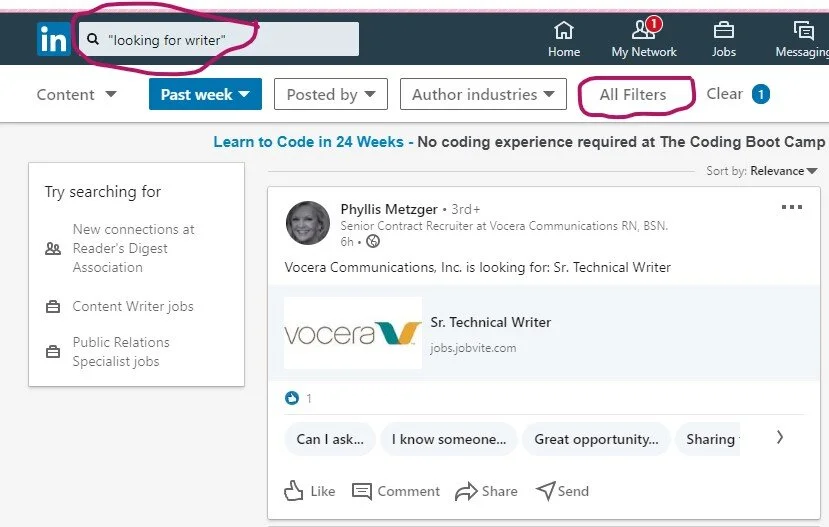
Another great way to find jobs is by searching LinkedIn. No, I’m not talking about the job section. Here are the details to a special way to search:
Go to the Home page
In the search bar type “looking for writer” or “looking for freelance writer”
When it takes you to the page, click on the All Filters option on the left side
Choose Past Week
Click Apply
Posts by companies and individuals looking for writers will pop up.
Get jobs delivered to your inbox
Now that you know the search criteria, set up Google alerts so you can get these great jobs delivered right to your inbox every day.
To set up a Google Alert follow these directions:
Go to https://www.google.com/alerts
Figure out what term you want alerts for (“writer wanted,” “food writer wanted,” “tech writer needed”)
Type your search term into the box at the top of the screen
Click on the "Show Options" dropdown menu
Set it up to send you an email every day and to send you "all results"
Click "Create Alert"
Sign Up to Get Daily Job News Letters

There are some great sites out there that scour the web for freelance writing jobs, then bundles them up into daily emails. I’ve rounded up a selection that provides links to gigs that pay well. Here are my favorite daily and weekly newsletters you need to sign up for:
Never stop searching
The key to finding gigs is volume. Apply for 20 solid gigs per week until you start bringing in the clients you need to pay the bills. Once you’ve got your clients, don’t stop. You’re never done searching when you’re a freelance writer. Simply trim your search down to 12 gigs a week. Remember, a dozen in play keeps the bills paid.

Start searching for clients that pay more to replace your current clients when the gigs end. Eventually, your name will get around and clients will search you out. That’s how you know you’ve made it to the big time. Even then, don’t stop searching. Just be super picky about who you take on as a client.
If you would like more great tips like these, order your copy of No-Fluff Freelance Writer Starter Pack today!

The No-Fluff Guide to Creating a Home Office
f you’re just starting out at working from home, or you just need some tips on how to make things run smoother, here’s how to set up a home office that will fit your needs perfectly. Plus, I’m serving up tons of photos of home offices for inspiration.
Freelancers have the most freedom when it comes to deciding what their work environment should be. No one is going to come by and tell them to take down whatever pictures they want to put up. It is their home after all.

One of the disadvantages of this, though, is that the freelancer has to procure all of their own office supplies. There is not a cupboard at the end of the hall that has everything that you could ever need. If you want it, you have to get it yourself. You also have to figure out how to decorate.
If you’re just starting out at working from home, or you just need some tips on how to make things run smoother, here’s how to set up a home office that will fit your needs perfectly. Plus, I’m serving up tons of photos of home offices for inspiration. If you need more ideas, check out this Pinterest board.
Make your work area separate

Working as a freelance writer can be psychologically odd. When you have a nine to five job, you get up in the morning, get washed and dressed and commute to work. When you arrive at the office, you are subconsciously aware that you should now be working. Your brain will start perceiving things differently, concentrating and responding in different ways. If you're good at your job, this change will be advantageous and will allow you to prosper.
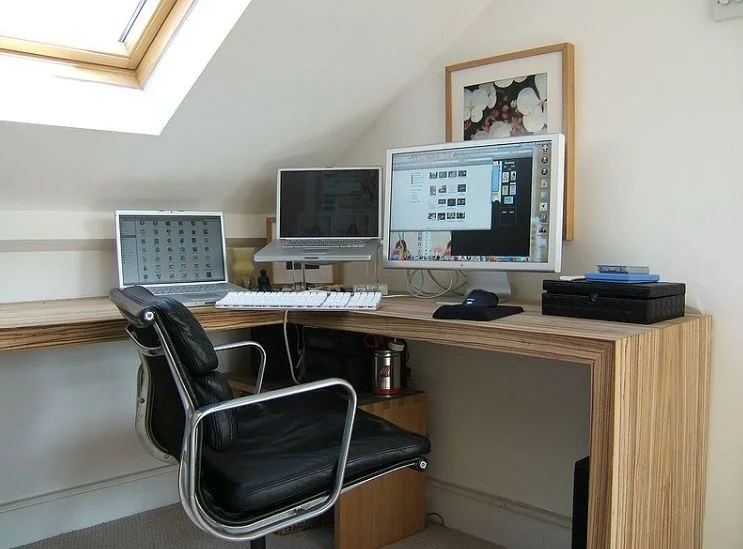
home office you love
With freelancers, they get up, get washed and dressed (don’t let anyone tell you otherwise!) and then go into the room where they work. They are still at home, the place where they relax, so getting into the mindset for work is sometimes more of a conscious process. This can be difficult sometimes. One way of dealing is separating your home into zones where you work and zones where you relax.

This means you need a dedicated area just for your home office. Ideally, this would be a room, but you can get away with setting up an office in a corner of your living room. I had a home office in my dining room for years. Just be sure that you don’t use the kitchen table as your desk. That’s a prescription for disaster. Eventually someone will spill something on important papers or your laptop.

Adjustable Desk
My first recommendation on what to buy for your office is an adjustable desk. With an adjustable desk, you will be able to raise and lower the height of your workspace and you can decide whether you work standing up or sitting down in your chair.
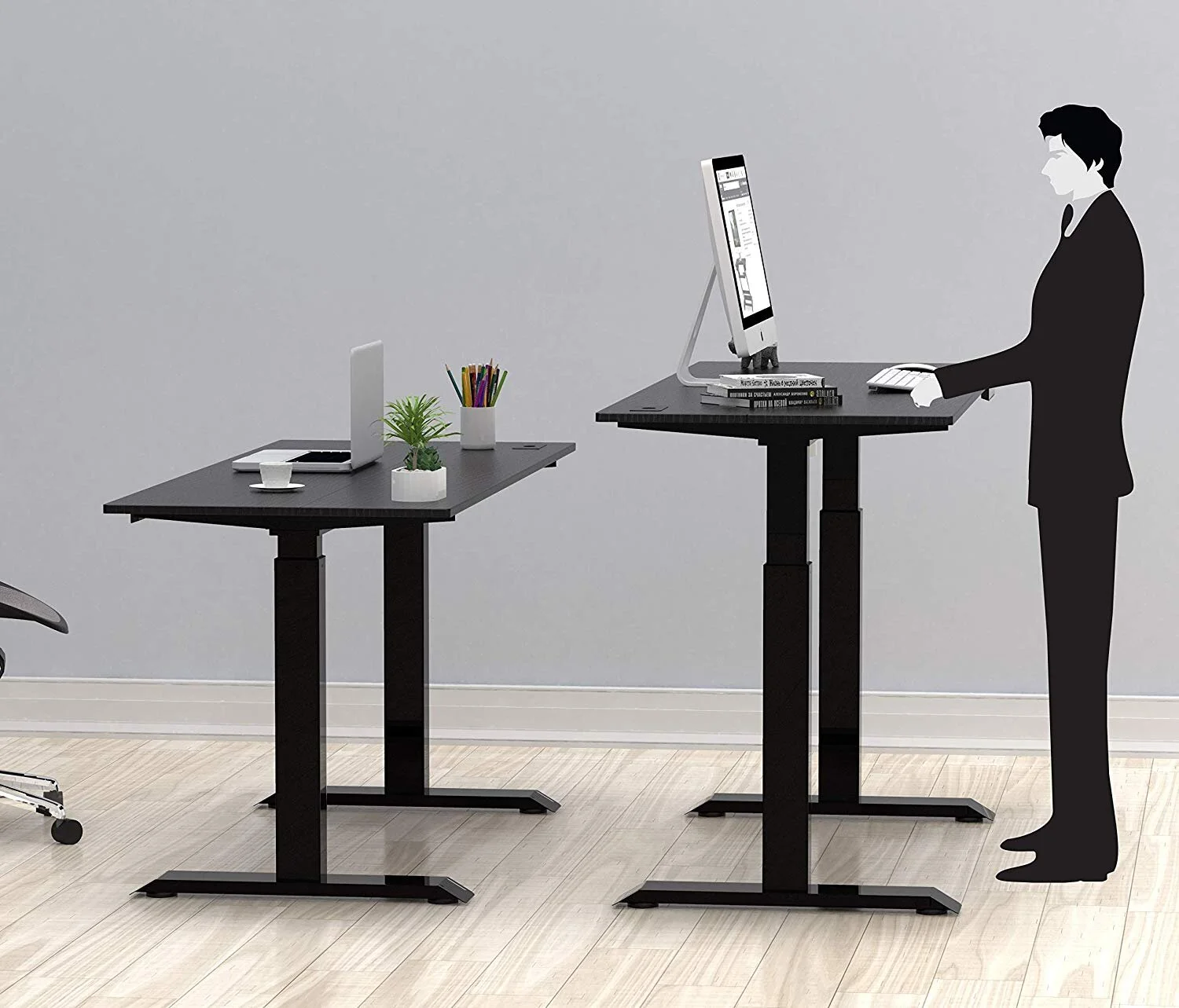
Research has shown that sitting down for long periods can actually be bad for you, according to the Mayo Clinic. So, by standing up every so often and still being able to type can make your day a lot better for your health.
I have a full standing desk, like this Halter model, but there are units you can buy that fits on top of a normal desk and will just raise your laptop or keyboard. These are less expensive than buying a whole standing desk and is a great way to upgrade an old desk you found at a thrift store. For example, the SHW Height Adjustable Sit to Standing Desk Converter Riser Workstation is under $90 and the Wallniture Updesk Wood Height Adjustable Monitor Stand Riser is under $40.

Heighten Your Comfort
Bending your neck to look at a screen can give you neck pain or really hurt your back. The solution is to boost your screen so that it is right in front of your face.
Here’s an example of a homemade screen booster made from scrap wood.

The problem with this type of booster is that it makes the keyboard high, too, which can be misery on your wrists. The photo below is a better option. It puts the laptop keyboard at an angle so your wrists don’t hurt. I personally use this type of setup. You can get an inexpensive AmazonBasics stand to get started and then move on to something fancier later.

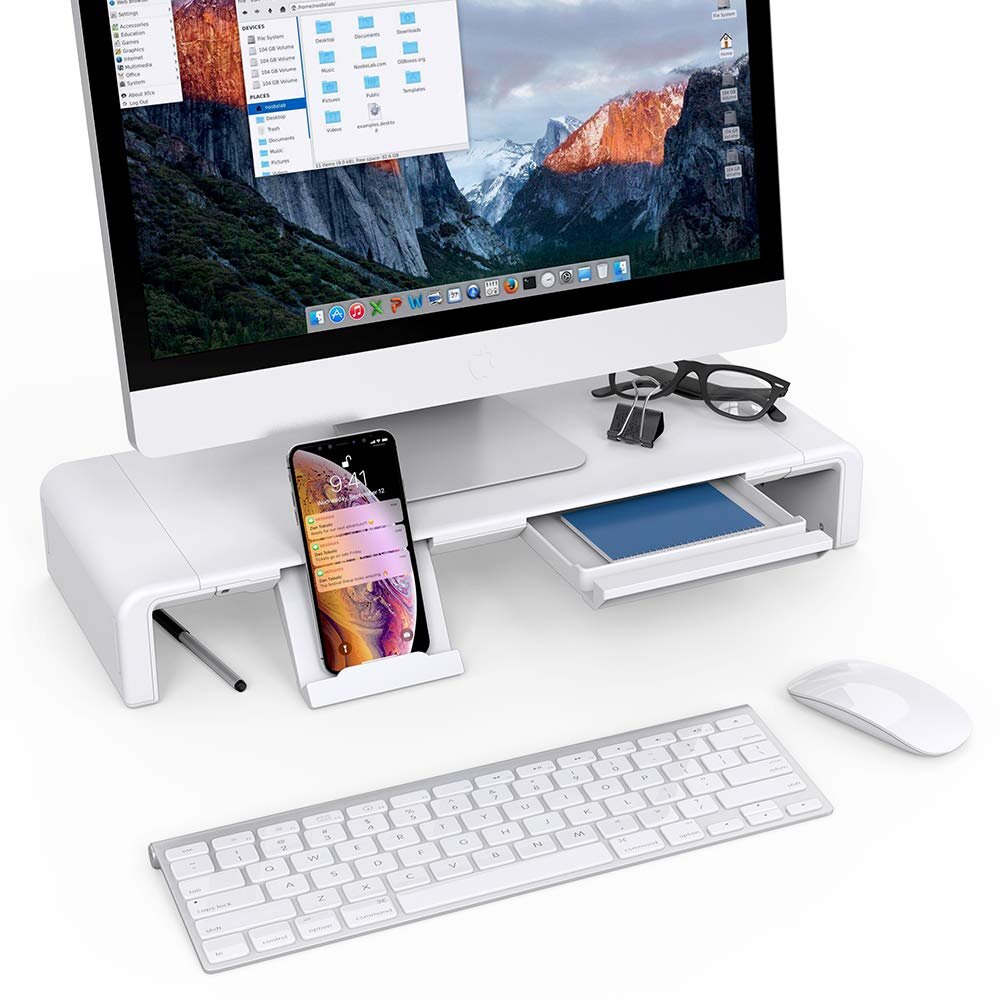
For a regular monitor, you can set it on a stack of books until it reaches the right height or buy something a little more snazzy, like this monitor stand with storage.
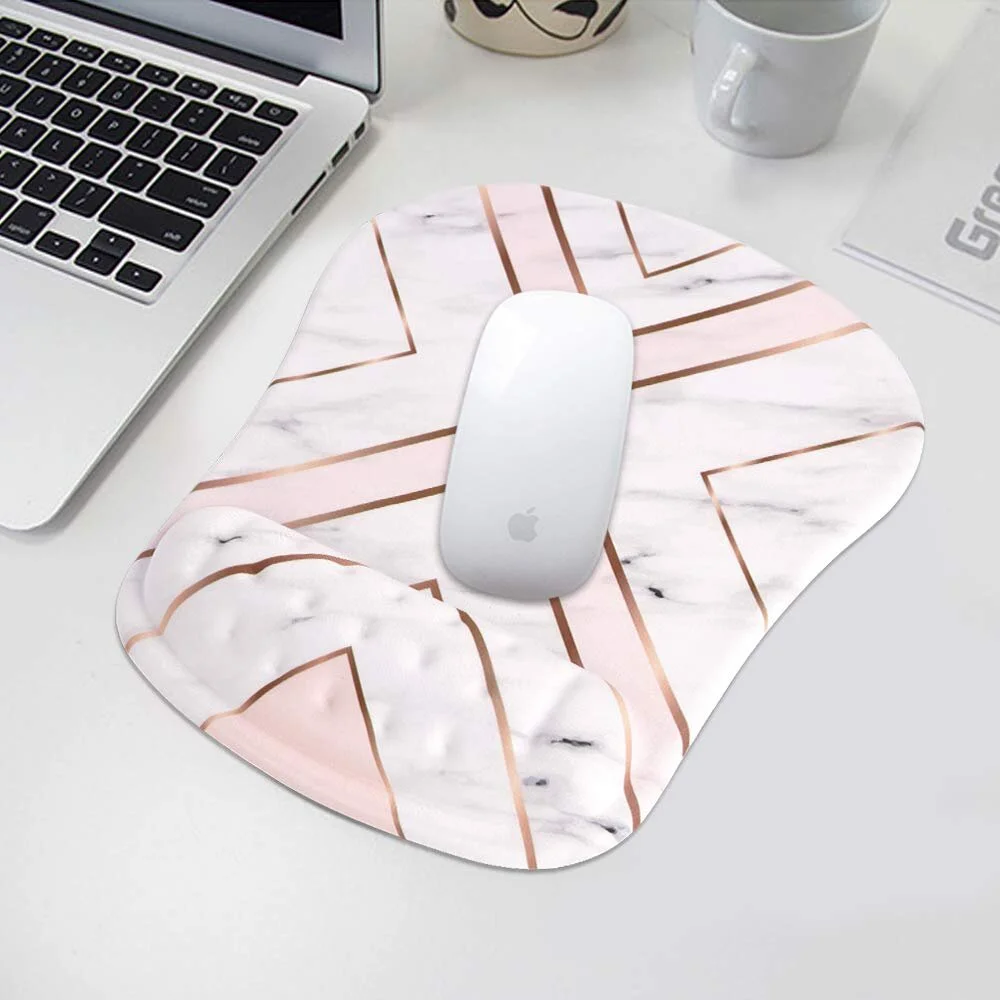
While you’re at it, be sure to get a mousepad with wrist support (I personally love rose gold, so the one below is my choice) to prevent strain that can lead to carpal tunnel and cushion to pad the edge of your keyboard so your hands stay in an ergonomic position.
Proper Filing
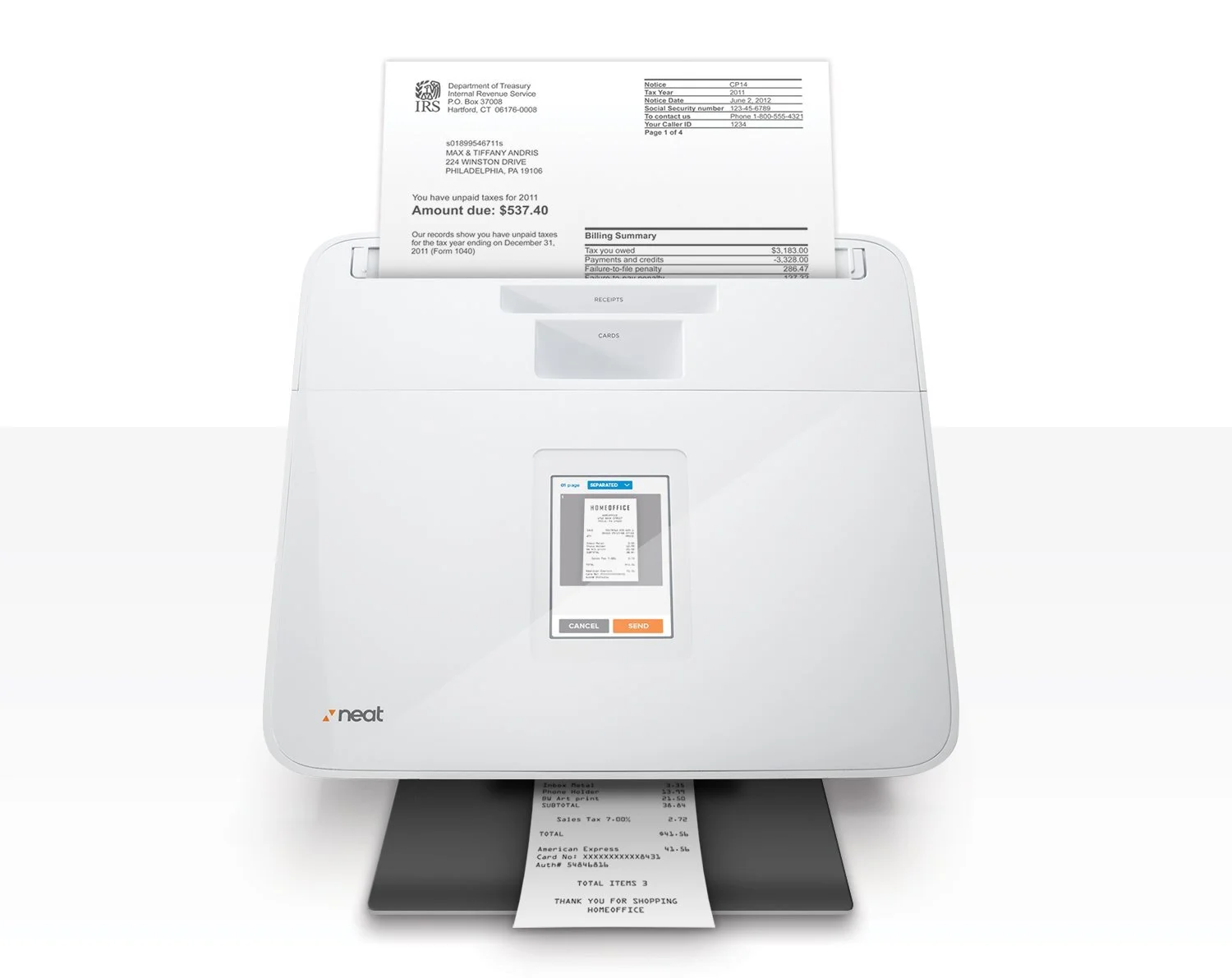
Next, we need to think about a great filing system for your home office. My favorite way to file items is digitally. You can scan documents or receipts, or take photos of them using your cell phone and keep the images in files on your computer. (This is only a good idea for paperwork where you won't need to keep the originals, btw.) There are some scanners out there that will scan and digitally file your paperwork automatically, like the Neat Company NeatConnect Scanner.
You might still have a lot of hard copies of important documents and data. Not everything has to be digital, and sometimes it’s useful to have a hard copy of a file that you can layout across the desk.
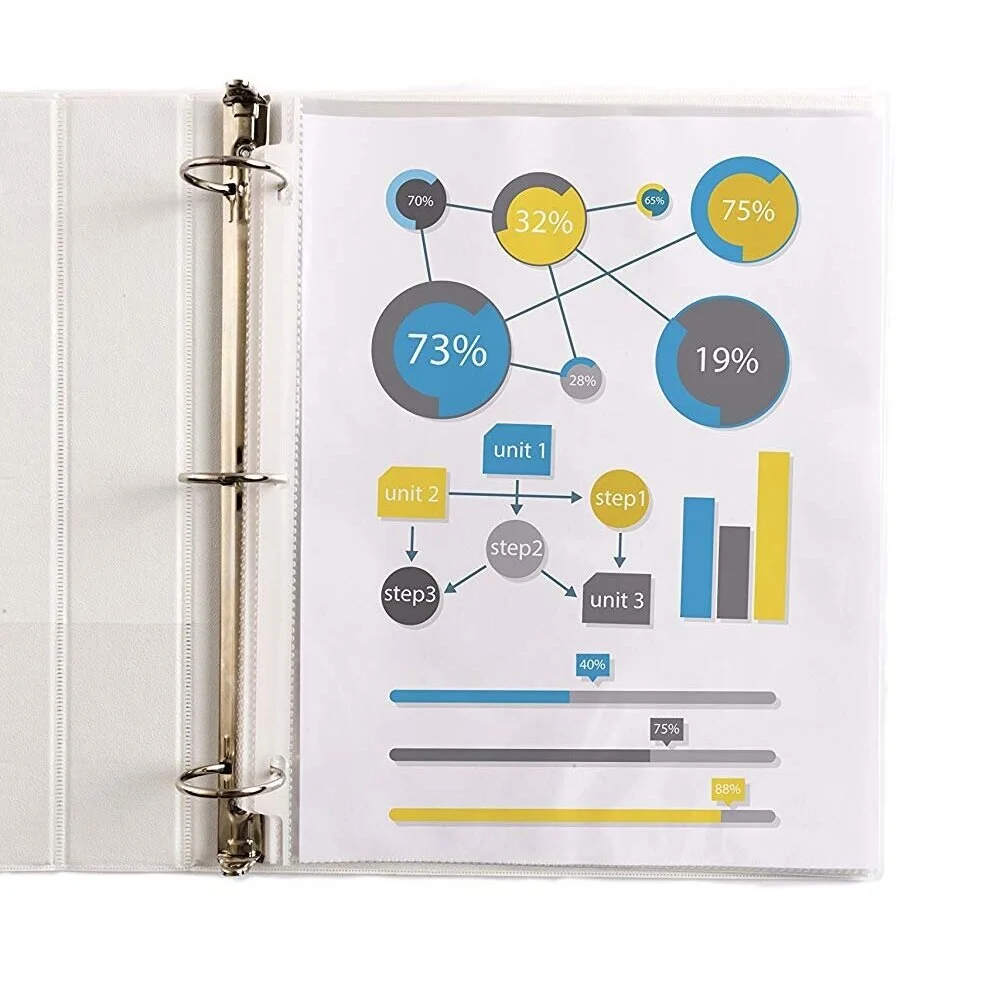
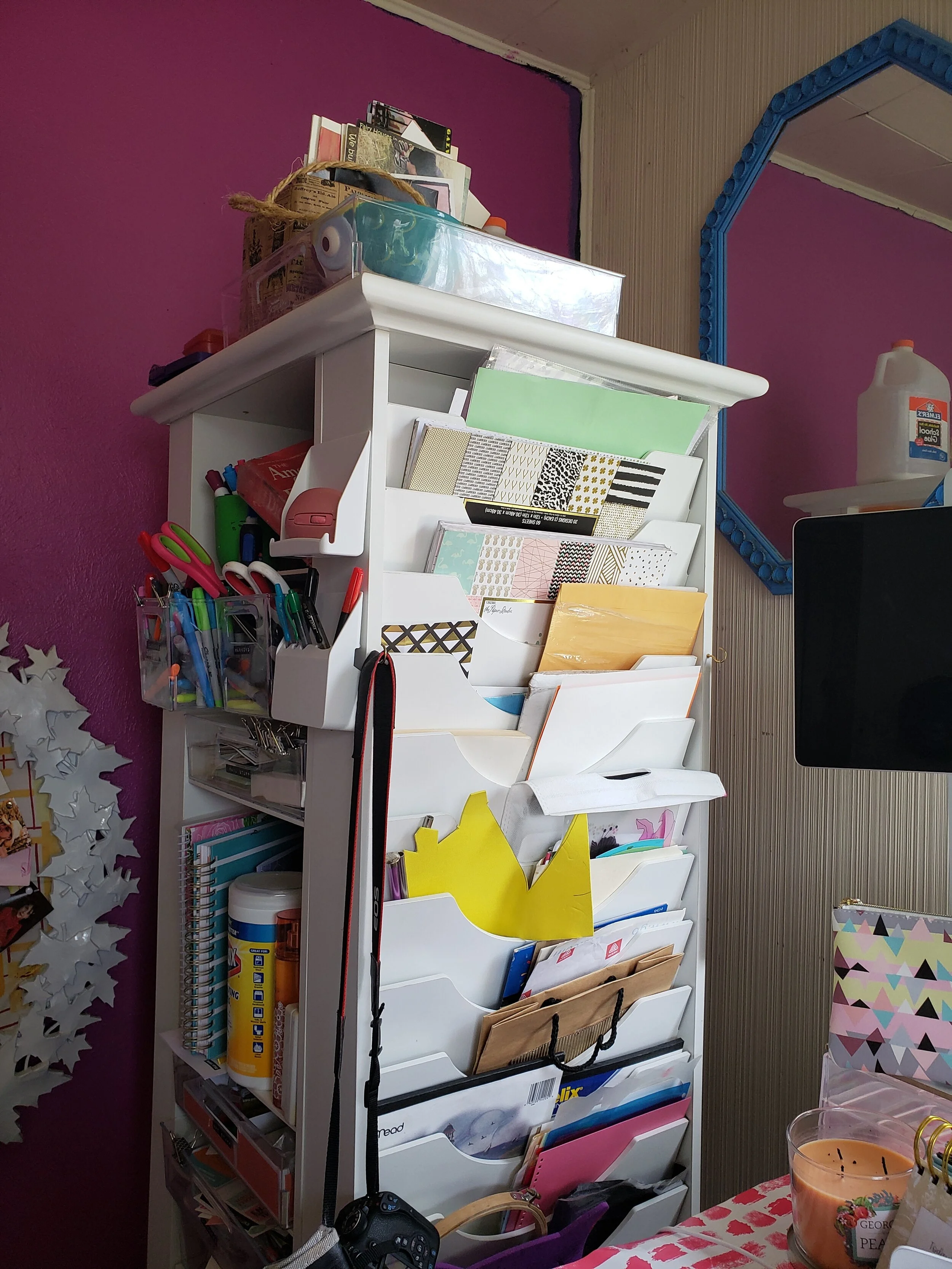
However, if you’re going to do this, you need to make sure that you can easily find and access files. This means you need a great storage system in place. I personally have cute little wooden filing cabinets, but I’ve also been known to stash hard copies in three-ring binders with clear pockets.
Also invest in a shredder to “file” documents you don’t need anymore safely. It doesn’t need to be an expensive one, either. The AmazonBasics 6-Sheet Cross-Cut Paper and Credit Card Home Office Shredder is just $35.
Office Chair

It’s easy to just pick an old chair for your office. Hey, it's cheap, right? There are several reasons why you should spring for a new chair, though.
For one thing, it may not be giving your back the support it needs for hours of sitting. Therefore, your back could end up in jeopardy if it’s not getting the cushioning it needs.
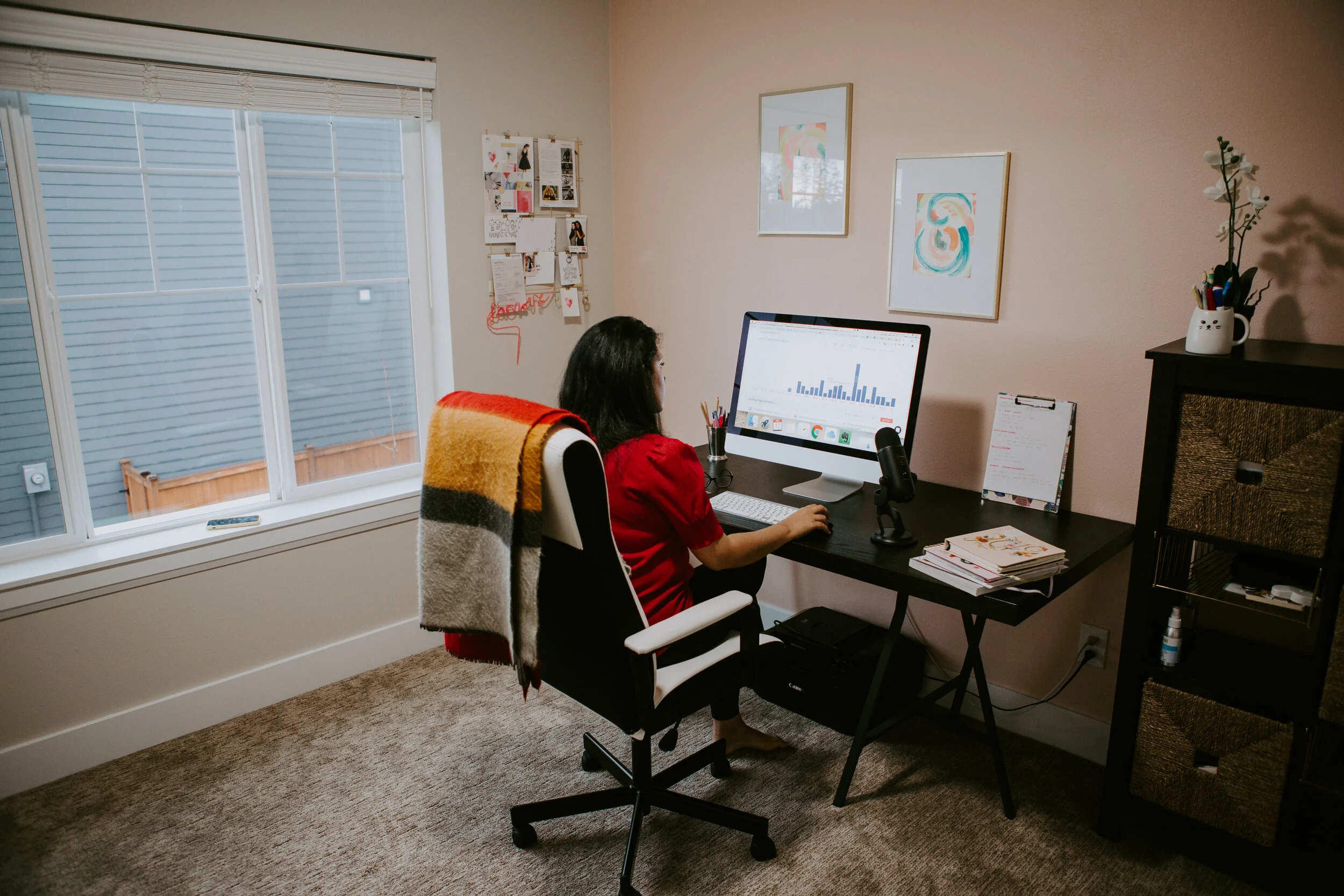
And not only is an old chair not good for your back, but it’s not good for the floor either. Old wheels or worn furniture pads on the legs could mark your office floor.
I personally have a Serta Executive office chair because it is fully adjustable and it was a great investment. I also keep a yoga ball chair in my office. Sometimes it's good to switch things up.

Hard Drive
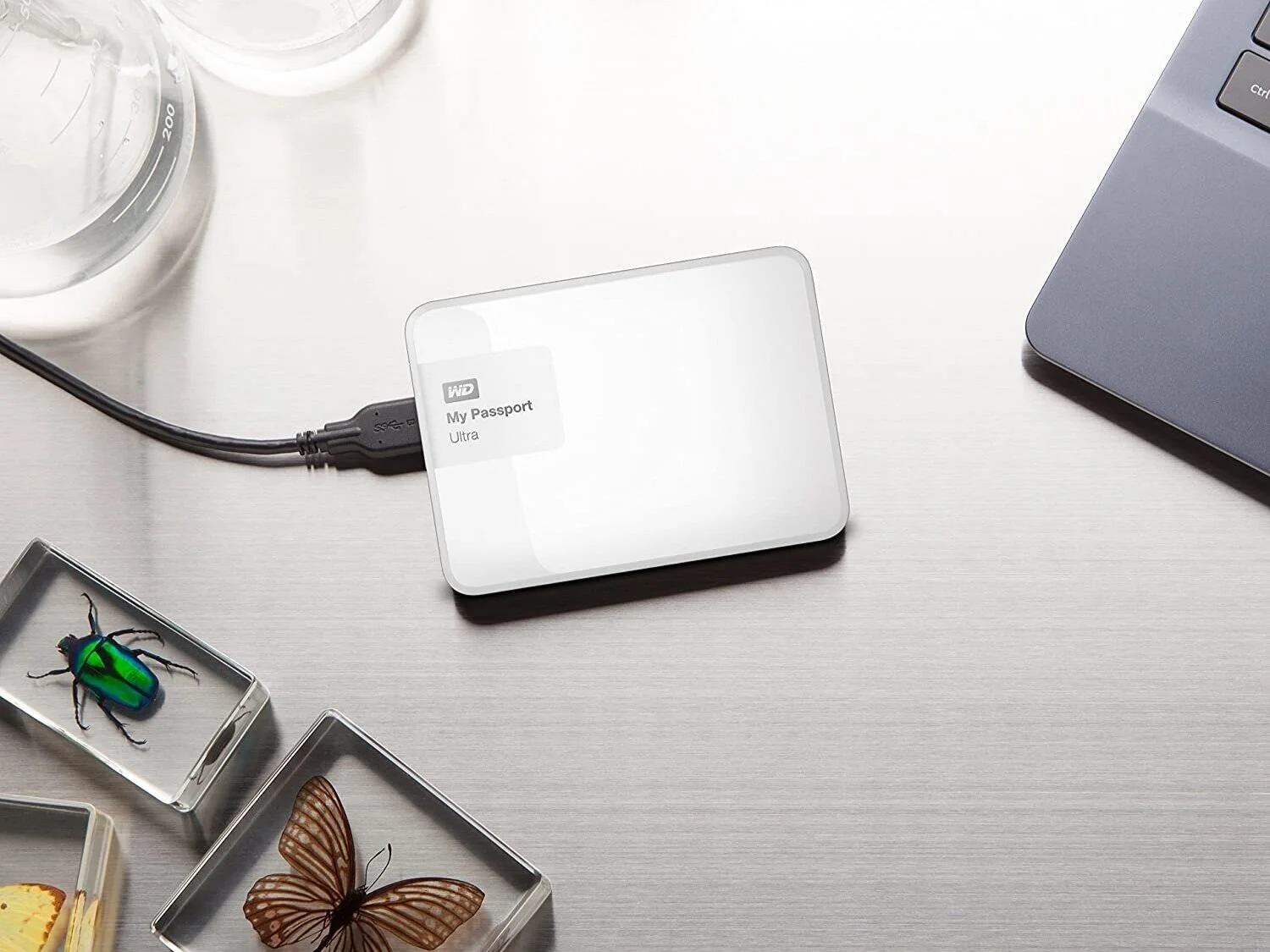
There is nothing more frustrating than working all day only to have it all wiped out. That’s why it’s always a good idea to back everything up on an external hard drive. When I started out, these were huge, but now you can get tiny ones that can fit in your bag. I use the My Passport Ultra, but there are a lot of great ones out there on the market. I also back up my work into the cloud with Google Drive, which costs around $11 a month.
Add Some Light to the Room
A lot of people choose a particular room because it has the most privacy. After all, you need minimum noise to get on with your work. But you need to think carefully before choosing the room.

lighting in home office
For one thing, you need to think about lighting. Low light can tire your eyes and force them to work harder if you are writing on the computer. Lack of natural light can also lead to depression, sleep problems and other crap you just don't need to deal with on top of running your own business.

I myself chose my home's sunroom as my office when I moved in (I’ve moved to a larger room since then). Half of the room is covered in windows and I have a nice view of my garden and pecan trees. Even if you don't have a sunroom, at least put your desk facing a window. Trust me, it will do wonders for your outlook on life after being cooped up inside all the time. (Plus, facing a window will prevent glare on your computer screen.)

Choose a room which enjoys a lot of light during the day. Then add some blinds so you can adjust the light accordingly. If you don’t have a room with a bunch of windows, add some extra lighting. Make sure it’s soft lighting overheard with bulbs that mimic natural sunlight, then add a lamp for task lighting on your desk. Some twinkle lights are nice, too.
Give the Desk Some Life

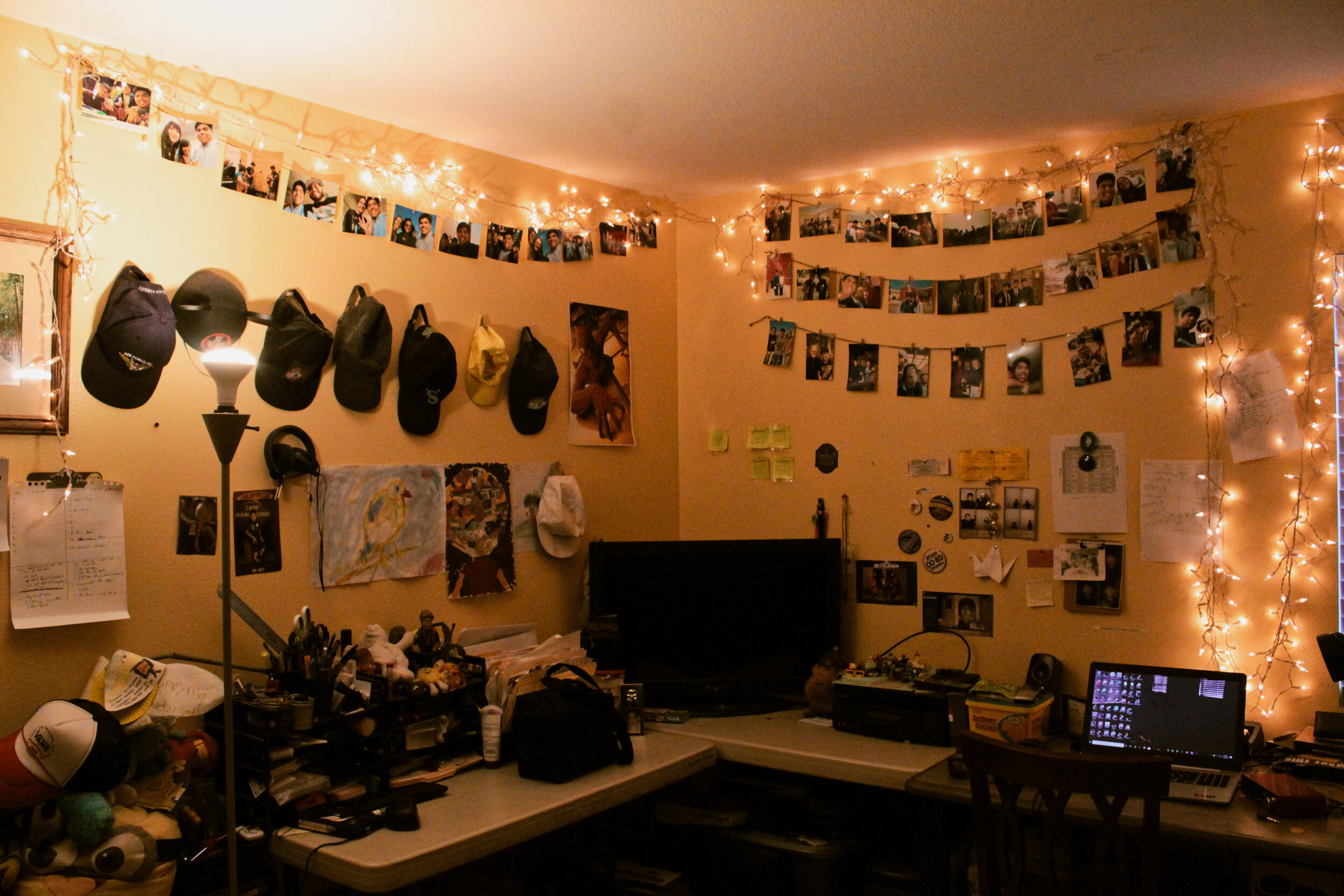
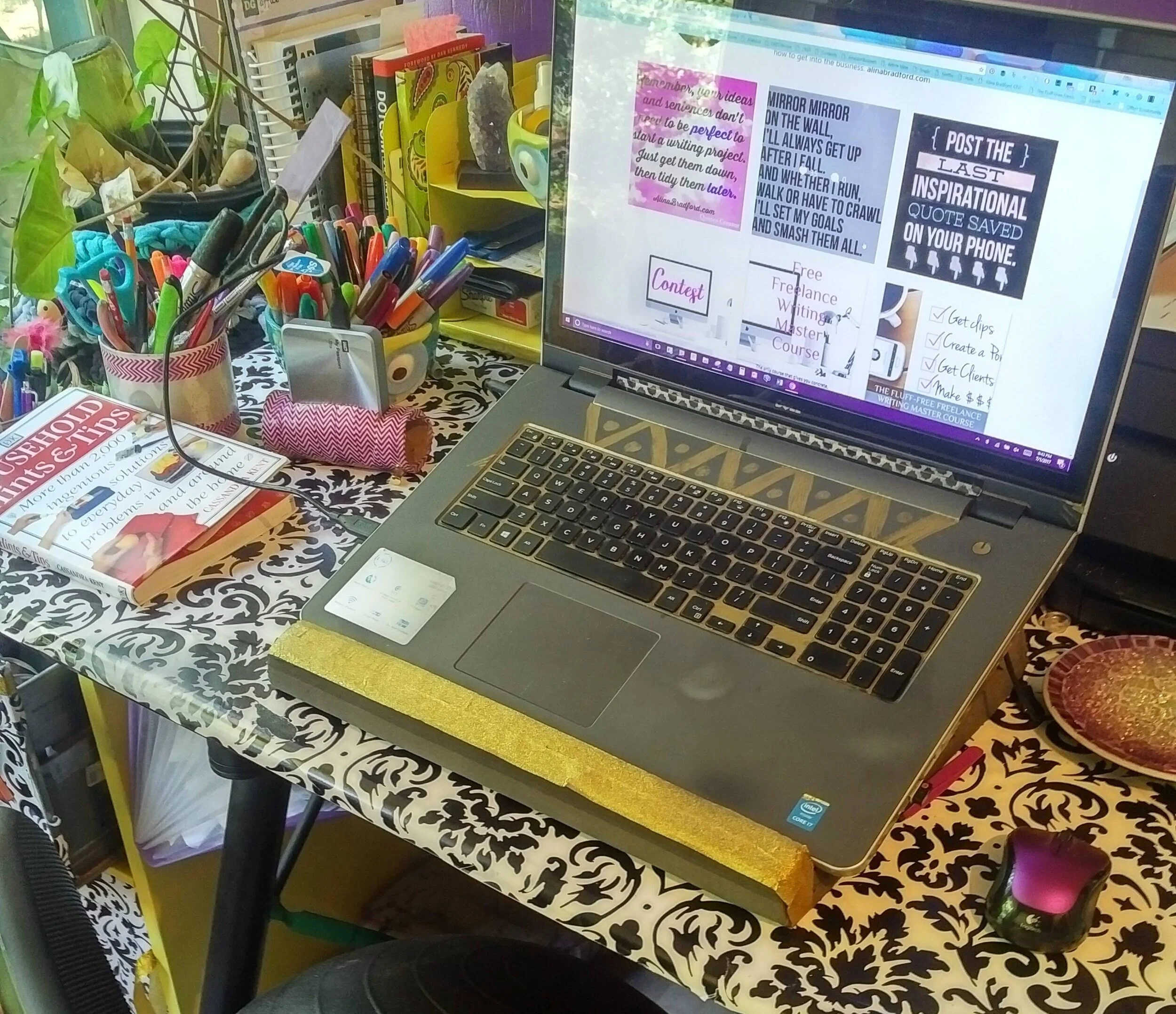
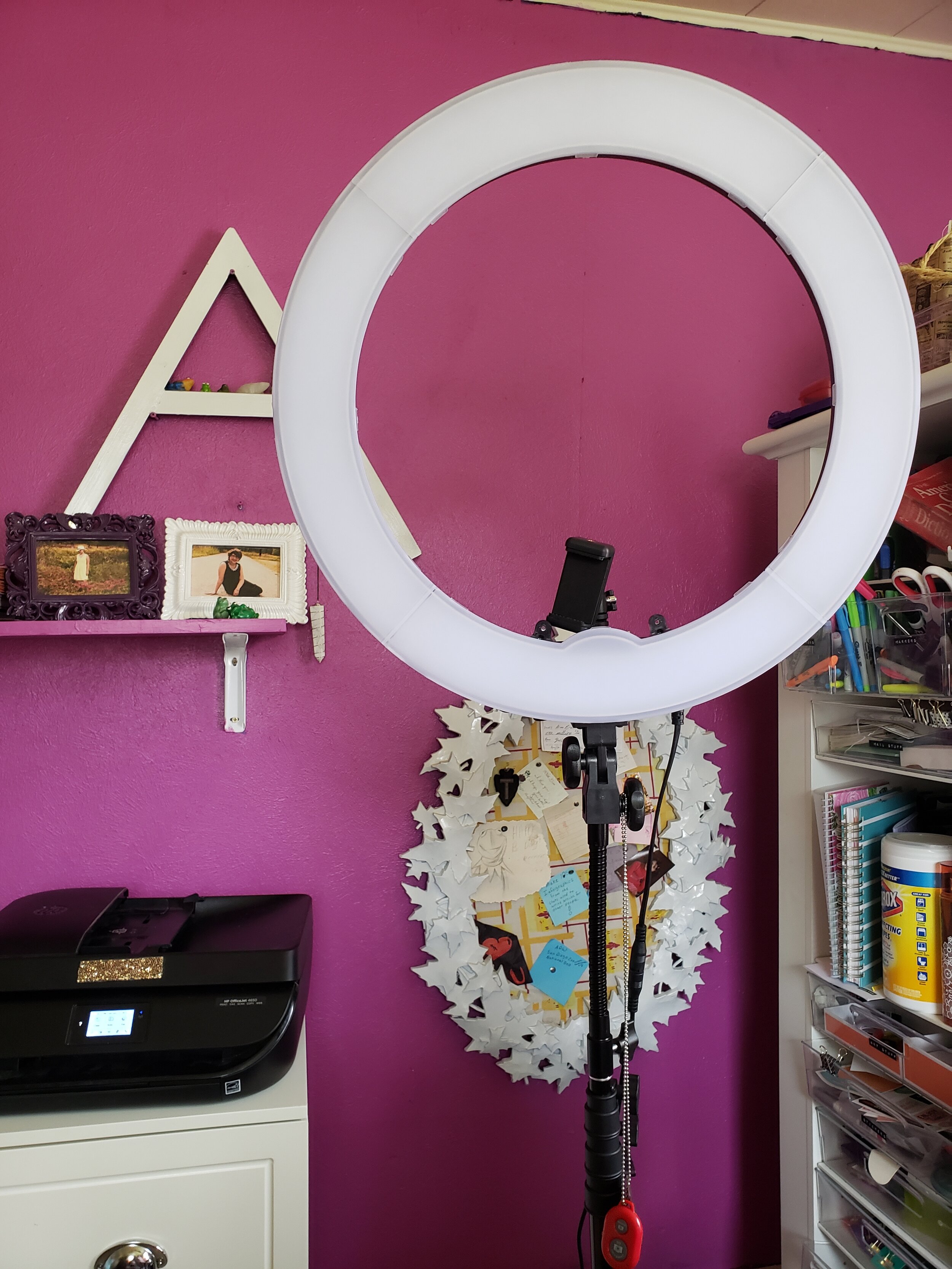
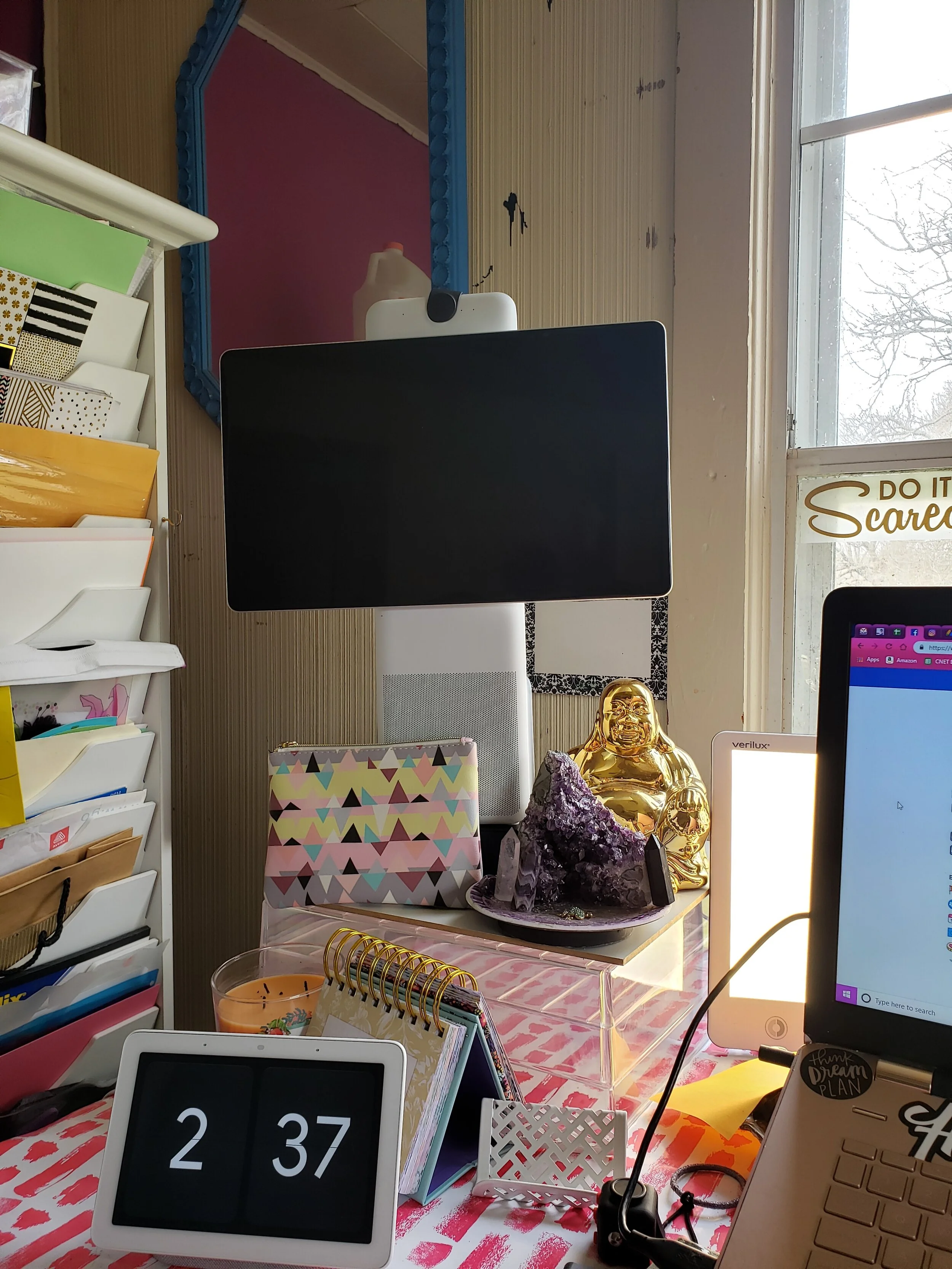
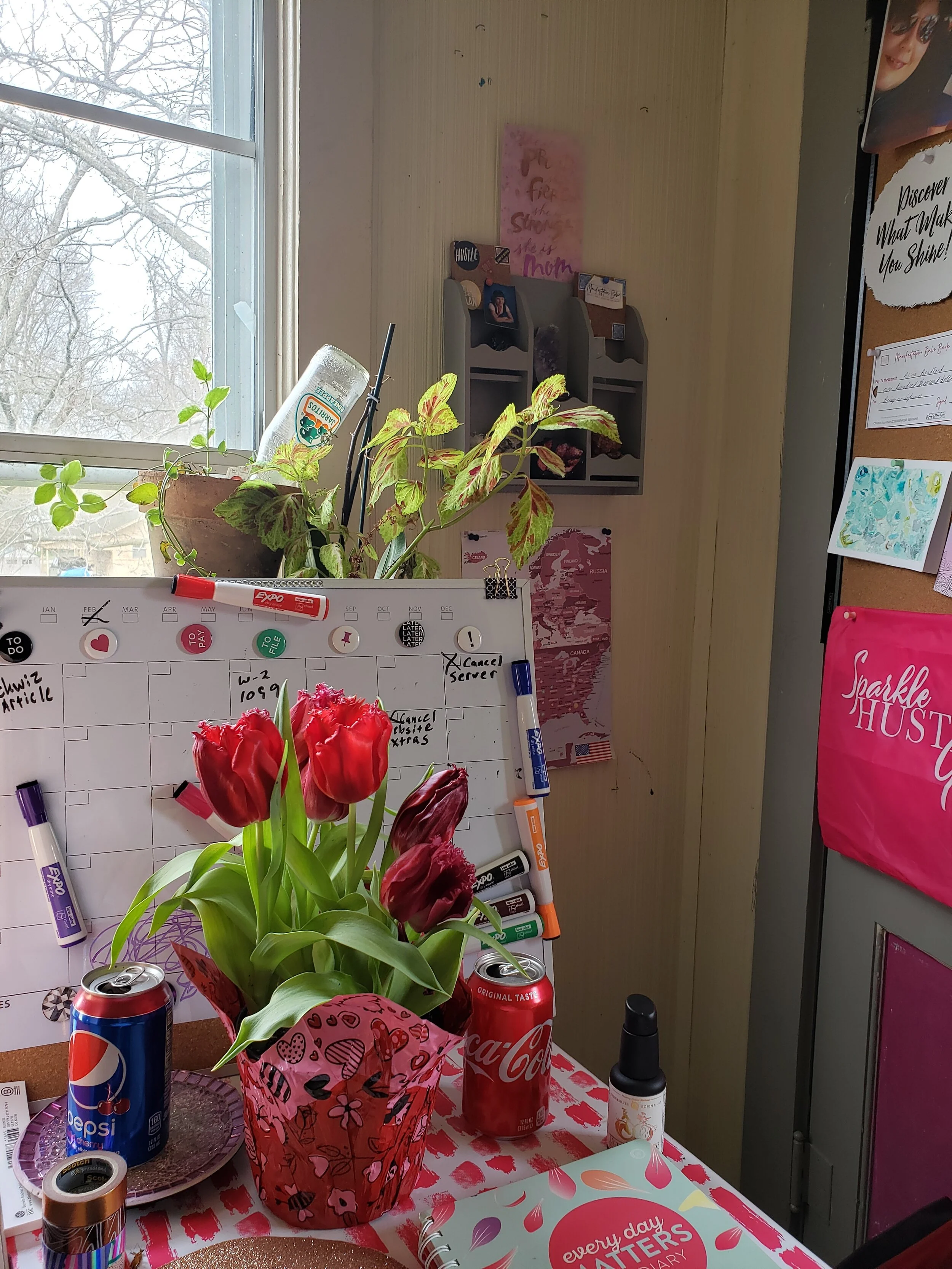
There’s nothing worse than sitting down at a boring desk. You need to give the desk a personal touch to boost your home office. You can do this by adding a beautiful vase of flowers or even a photo of your loved ones. I have like five plants on mine, some books, pretty rocks and crystals and a golden Buddha coin bank.

You might even want to give the desk some life by getting creative. For example, you could paint it a fun color which will make it stand out in the room. Or you could even skip the paint and decorate your desk by covering the whole thing in wrapping paper. That’s what I do to mine (see below). It will look fantastic and will give you a smile when you start your work.
Paint the Walls a Great Color
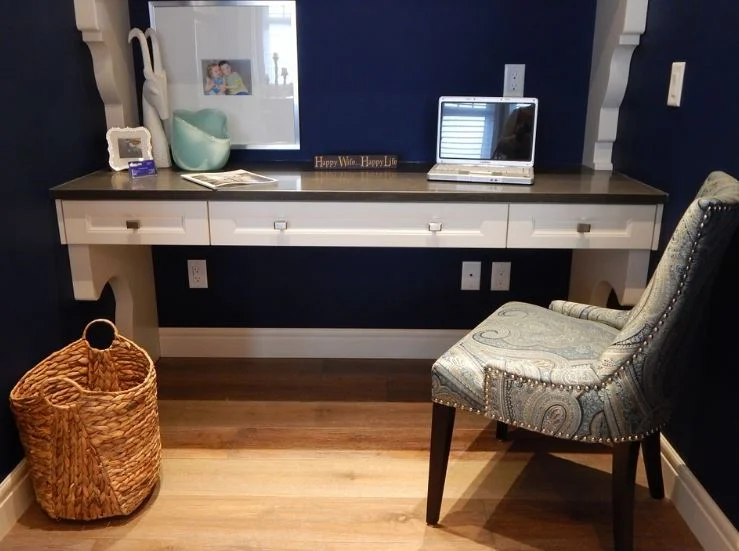
pretty home office
You should also color the whole room so it becomes somewhere you love to work. Choose a great paint color that will give the room a lift. It might be that you go for something bright like orange or yellow to lift your spirits. Calming green and blue have been found to improve efficiency and focus so you will have an office which will ensure you have a productive work day.





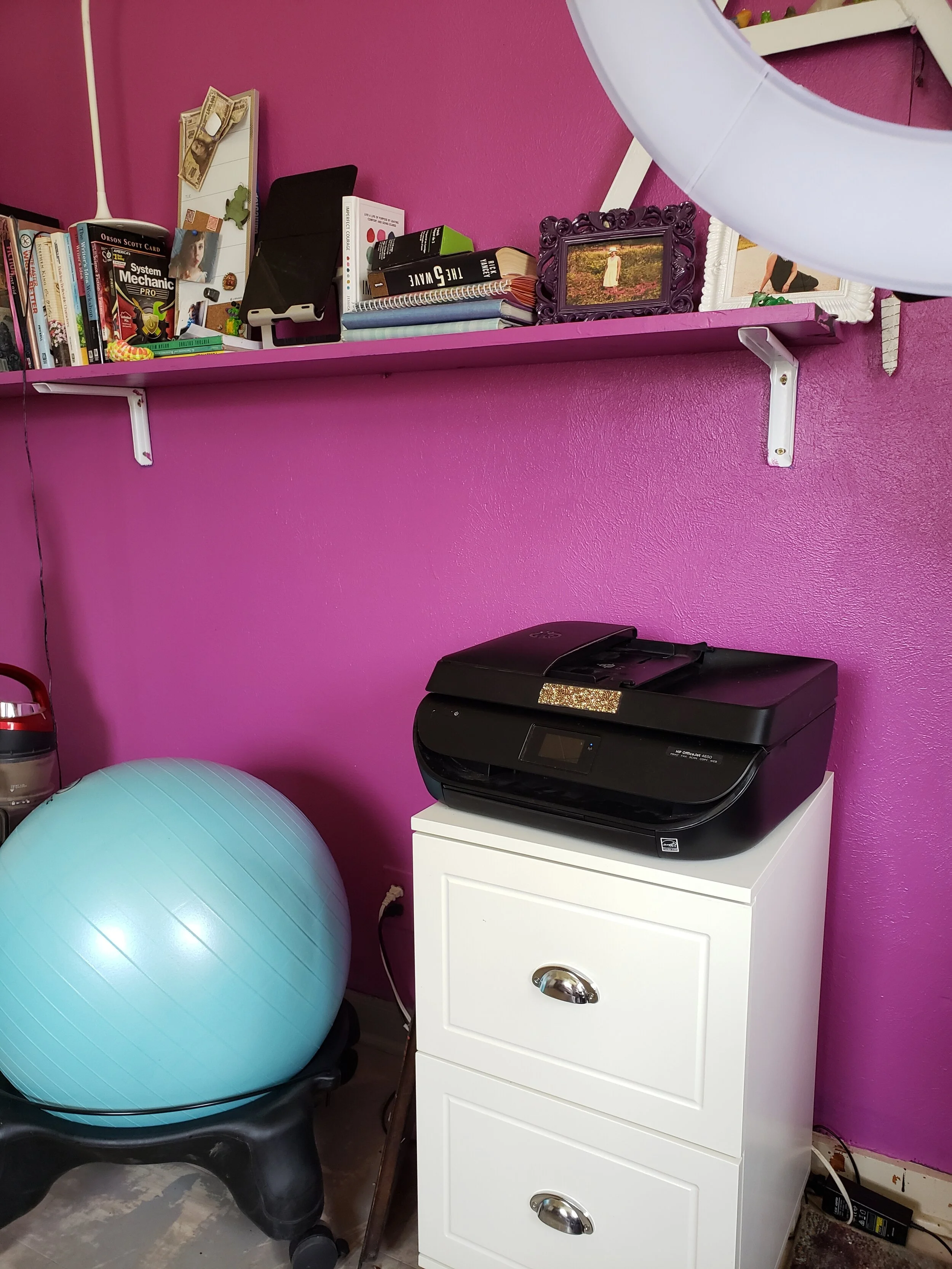
My office is purple has been purple and now it is pink. Both are colors that help with creativity.
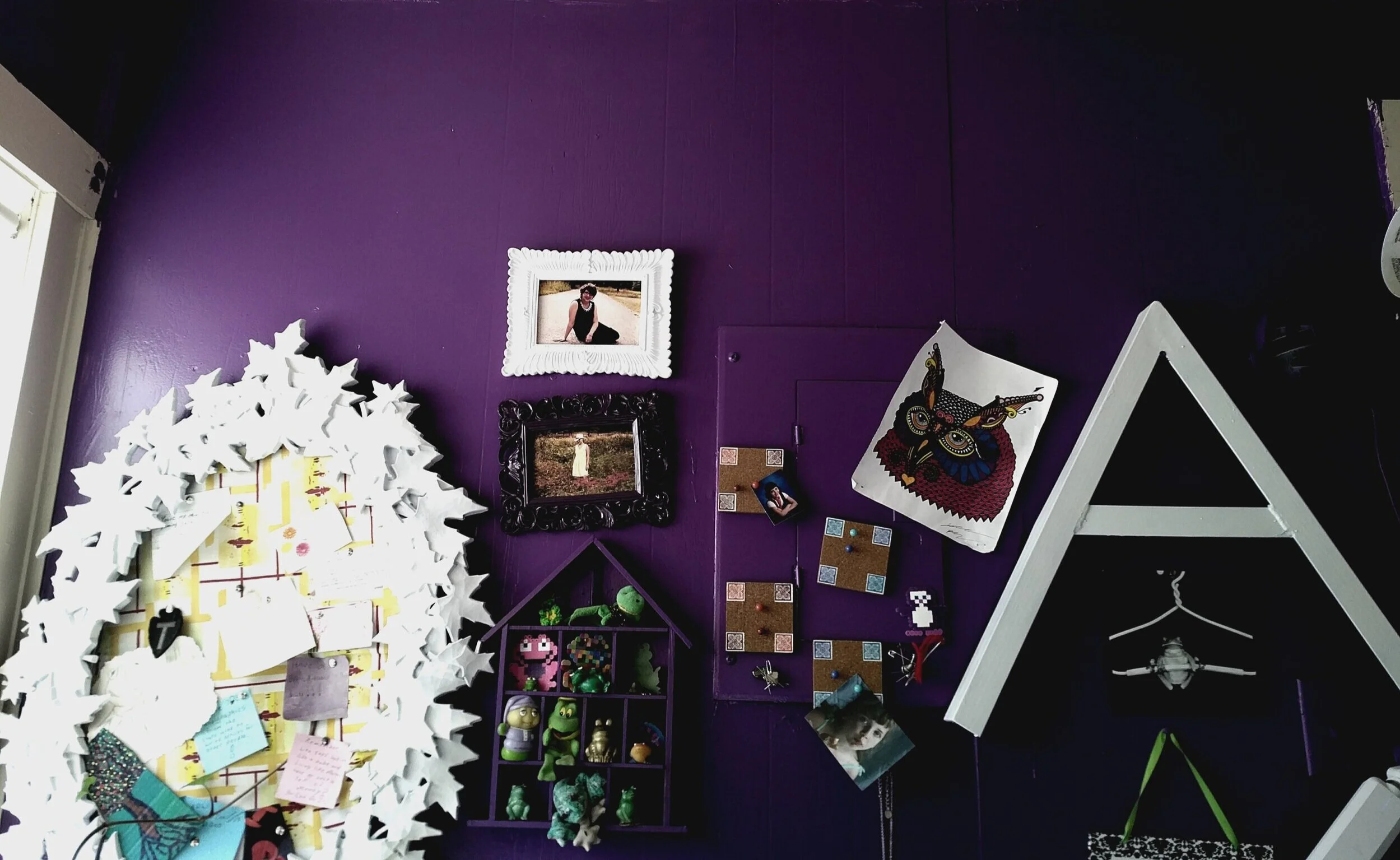
And remember the walls in your office don’t have to be plain. Go for inspiring wall quotes and artwork which will give you a boost!

Why not print motivational work posters around your room to remind you of why you do this? This doesn’t need to be the infamous "office motivational posters" that were popular in the early 90’s. A picture of your family or intended long-term purchase can both be applicable here. Seeing what you're working for every day can keep you going.
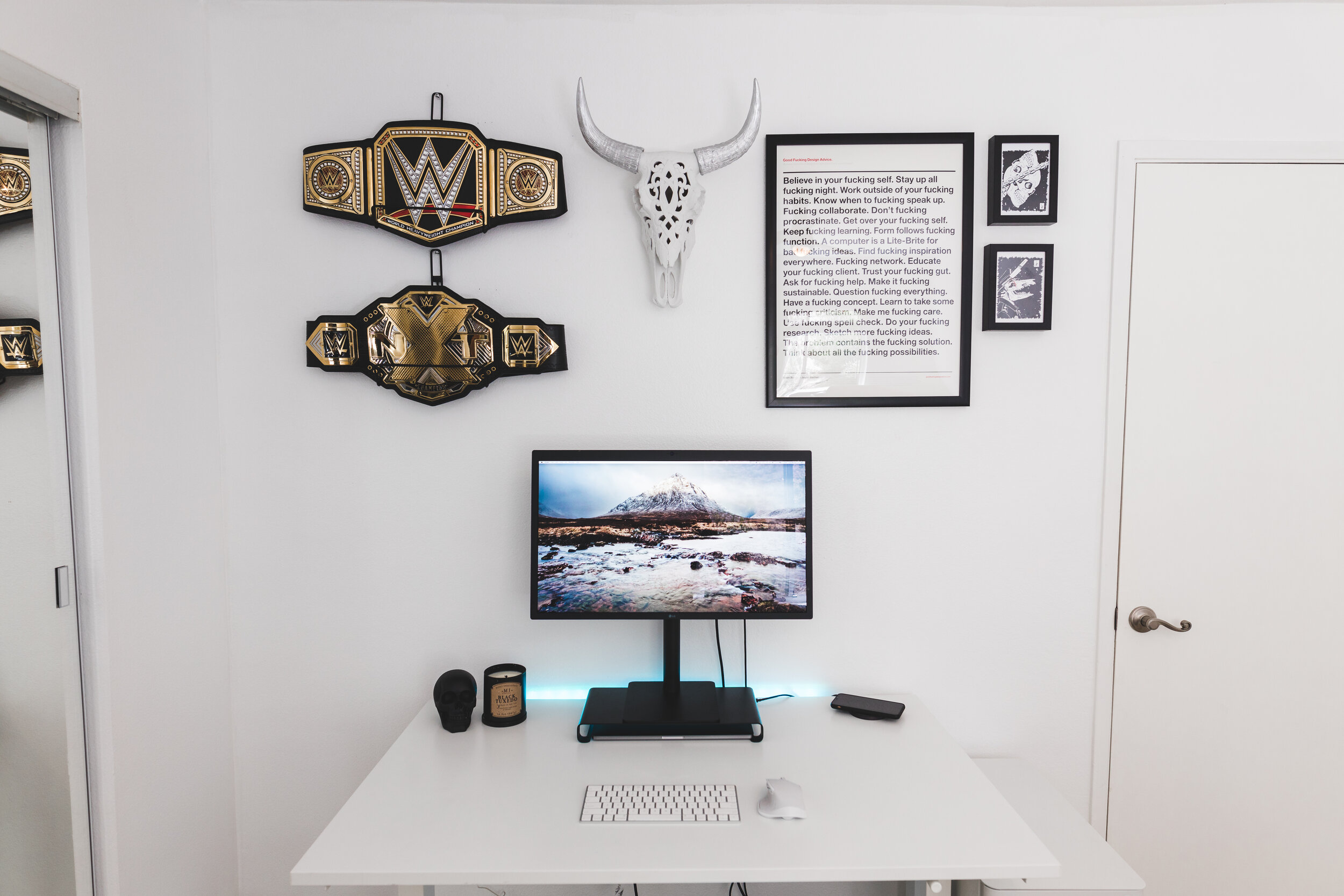
Curious to see what my whole office looks like? Here’s a tour.

Freelancing guide: Everything you need to know about pitching
Pitching the the epicenter of the freelance writer’s world, so it is important to know what it is and how to do it properly to keep cash flowing in. Here’s what pitching is and how to do it the right way to get results.
Pitching the the epicenter of the freelance writer’s world, so it is important to know what it is and how to do it properly to keep cash flowing in. Here’s what pitching is and how to do it the right way to get results.

What is pitching?
Pitching is basically the act of sending out ideas to publications in hopes that they will like your awesomesauce idea and have you write the idea in the form of an article, blog post, ebook, avertisment, web copy, ect. Its definition also extends to the act of contacting people and companies to get new gigs.
Writers need to be constantly reaching out through pitches to keep money flowing into their business. My motto is, “Keep 12 pitches in play to keep the bills at bay.” That means send out 12 pitches, and when one comes back, send out another one.
Pitching awesomesauce
After more than 20 years as a freelance writer, I know what an editor wants in a pitch, and what they don’t want. Here’s a basic outline of what a good pitch consists of:
A zazzy subject title- Grab the editor’s attention so they will open your email. The only exception to this is if the publication’s guidelines state a phrase or word that you should specifically put in the subject line. Don’t know how to find a publication’s guidelines? Get a copy of Writer’s Market. It’s all in there.
Introduction- This starts with a hello and why you are contacting the editor. Something like, “Hello Jane, (yes, make sure to use the editor’s name!) I saw that you are in need of xyz ideas for ABC Magazine. So, I would like to pitch you my idea for an article on xyz.” If you're applying for a gig, tell them!
An outline- Here you will briefly layout what your article idea is about and why it’s special. Only write one to two paragraphs, tops! Editors want you to get to the point, and if you can’t describe your article in two paragraphs, you probably need to go think out the idea a little more, anyway.
Credentials- Any information about where you have previously written (if you have written anywhere, if not, leave it out) and three links to clips or a link to your portfolio. If you think your experience on the topic is impressive, put it after the intro.
Close- I always like to end my pitches with something like, “Thank you for your time and consideration. I look forward to working with you soon.” Then, sign off with your name.
That’s it. Sometimes I switch things up, but this is the basic outline of a good pitch.

Examples of pitches that worked
Okay, those steps seems simple, but what do they look like in action? Here’s a couple of pitches that I’ve written that got me an assignment. This first one got me a byline on Rachael Ray’s site.
Dear Princess Gabbara,
I am a freelance writer with 20 years of experience writing health, tech and lifestyle articles and blogs. I have worked with many large sites, such as CBS, MTV, MSN, USA Today, Digital Trends and CNET.
Google Home, Alexa, Facebook Portal...Which One is Right for Me?
This article would focus on how to choose the right home assistant for your family's needs. I have written extensively about each one, so I know what they offer and how they can benefit different types of users.
Topics I would cover:
-Which is best for home chefs?
-Which one allows you to organize your life easily?
-Which one is best for keeping in touch with long-distance family and friends?
I would write the article in a friendly and informative style.
You can see some examples of my work here: https://abradford.contently.com/ Thanks for your time!
Many thanks,
Alina Bradford
This next pitch got me a writing gig at Family Handyman. Notice this isn’t an article pitch, but a pitch for a gig opening.
Hi Berit,
I saw your need for DIY freelancers. I have been writing DIY content (particularly smart home topics) for many years. My work has been published by CNET, Digital Trends, CBS, MTVNews, Everyday with Rachael Ray and many more. I would love to join your team. Here are some links to my work:
https://www.digitaltrends.com/home/how-to-talk-to-samuel-l-jackson-using-alexa
https://www.cnet.com/how-to/how-to-get-google-home-to-play-your-youtube-playlist/
https://www.rachaelraymag.com/whats-new/how-to-pick-the-right-video-smart-tech-for-your-home
You can learn more about me here: LinkedIn
Thank you for your time. I look forward to hearing from you.
Alina Bradford
You’ve got the goods
I know, you’re probably thinking, “Well, ya, the editor gave you a chance! Look at your credentials!” Let me tell you, I’ve been using this method of pitching from the beginning. It works, as long as you have a great article idea or can convenience the editor that you’re the person for the job. If you don’t have on-the-job experience, tell the editor:
How the topic has been a lifelong hobby or passion
About training you received that relates to the topic/gig
You know experts that can be interviewed for this piece and/or any in the future
Life experience you’ve had with the topic (raising a special needs child, caring for ailing parents, mental health issues, parenting multiples, beating cancer, etc.)
The fact that you know SEO and writing compelling calls to action
Follow up
After you send a pitch, follow up. Sometimes an editor will miss your message the first time. A good rule of thumb is to wait two weeks, then send a little something like this:
Hi Jane,
I’m just checking in on the pitch/application I sent you two weeks ago. I’ve pasted it below for your convenience.
Thanks for your time and consideration!
Alina Bradford

Keep track of your pitches
As you send out pitches, you need to keep a record of what ideas you sent out, what gigs you applied for and the details. After all, you need to know when to follow up and you need to remember their rates for future negotiations. Things you need to note include:
Your pitch idea or gig position
The publisher name or potential client
Date you sent the pitch
When to follow up
Contact details
Pay rates (if you know them)
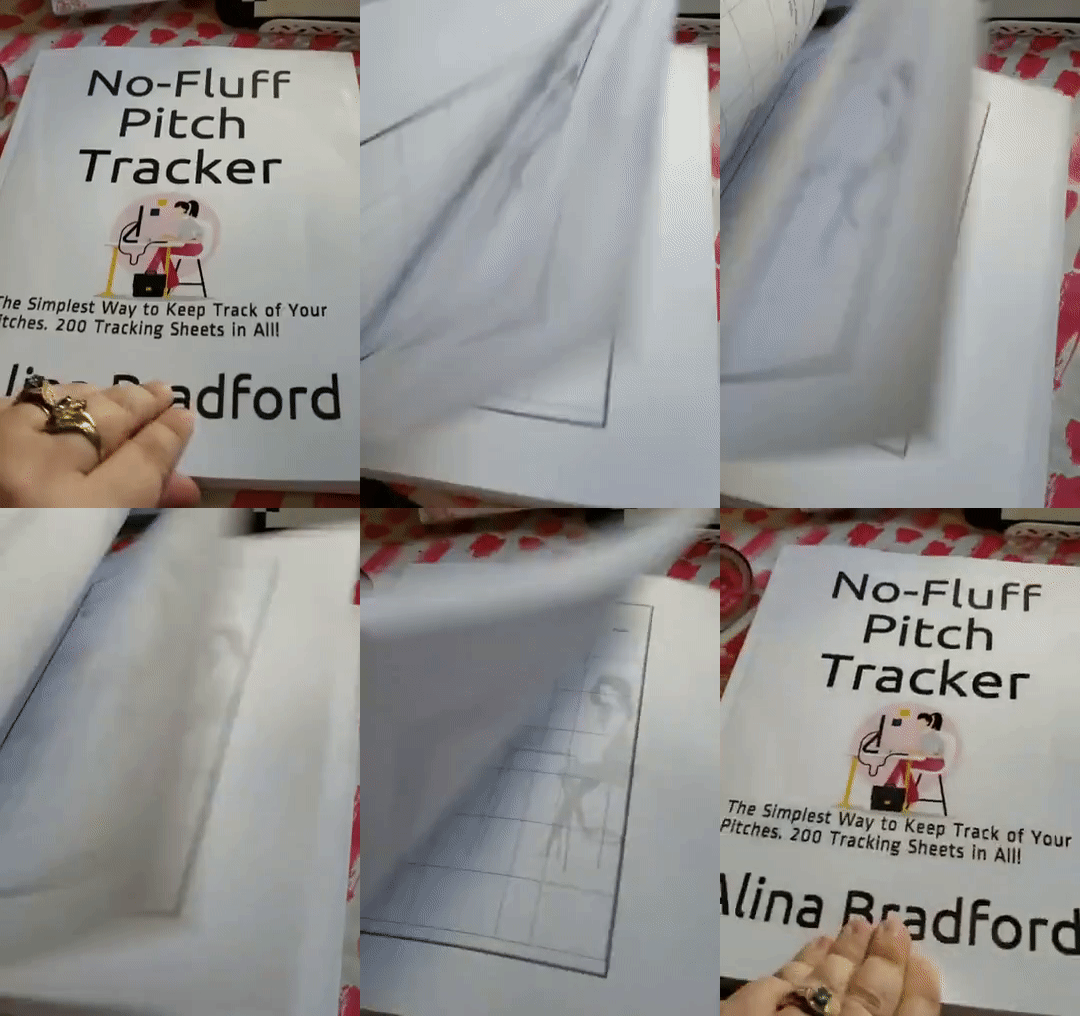
You can write all of this information in a notebook or type it up in a spreadsheet. If you’re not sure how to set up your tracking, I’ve created a workbook to keep all of your pitches in and you can get the No-Fluff Pitch Tracker on Amazon, or you can get spreadsheets to print out here.
Quick tips for pitching
Always double-check spelling and grammar
Always use the editor’s name if you know it
Make the email’s subject line an attention grabber
Be your own hype man
Keep track of pitches
Follow up in two weeks
Want to learn how to make a successful living as a freelance writer? Get the No-Fluff Freelance Writer Starter Pack. Only $29.97.

15 Free Online Tools that Every Writer Needs
Here’s a guide to all kinds of free online services that you can use to get your freelance writing business off the ground. Make sure to bookmark each one!
Every new business venture comes with overhead. One of the least expensive businesses to start, though, is freelance writing. You don’t need to pay for a building and many of the “supplies” you need are free online. Here’s a guide to all kinds of free online services that you can use to get your freelance writing business off the ground. Make sure to bookmark each one!
Google Docs
There’s no need to purchase Microsoft Word to type up articles, whitepapers and copy for your clients. Google Docs is jam-packed with features and it autosaves every few seconds, so you’re less likely to lose your work.
2. WPS Office
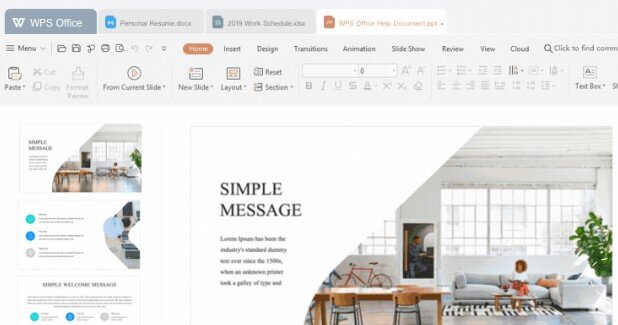
Google Docs is great, unless you need to create longer documents like ebooks, because it tends to glitch out. I personally use WPS Office. It is a suite of software including a spreadsheet maker (like Excel), a word processor (like Word) and PDF software (like Adobe Acrobat). The whole thing is free.
3. Medium
If you need somewhere to post your blog posts or articles for free so that you can show them to clients, Medium is a good choice. It’s clean and professional looking, plus you don’t need to do any design work or pay any fees. The platform is super easy to use for beginners', too. If you sign up for their creators program you can get paid for your posts.
4. Capitalize My Title
Capitalize My Title is a little site will capitalize your titles perfectly for any style your client needs, including APA, MLA, Chicago, title case and more. This is great for writers that have a hard time remembering which rules belong to which writing guidelines.
5. Character Counter
Sometimes your clients will ask you to make sure that a headline, quote, etc. is within a certain character length. You can check easily with the Character Counter tool.
6. Plagiarism checker & citation assistant
If you ever have a doubt that you might have plagiarised someone, there’s an easy way to check. Just copy your work into the Quetext tool. It will check everything for you to ease your mind.
7. Citation Machine
The Citation Machine will create citations in whatever style you need automatically.
8. PR Newswire
Whenever you need experts for quotes, turn to PR Newswire. I’ve used it for over a decade and they’ve never let me down.
9. Google Voice
If you don’t want to share your phone number, make a free business number with Google Voice. You can set up a free phone number and voicemail box that redirects to your phone in just a few minutes.
10. Portent blog title generator
Have no idea what your blog post title should be? Try the Portent tool.
11. PayPal
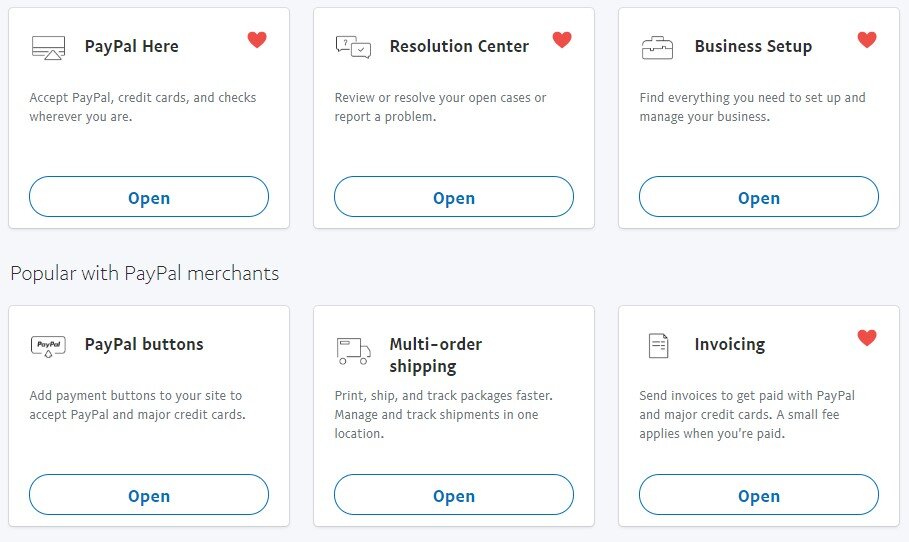
You’ll need a way to take client payments. I’ve been using PayPal for decades and have loved every moment of it. They take a small percentage of your client payments so you don’t need to pay upfront. The cut is 2.9% + $0.30 per transaction (most providers charge a similar rate). You can also get a business debit card, business credit card, a mobile card reader, invoicing services, and pay now buttons for your site.
12. Screencasify
Screencasify is a Chrome plugin that you can use to create a video of whatever you’re doing live for presentations.
13. Free Summarizer
The Free Summarizer tool can summarize and proofread your text.
14. SpyFu
WIth SpyFu you can enter a competitor’s website and download their most profitable keywords. This little insight helps you place better keywords into your own articles and come up with more popular topic ideas.
15. Contently
Every writer needs a portfolio, and one of the best free portfolios is Contently. Plus, you can get writing gigs through the site. Win. Win.
Want to make $100 to $200 per hour from home like I do? My No-Fluff Freelance Writing Starter Pack teaches you how to make a living as a writer from home.

Starter's Guide to Becoming a Professional Writer
Freelancers don’t have it always easy, but if it’s the life you want for yourself, you need to aware of the inherent costs and hurdles. Here’s some things you need to know when getting started as a freelance writer.
More and more employees find themselves sitting at their desk and dreaming of becoming their own boss as a professional writer. It’s a recurring dream for all those who want it difficult to juggle with the unnecessary office politics or the toxic colleagues.

Whatever the reasoning, self-employment is at its highest level in the UK and the US, signifying more and more people have decide to move their professional career under the freelancing skies. After all, if there’s something appealing in the world of freelancing, it’s the sense of freedom that you get. For many, freelancing as a professional writer is the way out of the career or a company that didn’t suit their personality or desires.
But working for yourself comes at a high cost, in terms of money, social behavior and mental health. Freelancers don’t have it always easy, but if it’s the life you want for yourself, you need to aware of the inherent costs and hurdles. Here’s some things you need to know when getting started as a freelance writer.
The legal stuff
Do you know how to pay taxes or if you need a business license in your area? You need to research these two items before you start taking on clients. Here’s some tips on the legal part of becoming a freelance writer.
You compete against other market players
The freelancing world is that the market is a busy place. There is a lot of competition coming from a variety of places. As an independent contractor, you might find yourself competing against companies or other freelancing individuals.
In fact, if you’re not in a position where you can bring your client a competitive edge, either by your expertise or your specialist niche experience, you’ll be struggling to make ends meet. There’s no way around it: As a freelancer, you need to have top qualifications, and more often than not it’s something you need to invest either or money into. How do you gather the relevant knowledge? There are many options, depending on your area of freelancing.

For instance, if you’re a freelance copywriter and want to attract more financial writing gigs, you might need to get an MSC Accounting and Finance – and studying, as you know, doesn’t come for free.
You might also want to take on an internship in a specialist sector, just to gather the relevant market knowledge. The advantage is that an internship position doesn’t require any payment on your part. The inconvenient is that it isn’t paid either.
Another option is to find a niche in what you're already skilled at. For example, if you were a firefighter, you can write about safety. If you're a mom, you can write about a wide range of topics, from childcare tips to home organization. If you're a nurse, you can make the health field your niche.

You don't need to base your niche off of your old career or degree, either. It can also come from hobbies you are passionate about. Say, for example, you love to cook. You don't need a degree from the Culinary Arts Institute. Your resume can say something like:
"As a lifelong home cook trained by three generations of women, I have made over 5,000 recipes in my life."
This is how I started writing about tech. I don't have any kind of technical degree, but I'm passionate about learning everything about it. This gives me an edge.

Here are some more tips for standing out from the crowd.
Professional writer, be organized
When working in an office, there is only one thing that you need to worry about: Finishing your project within the deadline. When you work for yourself, you need to become a master of organization.
If you work on several projects at the same time, you may find it useful to stay on top of your client tasks in the same way that companies manage employee schedules, with a work schedule maker.
Fortunately, there are plenty of affordable or even free tools, starting with the obvious pen and paper. However, the more complex your tasks are, the more you’ll have to spend on keeping your freelancing business on track, from automated invoicing to digital task overview.
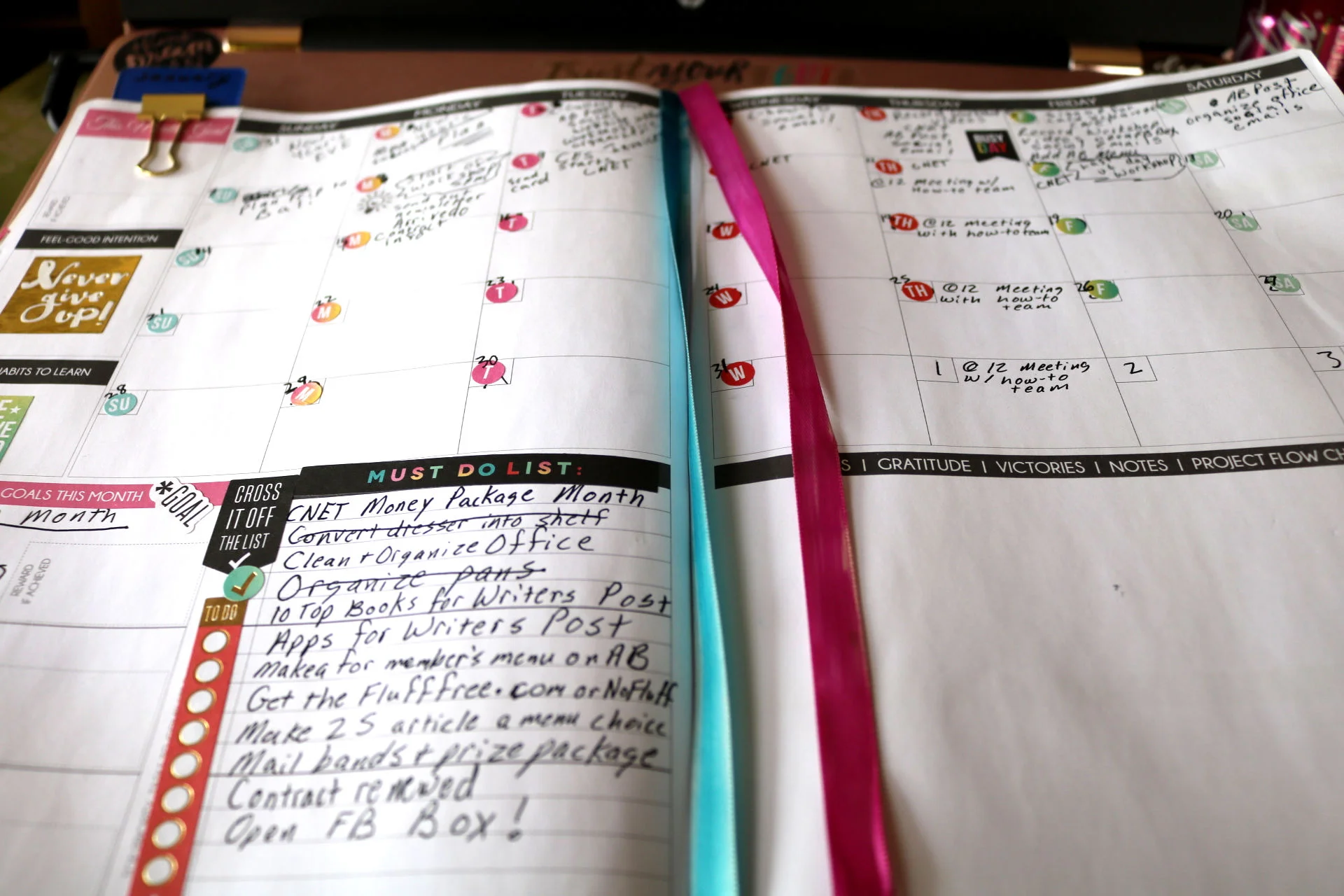
If you're a goal oriented person (I recommend setting goals to build your career, btw) get a planner that focuses on setting goals while organizing your day. I personally use the Law of Attraction Planner. If you want a digital organizer, try Google Calendar. It's free and you can set up alarms and reminders.
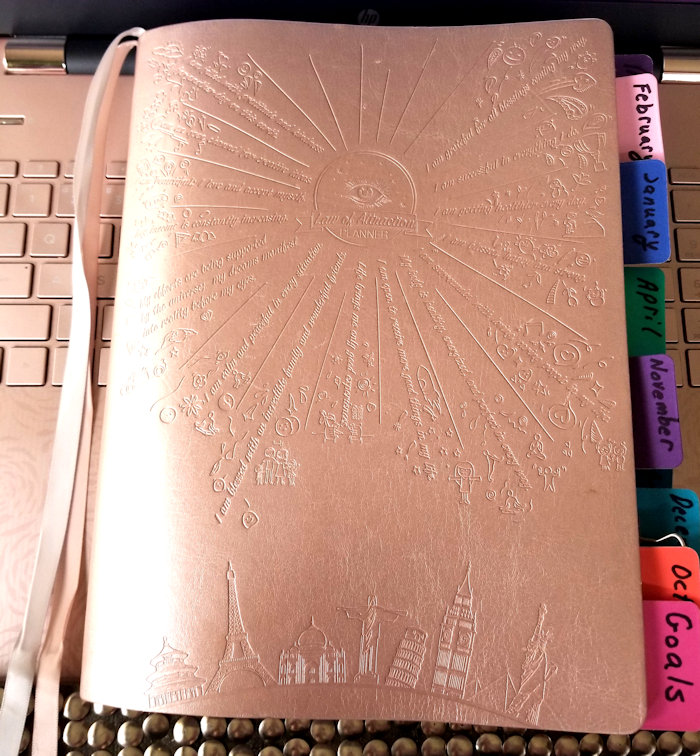
abundance planner
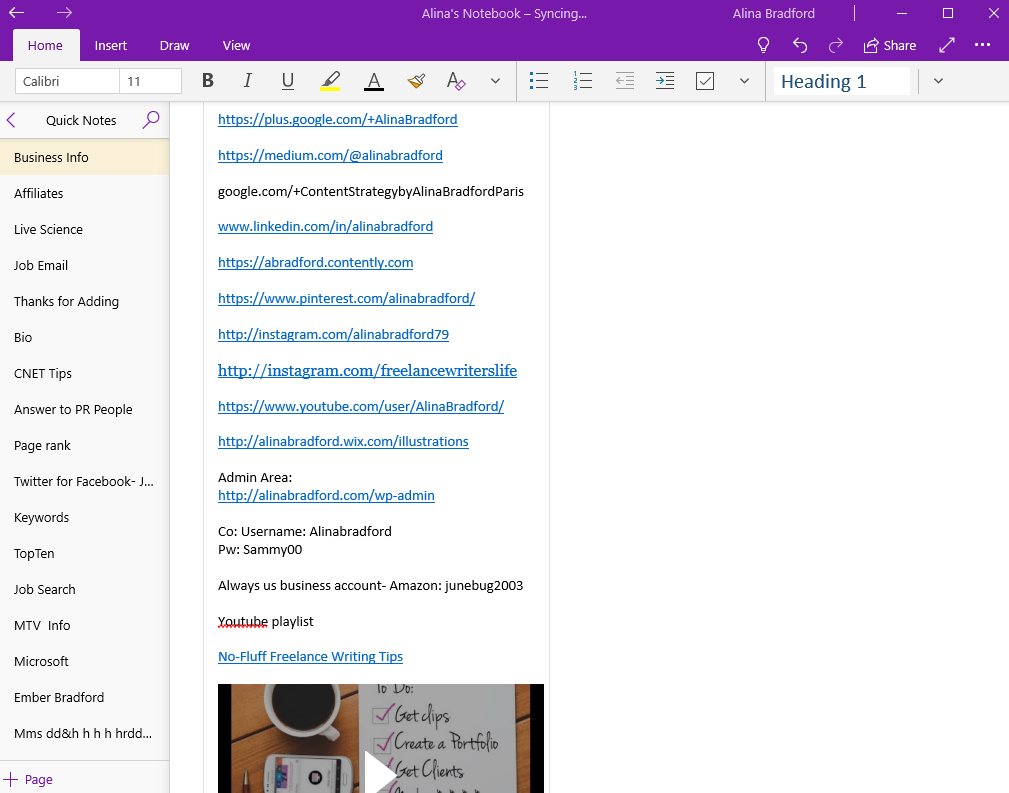
Another must have is a note taking app that you can use on your desktop, computer, phone and tablet that syncs all of your notes. I use OneNote and probably won't use anything else. I have a page with links to all of my social media and books so I can just copy and paste it when people ask for the information. I also have pages for writing guidelines for various clients, project ideas and email templates.
You create your own office
If you work from home, you will need to design a home office that is both inspiring and functional. More often than not, you’ll come across cute home office design tutorials that list all the furniture and DIY tools required to achieve “the look.” But they often forget to mention the cost of your work setting.
As a freelancer, you will need a decent desk, the relevant tech – from laptop to printer – and a storage facility. Remember that you’ll spend long hours working, so you need a comfortable and homely decor.
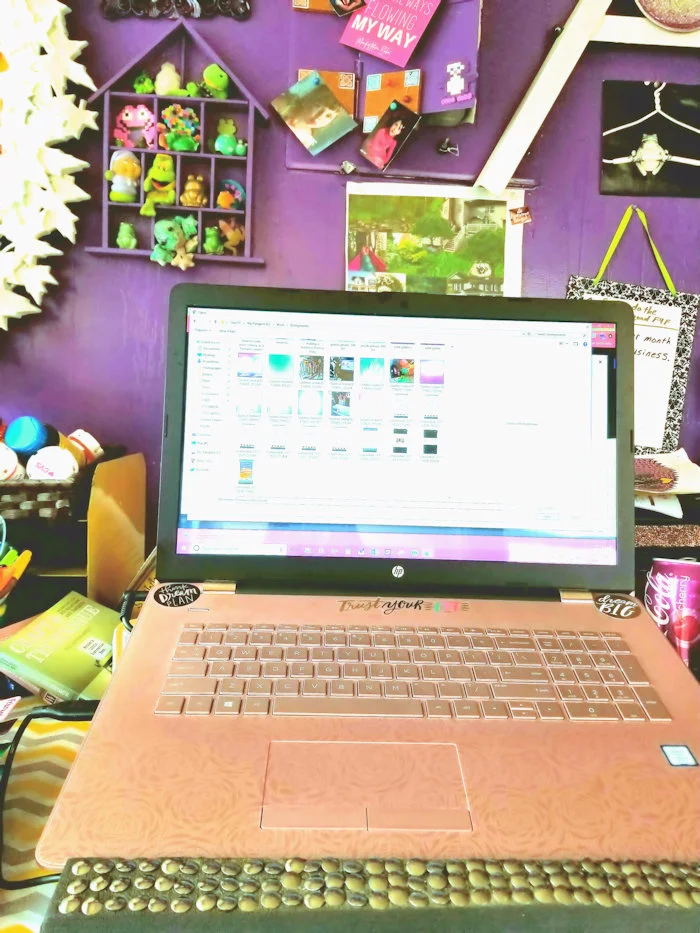
my desk
Here's a list of the basics:
Laptop or desktop. (I prefer a laptop so I can work from anywhere.)
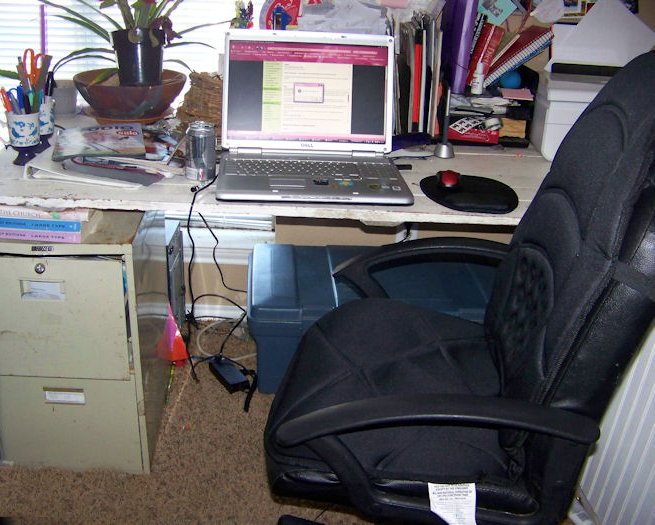
Desk. (I use a standing desk, but for years I had an old door propped across small filing cabinets.)
Some kind of online portfolio or website. (I suggest just getting a LinkedIn page to start here is some more in-depth info on building a portfolio.)
If you're going to write for local businesses you'll need business cards. (Moo.com is my card maker of choice. Here are my cards, below.)
Business cards for freelance writers
Business cards for freelance writers
Need a break? It’s at your expense
Being paid by the project, you might be tempted to work almost 24/7. However, overworking yourself is not a practical solution. Not only will this decrease the quality of your work, but it can put your health at risk too. Be safe, my professional writer friend!
You do need to take a break to recharge your batteries. Holidays and sick days are not remunerated, though. What this means is that you need to evaluate your health against your finance: Can you afford to take a day off?
One of the things I love about being a freelancer is that I can do my work ahead of schedule so I can take a week or two off. My clients are happy, I get paid, and I get needed time off. I take several vacations throughout the year.

professional writer on vacation
Either you multitask, or you pay someone to do it
Working for yourself as a professional writer means that you need to be a marketer, an accountant, a sale representative and a freelancing expert at the same time. It’s not only exhausting to juggle between each job; it seems that multitasking also reduces your IQ and productivity.
If your budget is in the green (a simple monthly budget template can help you keep your finances in line), you should consider outsourcing. If it isn’t, you’ll need to rely a smart tool such as ToDoist to keep you focused on one task at a time. I ended up setting up some automated systems because I just couldn't do EVERYTHING. Now, I have an assistant.
Working alone as a professional writer affects your health
As a freelancer, you’re free from the office routine and the colleagues -- and drama! It also means that you are on your own. While it might seem like a blessing at first, it’s a lonely career, and it can become extremely depressing and stressful.
Indeed, the very nature of the gig economy undermines the need for security. Job insecurity can lead to depression, anxiety, emotional exhaustion and even heart disease, and that’s precisely what you will be dealing with every single day of your self-employed life, if you let it.

Me in my office.
My advice is to not be scarcity oriented, but abundance oriented in your freelance business. The more you think about the abundance that's coming your way, the more confident you will be, which will attract more clients. When I was starting out I called it "fake it until you make it". This mindset will not only make you more successful, it will also lessen the job security anxiety.
Additionally, loneliness is a natural feeling to experience, and it can become a burden when you can’t exchange with same-minded colleagues. Are your ideas still good if nobody hears about them?
For a lot of freelancers, hitting the wall of insecure isolation can break their career and convince them to move back to a more traditional employment situation. If you feel lonely, I suggest joining my Facebook group for writers. It helps to have others to talk to that know exactly where you're coming from.
Also, grab your laptop or your notebook and work at a picnic table at your local park or lake. Even setting up a workstation at your favorite coffee shop once a week can help with the loneliness. When I first started out, I took my kids to McDonalds and while they played on the playground I would brainstorm article ideas.

One of our trips to McDonalds.
Freelancing is freeing (haha) if you’ve got the right mindset and the appropriate expectations. It’s not a lifestyle that is best suited for everyone. Of course, the best way to find out if you like it is to try!
Need step-by-step instructions for starting your freelance business? My book, The Fluff-Free Freelance Writing Master Course, has everything you need, from how to find clients to setting up a fantastic portfolio.

A Freelance Writer's Guide to Dealing with Digital Contracts
Here’s how to sign and send digital contracts for freelance writers.
Say you land a new freelance writing client and they send you a digital contract. How do you sign it and send it back? A few days ago, I got this email from a No-Fluffer with similar concerns:
Hi, Alina!
I'm one of your email subscribers and fans. I wanted to ask a question regarding freelance contracts:
How do these contracts work? I mean, how do you actually send them? Do I need a fax machine as a freelancer? When a client says I have to sign a contract, how exactly do I do that?
Full disclosure: I don't own a fax machine.
Thanks for reading!
Tara
Those are all great questions, and I bet many other new writers want to know the answers, too. So, I decided to whip up a post about how to deal with client contracts.
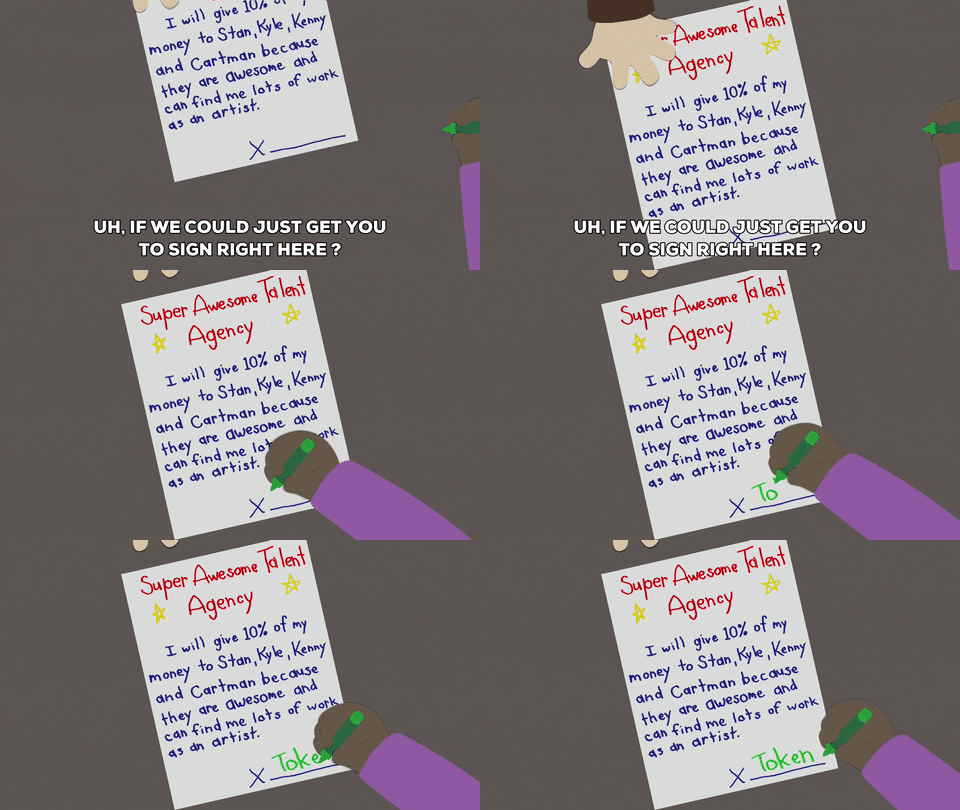
How You’ll Receive a Contract
There are a few ways that clients will send you a contract. There’s the DocuSign, PDF or a Word document.
The easiest way to deal with contracts is through DocuSign. Basically:
Your client sends you a DocuSign link in an email
You sign up for the site’s free account
The site will add the client’s contract to your account automatically
You sign everything digitally
Now, not all clients will be this easy. Typically, you’ll get your contract as a PDF or Word document. This makes things much harder because you would need to print it out, sign it, scan it and then email it back.

How to Skip the Steps
I hate the print, sign, scan process (mostly because my printer/scanner is always on the fritz), so I came up with a work-around.
If the contract is a PDF, there are two ways you can fill it out. Sometimes I take a screenshot of the page I need to sign, then use a photo editing app to add my signature and date. I keep a jpeg of my signature that I can place on any contract using the layering tool, then I use the text feature to add the date. To finish, I save the page as a jpeg and email the it to the client.
If you don’t want to fool around with photo editing software, you can also use an online site called PDFEscape. It makes the document editable (meaning your can add your signature, dates, etc.) and it’s free. Once you’re done, the site lets you download a copy that you can email to your client. I used PDFEscape for one of my last freelance client contracts.
If you get a Word document, the process is much easier. You can use the insert tool on any word processor app (like Google Docs) to add your saved signature jpeg and then just type in the date. Save the document as a PDF and you’re good to go.

How to Create a Signature Jpeg
Okay, may be a little lost when I say I have a signature jpeg. It’s literally just a photo of my signature. You can make a quick one of your own by writing your signature on a piece of white paper and then taking a photo of it with your phone. Crop your signature image very closely so there isn’t a lot of white space around the letters so it is easier to place on contract signature lines. Finish off by saving the image as a jpeg.
You can also open a new, white canvas using a drawing or photo editing app and write your signature using your finger or stylus on the touchscreen. Then, just crop and save it.
Email the image to yourself so you can download it onto your computer or laptop for whenever you need it.
What About Faxing?
Thankfully, most people don’t ask you to fax anymore. If they do, you can always go to Office Depot or FedEx and they will fax your contract for a small fee.
Got any questions? Let me know in the comments!!

No-Fluff Guide to Building Your Freelance Business Brand
Your brand is what makes you stand out from the crowd, writers. So, as you build your freelance writing business, you need to focus on what makes you you and how you’re going to convey that to the masses. This No-Fluff guide will walk you through the process.
Your brand is what makes you stand out from the crowd, writers. So, as you build your freelance writing business, you need to focus on what makes you you and how you’re going to convey that to the masses. This No-Fluff guide will walk you through the process.
What is Branding?
Branding is a huge buzzword right now, but it is so much more than a trend. No matter what you call this type of marketing, companies big and small depend on it to compete in competitive markets.
Branding definition: Making your brand stand out from competitors with marketing that is consistent and recognizable as belonging to only your company.
Keeping a consistent message, tone and feel to your marketing makes people remember you and that is a HUGE part of selling. Content on your website plays a big part in this image.

Businesses Are Going About Their Branding Process All Wrong
Life isn't a contest, though. Often, when freelancers start to visualize their brand they think about all of the other competitors out on the market. They wonder how they can be the best.
Each night I try to write an inspirational quote or a tidbit of knowledge that I've gleaned along the way on the bathroom mirror for my girls to see before they head off to school the next morning. One night, I wrote:
There is always going to be someone smarter, prettier, faster, etc. Be the best YOU can be. Life isn't a contest.
I think too many people get caught up in what everybody else is doing and they don't focus enough on what makes their brand special. Notice I said "special" and not "better."
Proving your better than someone else is like trying to prove you love your spouse to someone who doesn't know you. You can show them all the proof in the world, but they still won't be 100% sure. That's because all humans are just a little suspicious of each other. In the back of our minds we're wondering if that guy really loves his wife or if he's cheating with Ms. Robertson next door. It's the same with businesses. They say they're the best, but are they just full of hot air?
When people look at your branding, don't make them wonder if you're just full of hot air. Give them a positive feeling and you are off to a great start. Get them to laugh, or feel nostalgic or feel at home. That's what branding is all about. Conveying a feeling right off the bat and threading that feeling through everything that you present to your customer.
Assignment: What’s Your Brand?
I'm going to ask you some questions. Answer them as honestly as possible. Let's get started.
Will you be the face of your freelance business? For example, I am the face of my company. In fact, my company name is my own personal name. My company is 100% my voice and no one else's. Another example would be Dave Thomas of Wendy's. The restaurant was named after his daughter and her face was the logo, but he was the one that stared in many of the early commercials. His face, voice and sense of humor were what cemented Wendy's brand.
If you don't want your freelance business to center around you, no problem. We can work with that! You just need to know how you are going to present your business to the world. Will you have a logo instead of a professional photo to represent your business? Will your business be your name or will you come up with something else to call it? What colors will represent your business? Remember, branding needs consistency.
What do you think is special about you? For example, do you have a passion for the environment and want to be seen as a “green” freelancer? Could your former job give you an interesting insight into your niche that you could capitalize on?
(This is an excerpt from my book: The Fluff-Free Freelance Writing Master Course Workbook)

Do potential clients hate your brand?
Ring, Ring, No One's Answering: Poor Content = Sucky Conversion Rates
If your bounce rates are high and your conversion rate stinks, one thing is pretty clear: your website visitors hate you and your brand is sucking. Don't take it personally. It happens to the best of us. You just need to fix the problem and build your branding platform.
Your visitors hate you primarily because your content sucks. The number one key to good content is answering your visitor's needs, which is a huge part of getting your brand right.
Many websites draw in visitors from social media sites with sensational headlines, but then fail to deliver in the content. This is called click-baiting and it results in loss of trust from your visitors. They bounce before clicking on anything else on your site. This, in turn, impacts your conversion rates.
You don't need to have a sensationalist headline to let your readers down, though. Any content that doesn't answer the specific question that the headline promises is poor content.
Why Great Content is Essential for Branding

branding image
Content Branding Makes People Like You
Remember how your visitors probably hate you? As I mentioned before, content not only draws in traffic from search engines, it also makes visitors get a feel for your brand. Crap content makes them feel crappy about you.
Let's take a look at an example:
Web copy #1: At XYZ, we focus on producing quality soda that tastes good and is good for you.
Web copy #2: Hey, we're XYZ and we love to tingle your taste buds with soda that provides antioxidants and minerals your hard working body needs.
The copy in #1 is yawn worthy. The copy in #2 lets visitors see into the company's personality. The company seems fun, which is great if you are targeting a younger demographic.
Which company would you like to spend your money with? One that's bland or one with a personality and a point of view?
Getting Content Right
Many businesses start their content production by studying keywords and then building content around the keywords.
Wrong!

Fixing online customer service
This is a horrible practice because they are creating content for search engines, not people. Sure, most people will get to the content using a search engine, but it's the human that clicks on ads, call to action buttons or the next article, not the search engine.
So, you want to appeal to search engines, but you need content visitors will love. To get a home run, follow these steps:
Do your keyword searches, but look for keyword phrases with more than 20,000 monthly searches and low competition. These keyword phrases are the questions that people are asking and no one is answering. That's where you swoop in and save the day!
Use the keyword phrase in the title of your post and pepper it once in the article and once in an H2 headline. Remember, Google and other search engines are smart. No need to keyword stuff.
Write a fantastic article that not only answers the question at face value, but also goes above and beyond to give the reader some extra morsels of information about the subject. This makes for happy readers. Also, be sure to use your brand's voice throughout the piece of content.
Add some great visuals that mimic your brand and you're done.
Creating fantastic content that satisfies your reader is tricky. When you do it right, though, you will see your bounce rates and conversion rates get much better. Bottom line, happy readers equal content leaders. Now that you have that covered, it's time to consider content and branding.
Combine these branding strategies with great content and your brand identity will start to bloom. Best of all, people with GET you. That translates to customer loyalty and sells.

giving your brand personality
Keep the Personality Train Moving
Don't just stop the personality in the copy, though. Blog posts and articles should also contain the same personality your copy employees. This is where a lot of businesses fall short. They think that content is solely for driving conversions or drawing traffic and they forget about the people reading the words. People want to be entertained and they want to get to know your brand. Fantastic content can do all of the above. Give them what they want!
Get the Sizzle: 5 Steps for Building Your Brand Identity with Your Website
Building your brand identity starts with your website. Everything you add to your site will affect how visitors will feel about your company. Revamping your site to create a more cohesive brand is the best way to boost sales and make consumers remember you. Once you have this down pat, then you can move on to creating content that your audience loves and that drives conversions.
1. Branding with Colors
Step one is the most visual way to brand your site. Using one or two colors throughout your site, marketing items and packaging creates is more than just making things matchy-matchy. It gives consumers a visual cue as to who you are. It has even been proven that colors can influence purchases. So, choose one or two colors that will represent your business, ideally colors already used in your logo.

branding
2. Branding with Font
Like colors, you need to pick two to three fonts, tops, that will be used on your site. Mimic the font used on your packaging or in your logo for headers or H1 titles. Be sure that your page text is easily readable, though.
3. Branding with Your Logo
Now, your logo isn't just for the header of your website. Use it throughout. Watermark images with it. Use it on your about page. Use it in the footer. Be sure that you use it throughout your site.
4. Branding with Images
Have you ever been to a website that uses images that all seem to go together? That theme is their image brand. If you visit my site often, you'll probably notice that I use a lot of GIFs and fun images. I like to keep things light while talking about serious subjects. That's my brand.
You can do it, too. Come up with a theme for your images and be consistent. For example, product images could all have the same background or images could all work together in a common theme such as nature, modernism, zen, etc.
Here are some free places to find images.
5. Branding with Content Tone
Once you have the visuals in place, concentrate on the tone of your text. Every article, blog post, content description, etc, should have the same tone. Don't bounce from fun and peppy to straight-laced and staunch. Stay the same. Let consumers know who you are. Build a personality through your text.